
 Worksheets
Term4-Exam_Grade5
Total questions: 13
Worksheet time: 27mins
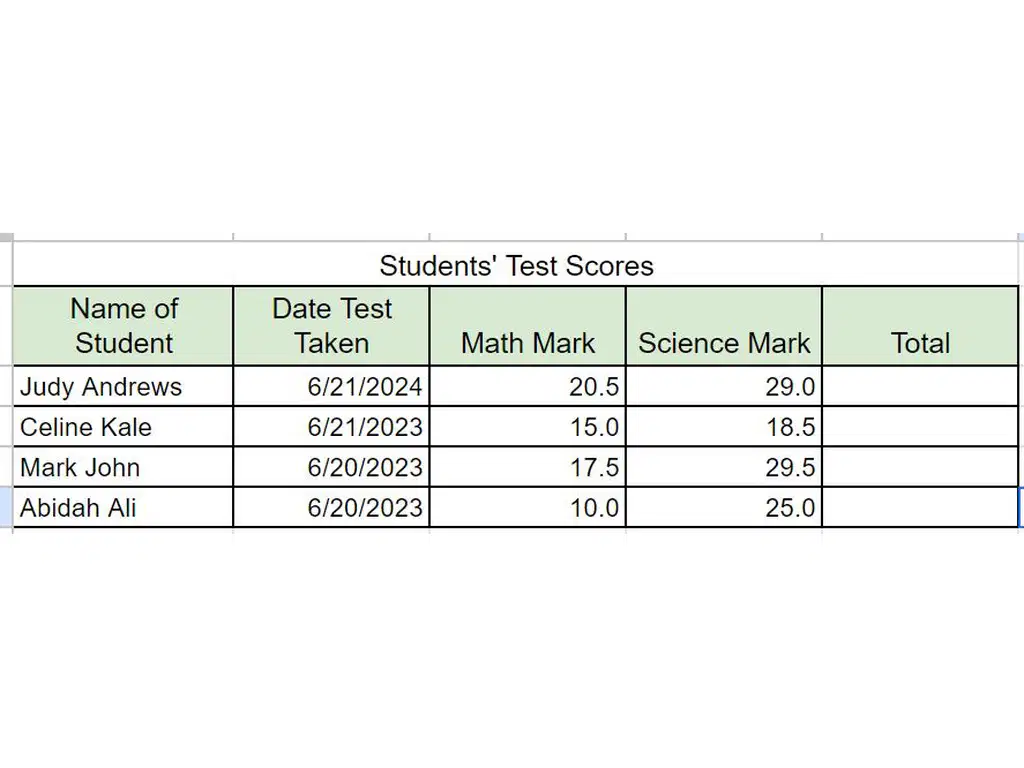
Use this spreadsheet on Students’ Test Scores to answer the questions below.
1. State the data type that is best suited for the data in each of the following fields.
Write to choose from the options in these boxes: number, text, date
a. Name of Student
b. Date Test Taken
c. Math Mark
d. Science Mark
(a)

Look at picture. Then match the following to choose from the options in these boxes.
Name of Student
Text
Date Test Taken
Date
Math Mark
Number
Science Mark
NUmber
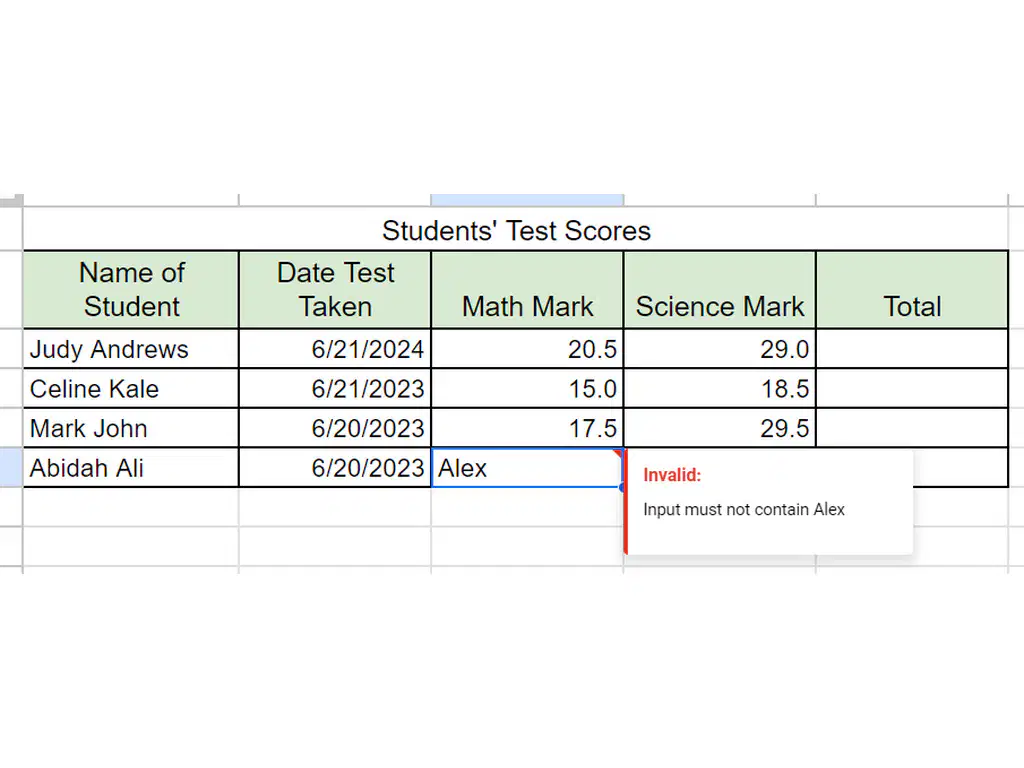
The teacher enters the data ‘Alex’ in the Math Mark column, but she gets an error message. Explain why she got an error message.
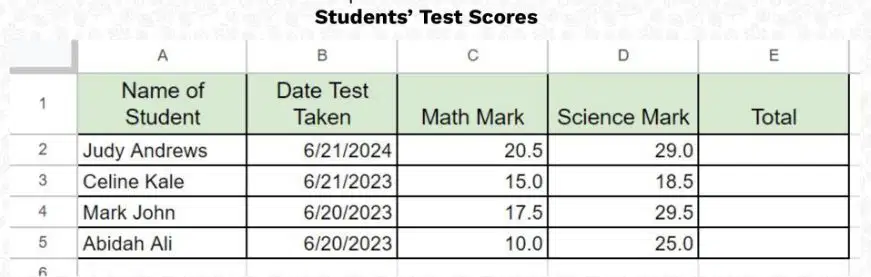
Choose the correct formula to calculate the total of the Science and Math marks for Judy Andrews in the spreadsheet.
=C2+D2
C2+D2=
C2+D2
C2+E2
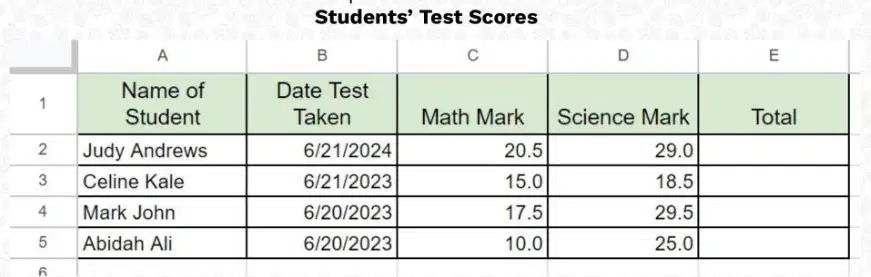
What is the name of the function that can be used to calculate the Total Score?
AVERAGE
SUM
+
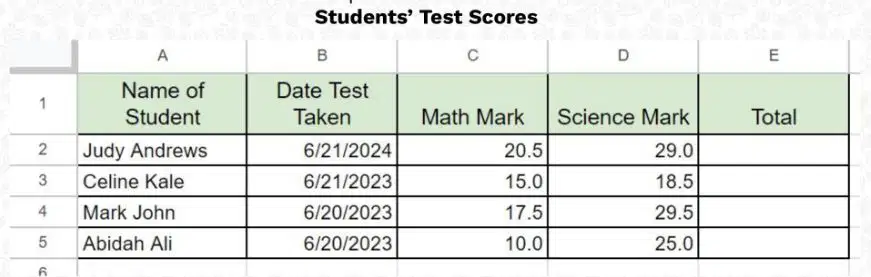
Look at the picture. To get the Total Mark for Abidah Ali, the teacher used the formula =C5+D5 instead of =10.0+25.0. Explain why.
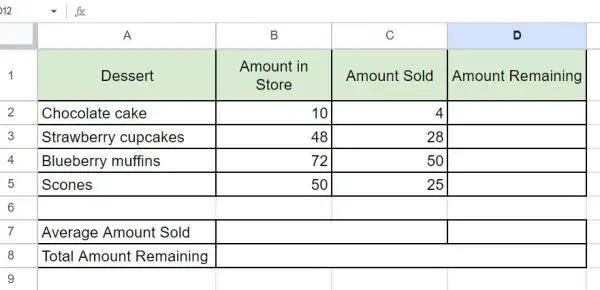
Look at the picture. Use the spreadsheet to answer the following questions.
Choose the correct formula to calculate the number of scones remaining.
=B2-C2
=B5-C5
=B5+C5
=B5*C5
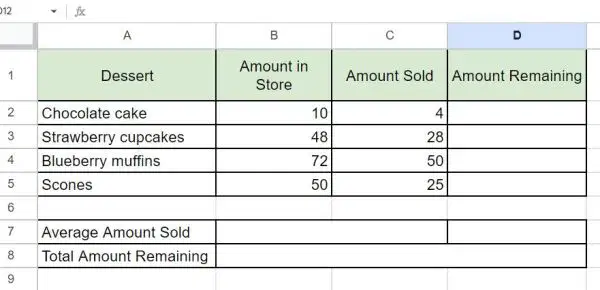
Choose the correct function to calculate the average amount of desserts sold.
=(C2+C3+C4+C5)/5
=SUM(C2:C5)
=AVERAGE(C2:C5)
=AVERAGE(B2:B5)

Choose the correct function to calculate the Total amount of desserts remaining.
=D2+D3+D4+D5
=SUM(D2:D5)
=AVERAGE(D2:D5)
=D2-D5
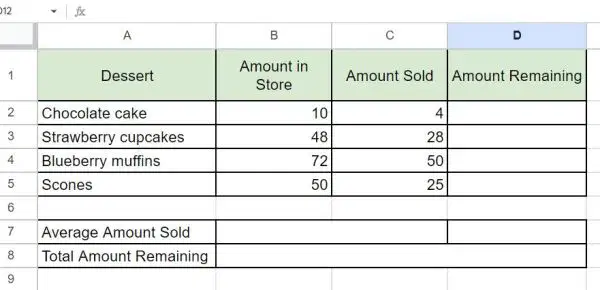
The Amount Sold for chocolate cake was changed from 4 to 6. What cell values will be affected by the change?
Total Amount Remaining
Average Amount Sold
Amount Remaining
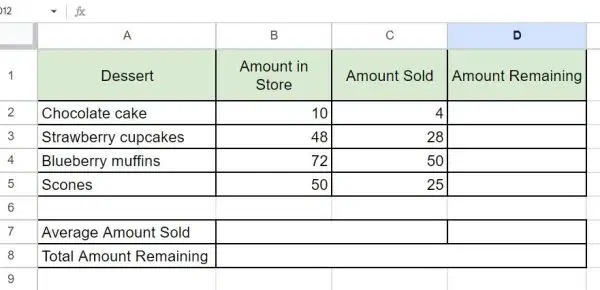
What data type should the data in the Dessert fields be?
Text
Number
Date

The data type of Amount Sold is Number. If text is entered in this column, what will happen?
Error message
Nothing will happen
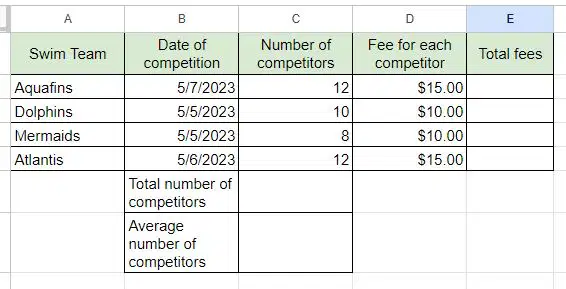
What is the formula to calculate the total fees paid by Aquafins?
=C2+D2
=C2*D2
=C2/D2

