
 Worksheets
revision class 4
Total questions: 153
Worksheet time: 1hrs 22mins
______________ is a set of programs, which manages all the jobs of a computer.
Windows 10
Operating system
both
_________ is an improved search tool to find information on your system or web.
Cortana
Bing
The founder of Microsoft corporation is ___________.
Sundar Pichai
Satya Nadella
Willam (Bill) H. Gates
The long horizontal bar located at the bottom of the desktop is called ______.
Title bar
Task bar
Quick access toll bar
___________ is present at the right side of the task bar.
Start button
Notification area
Opened Programs
The start menu can be opened by ________
Clicking on start button
Pressing Windows key on the keyboard
Both
none
Task view button is present on the _________ section of the taskbar.
Left
Middle
Right
The short key combination to active task view is______
Windows logo key + Tab key
Windows logo key + D key
Windows logo key + L key
The task bar can be moved to any of the two sides of the desktop.
True
False
To select adjacent icons/ items click and hold ________ key and on the last item to be selected.
Ctrl
Shift
Windows
To lock the taskbar _________on the taskbar > click on __________.
left click, lock the taskbar
right click, start task manager
right click, lock the taskbar
left click on the task bar
To open any program point and _________ click on the left button of the mouse.
Left
Right
Double
______ is an image, which pops on the computer screen whenever a computer is left idle for a certain period of time.
Background
Desktop
Screen saver

This image resembles
Busy
Working in Background
Normal
The arrow of mouse pointer that is used for moving pictures and toolbars.


________ the icons means arranging them in a proper sequence.
Arranging
Sorting
Showing
The slant arrow that is controlled by the movement of the mouse __________
Selector
Pointer
Keys
_________ are the labelled pictures on the screen.
Images
Desktop
Icons
The process of loading the Operating system is called __________.
Loading
Installing
Booting
The steps to be followed to shutdown a computer. Click on ........>.........>..........
Start> Shutdown>Power
Power> Start> Shutdown
Start> Power > Shutdown

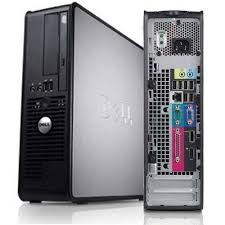
What part of the computer is this?
Central Processing Unit
Computer
Rectangle
Box
Which computer device is used to draw pictures and play games?
CPU
Mouse
Printer
Speaker
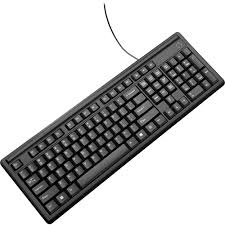
What is this called?
Speaker
Printer
Mouse
Keyboard
Computer is a machine that uses electricity.
False
Computer uses fuel.
True
Computer is not a machine.

What part of the computer is this?
Display
TV
Desktop
Monitor
Which computer device is used for typing?
Mouse
CPU
Keyboard
Projector

I am the most important part of the computer "the BRAIN." What am I?
UPS
CPU
PUC
CUP
The output of a computer is seen on which device?
CPU
Mouse
Keyboard
Monitor
This can be used to record videos and photos. Also the data is stored in digital memory.
Webcams
Video camera
Digital camera
Film camera
An input device which the user can use to type in numbers into a computer.
QWERTY keyboard
Concept keyboard
Ergonomic keyboard
Numeric keypad
A mouse,touch-pad, and a trackball are all examples of:
Scanning Device
Voice-Input Devices
Pointing Device
Output Device
A pen shaped device which can sense light, and is used to point at spots on a screen.
Light pen
Tracker ball
Mouse
Joystick
Used to enter information on papers into a computer
Printer
Scanner
QWERTY keyboard
Touchpad
Used by artists and designers to create and store digital graphics into a computer
Touch screen
Monitor
Laptop
Graphics tablet
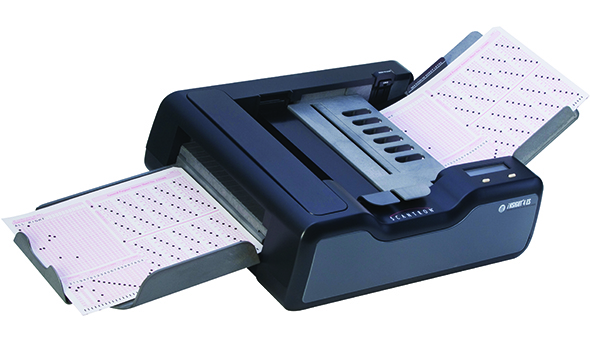
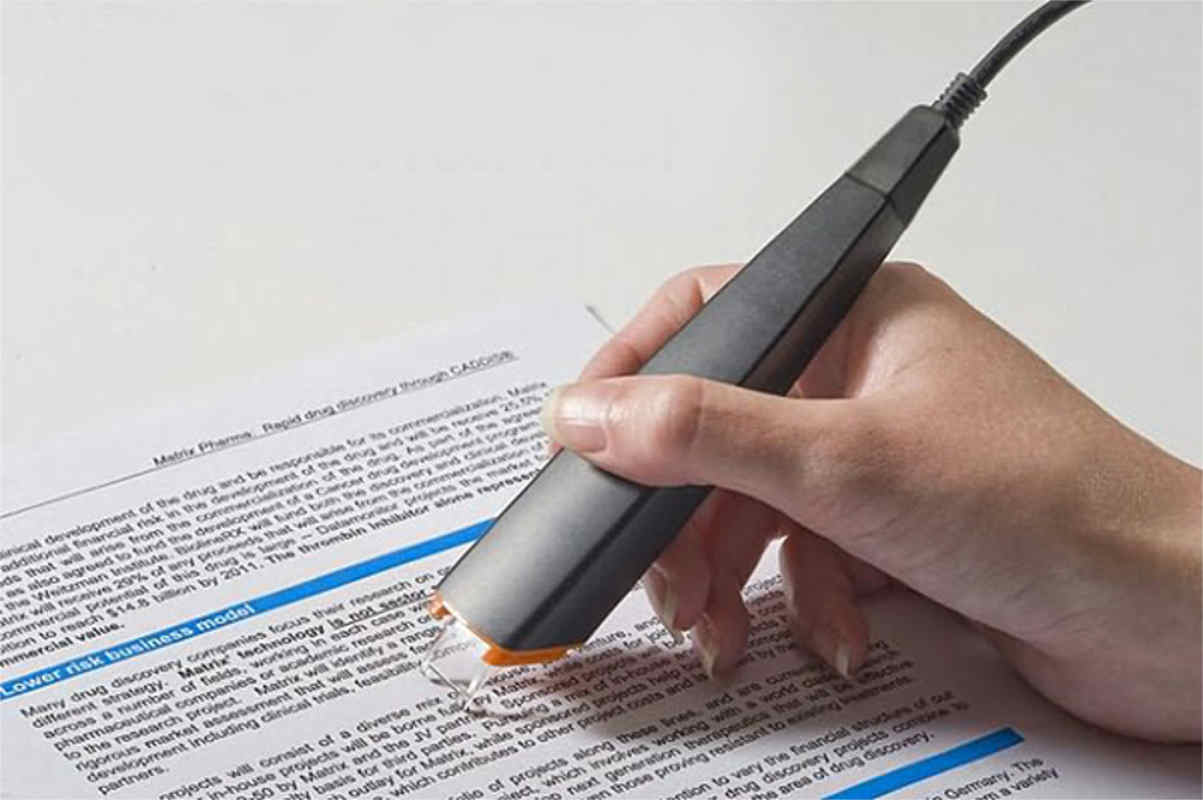
This mouse function allows you to select an item on the screen
Clicking
Double clicking
Dragging and Dropping
Right clicking
The values, facts and instructions given by us.
Output
Input
Process
All the physical parts of a computer that can be seen or touched.
Software
Hardware
The calculations and comparisons done by the CPU.
Input
Output
Process
The parts of computer we use to feed data and instructions to it.
Storage Devices
Output Devices
Input Devices
Used to feed data and instructions by pressing the key.
It has many keys, each having a different role.
Jotstick
Keyboard
Mouse
Used to feed data and instructions by selecting objects and drawing directly on the screen.
Light Pen
Mouse
Gamepad
Used to feed data and instructions by touching on its screen using our fingers and we can point directly to the objects on the screen and select them.
Scanner
Light Pen
Touchscreen
A removable memory card is fixed inside the camera.
Captured photos are stored in this memory card.
Webcam
Digital Camera
Microphone
Used to record voice or music into a computer.
Microphone
Scanner
Touchpad
Used while playing games. Its lever moves in all directions, controls the movement of the pointer on the screen.
Gamepad
Touchscreen
Joystick
——————- is like a rectangular box
Hard disk
CD
Pen drive
This device is used to listen to music.
Headphones
Inkjet
Microphone
A computer mouse has ————- buttons on it.
Two
One
Six
A monitor looks like a ————-
TV
Radio
Washing machine
The ————- devices are used to enter data into a computer
Input
Output
Process

Identify the image
Monitor
Speakers
Keyboard

Identify the image
CD
Hard disk
Pen drive
Output devices are used to display the final output. True or False.
True
False

Identify the image.
Microphone
Speakers
Headphones
Pen drive is also known as....?
Flash drive
Pen disc
Flip disc
Which output device allows you to hear sound?
speakers
microphone
monitor
Which device is used to control the movement of the pointer on laptop computers?
touch pad
track ball
touch screen
Which device gives the output onto a paper
printer
monitor
speakers
Which device is used to select the objects by directly touching with fingers?
touch pad
light pen
touch screen
How many keys does a standard keyboard have?
401
104
94
Who invented the computer mouse?
Dr.Engelbart
Vinod Dham
Sir Christopher Latham Sholes
The ____________ printer gives very high quality output
laser
inkjet
dot matrix
_________________ devices display the result that we get after processing
scanner
printer
monitor
A CPU is also known as the _________________
system unit
control unit
memory unit
__________ is a set of instructions that enables the hardware to work in a desired manner
software
hardware
malware
The physical parts of a computer that can be touched and seen are called ___________
hardware
software
malware
___________ is regarded as the inventor of QWERTY keyboard layout
Sir Christopher Latham Sholes
Dr.Engelbart
Vinod Dham
A ______________ is an input device, which is used to record voice, music and sound into the computer system.
microphone
mouse
keyboard
________________ is known as the "Father of Pentium" for his contribution in the development of the Pentium Processor from Intel
Vinod Dham
Presper Eckert
Charles Babbage
A _______ is used to take photographs and record videos.
digital camera
scanner
mouse
________________ is used to scan the printed bars codes present on the various products.
Inkjet printer
Bar Code Scanner
microphone
_______________ pritner give output only in black and white
laser
Dot Matrix
Inkjet printer
The Laser printer was invented by __________
Gary Starkweather
Christopher Latham Sholes
Engelbart
_______________ is the main circuit board of the computer system
Motherboard
Cupboard
Clipboard
The _______________ printer is also known as All-in-one printer
Multifunction
laser
inkjet
Primary storage in a computer is the ______________ memory that holds information temporarily.
Internal
External

What is this?
ROM
RAM
Hard disk
ROM stands for__________________
Random Only Memory
Read Only Memory
Access Only Memory
Which one is expensive?
RAM
ROM
Which one stores the data temporarily?
RAM
ROM
Which storage device is presented inside the CPU?
Primary Storage
Secondary Storage
Which is placed inside the system permanently?
Hard disk
RAM
ROM
CD ROM
Which is very oldest storage device?


What is the memory capacity of Floppy disk?
1.44 MB
1.44 GB
4.11 MB
4.11 GB
Which is popular and handy storage device?
CD ROM
Floppy disk
Hard disk
Pen drive
What is the memory capacity of CD-ROM?
700 MB
700 GB
700 KB
700 TB
Kamala wants to copy a movie. Which storage device can she use?
Floppy disk
CD-ROM
CD-R/W
DVD

A ______ is the main storage device in your computer.
Pen drive
CD
Hard disk
Memory card

Identify the name of the storage device.
Hard disk
Floppy disk
Compact disk
Video disk

Idenify the name of the storage device.
CD/DVD
Pen drive
Hard disk
Memory card

Idenify the name of the storage device.
Hard disk
Sim card
Memory card
Pan card
CD stands for ________
Copy disk
Compact disk
DVD stands for ________.
Digital Video Disk
Digital Voice Disk
Double Video Disk
Digital Versatile Disk
Idenify the types of various units of memory.
KB stands for _______.
Kilo Byte
Kilo Gram
Idenify the types of various units of memory.
MB stands for ______.
Milli Meter
Mega Byte
Idenify the types of various units of memory.
GB stands for ________.
Kilo Gram
Giga Byte

Identify the name of the storage device.
CD drive
Hard drive
Pen drive
Which is not a type of System software?
Device drivers
Utility programs
Applications
Operating systems
The 2 types of Software are:
Operating System
System
Business
Application
Allows the user to compress the size of large files for easier storage sending data.
Compression Software
Antivirus Software
Computer games
presentation apllications

Which one of these is best describes application software?
Software used to carry out
tasks e.g. web browser.
Software to help keep your
computer healthy e.g. anti-virus.
Software that allows you to use your computer and install other software.

Which one of these best describes utility software?
Software used to carry out
tasks e.g. web browser.
Software to help keep your
computer healthy e.g. anti-virus.
Software that allows you to use your computer and install other software.
Which of the following is NOT an Operating System
Android
Word
iOS
Windows
Which is NOT a utility program?
word processor
Compression software
Back-up
Disk organisation
The following is not a type of Systems Software?
Device Drivers
Utility Programs
Applications
Operating Systems


What company uses this logo?
4Chan
Crunchyroll
Windows
Software that controls all of the computers hardware is...
Program Software
Application Software
Instructional Software
System Software
An Operating System is...
Used for creating graphs and docutments
The most common type of system software
Only found in desktop computers
All of these
The type of software that the users run to do various tasks on a computer is...
System Software
Application Software
Utility Software
Operative Software
The following are examples of computer games except


What software would be used to create an information sheet e.g. a revision mat
Image editing software
Word processor
Presentation software
Web authoring software
What key creates a space between letters?
Spacebar key
Delete key
Backspace key
What key use to control cursor and page movement?
Special keys
Typing Keys
Control Keys
What part of the keyboard are you going to use if you want to type your name?
Function keys
Typing keys
Control Keys
What keys give editing commands to the computer?
Special Keys
Typing Keys
Function Keys
The longest key on the computer.
Backspace key
Capslock key
Spacebar key
What key you are using if you want to capitalize all the letters of your name?
Control Key
Alternate Key
Capslock Key
What key is used to erase the letter to the left of the cursor?
Tab key
Backspace key
Enter key
What special keys s used to capitalize the first letter of your name?
Control key
Shift key
Escape key
What special key is used to exit or cancel the current program?
Tab key
Alternate key
Escape key
If you want to use the keyboard as a calculator, what part of the keyboard are you going to use?
Typing Key
Function key
Numeric Keypad
It turns on and off typing in capital letters.
Ctrl Key
Shift Key
Caps Lock Key
Tab Key
It moves cursor forward one space at a time, leaving a blank space.
Function Key
Spacebar Key
Num Lock Key
Arrow Key
Capitalizes a letter or allows you to use the upper symbol in number keys when combined with other keys.
Shift Key
Caps Lock Key
Tab Key
Ctrl Key
It refers to proper finger positioning on the keyboard while typing.
Keyboarding Skill
Touch Typing
What are the Home Row Keys?
QWERTYUIOP
ASDFGHKL;
ZXCVBNM,./
1234567890
What letters are assigned to the left pinkie finger?
1 Q A Z Tab Caps Lock Shift
P ; ? Shift Enter Backspace
3 E D C
7 U J M
What letters are assigned to the right pinkie finger?
1 Q A Z Tab Caps Lock Shift
P ; ? Shift Enter Backspace
3 E D C
7 U J M
What are the proper Keyboarding Techniques? (Select all the correct answers)
Sit up straight
Fingers curved and resting on Home Row Keys
Elbows bent at side
Eyes on Keyboard
What should be your aim as a beginner in typing?
Accuracy rather than speed
Speed rather than accuracy
It cancels commands or series of commands.
Ctrl Key
Alt Key
Num Lock Key
Esc Key

1) Identify the name of the web browser associated with the following icon.
(a) Internet Explorer
(b) Opera
(c) Google Chrome Safari
(d) Apple
2) It is a collection of different web pages related to each other.
website
webpages
hyperlinks
search engine
3) A ______________________ is a graphic or text on a website that links to another website or web page.
image
hyperlink
web address
URL
4) Which of the following tasks Amit cannot perform using the internet?
Reading book
watching video
go for walk
Talk to his friends
5) It helps you to search for information on the internet based on the keywords entered by you.
URL
Web Address
Search Engine
WWW
6) A comic strip is a series of ______________________ related to a comic incident
Audios
Videos
Sound Files
drawings
7) It is a unique address that specifies the location of a website on a computer network
URL
www
Hyperlink
Web page
8) Zoya wants to search for information on ‘sources of water’ for her assignment. Which search engine can she use for the same?
Yahoo
Safari
Opera
Internet Explorer
9) Krish has searched many websites for his project. Identify the appropriate and quick action he should take to revisit the same websites later.
(a) Search for the websites again
(b) Note the addresses of the websites visited in a noteboo
(c) Save the address of a web page using the bookmark option
(d) Keep all the visited websites open in the browser.

10) Identify the selected option in the image shown
Address bar
Search Engine
Web Browser
hyperlink