
NEW
Font size
 Worksheets
White Belt Level 5
Total questions: 8
Worksheet time: 4mins
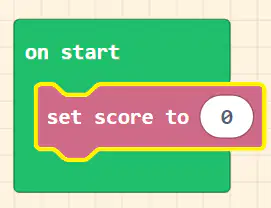
The [set score] info block sets what?
It sets the value of the game’s score.
It changes the score by the value in the parameter.
It adds an effect to the game over screen.
It runs whenever the selected button is pressed or released.
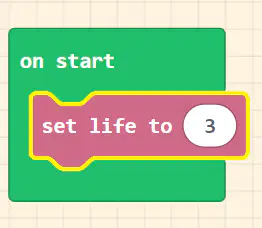
The [set life to] block sets what?
It sets the value of the game’s life.
It removes the sprite from the game.
It gives the selected sprite an x and y velocity based on the values of the parameters
It is used to set a wide range of individual properties for the selected sprite.
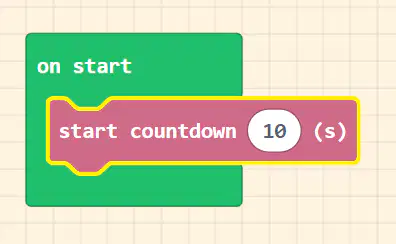
The [start countdown] block will display what?
It will display a timer on the top of the game
It changes the score by the value in the parameter.
It runs whenever the selected button is pressed or released.
It selects a random number between two parameters.
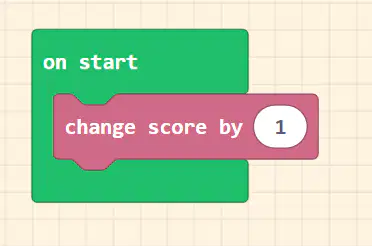
The [change score by] block changes what?
It changes the score by the value in the parameter.
It runs whenever the selected button is pressed or released.
It creates a new projectile sprite at the location of the provided sprite with the provided velocity.
The code in the [else] container will run
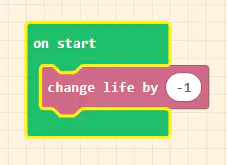
The [change life by] block changes what?
It changes the life by the value in the parameter.
It runs the code contained inside when the countdown timer reaches zero.
It sets the value of the game’s life.
It adds an effect to the game over screen

The [on countdown end] container block runs what?
It runs the code contained inside when the countdown timer reaches zero.
It creates a new projectile sprite at the location of the provided sprite with the provided velocity.
It randomly selects true or false based on the parameter provided.
It moves the selected sprite with the chosen animation.

The [destroy sprite] block removes what?
It removes the sprite from the game.
It runs whenever the selected button is pressed or released.
It gives the selected sprite an x and y velocity based on the values of the parameters.
It creates a new projectile outside of the game window with the provided x and y velocity.
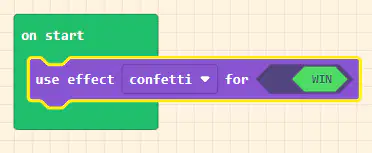
The [use effect] button adds what?
It adds an effect to the game over screen.
It runs whenever the selected button is pressed or released.
It contains the code that runs when two sprites with the selected kinds overlap.
It makes the sprite selected in the first red bubble follow the sprite selected in the second red bubble around the screen.

