
Font size
 Worksheets
Arduino Y8
Total questions: 14
Worksheet time: 9mins
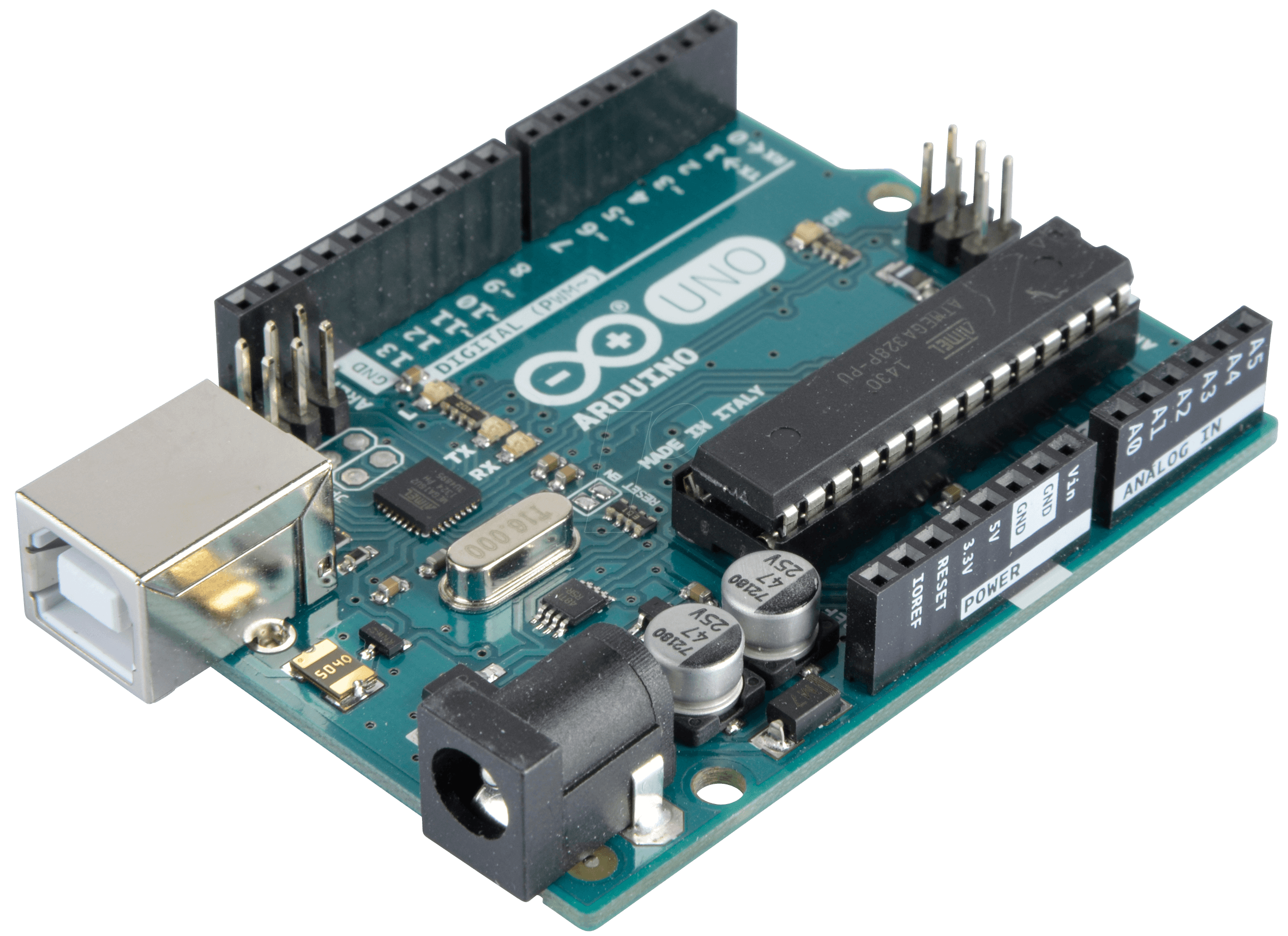
what is the name of this chip
Break
Twix
Embedded
Arduino

What is Arduino?
A company for selling microcontrollers
A software used to program microcontrollers
An open-source electronics prototyping platform based on flexible, easy-to-use hardware and software

Identify this component
Arduino Uno board
Raspberry Pi
Breadboard / Protoboard
White Plastic Board

What does IDE stand for?
Integrated Development Environment
In Deep Environment
Internal Deep Escape
IDE
Arduino can interact with...
buttons, leds
smartphone
sensors
all of the above
arduino is a closed source platform
no
yes
The brains of the Arduino.
power LED indicator
voltage regulator
main IC
USD

Choose the correct answer.
LED Pin 6 will be turned on and OFF after 1 minute.
LED Pin 6 will be turned off after 1 second.
LED Pin 6 will be turned on and turned off after 1 second.
LED Pin 3 will be turned on forever.
choose the right order
output - process - input
process - output - input
input - process - output
input - output - process
LED is setup-up to blink. LEDs is an
Output
Input
pinMode
digitalWrite
digitalWrite (LED1,HIGH);
What does it means by HIGH?
Blinking
Switch OFF
Switch ON
Sequence
delay (4000);
1000 in delay is equivalent to how many second?
10s
2s
60s
4s
digitalWrite (LED1, HIGH);
delay(1000);
digitalWrite (LED1, LOW);
What does the program do?
LED Switch Off at the beginning, wait for 60s and then switch ON.
LED Switch ON at the beginning, wait for 10s and then Switch OFF.
LED Switch ON at the beginning, wait for 1s and then switch ON.
LED Switch ON at the beginning, wait for 1s and then switch OFF.
Write the complete coding to Turn on LED at pin 8


