
 Worksheets
PRACTICA DE ADOBE INDESIGN
Total questions: 24
Worksheet time: 17mins
Which Adobe software is best for creating multipage documents and books
Adobe Illustrator
Adobe Indesign
Adobe Photoshop
Adobe Audition
Which Software Company is the industry standard for graphic designers
Autocad
Mac
Adobe
Intel
What is the native file format for Adobe Indesign
.ai
.psd
.indd
To publish your document as a PDF you must
File and then Export
File and then Open Adobe PDF
File then Print
Which tool would you use to add text?
Pen Tool
Selection Tool
Text Tool
You change the typeface, colour and point size of text in the Properties Panel.
Yes
No
INDESIGN: When a designer wishes to add an image to an InDesign document, which of the following answers is a correct method?
Add a frame > Place image
Add a frame > Select image in Mini-Bridge
Drag and drop image to document > click to document
All answers are correct
WHY PDF?????
Why not?
Compatible on all platforms
Offset and digital printer friendly.
Preferred by most printers

¿Qué es inDesign?
Es un programa para crear animaciones.
Es un software para diseñar revistas, trípticos, volantes, etc.
Es un software para crear cuentas estadísticas.
Es un programa para crear gif animados.
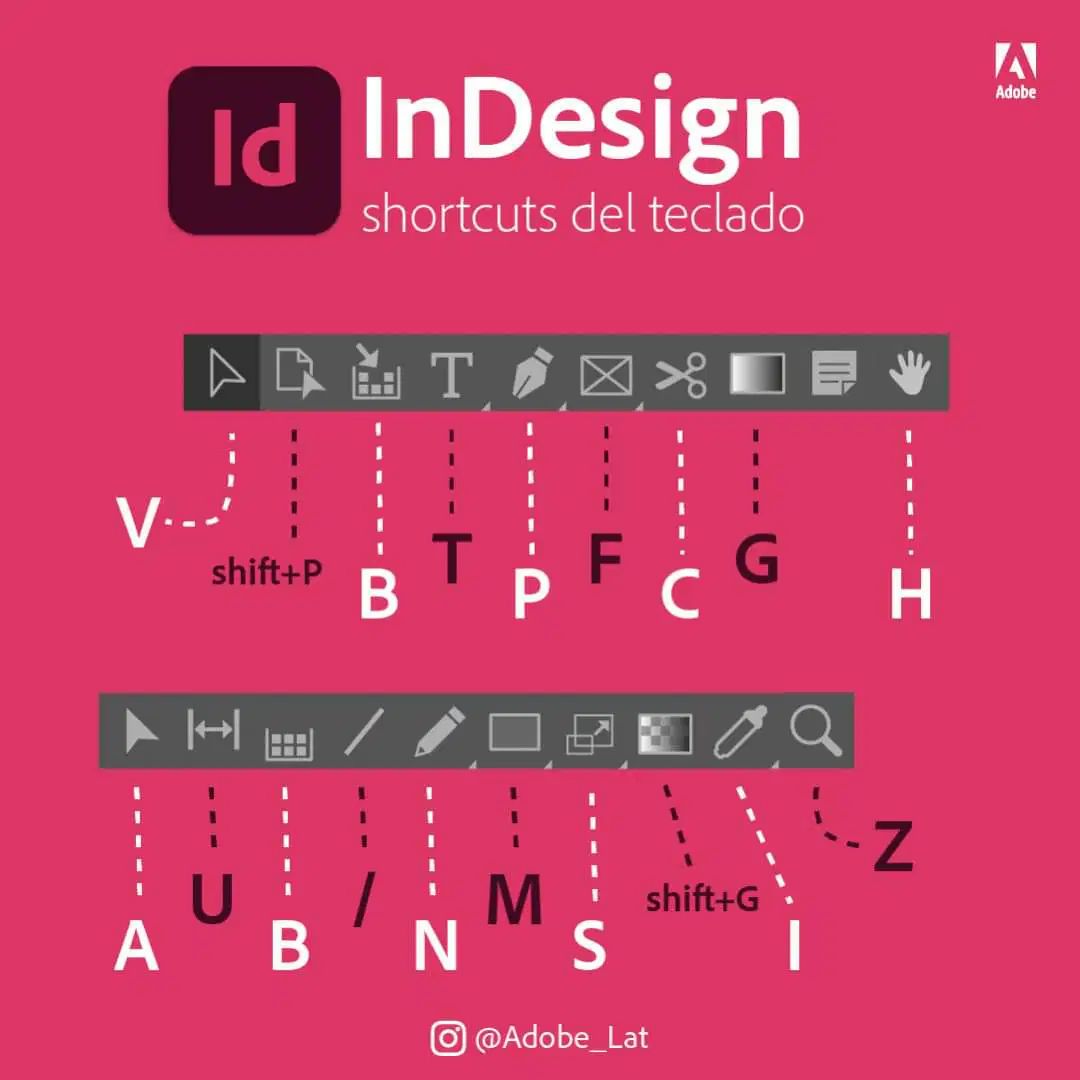
Herramienta que permite mover los elementos de la página
Herramienta selección multiple
Herramienta dibujo
Herramienta selección
Herramienta transformación
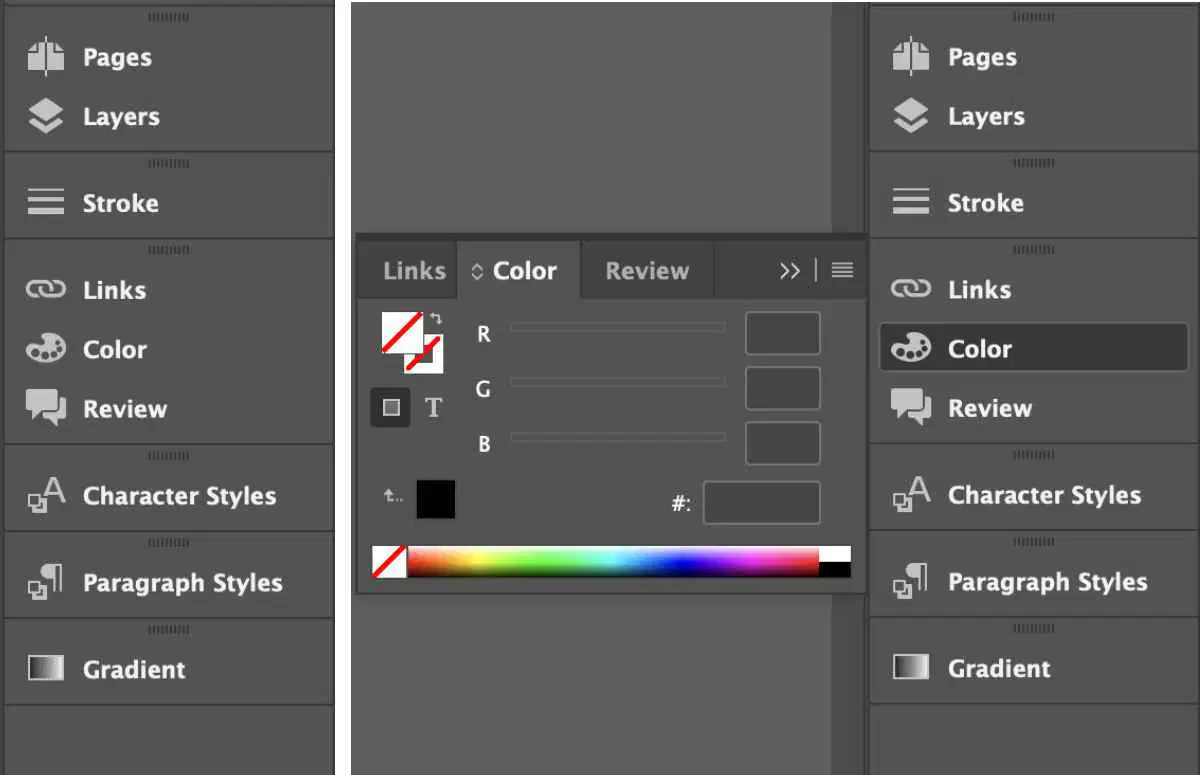
Es parte del entorno del programa Indesign
Documento
Diapositiva
Paneles flotantes
Barra de WordPad
El programa InDesing permite tambien :
Crear logotipos
Crear diseños básicos
Crear libros electrónicos para Ipad y Kindle
Crear montajes profesionales
INDESIGN:
The Adobe application InDesign is intended to be used
primarily to create which of the following?
Multi-page documents
Logo or icon designs
Online webpages
Business cards and flyers
INDESIGN:
In a typical InDesign layout, images and text are
contained within which of the following?
Frames
Bounding
Box
Paths
Blocks
INDESIGN:
When an image is too large or too small for a frame,
how might an InDesign user reformat the image to fill the frame?
Object > Fitting > Fill Frame Proportionally
Use the Free Transform tool to resize image
Go to Photoshop to resize the image to match the Frame size
Object > Place > Fit Content Proportionally
INDESIGN:
When an InDesign user wishes to resize an image and the frame at the same time,
they should do which of the following?
Click and drag frame corner while holding the Shift-Command keys
Use the Free Transform tool - click and drag corner
Click and drag the Content Grabber icon
Under Object, Fitting, select the Clear frame fitting options
INDESIGN:
If an InDesign user wishes to edit an InDesign image in Photoshop,
how can a user quickly get to Photoshop to edit the image?
Hold down Option key and double click on the image
Click image and drag to Photoshop
Right click image and select Photoshop from the options
Open image in Photoshop, make edits and then update all links
INDESIGN:
If an InDesign user wishes to have automatic page numbers appear on all of the document pages,
where must the automatic page number text frame be placed?
On Parent Page(s)
At the bottom of each page
Insert Special Frame on the document
check the
Insert-special
"T-Pain" auto-tune numbering symbol
What are the different types of typography alignment in InDesign?
Top align, bottom align, middle align
Bold align, italic align, underline align
The different types of typography alignment in InDesign are left align, right align, center align, justify, and justify all.
Single space align, double space align, triple space align
Un sangrado es lo mismo que sangría.
Verdadero
Falso
El color por defecto de impresión de InDesign es:
CYMK
RGB
Web
Ninguna es correcta
¿Cuantos tipos de zoom encontramos es InDesign?
1
2
3
4
Las páginas opuestas son:
Páginas pares
Página de portada
Páginas de un libro
Ninguna es correcta
El panel de control está ubicado a:
La derecha del documento
La izquierda del documento
Arriba del documento
Debajo del documento

