
 Worksheets
6th Grade Computer Lab Rules Quiz
Total questions: 50
Worksheet time: 49mins
Where do you sit in this class?
Anywhere I want
My assigned computer
Sharing Passwords is ok.
True
False
Is it ok to download things onto the computer and change the settings (wallpaper, cursor, themes, etc.)?
Sure, it’s my computer!
No, it is a shared computer between different periods and is not mine to personalize.
Which of the following should you NOT do?
Check that your computer and equipment (example, your mouse, keyboard, and headphones) are ok when you enter and leave the classroom
Keep at least one foot on the floor when sitting on my roll-y chair
Switch out equipment between different computers
If I do not follow the rules in the Computer Lab Contract, it is possible that my parents/guardians will be called and a meeting with my administrator will be arranged (a referral).
Yes, that is true.
No, parents and administrators will never know!!! Mwaahaahaa!!!
We should run in computer lab
True
False
It is OK to modify the computer desktop and screensaver in the labs.
True
False
Misuse of technology resources can result in loss of Computer Lab privileges.
True
False
What should you do if you see someone not following the computer lab rules?
Join them in breaking the rules
Ignore it
Report it to the teacher
Laugh at them
What should I do when I enter the computer lab?
Walk in quietly and sit at my assigned seat
Sit at my friend's computer
Finish telling my friend what happened at recess
Run around the room to get out my energy
When I come to Computers, I can go to any website or program I want.
True
False

I am allowed to touch
My neighbor's mouse
My neighbor's keyboard
My own mouse & keyboard

Respect Computer Lab equipment
Never
Sometimes
Always
False

When you leave the Computer Lab
Straighten your mouse
Straighten your keyboard
Push in your chair
All of the above

Only go to your assigned computer
False
True

When you first sign into your computer
Go to any program you want
Click and delete everything
Go to the Typing.com and begin lessons
Sit and do nothing

Passwords
You should tell all your friends
Tell only your best friends
Keep it a secret
Write it on your arm


Ms. McDonald
Ms. Williams
Ms. Crane
Ms. Long
True or False
I do not need to log off my computer at the end of class.
True
False
What should you do after TypingClub?
Turn off your computer
Begin coding on CodeAI
Choose log off from the Apple menu

This component is a/an...
hard drive
mouse
keyboard

This component is a/an...
hard drive
mouse
keyboard

This component is a/an...
mouse
keyboard
monitor
What is a computer?
A magical machine that grants wishes.
A device that can perform tasks and process information.
A talking robot friend.
A flying carpet.

What is the correct sign-in instructions for the computer?
studentid@students.rsd7.net
studentid@students.rsd.net
studentid@student.rsd.net

What is the correct password for your computer?
studentid8digitbirthday
studentid6digitbirthday
8digitbirthdaystudentid
P4SsWoRd

These symbols represent different types of internet what
Lookers
Video Games
Browsers
Portals

This curly arrow is the "Refresh Button"
True
False

What is this red box highlighting?
printer
address bar
task bar
Which is the pointer?


The pointer is also called...
Hand
Arrow
Cursor
Thing
Which finger is used to click left mouse button?
Index finger
Middle finger
Thumb
_______________ means pressing the left mouse button twice quickly.
Click
Double-click
Left click
Which mouse button is used to open a list of options on the monitor?
Left button
Right button
Scroll wheel
Moving an item from one place to another on the monitor with the help of mouse is called_________
Right click
Left click
Drag and drop

The arrow is pointing at the ____________
Body
Cursor
Scroll wheel
Left Button


Right Button


How long do we type each period?
20 minutes: 10 minutes of lessons and 10 minutes of games
10 minutes: 5 minutes of lessons and 5 minutes of games
16 minutes: 8 minutes of lessons and 8 minutes of games
30 minutes: 15 minutes of lessons and 15 minutes of games
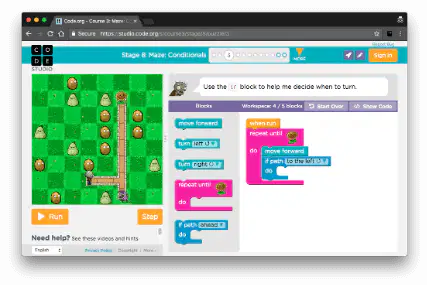
How long do we do CodeAi each period?
15 minutes
20 minutes
25 minutes
30 minutes

Do we ever play Minecraft Education in here?
Yes, every day
Yes, but not every day
No, never

If you get stuck on a coding problem, you should...
Immediately ask for help
Try different things by yourself before asking for help
Skip it and never go back to it
Bang on the keyboard and scream with frustration

