
 Worksheets
Grade 4 - Connecting computer parts
Total questions: 15
Worksheet time: 8mins
What do you use to move the cursor on the screen?
Joystick
Keyboard
Mouse or trackpad
Touchscreen
Which device lets you type letters and numbers?
Printer
Keyboard
Mouse
Monitor
What is the screen of a computer called?
monitor
hard drive
keyboard
CPU
What connects the computer to the power source?
USB cable
Ethernet cable
HDMI cable
Power cable
What do you call the wires that connect devices?
Cables
Connectors
Adapters
Plugs
Which part of the computer shows images?
Monitor
Speaker
Printer
Keyboard
What do you use to click and select items on the screen?
Touchscreen
Keyboard
Mouse
Trackpad
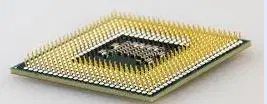
What is the main part of the computer that processes information?
Hard Disk Drive (HDD)
Central Processing Unit (CPU)
Random Access Memory (RAM)
Graphics Processing Unit (GPU)
What connects the keyboard to the computer?
Cable or wireless connection
Power supply
Monitor connection
USB port
What do you call the device that helps you see your work?
printer
keyboard
scanner
monitor
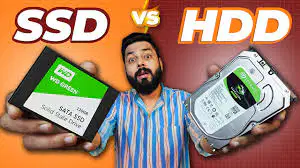
Which part of the computer stores your files?
Motherboard
RAM
CPU
Hard disk drive or solid-state drive
What is the function of a mouse?
To print documents from the computer.
To connect to the internet.
To store files and data.
To control the cursor and interact with the computer.
What do you need to turn on a computer?
Monitor
Keyboard
Power button
Mouse
What connects the monitor to the computer?
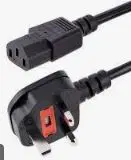
Power cable
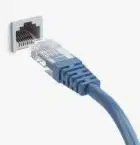
Ethernet cable
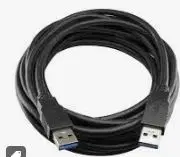
USB cable
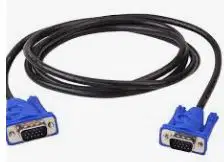
VGA- Video Graphics Array Cable
What part of the computer helps you play games and watch videos?
Motherboard
RAM
Power supply
Graphics card (GPU)

