
Font size
 Worksheets
Software vs Hardware G8I
Total questions: 78
Worksheet time: 38mins
What is the main purpose of a software update?
To delete old files
To replace an older version with a new one
To create new hardware
To slow down the application
Why is it important to update antivirus software regularly?
To make the computer run slower
To ensure continued protection against malware
To change the operating system
To increase the size of the software
Which of the following is an example of antivirus software?
Microsoft Word
McAfee
Adobe Photoshop
Google Chrome
What can a software update help to remove?
New applications
Bugs
Hardware
Internet connections
How does upgrading hardware benefit a computing device?
It makes the device older
It enhances overall performance
It prevents software updates
It reduces the device's speed
What type of threats does antivirus software protect against?
Network errors
Malware
Hardware issues
Software updates
When using a computer, where does antivirus software typically run?
In the foreground
In the background
Only during updates
When the computer is off
What is Kaspersky?
A type of hardware
A type of software update
A brand of antivirus software
An operating system
What benefit does a software update provide in terms of application speed?
It usually slows down the application
It has no effect on speed
It can help speed up the application
It only affects hardware speed
What is one reason computing devices should be kept up-to-date?
To prevent the installation of new applications
To maintain compatibility with new software
To reduce the performance
To remove all existing files

What is this hardware or software?
hardware
software

What is this hardware or software?
hardware
software

What is this hardware or software?
hardware
software

A webcam or camera is _______.
input
output


A printer is _______.
input
output


Hardware and Software do not have to work together.
True
False
What is the most important program that runs on your computer, it lets software and hardware work together?
Operating System
Programs
Applications
Hardware
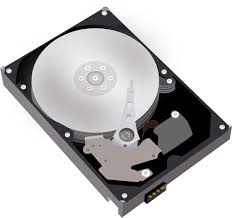


Keyboard, Mouse, Camera and Microphone are all ___________?
Software - Input
Software - Output
Hardware - Output
Hardware - input

Printer, Desktop monitor, Headphones and Projector are all ____________?
Software - Input
Software - Output
Hardware - Input
Hardware - Output
Types of operating systems:
Unix
Robotics
Linux
Windows
Business
What is the most important program that runs on your computer, it lets software and hardware work together?
Operating System
Programs
Applications
Hardware
Hardware and Software do not have to work together.
True
False
A printer is _______.
input
output
A webcam or camera is _______.
input
output
Keyboard, Mouse, Camera and Microphone are all ___________?
Software - Input
Software - Output
Hardware - Output
Hardware - input
Printer, Desktop monitor, Headphones and Projector are all ____________?
Software - Input
Software - Output
Hardware - Input
Hardware - Output
Types of operating systems:
Unix
Robotics
Linux
Windows
Business
Which of the following is not a Microsoft application?
Word
Excel
Powerpoint
Safari
In a powerpoint presentation, an animation is
a cartoon television program.
visual effects added to text or an object.
a hand-drawn imagine.
None of the above.
A worldwide collection of networks that links millions of businesses, government agencies, educational institutions, and individuals
Network Card
Super computer
Internet
Web site
Allows user to create and manipulate documents containing mostly text and sometimes graphics
Presentation
Utility Program
Word Processing
Microsoft Word
Use to create personal profiles, budget summaries, income statements or calculate students marks
Presentation
Spreadsheet
Database
Microsoft Excel
Deleted files, Unused program files, Temporary internet files
Utility Software
Disk Defragmenter
Disk Cleanup
Anti Virus

Holds many components of the system
Mainframe
Motherboard
CPU
Adapter Card Slot
Microsoft Office is an example of a
Application software
Video game
Operating System Software
Programming Software
___ apps are used for creating documents.
Word processor
Presentation
Spreadsheet
Browser
___ apps are used for organizing and calculating numbers.
Word processor
Presentation
Spreadsheet
Browser

What do you call the app with this logo?
Docs
Word
Pages
Firefox

What do you call the app with this logo?
Docs
Word
Pages
Firefox

What do you call the app with this logo?
Sheets
Excel
Numbers
Choose all the software applications.


Choose all of the hardware devices.


If I want to type a research paper, which of these will help me?
(Select all that apply)


If I want to chat online with a friend, which of these will help me?
(Select all that apply)


If I want to update my followers online, which of these will help me?
(Select all that apply)


What kinds of information make up your digital footprint?
Online photos
Comments that others post about you
Comments you post about other people's pictures
All of the above!
What CAN you control about your digital footprint?
Comments friends make about me
Things my parents post about me
Photos my friends post of me
Things I post


It is safe to tell people about your hobbies online (eg it is safe to tell people that you like playing Minecraft)

