
NEW
Font size
 Worksheets
Grade 4 Checkpoint 1
Total questions: 20
Worksheet time: 10mins
What is hardware?
a) Programs in a computer
b) Physical parts of a computer
c) Data stored in a computer
Which of the following is an example of software?
a) Keyboard
b) Monitor
c) Microsoft Word
d) Mouse

Which device is used to INPUT data into a computer?
a) Printer
b) Scanner
d) Microphone
Which of these is an output device?
a) Mouse
b) Scanner
c) Printer
d) Microphone
What is the main function of a CPU? Central Processing Unit
a) Store information
b) Controls all computer operations
d) Provide sound output
Which symbol in a flowchart shows the START END of a flowchart?

a) Rectangle

b) Oval

c) Diamond

Which flowchart symbol is used to show a decision?
b) Diamond shape
c) Rectangle
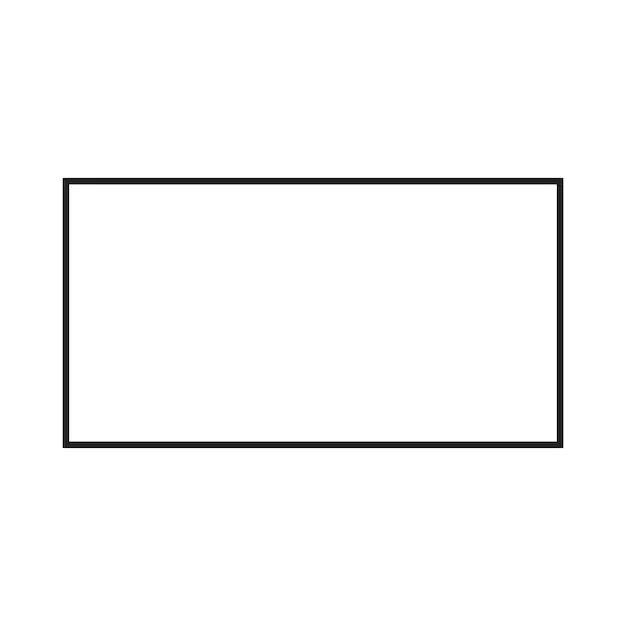
What does the rectangle symbol represent in a flowchart?
a) Start/End
b) Process or Action
In Scratch, which block is the START block.

a) Event block

b) Motion block
What type of Scratch block is used to move a sprite?
a) Motion block
b) Control block
c) Event block
d) Operator block
How do you create a background in Scratch?

a) Click on the sprite icon
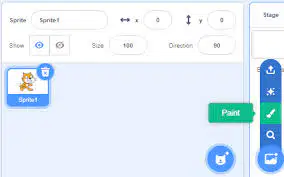
b) Select “Choose a backdrop” in the Stage area
Which of these is an example of an input device?
a) Headphones
b) Keyboard
c) Monitor
d) Projector
What Scratch block would you use to check if a key is pressed?
a) Motion block
b) Control block
c) Sensing block
d) Operator block
Which of the following is a control block in Scratch?
a) Move 10 steps
b) When green flag clicked
c) Wait 1 second
d) Say “Hello!”

What Scratch block helps REPEAT actions multiple times?
b) Control block
c) Event block
What does an output device do?
a) Enter data into a computer
b) Process information
c) Display or produce results
d) Store information
Which of the following is NOT a flowchart symbol?
a) Oval
b) Triangle
c) Diamond
d) Rectangle
Which Scratch block would you use to ask a question and wait for an answer?
a) Sensing block
b) Event block
c) Control block
d) Motion block
How do you delete a background in Scratch?
a) Right-click the backdrop and choose “Delete”
b) Click the sprite and press delete
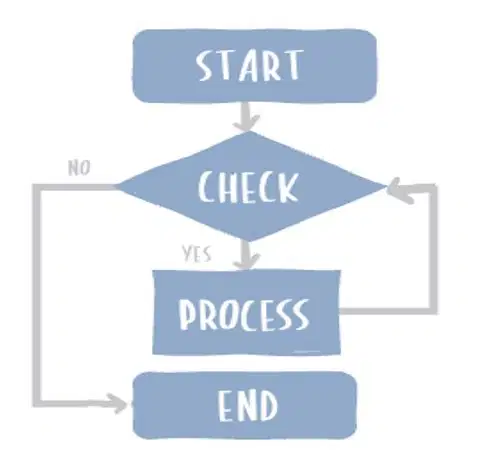
Why does Maryam need to draw a flowchart?
b) To write code faster
c) To plan and visualize each steps in a program.

