
 Worksheets
Total questions: 16
Worksheet time: 22mins
What are the differences between personal and professional emails?
concise
short
formal
slang
emojis
informal
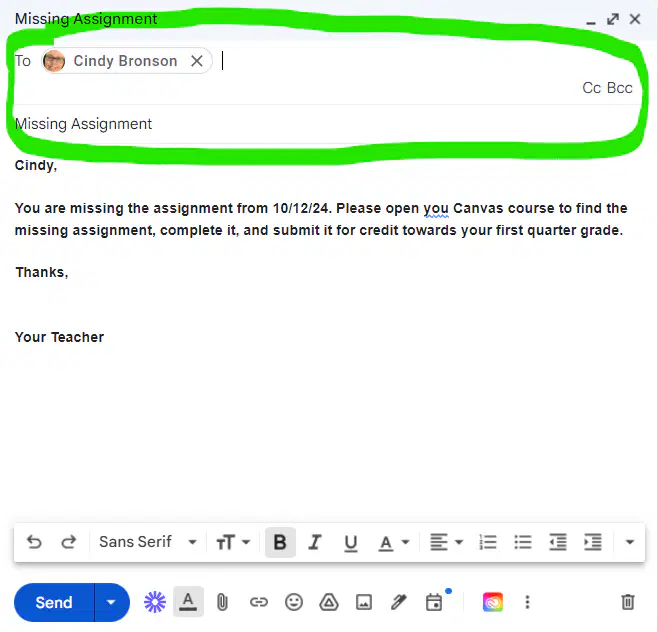
The highlighted part of this email is called . . .
body
heading
closing
subject
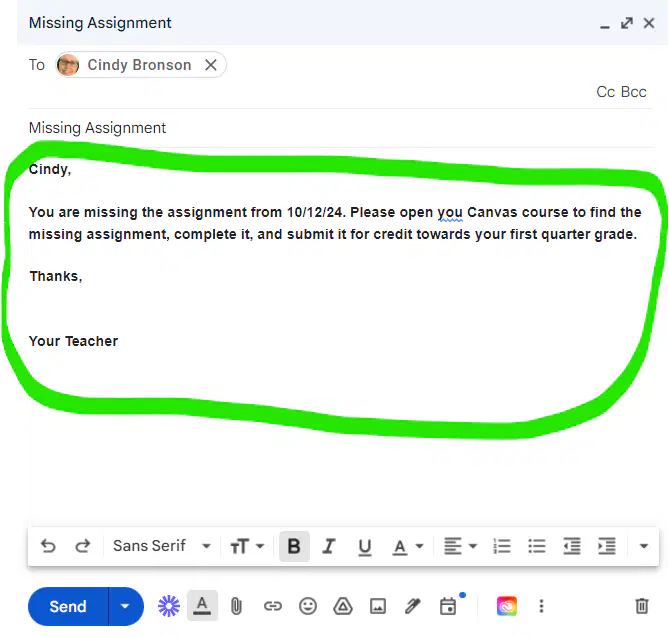
The highlighted part of this email is called the . . .
heading
body
subject
closing
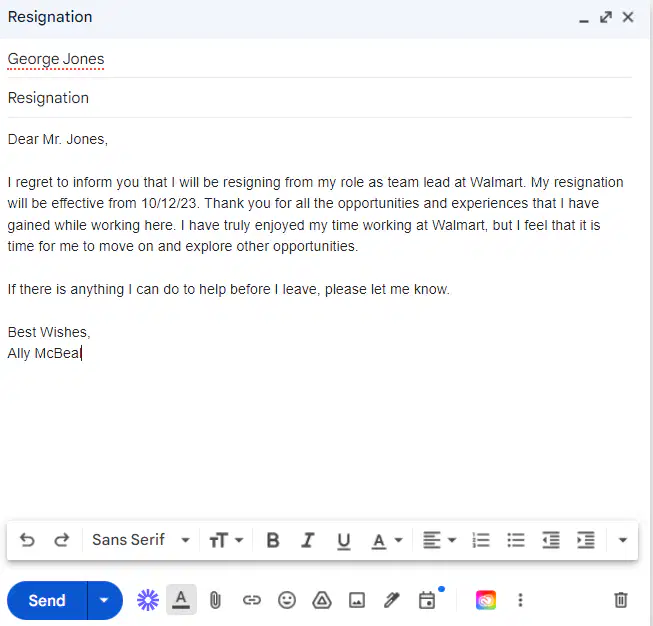
What kind of email is shown in the picture?
formal email
informal email
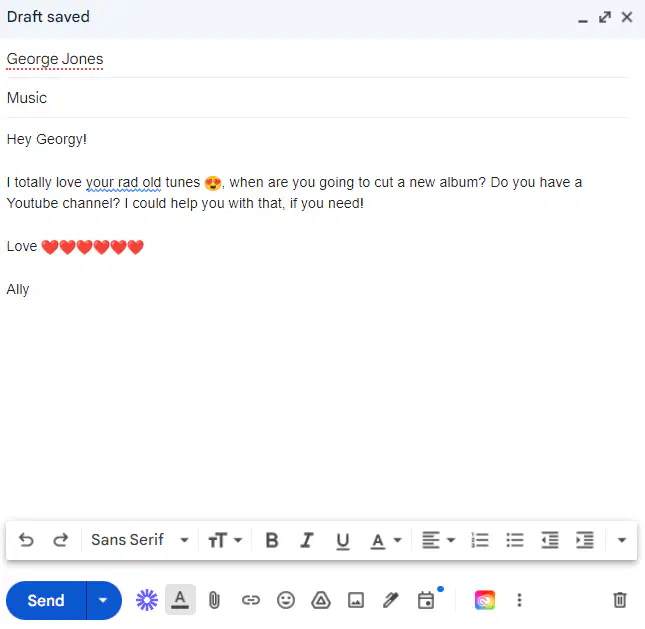
What kind of email is shown in the picture?
formal
informal
Decide if each of the labels belongs in the body of an email or NOT.
single spacing
double space between paragraphs
short & concise
no tabs
Match the following email features.
reply only to original sender
reply
reply to all recipients of original email
reply all
send email to a new recipient
forward
Organize these options into the right categories
Carbon Copy
emails are visible
Blind Carbon Copy
emails are blocked
copy an email to someone
don't want to share emails
Organize the statements into the proper category.
check email regularly
stay on topic
reply promptly
avoid unknown email sender
What does the universal symbol for attachment look like?


Items linked in email...
emojis
links
pictures
What is the function of the Compose button in Gmail?
Delete all emails
Access spam folder
Change email settings
Create and send a new email
Where can you find the Email Address field when composing a new email?
In the attachment field
In the 'To' or 'Recipient' field
In the subject line
In the body of the email
What is the purpose of the 'Cc' field in an email?
To specify the subject of the email
To attach files
To send a copy of the email to additional recipients
To write the main content of the email
Which part of an email contains the sender's email address?
Subject line
Body of the email
Header
Footer
What does the 'Reply All' function do in an email?
Forwards the email to a new recipient
Deletes the email
Replies to the original sender and all other recipients
Replies only to the original sender

