
NEW
Font size
 Worksheets
Grade 2 Parts of Computer and Mouse
Total questions: 15
Worksheet time: 8mins
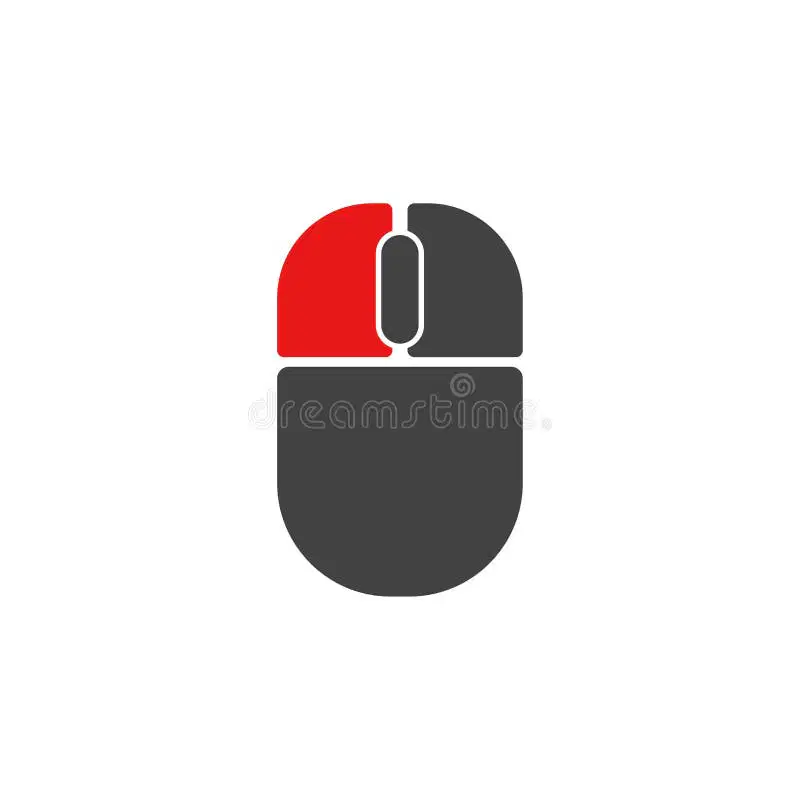
Which Mouse Button is in Red?
Right Click
Left Click
Which finger goes on this Button?
Middle Finger
Pointer Finger

Which mouse button is in Yellow?
Right Click
Left Click
Which finger goes on this button?
Middle Finger
Pointer Finger
Pressing the mouse button is called _____________.
Touching
Clicking
Clicking the Mouse Button once is called Single Click.
True
False
--- and ---- is when you Click and Drag an Object to a new Location with the mouse.
Twist and Turn
Drag and Drop
Start and Stop
When move the mouse over something without Clicking it. This is called ---.
Click
Drag
Hover
Which part of a computer displays information on a Screen?
Prnter
Monitor
Mouse
The Modem or Router connects you to the Internet.
True
False
Which part of the computer is used for typing letters and numbers?
Mouse
Monitor
CPU
Keyboard
A hand held device used for moving the cursor on the screen.
Speaker
Mouse
Printer

What is this part of the computer called?
Printer
Microphone
Keyboard
The CPU is inside the computer case.
True
False
The brains of the computer is Not inside the case.
True
False

