
 Worksheets
Fusion 360 sketch
Total questions: 60
Worksheet time: 30mins

The ________ command constrains the position of two points or a point and a line or curve together.
Horizontal/Vertical
Coincident
Tangent
Equal

The __________________ command constrains a single line, or two points, to lie on either the horizontal or vertical axis, whichever is closer to the current alignment.
Horizontal/Vertical
Coincident
Tangent
Equal

The ____________ command constrains a curve and another object so that they touch at a single point but never cross each other.
Horizontal/Vertical
Coincident
Tangent
Equal

The ___________ command constrains similar objects so that their sizes are identical. When the size of one object changes, the others adjust, too.
Horizontal/Vertical
Coincident
Tangent
Equal

The _____________ command constrains two lines so that they extend in the same direction and never intersect.
Horizontal/Vertical
Parallel
Perpendicular
Equal

The __________________ command constrains two objects so that they lie at a 90-degree angle to each other.
Horizontal/Vertical
Parallel
Perpendicular
Equal

The ___________ command locks the size and location of a point or object.
Fix/Unfix
Parallel
Perpendicular
Midpoint

The ______________ command constrains a point or object to the midpoint of another object.
Fix/Unfix
Parallel
Perpendicular
Midpoint

The _____________ command constrains two or more arcs, circles, or ellipses to the same center point.
Fix/Unfix
Concentric
Collinear
Midpoint

The ___________ command constrains two or more objects so that they share a common line.
Fix/Unfix
Concentric
Collinear
Midpoint

The _____________ command constrains two or more objects so that they are identical to each other in relation to a common axis.
Symmetry
Concentric
Collinear
Midpoint

The ___________ command constrains two or more objects to create a smooth, continuous curve between them.
Symmetry
Concentric
Collinear
Curvature

What constraint is this icon for?
Coincident
Horizontal/Vertical
Tangent
Equal

What constraint is this icon for?
Collinear
Concentric
Tangent
Equal

What constraint is this icon for?
Collinear
Concentric
Tangent
Equal

What constraint is this icon for?
Collinear
Concentric
Tangent
Equal

What constraint is this icon for?
Fix/Unfix
Midpoint
Tangent
Equal

What constraint is this icon for?
Horizontal/Vertical
Midpoint
Tangent
Parallel

What constraint is this icon for?
Horizontal/Vertical
Midpoint
Tangent
Parallel

What constraint is this icon for?
Horizontal/Vertical
Midpoint
Perpendicular
Parallel

What constraint is this icon for?
Horizontal/Vertical
Midpoint
Perpendicular
Parallel

What constraint is this icon for?
Curvature
Tangent
Perpendicular
Symmetry

What constraint is this icon for?
Curvature
Tangent
Perpendicular
Symmetry

What constraint is this icon for?
Curvature
Tangent
Perpendicular
Symmetry

What is this tool called?
View Cube
View Box
Angle Cube
Angle Box
How can you go to the Home view?
Choose the house icon
Click the Front side
Hit F3
Click the scroll wheel on your mouse

Is Body1 hidden or visible?
Hidden
Visible
Is the Origin hidden or visible?
Hidden
Visible

Which two buttons can you choose to Open a document that you have Saved?
1
2
3
4
5
Which button do you choose to Save your work?
1
2
3
4
5

What button do you choose to create a new design document?
The green circled button
The red circled button
The blue circled button
Which section do we choose to change the Units?
Document Settings
Named Views
Origin
Bodies

What are the dimensions of the gray (top left) rectangle?
30mm x 50mm
30mm x 30mm
30 x 30
60mm x 30mm

If you wanted to draw this face, which TWO tools would be best to use? (Choose 2)
Spline Line Tool
Extrude Tool
Mirror Tool
Arc Tool
Every 3D Model starts with
extruding something
drawing a 2D sketch
revolving a face
When creating a new sketch you need to choose
an extrusion type.
the timeline.
a plane to draw on.

What do these orange squares represent?
Planes you can put sketches on.
Ships you can sketch on.
Faces you can doodle on.

Which tool from the Create menu would be used to make this effect?
Extrude
Sweep
Revolve
What do we call the point where all three axes (x,y,z) meet?
The beginning
The Origin
Zero
If you want to change a dimension in your model you should
edit the correct sketch from the timeline.
create a new sketch.
create an offset plane.

What is the fastest way to fix this view?
Zoom in, rotate the View Cube.
Rotate the View Cube, zoom in.
Click the home button beside the View Cube.
When might you use an offset plane?
To move an existing plane.
To create a new plane for a new sketch.
To rotate a part of a sketch around an axis.
If your sketches disappear, or you want to show / hide them, you can click:
The eyeball beside the sketch(es) in the left menu.
Extrude.
the View Cube.


In Fusion 360 what does this tool do?
Create a sketch
Create a rectangle
Extrude
Save

name the fusion 360 function labeled C on the picture
Tool bar
Application bar
Browser
Time line

name the fusion 360 function labeled B on the picture
Tool bar
Application bar
Browser
Time line

name the fusion 360 function labeled D on the picture
Tool bar
Application bar
Browser
Time line

name the fusion 360 function labeled G on the picture
Display settings /Navigation Bar
Application bar
View Cube
Canvas and marking menu
What tool is used to SET the dimension


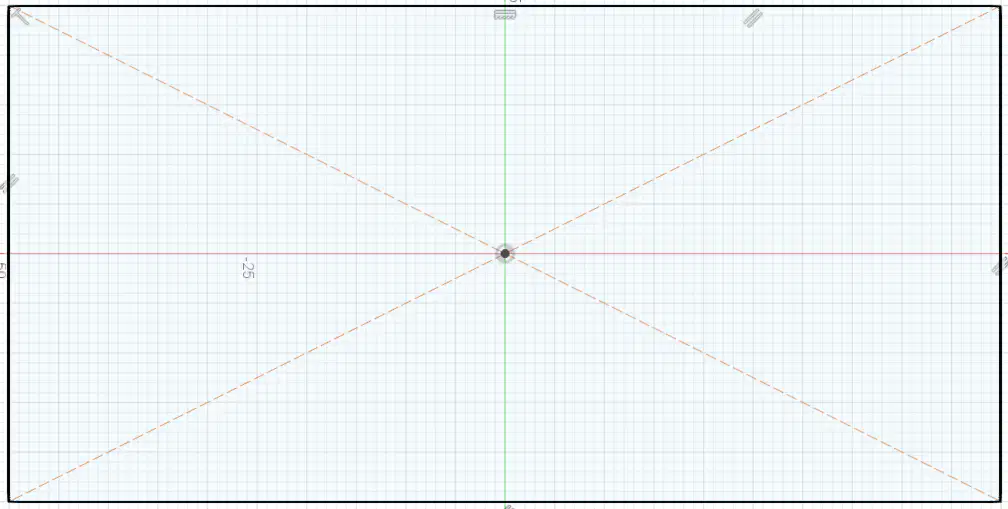
What tool is used to create this shape


Smart dimension [D] tool is used for:
Set Size of sketch geometries
Set closest Distant between 2 sketch geometries
Set Horizontal/Vertical position to origin
Set Horizontal/Vertical distant between 2 geometries
Set Angle between 2 lines
How to know you are about to select the correct geometry
the object will light up when you hover over it
the object will start blinking
the mouse pointer will change
just click close to the object it will read your mind and select the right one
Short cut to create Construction line is:
X
Ctrl
C
L
Which of the following is true?
When you create a geometric shape it can already come with some constraints
When you create a geometric shape it won't have any constraints
You can add constraint when create shape just by click the correct position
You can set dimension to the geometric shape right when you create it

To continue edit a sketch you can:
Just click on the icon in (1)
right click on the sketch in the browser (2) > edit sketch
right click on the sketch on the timeline (3) > edit sketch
right click on the sketch (4) > edit sketch

