
 Worksheets
Grade 7BG Exam V 1
Total questions: 22
Worksheet time: 39mins
Write your full name:
Write your class and section:

Label the parts of the Scratch window, Number 2 in the picture is _____________.
Stage Area
Script Area
a) Blocks Palette

Label the parts of the Scratch window, Number 4 in the picture is _____________.
Stage
Script Area
Sprite
A tool used to run the action in a program.
Go
Start
Stage
________ blocks are used to run a script.
Sound
Event
Control
_________ blocks are used to play audio.
Sound
Event
Control

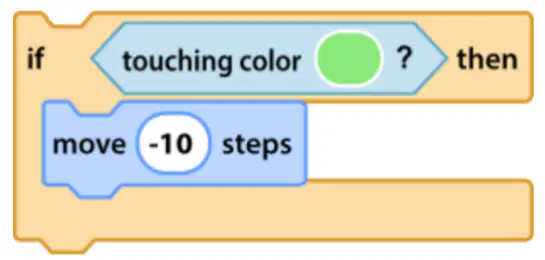
What will happen when you run the below script?
If the character touches the background color, it moves 10 steps forward.
If the character touches the background color, it moves 10 steps backward.
If the character touches the background color, it moves 10 steps upwards.

What does this block do?
Glide to point 1 on the stage.
Glide to a random point on the stage
Glide to the edge of the stage.

What does this block do?
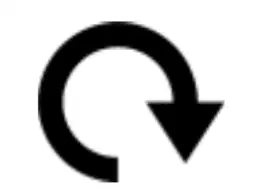
Turn 15 degrees clockwise
Turn 15 degrees counterclockwise
Turn 15 degrees upwards.
You can use a Forever block to make an action happen non-stop.
True
False
The ______ value tells a sprite how many steps to move right or left from the center point.
X
Y
Z
When x is -150 and y is 0, where will the sprite move on the stage?
Right edge of the stage
Center of the stage
Left edge of the stage
Which rotation style do I use to turn the sprite left and right only.


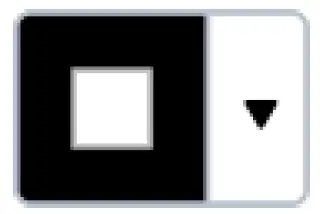
Which command will I use to change outline color of a rectangle?



What should I fix in the script to let the sprite move up when I click the up arrow?
Change the point in direction to 0
Change the point in direction to 90
Change the move to 0
The stack of blocks should run 12 times. What block needs to be added to the code?
Forever
Repeat 12
Go to x: 12, y:12
When using the point-in-direction block, we set the direction to 90 to move the sprite to the right.
True
False
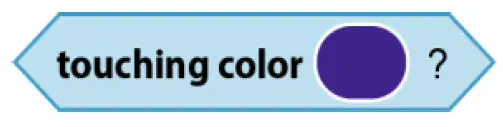
What is the touching color block used for?
Sense if a sprite touches a color.
Sense if the first color is touching the second color
Sense if a keyboard key is pressed.
Which command will I use to move your text ?


What is a program?
What is a command?

