
NEW
Font size
 Worksheets
Robotics Mid-term Assessment Grade VII
Total questions: 25
Worksheet time: 13mins
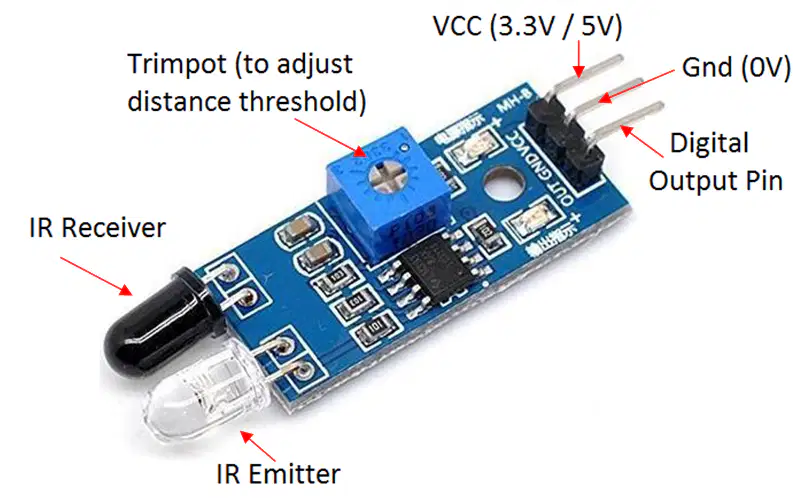
What is the purpose of the IR sensor in the burglar alarm circuit?
To produce sound when motion is detected
To detect motion or objects in front of it
To provide power to the Arduino
To light up when the alarm is triggered
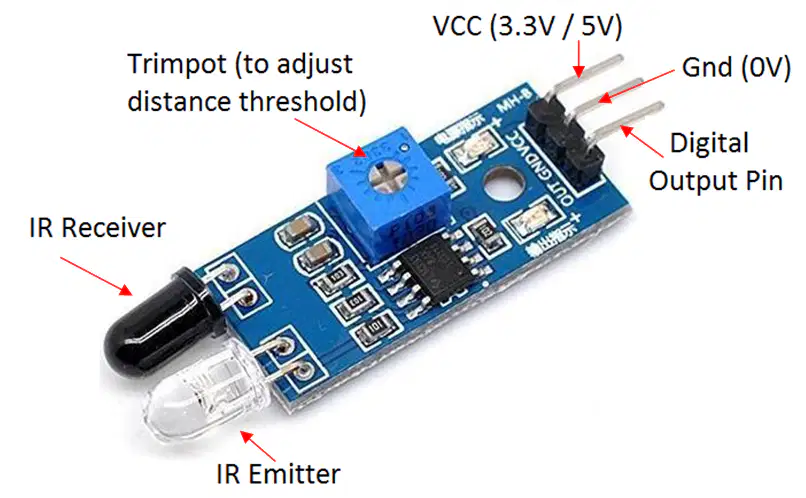
Which pin of the IR sensor is connected to the digital pin on the Arduino for reading input?
VCC
GND
OUT
Analog
What happens when the IR sensor detects an object in the burglar alarm circuit?
The Arduino powers off
The buzzer produces a sound
The IR sensor turns off
The Arduino stops working
What is the role of the Arduino in the burglar alarm system?
It acts as the power source for the circuit
It processes the IR sensor signal and controls the buzzer
It detects the motion directly without any sensor
It amplifies the buzzer sound
Which of the following components is an output device in this circuit?
IR sensor
Buzzer
Arduino
Jumper Wires
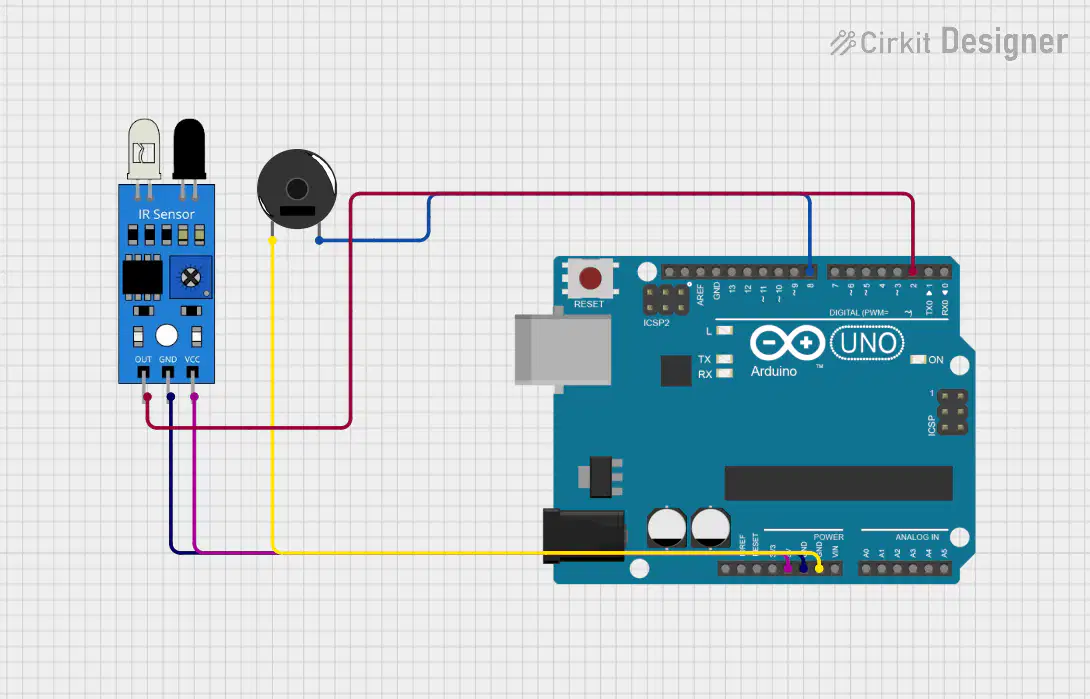
If the IR sensor is not detecting motion, what should the buzzer do?
Produce a continuous beep
Stay silent
Blink rapidly
Produce a soft hum

What does the digitalWrite() function do?
Reads the state of a pin
Sends a signal to a pin (HIGH or LOW)
Checks the status of the microcontroller
None of the above
What will happen if digitalWrite(13, LOW) is executed?
The connected LED will turn on
The connected LED will turn off
The connected buzzer will sound
None of the above
Which pin mode should be used to read the state of a button/sensor?
OUTPUT
INPUT
ANALOG
PWM
What is the purpose of the pinMode() function in Arduino programming?
To read the state of a pin
To set a pin as input or output
To send a signal to a pin
To initialize serial communication
How do you write a HIGH signal to pin 13?
pinMode(13, HIGH);
digitalWrite(13, HIGH);
analogWrite(13, HIGH);
pinMode(13, OUTPUT);

In Arduino, what is the maximum voltage the 5V pin can provide?
3.3V
5V
12V
0V
What is the primary function of the setup() function in Arduino?
Run continuously
Run once at the start
Control the loop
Initialize variables

What does an IR sensor detect?
Sound
Light
Motion
Temperature
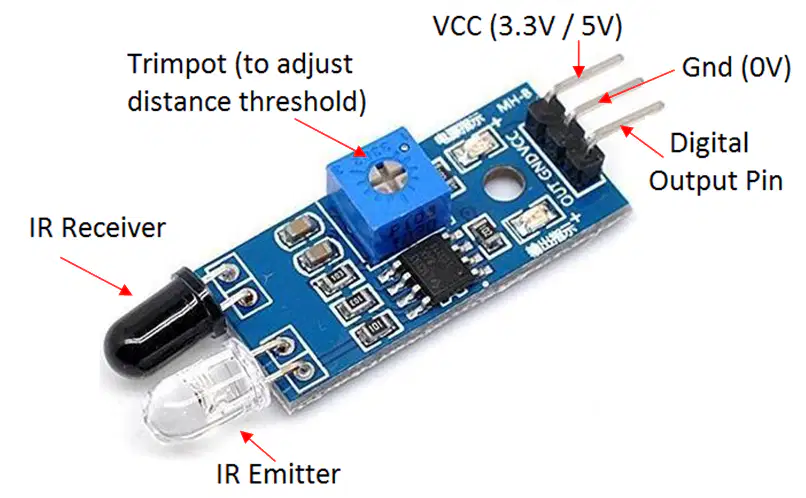
Which pin of an IR sensor provides the output signal?
VCC
GND
OUT
SIGNAL
What happens when the IR sensor detects an obstacle?
The OUT pin goes HIGH
The OUT pin goes LOW
The GND pin goes HIGH
No change in the output
A buzzer is connected to pin 11. How do you turn it on?
digitalWrite(11, HIGH);
pinMode(11, INPUT);
digitalRead(11);
analogWrite(11, HIGH);
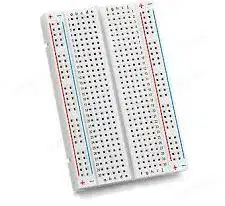
What is the main purpose of a breadboard?
Provide power
Connect components without soldering
Act as a sensor
Control output devices
The GND pin on Arduino is used for:
Power input
Output control
Ground connection
Serial communication
How do you connect a buzzer to the Arduino?
Positive leg to GND, negative leg to a digital pin
Positive leg to a digital pin, negative leg to GND
Both legs to the power pin
Both legs to a digital pin
Which function continuously runs in Arduino programs?
setup()
main()
loop()
digitalWrite()
How is a pin set as an input?
pinMode(pin, OUTPUT);
pinMode(pin, INPUT);
digitalWrite(pin, INPUT);
analogWrite(pin, INPUT);

What is the correct syntax for defining a variable?
int variable = 10;
variable = int 10;
int = variable(10);
var int = 10;
How can you turn off the buzzer connected to pin 11?
pinMode(11, LOW);
digitalWrite(11, LOW);
analogWrite(11, 0);
Serial.print(LOW);
What does sensorValue = digitalRead(7); do?
Reads the state of pin 7
Writes to pin 7
Initializes pin 7
Sets pin 7 as output

