
 Worksheets
Unity part_2
Total questions: 25
Worksheet time: 15mins
The HIERARCHY window holds all of your game objects that are currently being used.
TRUE
FALSE
The ___________ window holds game object details.
INSPECTOR
HIERARCHY
GAME
SCENE
PROJECT
The ___________ "+" menu allows you to create game objects.
INSPECTOR
HIERARCHY
CREATE
ASSET
BUILD SETTINGS
The ___________ window shows all game in the scene editor.
INSPECTOR
HIERARCHY
GAME
SCENE
PROJECT
The ___________ window shows how your finished game will look.
INSPECTOR
HIERARCHY
GAME
SCENE
PROJECT
The FILE menu allows you to import or export assets.
TRUE
FALSE
The FILE menu allows you to save or create scenes.
TRUE
FALSE
The BUILD SETTINGS allows you to select what platform the game will work on.
TRUE
FALSE
The CREATE EMPTY button is found on the ________ window
HIERARCHY
SCENE
INSPECTOR
GAME
PROJECT
The ________ window holds all of your game files
HIERARCHY
SCENE
INSPECTOR
GAME
PROJECT
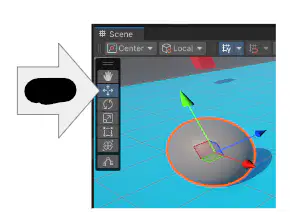
Using the _____ tool in the SCENE window will allow you to ______ an object using the X (red left/right), Y (green up/down), Z (blue forward/backward) axis
(a)

Using the _____ tool in the SCENE window will allow you to ______ an object using the X (red left/right), Y (green up/down), Z (blue forward/backward) axis
(a)
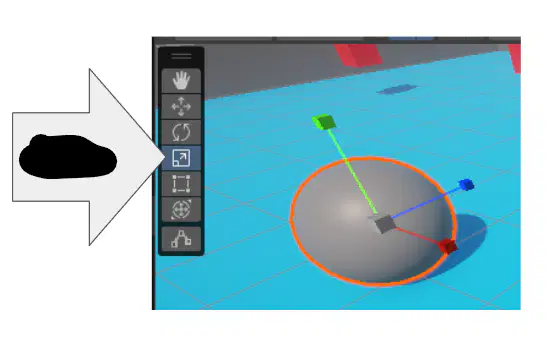
Using the (a) tool in the SCENE window will allow you to stretch/shrink an object using the X (red left/right), Y (green up/down), Z (blue forward/backward) axis
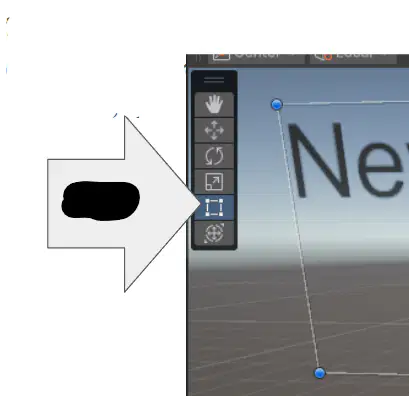
Using the (a) tool in the SCENE window will allow you to stretch/shrink a TEXT BOX or button using the 4 corners of the object.
The ______ is code that tells the program what an object can do.
SCRIPT
CODE
RIGIDBODY
COLLIDER
The ________ is what stops an object from going through another object like a ghost.
SCRIPT
CODE
RIGIDBODY
COLLIDER
The ______________ adds GRAVITY to an object. This allows for objects to fall, stand, or move.
SCRIPT
CODE
RIGIDBODY
COLLIDER
An (a) is what will hold a UI (user interface) object in place (text box, buttons, sliders, etc).
Using the ____ tool, we resized the text box so that the font would fit.
VIEW
MOVE
ROTATE
SCALE
RECT
The position is the ________ using X, Y, Z coordinates of where an object is located in the world.
LOCATION
SIZE
The scale is the _____ of the object using the X, Y, Z planes.
LOCATION
SIZE
We created MATERIALS using the create “+” button in the _______ window.
SCENE
GAME
PROJECT
INSPECTOR
HIERARCHY
In the ________ window, we click on the create “+” button to create EMPTY (folders), 3D OBJECTS (sphere, plane, cube), and UI (user interface objects: text boxes)
SCENE
GAME
PROJECT
INSPECTOR
HIERARCHY
To create a “folder” for objects, we must use the _____________ button from the HIERARCHY window
CREATE EMPTY
DOMAIN EXPANSION
CREATE OBJECTS
CREATE SOMETHING
What is the name of the PROGRAM we are using?
UNITY
UNITE
UNREAL
The Mother Boxes

