
 Worksheets
Staying Safe Online
Total questions: 25
Worksheet time: 25mins

Why should you not tell your password to your friends?
They might do something bad with it.
They can get on to you account and do something bad.
They can give away your password to other people.
All of the above.
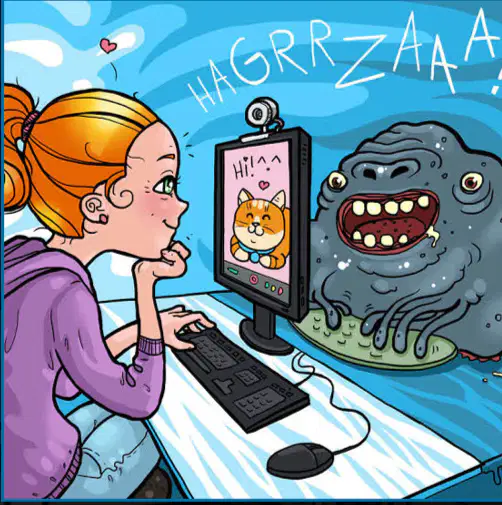
Why is it important to know the risks that exist on the Internet?
To avoid all online threats.
To be able to stay safe online.
To prevent computer hacking.

Strong passwords should have Symbols, numbers, letters, and

Cool friend names.
All of above.

Uppercase letters.

Silly TV show names.

What is sensitive information that needs to be protected?
Your pet's name.
Your dream car.
Personal information, social media accounts, bank accounts, credit cards.
Your report card grades.
Many people have been robbed based off posting location specific photos. How could you avoid a similar digital problem?
Don't ever travel
Always have a house sitter
Do not post any pictures on social media
Turn off location settings or post pictures when you get back home

What could happen if someone knows your password?
Login to my accounts online.
Find out things about me that I don't want other people to know.
Pretend to be me online and do things I wouldn't do.
All of the above.

Which of these DOES NOT expose a computer to a virus?
downloads
websites
e-mails
paper and pencil
.......safe online is very important when using the Internet.
Staying
To stay
Is staying
What is today's lesson title?
Staying home online
Staying cool in summer
Staying unsafe online
Staying safe online

What is this bar graph about?
Never chat to strangers
Only share personal photos with friends
What do you do to stay safe online?
Talk to their parents about online safety.

What does e-safety mean?
How we can stay safe
How we can stay safe online
How we can stay safe when using any electronic item

Why should you be worried about staying safe on the Internet?
Someone could find your address
Someone could figure out where you just went.
Someone could find out your real name and hack you.
All of them
Which of the following is a good practice for creating a strong password?
Use your birthdate
Use a mix of letters, numbers, and symbols
Use the word 'password'
Use your pet's name
What should you do if you receive an email from an unknown sender asking for personal information?
Reply with your information
Ignore the email
Forward it to a friend
Click on any links provided
Which sentence is grammatically correct?
He don't share his password with anyone.
She doesn't share her password with anyone.
They doesn't share their password with anyone.
We doesn't share our password with anyone.
What is the main idea of the passage: 'Staying safe online involves being cautious about sharing personal information and understanding privacy settings.'
Sharing personal information is safe.
Privacy settings are unnecessary.
Being cautious online is important.
The internet is always safe.
Identify the correct sentence structure: 'To stay safe online, one should regularly update their software.'
One should regularly update their software to stay safe online.
Regularly update their software one should to stay safe online.
To stay safe online, regularly update their software one should.
Stay safe online, one should regularly update their software.
Which word best completes the sentence: 'It's important to be _______ when clicking on links in emails.'
careless
cautious
reckless
indifferent
What is phishing?
A type of online game
A method of cooking fish
A fraudulent attempt to obtain sensitive information
A way to improve internet speed
Which of the following is NOT a benefit of using two-factor authentication?
Increased security
Easier password management
Protection against unauthorized access
Enhanced privacy
What does the term 'digital footprint' refer to?
The physical size of a computer
The amount of data stored on a device
The trail of data you leave online
The speed of your internet connection
Choose the correct option: 'Before sharing a photo online, you should consider _______.'
how many likes it will get
the privacy settings of the platform
the time of day
the color of the photo
Which of the following is a sign of a secure website?
The URL starts with 'http'
The URL starts with 'https'
The website has many pop-up ads
The website loads slowly
What should you do if you suspect your online account has been hacked?
Ignore it
Change your password immediately
Delete your account
Post about it on social media
Which of the following is an example of good online etiquette?
Posting negative comments
Sharing personal information publicly
Respecting others' privacy
Ignoring messages from friends

