
Font size
 Worksheets
COMPUTER MOCK EXAM
Total questions: 55
Worksheet time: 2hrs 50mins
an application used to create or edit text-based documents.
MS Excel
Spreadsheet Windows
Word Processing Software
Character Format
Word processing software is also called _______________?
Word Spreadsheet
Word Processor
Word software
Word Menu
It is a blank section where you can type texts, insert elements, or edit an existing document
Word Processor
Menu bar
Toolbar
Document Area
It displays the titles of the sets of commands or menu categories.
Document Area
Toolbar
Menu Bar
Ruler
It displays the set of commands for a menu option
Menu Bar
Toolbar
Ruler
Scroll Bar
It shows the position of a text, picture, margins, and other elements. It is used to measure or align objects in the document.
Menu Bar
Toolbar
Ruler
Scroll bar
These are horizontal or vertical bars that allow you to move through the document up, down, left, or right
Status Bar
Menu Bar
Ruler
Scroll Bar
The bottom part of the document where it displays information such as page number, number of words, zoom level, and language used.
Status Bar
Menu Bar
Ruler
Scroll Bar
a blinking line that tells the current position of the interaction.
File
Edit
Cursor
View
Creating a word document means entering a text by (a) on the keyboard
What do you click when you need to start a new paragraph?
E (a) R
tells current position in a document
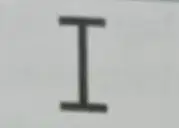
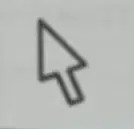
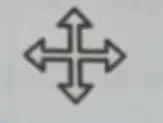
the text or the position can be selected
the mouse pointer

the item or figure can be moved
the item or row can be resized
the program is busy
In a word processor environment, the commands are listed according to (a) .
The following are the three basic menu categories used in a word processor EXCEPT:
File Menu
Edit Menu
View Menu
Format Menu
When clicked, each menu category displays a (a) list of different commands or submenu.
S_bm (a) u is the menu items for a category are displayed just below the menu bar. This part of the interface is called ribbon.
Creates a new document
New
Open
Save
Save as
Open a saved document or retrieve an existing file.
New
Open
Save
Save as
Saves the document to a specified location.
Save as
Save
Open
The document is saved in another format, under a new file name, or in another location.
Save as
Save
Open
Prints active documents or specific pages in the document.
Save as
Save
Open
It Contains a list of commands that are used to manipulate objects or text. It is also used to make changes in a save document
File Menu
Edit Menu
View Menu
Format Menu
It includes zoom commands and options to show or hide elements within the window.
File Menu
Edit Menu
View Menu
Format Menu
It contains file options such as New, Open, Save, Save as, and Print.
File Menu
Edit Menu
View Menu
Format Menu
It removes a selection and places it on the clipboard
Cut
Copy
Paste
Open
It copies the selected text and places it on the clipboard so that the user can paste it somewhere else
Cut
Copy
Paste
Open
Paste the content of the clipboard to a new location. The user can either keep the format of the source or follow the format of the new document.
Undo
Redo
Paste
Open
Used to undo last command or action in the document
Undo
Redo
Paste
Open
Used to repeat the last action made in the document.
Undo
Redo
Paste
Open
The following are the other tabs that are used to control the appearance of a new document or to edit an existing document EXCEPT:
Format Menu
Character Menu
Tools Menu
Insert Menu
It includes menu items for character and paragraph formatting
Page Layout Menu
Insert Menu
Format Menu
Home Menu
It includes menu items for document formatting
Page Layout Menu
Insert Menu
Format Menu
Home Menu
It involves setting the attributes of individual text or changing the attributes of the selected text.
Format Menu
Character Format
Paragraph Format
Document Format
It contains shortcuts to different commands used to format a character, a paragraph, or an entire document
Format Menu
Character Format
Paragraph Format
Document Format
It involves applying special formats to documents. This includes settings for margins, page size, orientation, and columns.
Format Menu
Character Format
Paragraph Format
Document Format
It means changing the settings for a paragraph or a heading
Format Menu
Character Format
Paragraph Format
Document Format
It lets the user add features like pages, tables, illustrations, and equations to your document
Page Layout menu
Insert Menu
Tools Menu
Home Menu
It has many useful applications such as thesaurus, dictionary, and word count. In the recent versions of MS Word, it can be found in the Review menu.
Page Layout menu
Insert Menu
Tools Menu
Home Menu
What are the examples of word processing software or word processor?
MS Word / Microsoft Word
Google Docs
Google Spreadsheet
MS Excel
What are the examples of spreadsheet windows?
MS Word / Microsoft Word
Google Docs
Google Spreadsheet
MS Excel
It is a program that lets you organize data in rows and columns.
workbook
spreadsheet software
worksheets
MS Excel
A document created using a spreadsheet program
workbook
spreadsheet software
worksheets
MS Excel
A workbook is made up of one or more sheets called ____________. It is sometimes called a sheet or a spreadsheet.
workbook
spreadsheet software
worksheets
MS Excel
It contains the Quick Access Toolbar, Title of the workbook, and the Minimize, Maximize/Restore, and Close buttons.
Formula Bar
Toolbar
Menu Bar
Title Bar
It displays the titles of the sets of commands or menu categories
Formula Bar
Toolbar
Menu Bar
Title Bar
It displays the set of commands for a menu button
Formula Bar
Toolbar
Menu Bar
Title Bar
It shows the content of an active cell
Formula Bar
Toolbar
Menu Bar
Title Bar
It is the area that contains rows and columns where you can type your data
Worksheet Area
Cell
Status Bar
Scroll Bar
The intersection of a row and a column
Worksheet Area
Cell
Status Bar
Scroll Bar
It is found at the bottom and provides the details about the worksheet
Worksheet Area
Cell
Status Bar
Scroll Bar

