
 Worksheets
Train Wheel Design Instructions
Total questions: 15
Worksheet time: 8mins
What is the first step in creating a Train Wheel in the design software?
Open the Toy train
Rename it Train Wheel
Make a new sketch on the Front plane
Make a rectangle
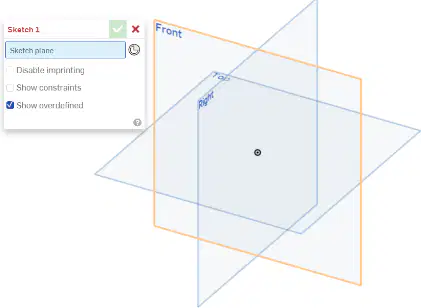
Which plane should you make a new sketch on when designing the Train Wheel?
Top
Front
Side
Bottom
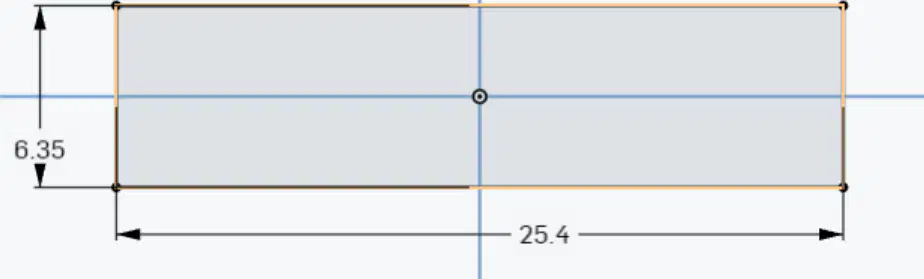
Fill in the blank: Make a rectangle using the center rectangle option that is 25.4 mm long and ___ mm wide.
0.25
0.35
0.45
0.55
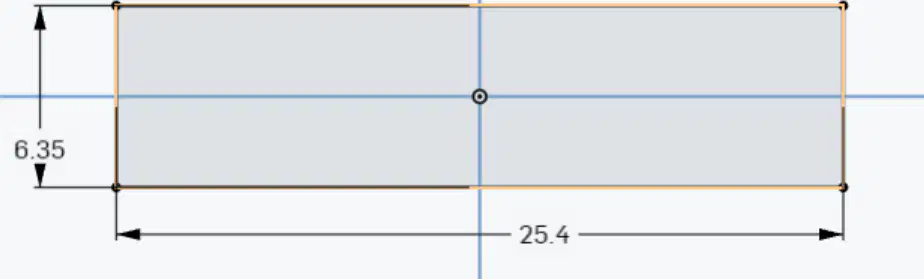
What is the length of the rectangle to be made in the Train Wheel design?
20.4 mm
25.4 mm
30.4 mm
35.4 mm
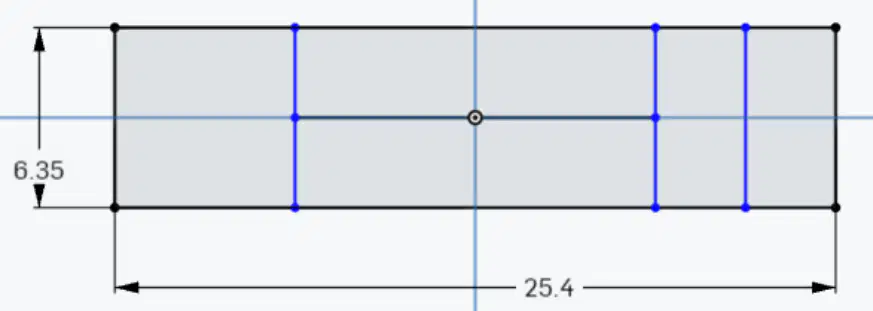
What should be done after dimensioning the lines at 3.175 mm?
Erase the lines
Use the line command to place a line through the middle
Color the lines
Save the file.
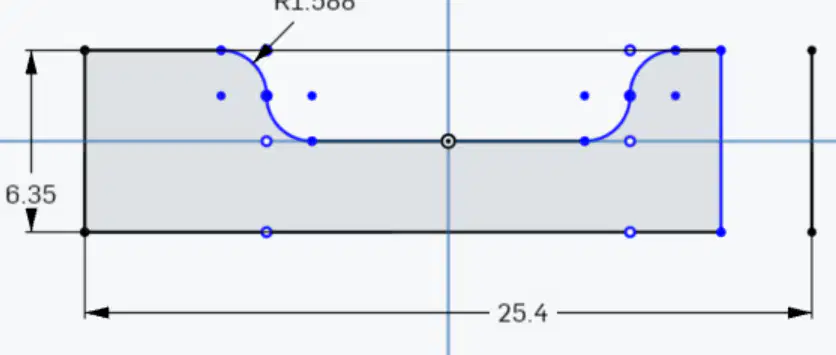
What is the length of the horizontal line in the sketch?
1.588 mm
1.5875 mm
6.35 mm
25.4 mm
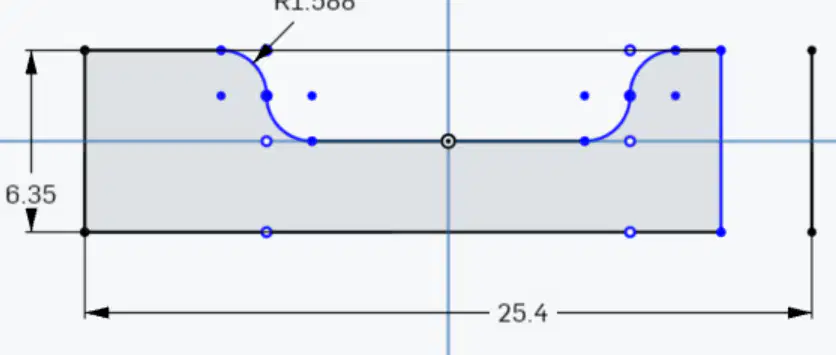
Fill in the blank: The Sketch Fillet radius can be set to 1.588 R or ____.
1.588 mm
1.5875 mm
6.35 mm
25.4 mm
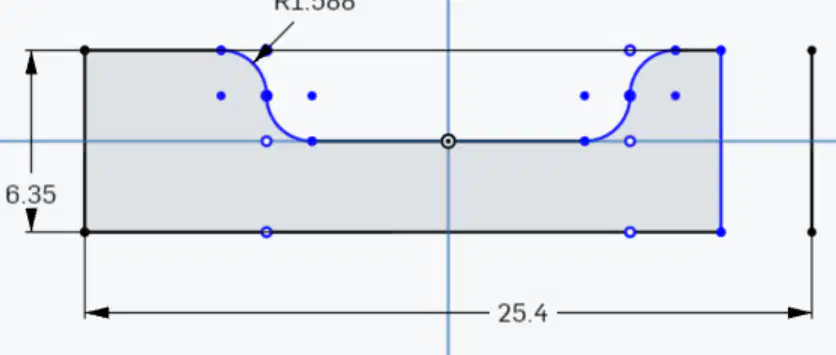
Fill in the blank: Optionally use the ____ tool to remove the line that is common to the circle and first shape.
Sketch Fillet
Circle command
Trim tool
Delete tool
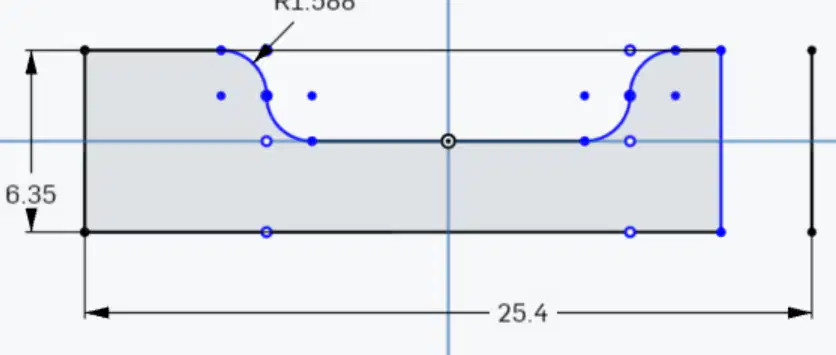
What is the purpose of the Sketch Fillet command in the instructions?
To create a circle
To set a radius to inside corners
To delete a line
To measure a line.
Fill in the blank: The circle is made on the ____ end of the shape.
right
left
top
bottom
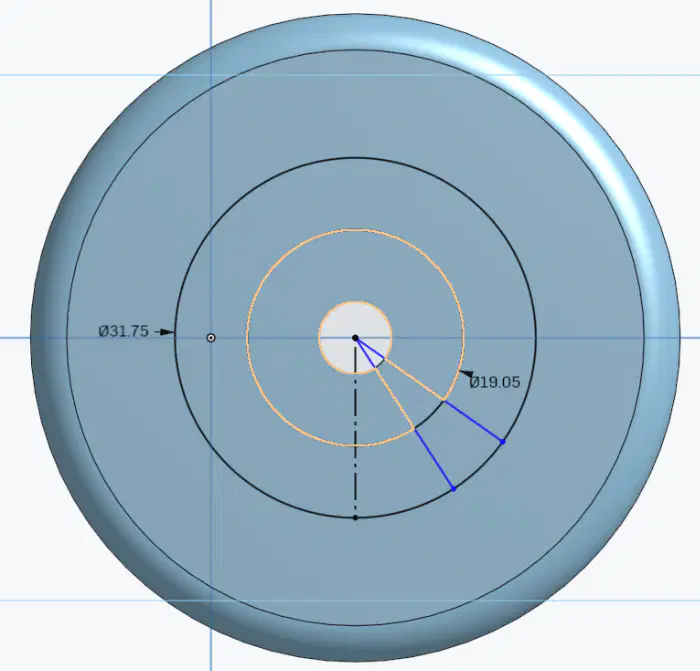
What tool is used to select the main shape and the circle in the CAD software?
Extrude
Revolve
Fillet
Chamfer
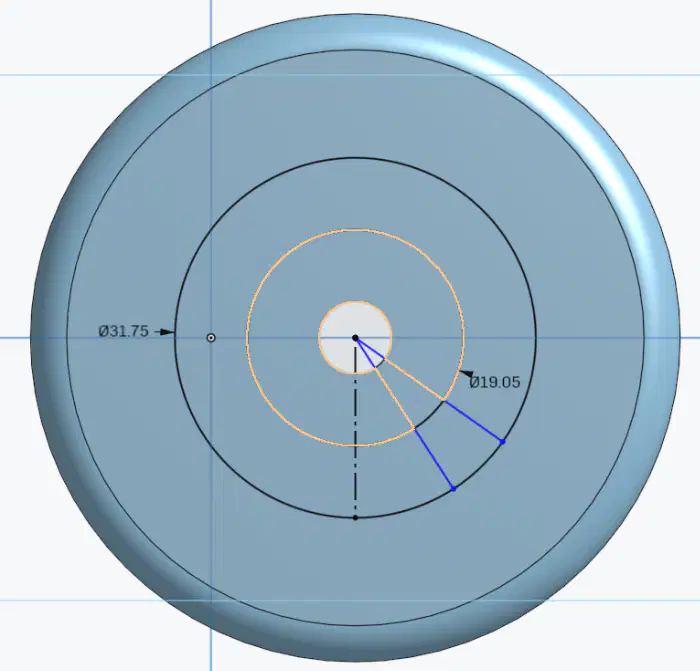
Fill in the blank: Make another line from the center to the ______ of the vertical line.
A) Left
B) Right
C) Top
D) Bottom
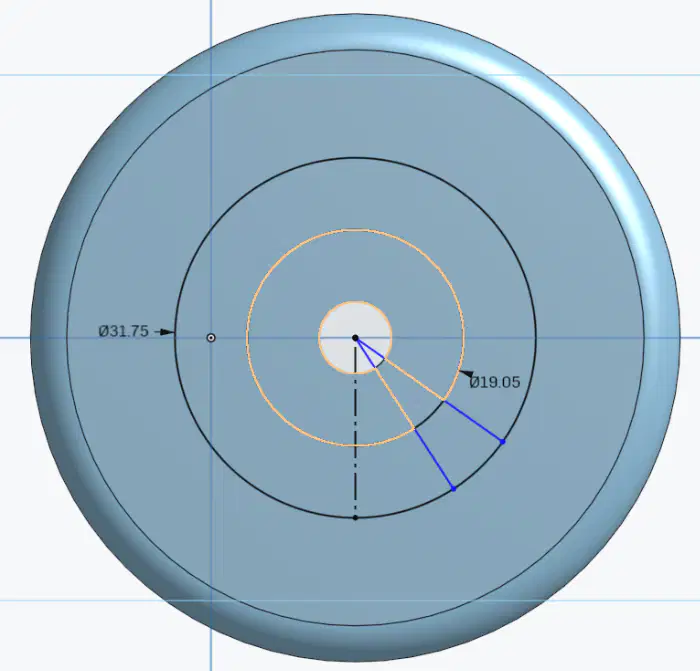
What should be done if constraints are not needed on the last line?
Keep them
Delete them
Modify them
Ignore them
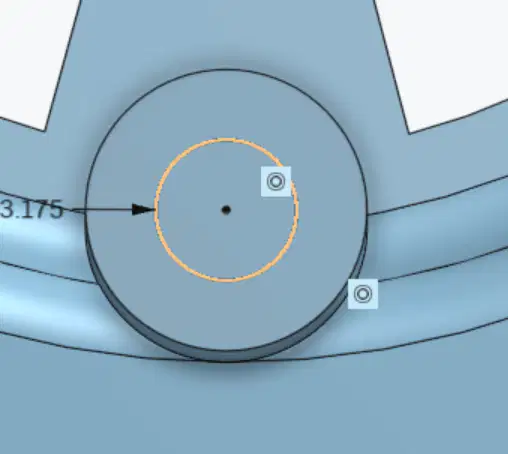
Fill in the blank: Make another sketch on the top of the last. And make a circle that is __ mm and finish the sketch.
3.175
6.35
1.508
0.35

What is the primary function of the wheel in a train project?
To provide support
To enhance speed
To improve aesthetics
To reduce noise

