
 Worksheets
Y6 Microbit Quiz
Total questions: 10
Worksheet time: 5mins
How many categories in total does Makecode Microbit have?
8
9
17
16
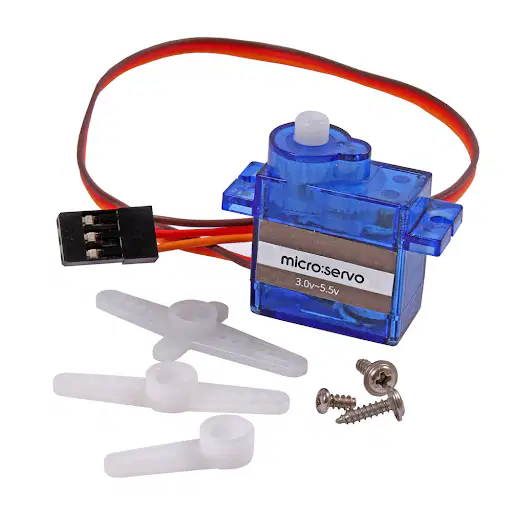
What is the electric component shown in the picture?
LED
Servo Motor
Battery Socket
Buzzer
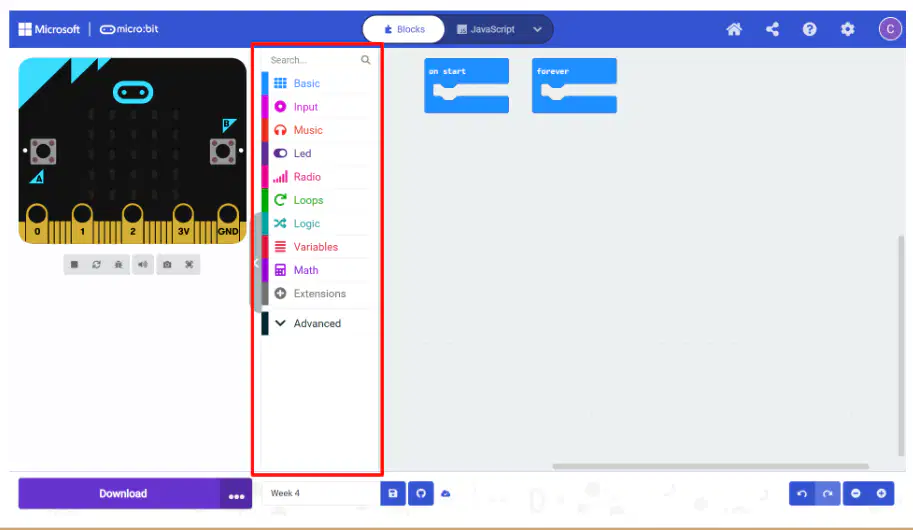
What is the part that is highlighted with a red box in the picture?
Download Button
Microbit Simulator
Toolbox
Workspace

What is the function for the part that is highlighted with a red box in the picture?
To upload your code to the MakeCode server for storage
To save the code to a cloud-based backup system
To compile the code into a text document
To download, connect and transfer written code into your microbit
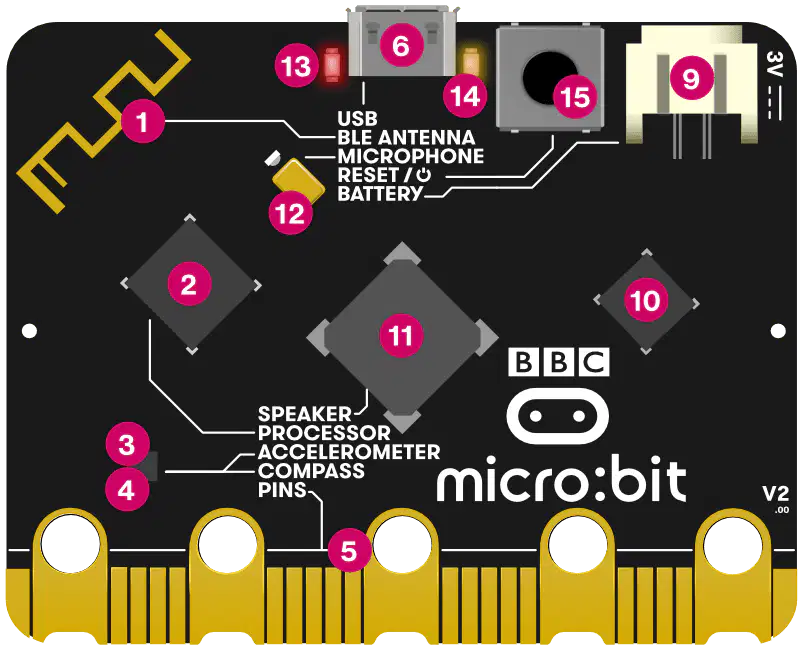
What is the component shown in the picture labeled number 2?
Compass
Reset Button
Accelerometer
Processor
What does the processor do on a Microbit?
Sensors for detecting motion, gravity and magnetic fields.
Its the brain where it fetches, decodes and carries out given instructions
Restart your micro:bit programs with the reset button.
Download programs from computer
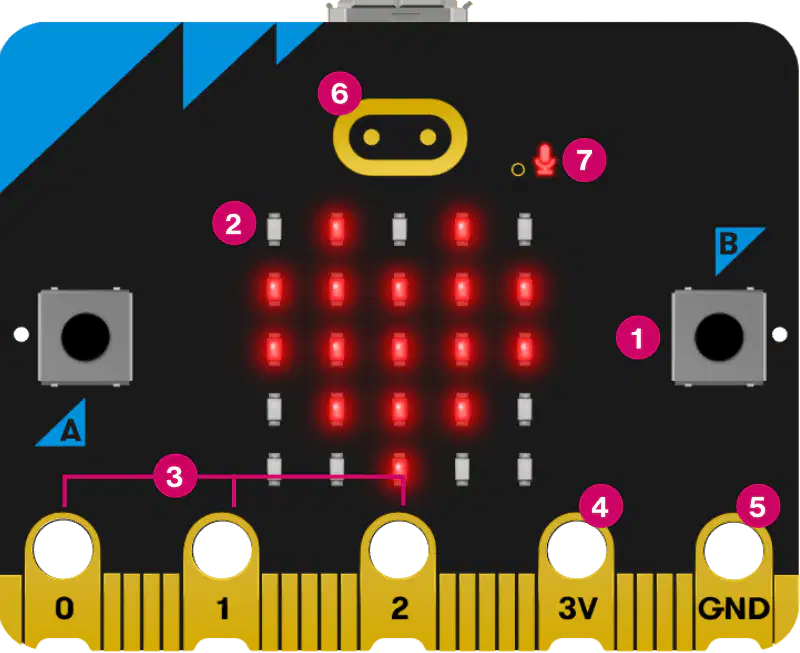
What is the component shown in the picture labeled number 1?
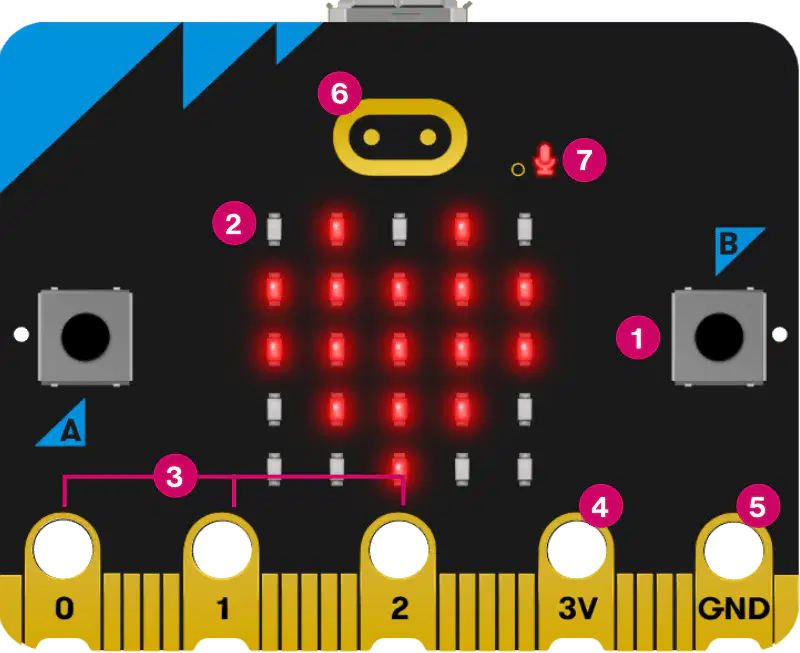
What is the component shown in the picture labeled number 3?
USB
GPIO pins
Reset button
LED Lights
What is the use of the Accelerometer on a microbit?
Download programs from computer
Its the brain where it fetches, decodes and carries out given instructions
Sensor for detecting motion and gravity.
Sensor for detecting temperature.
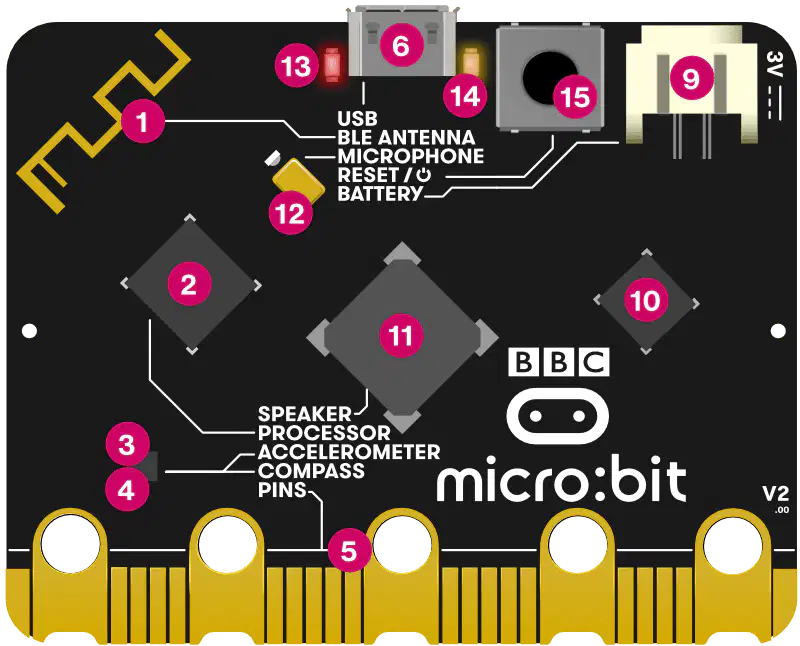
What is the component shown in the picture labeled 3?
Speakers
Processor
Ground
Sensors, including Accelerometer and Compass

