
 Worksheets
CORONA SCHOOL, 2024/2025 SECOND TERM, ICT, YEAR 3 REVISION
Total questions: 20
Worksheet time: 10mins
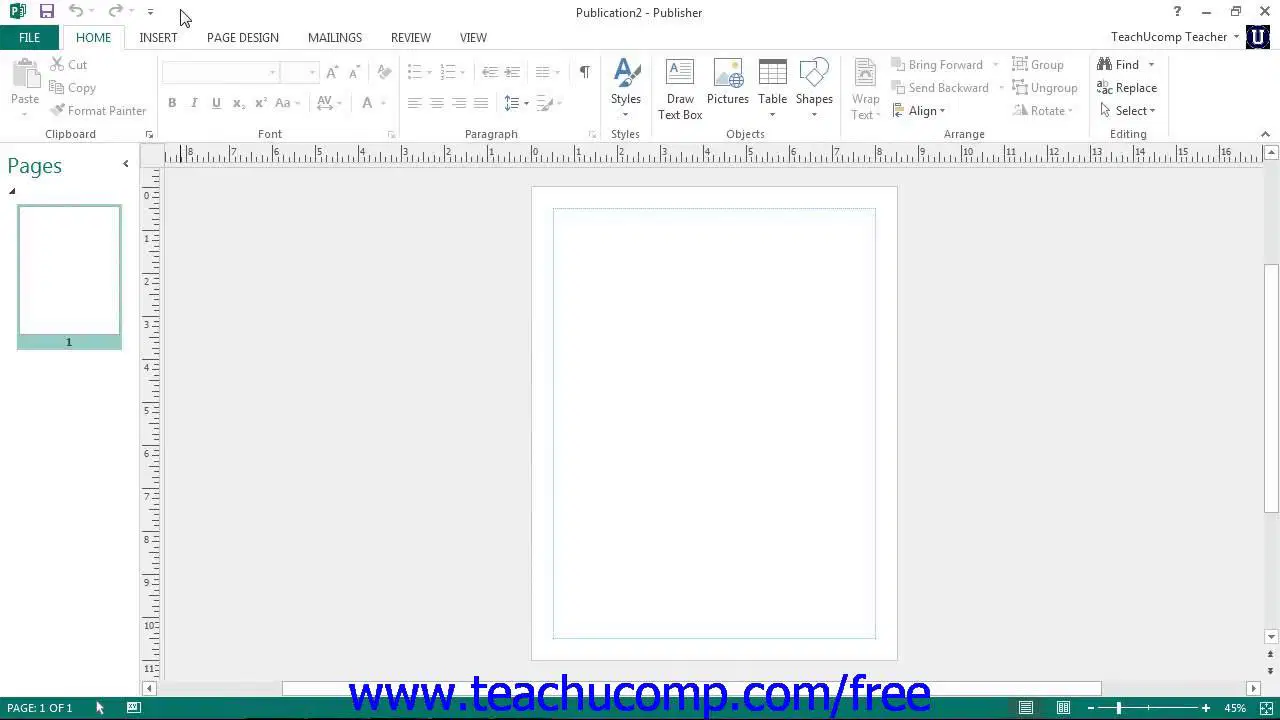
This image shows the environment of ______________
Microsoft Word
Microsoft PowerPoint
Microsoft Publisher

This image of a poster was designed by which of the application listed below
Microsoft PowerPoint
Microsoft Publisher
Microsoft Excel
Which of these options is NOT part of the Publishing Software?
Scribus
Layout Design
Adobe Indesign
Zoom
Which of these options is not part of the PRODUCTS of Desktop Publishing Software?
Newspaper
Blank Paper
Newsletter
Banner
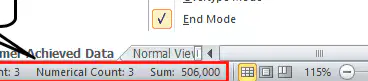
The part surrounded by red line in the image shown above is known as ______________
Title bar
Status bar
Workspace
The people who use special computer programs with computer to make layout for books, posters etc are called _____________
Desktop Publishtor
Desktop Publisher
Artist
The portion of Microsoft Publisher where you carry out the design of your work is known as _________________
Status bar
Workspace
Worksheet
Which of these options is not classified under 'Multimedia?'
Television
Radio
Internet
Which of these options is a default tab in Microsoft PowerPoint whenever you open it?
View
Home
Insert
Why is it important to think about your audience when preparing your presentation?
To see how they are dressed
To know how to design the content to the level of the audience
To ensure that your presentation is long and boring
The act of 'Looking at your audience' helps the Speaker ______________
to count the audience he/she is speaking to
boost his/her confidence
make the audience to be shy at looking at the Speaker
Why is it important as a Speaker to ask questions while presenting to your audiences?
To make them uncomfortable
To make them to follow your presentation
To give them a reason to run away from your presentation
The effect you apply on text, images, etc within a Slide of Microsoft PowerPoint is known as ________________
Transistion
Animation
Presentation
In order to have an image inserted into Chioma's presentation, which of the options would she click on to achieve this task?
View
Home
Insert
Reducing or increasing the size of image is called __________________
Cropping
Resizing
Crawling
The special effect you apply to slides which is seen when exiting from one slide and entry into another slide is called ________________
Animation
Transition
Barrier
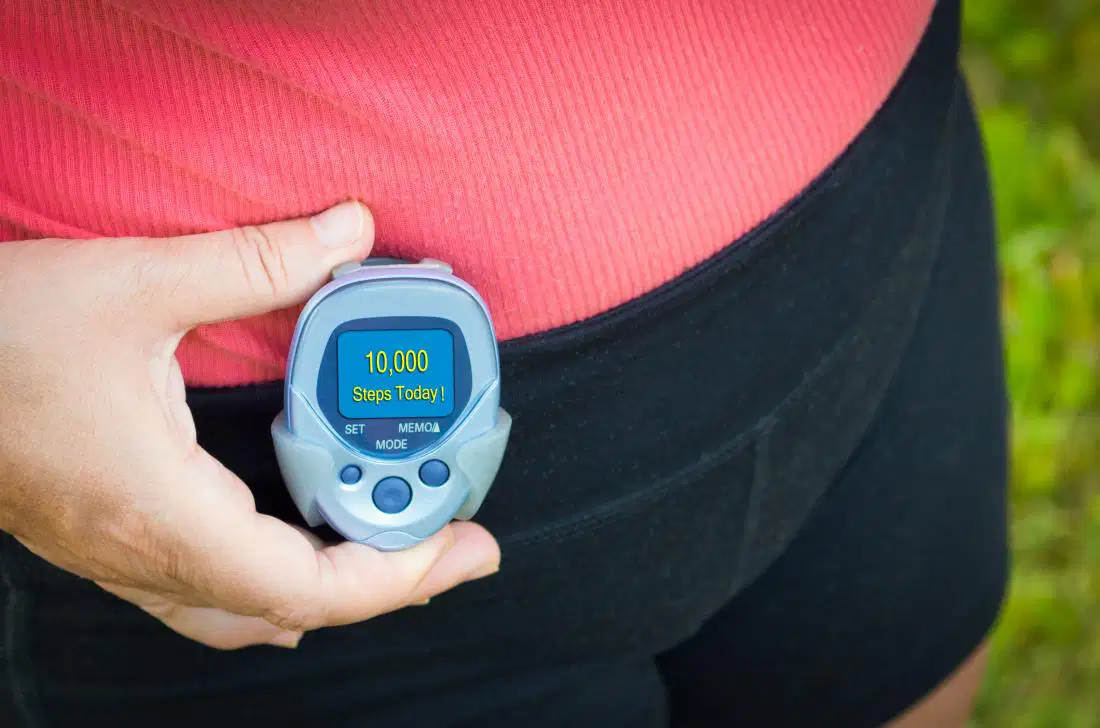
The device shown be held in the image is called _____________
Pedometer
Speedometer
Digital time

What is the importance of having a 'Variable' in your program as shown in this image?
It allows for the programmer to create his/her name to be used in the course of the program
it makes the Programmer confuse his/her users
It doesn't have any uses

This is a _________________
Toy
Macrobit
Microbit
How many LEDs do Microbit have?
25
24
20

