
 Worksheets
Final AutoCAD Certification Prep
Total questions: 20
Worksheet time: 1hrs 14mins

Open the Final Assessment. dwg file in Schoology.
Go the Home View.
Located the rug outlined in green. Join the Lines.
What is the area of the rug? X.XX
(a)

Open the Final Assessment. dwg file in Schoology.
Go the Griddle View.
Create a triangle, circumscribed around circle like the image shown.
What is the length of the triangle?
X.XX
(a)

Open the Final Assessment. dwg file in Schoology.
Go the Blue View.
Create an polar array with 8 items.
What is the distance of the line from the chair back midpoints?
X.XX
(a)

Open the Final Assessment. dwg file in Schoology.
Go the Conference View.
Create an annotation like the one shown.
What is the measurement shown?
XX
(a)

Open the Final Assessment. dwg file in Schoology.
Go the Conference View.
Create circle using Tan, Tan, Tan on the desk like the one shown.
What is the circumference of the circle shown?
X.XX
(a)
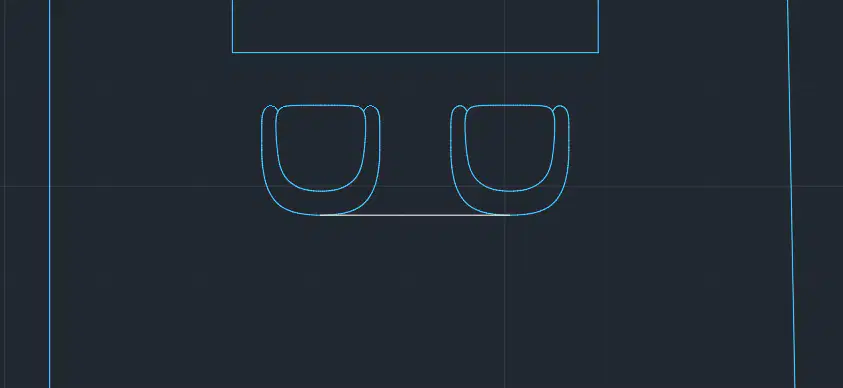
Open the Final Assessment. dwg file in Schoology.
Go the Conference View.
Mirror the chair from the midpoint of the desk.
What is the distance from midpoint to midpoint of the line?
X.XX
(a)
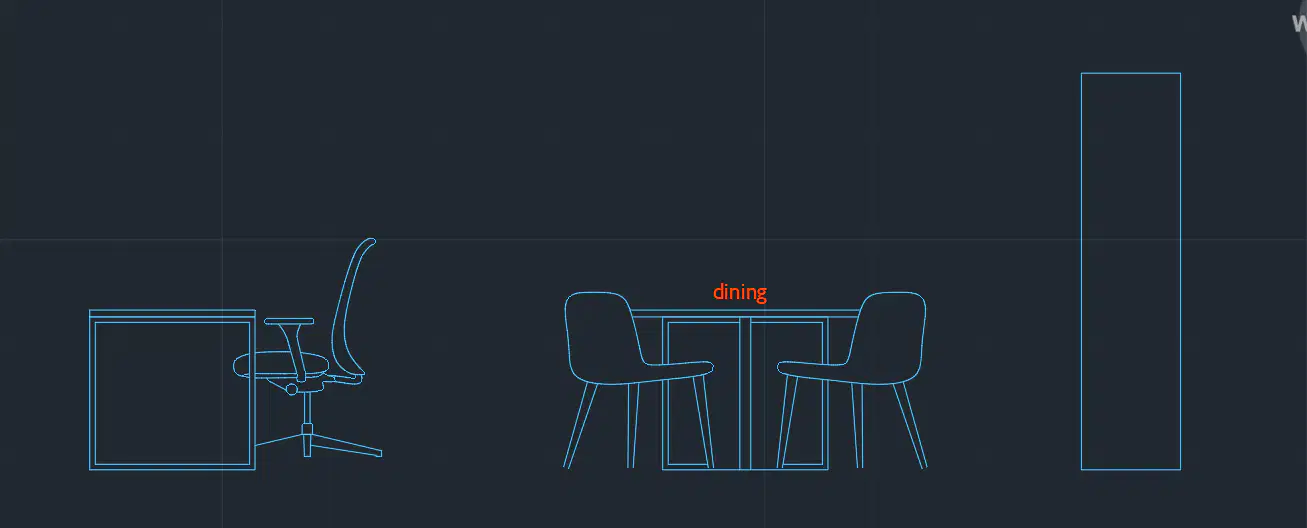
Open the Final Assessment. dwg file in Schoology.
Go the Elevation View.
Unfreeze the Frozen Layer to reveal text?
What is the text height of the word shown?
X.XX
(a)
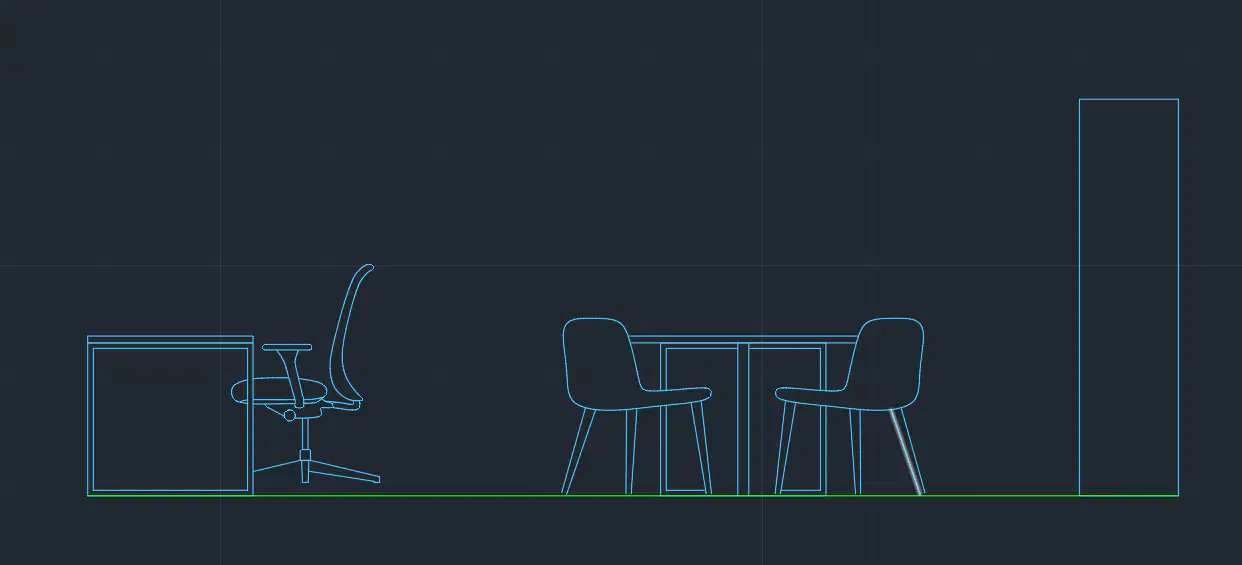
Open the Final Assessment. dwg file in Schoology.
Go the Elevation View.
What is the distance of ground line (green line) shown?
X.XX
(a)
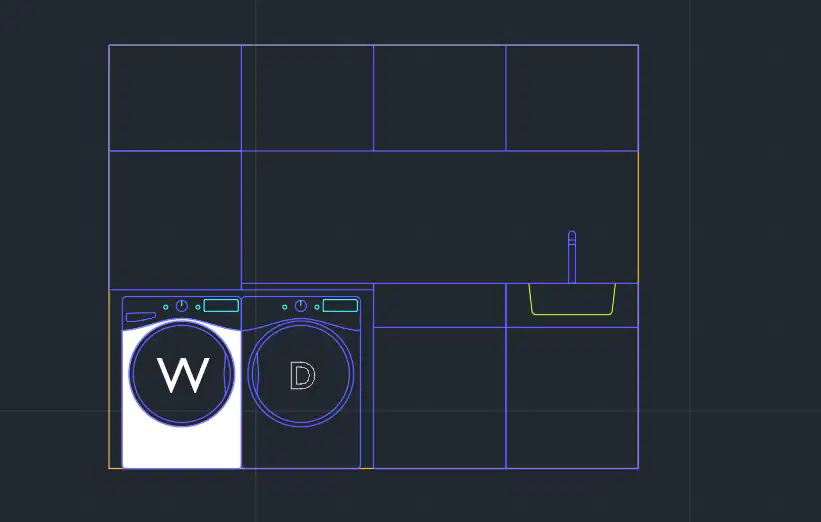
Open the Final Assessment. dwg file in Schoology.
Go the Laundry View.
Hatch the washer as shown.
What is the area hatched?
X.XX
(a)
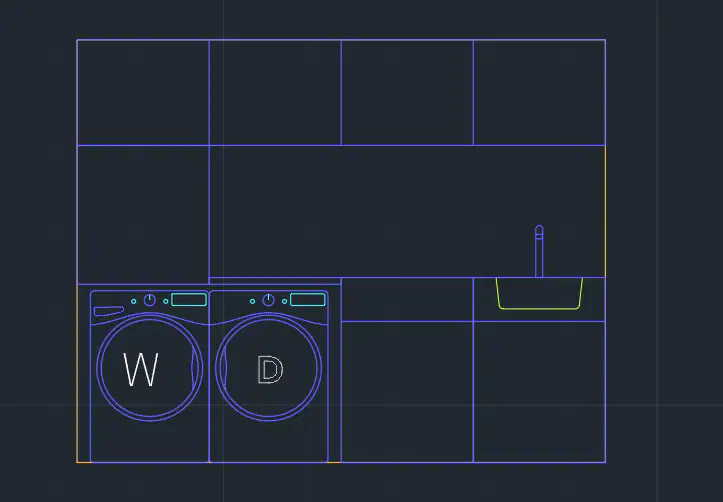
Open the Final Assessment. dwg file in Schoology.
Go the Laundry View.
Change the text style of the W to Text 1 as shown.
What is the new text height?
X.XX
(a)
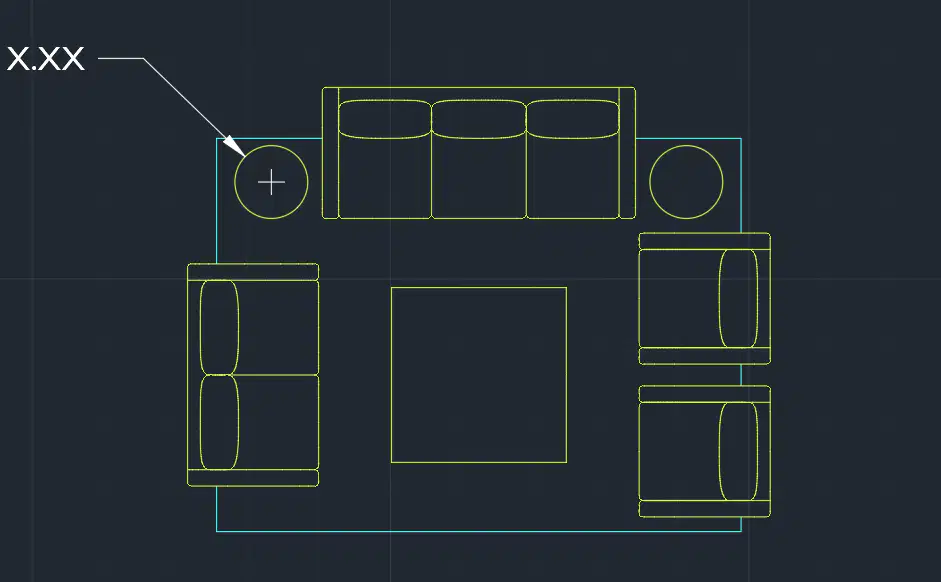
Open the Final Assessment. dwg file in Schoology.
Go the Lounge View.
What is the diameter of the circle shown?
X.XX
(a)
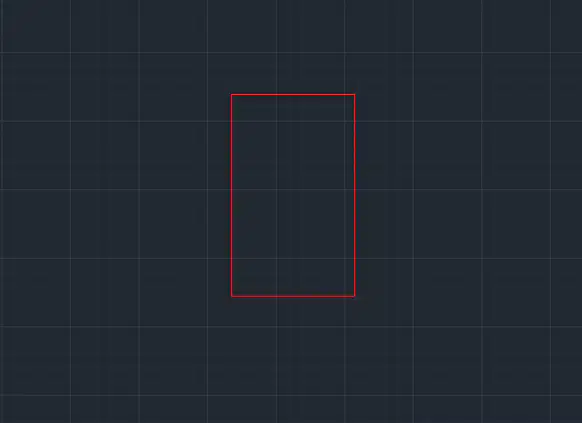
Open the Final Assessment. dwg file in Schoology.
Go the Left View.
Stretch the rectangle up 4 units?
What is the length of the new rectangle?
XX.XX
(a)
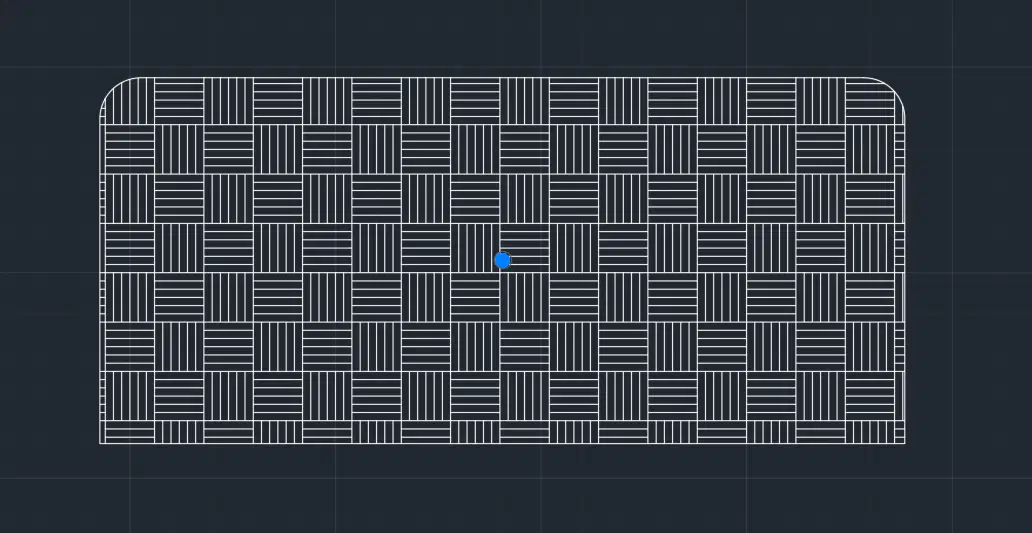
Final Certification Prep. dwg
Open the Angle View.
Fillet with a radius of 0.5 to create the object shown.
Hatch the inside.
What is the Area of the Hatch?
XX.XX
(a)
Final Certification Prep. dwg
Open Layout 2.
Un freeze the Hidden Layer to reveal text.
What word appears?
(a)
In the Final Certification Prep.dwg
Open the Layout 1 tab. Double click inside the viewport.
What is the scale of the viewport?
3/8"=1'-0"
1/4"=1'-0"
1/8"=1'-0"
3/32"=1'-0"
In the Final Certification Prep.dwg
Open the Layout 2 tab. Double click inside the viewport.
What is the scale of the viewport?
3/8"=1'-0"
1/4"=1'-0"
3/4"=1'-0"
3/32"=1'-0"
What is the shortcut for Properties?
(a)
What is the shortcut for Units?
(a)
What key board key turns on OSnap?
(a)
How many questions are on the AutoCAD Certfied User Examination?
20
25
30
50

