
 Worksheets
Grade 9 ICT Exam Prep
Total questions: 100
Worksheet time: 3hrs 37mins
What is Digital Identity?
Your real-world identity
Your online reputation
Your digital footprint
Your social media accounts
Which of the following contributes to your digital identity?
Your favorite book
Comments on posts
Your family background
Your hobbies
What is a digital footprint?
Your social media profile
The record of everything you do online
A measure of your online popularity
A type of online game
Why is it important to manage your digital identity?
To control your online reputation
To increase your online followers
To make friends online
To avoid online games
What should you do before posting online?
Post whatever comes to mind
Think about how it affects your image
Ask your friends for advice
Ignore privacy settings
What does 'permanent' mean in the context of online information?
Information that can be easily deleted
Information that is only temporary
Information that is only visible to friends
Information that can stay online even if deleted
What is cyberbullying?
Making friends online
Bullying someone online
Posting funny memes
Creating a positive online identity
What is a recommended step to build a positive digital identity?
Share all personal information
Post about your talents and achievements
Engage in online arguments
Ignore your digital footprint
Nell set up a cabled network in her school building to connect all the computers.
WAN
WLAN
LAN
Justin and Joey were discussing how the internet connects people all over the world. They realized that the internet is an example of this type of network.
LAN
WLAN
WAN
During a group project, Joey and Kia were discussing different types of networks they could use to connect their devices. Joey mentioned that there is a specific type of network that covers a larger area than a local network but is not as extensive as a wide area network. What is the acronym MAN stand for?
Magnetic Access Network
Metropolitan Area Network
Multi-Area Network
Multi-Access net
Nell and Isabella are setting up a small network for their school project. They have two devices: a hub and a switch. They want to understand how these devices differ in their operation.
What is the difference between a hub and a switch?
A hub and a switch both operate at the physical layer of the OSI model
A hub operates at the physical layer of the OSI model and simply broadcasts data to all devices connected to it, while a switch operates at the data link layer and intelligently forwards data only to the specific device it is intended for.
A hub forwards data only to the specific device it is intended for, while a switch broadcasts data to all devices connected to it
A hub operates at the application layer and a switch operates at the transport layer
Nathan and Luke are setting up a small gaming area in their home where they want to connect their computers and gaming consoles. What device do they need to connect multiple devices within their local area network (LAN) and manage the traffic between them?
To control the weather
To make coffee
To play video games
A network switch is used to connect multiple devices within a local area network (LAN) and manage the traffic between them.
Nell and Nathan are discussing different types of networks. Nell mentions that a WAN (Wide Area Network) is a network that covers a broad area, such as a city, country, or even intercontinental distances, using a variety of communication technologies. Nathan, however, thinks a WAN is something else. What do you think a WAN is?
A WAN is a network that covers a small area, such as a single building or office
A WAN is a network that only uses one type of communication technology
A WAN is a network that is only used for personal devices within a home
A WAN is a network that covers a broad area, such as a city, country, or even intercontinental distances, using a variety of communication technologies.
Nathan and Kia are setting up a network in their school to connect all the computers in the library and classrooms. They want to ensure that all devices can communicate with each other efficiently. What type of network are they creating?
A LAN (Local Area Network) is a network that connects computers and devices within a limited area, such as a home, school, or office building.
A LAN is a network that connects computers across different cities or countries.
A LAN is a type of computer software used for gaming.
A LAN is a device used to connect to the internet wirelessly.
During a tech class, Justin, Nathan, and Nell were discussing different wireless network technologies. Can you name three wireless network technologies they might be talking about?
AM/FM radio, Satellite radio, and Walkie-talkie
HDMI, USB, and VGA
Wi-Fi, Bluetooth, and NFC
Ethernet, DSL, and Fiber Optic
Joey and Victoria set up several networks connected together using a router for their school project.
WAN
WLAN
LAN
During a school project, Luke and Eva decided to set up a network for their group without using any cables.
WAN
WLAN
LAN
Nell and Xane are working on a project that requires them to transmit data between Europe and North America.
WAN
LAN
WLAN
Victoria is working on a project at her school that requires sharing information securely among her classmates. This type of network is private.
Internet
Intranet
What must we always practice as good digital citizens?
Competitive decision-making
Safe and responsible decision-making
Quick decision-making
Independent decision-making
Why is it not smart to click on a link in an email that you do not recognize?
Link is the main character in KD Swamp Owl Chronicles.
Because the link may contain a virus or malware and could damage your computer or steal your data.
Dr. Pepper is better than Pepsi.
Pennies are not the same color as dimes.
How long do things you post online (including on social media) last on the internet?
I've never ridden on a kangaroo before.
There is no such thing as the internet.
1 minute (this is not true...don't choose this answer)
Once something is posted to the internet is there forever. This is why to really think before posting ESPECIALLY ON SOCIAL MEDIA.
Maya enjoys staying connected with friends on social media. Lately, she's started to get a lot of notifications on her phone. Maya opens the app every time she sees a notification and is beginning to feel anxious about checking her friends' posts right away. What could Maya do to maintain a healthy media balance for herself?
Maya could change her phone settings so she does not receive notifications that distract her.
Maya could respond to her friends' posts, telling them how annoying they are.
Maya could delete her account and never use social media again.
Maya could complain to her friends.
Aimee watched an unboxing video of decorations she wants to get for her room. Now every time she goes online she sees advertisements from the company that makes the decorations. Why is she seeing these ads?
Because she only visits websites from that company.
.
Because she asked her mom if she could get the decorations.
Because the company collected information about the videos she watched.
Because everyone else online sees the same ads.
Digital Citizenship can be defined as the norms of appropriate, responsible behavior with regard to technology use.
True
False
What is Digital Citizenship?
the norms of appropriate, responsible behavior with regard to technology us
building safe online spaces and communities
your online presence to grow and shape your world in a safe, creative way, and inspiring others to do the same
All of the above
The difference between safety and security is
Safety is about making sure you don't get hurt or injured using technology and security is about protecting your identity.
Safety is about making sure people don't know who you are online and security is about making sure your computer doesn't get a virus.
Safety is about protecting your identity and Security is about logging off from your computer when it's not being used.
As a digital citizen, check all of your responsibilities:
Report threats
Make friends with others I meet online
Report inappropriate activity
Cite sources where you gather information
Share my passwords with my friends
When using technology it is critical that you understand that you are leaving a __________________.
Digital footprint that can always be traced back to you.
Good impression for making new friends.
World that will allow you to remain anonymous so that no one knows who you are.
Print that can be deleted and not traced back to you.
Victoria is working on a project at her school that requires sharing information securely among her classmates. This type of network is private.
Internet
Intranet
Nathan and Justin were discussing different types of networks in their computer science class. Nathan mentioned that there is a type of network that connects people all over the world. What type of network is he referring to?
Internet
Intranet
Nathan is setting up a home network for his family, and he needs a device that connects their local area network (LAN) to the internet.
Hub
Switch
Bridge
Router
Luke and Joey are trying to connect their two local area networks (LANs) at home, both using the same protocol. They need a device that can connect these two networks together. What device should they use?
Hub
Switch
Bridge
Router
In a classroom, Eva is using a device that broadcasts information to all her classmates' computers at once.
Hub
Switch
Bridge
Router
In a classroom, Kia has a special device that connects to several computers and ensures that messages are sent only to Joey's computer when he needs to receive them.
Hub
Switch
Bridge
Router
Nell and Victoria are working on a school project together. They have their laptops connected to each other and can share files and resources easily. What is this setup called?
One device connected to the internet.
A group of two (2) or more devices linked together which share resources.
Two or more computers in the same building.
A group of three (3) or more devices which communicate
During a school project, Eva and Kia were discussing different types of networks. Eva mentioned that there is a type of network that covers a large geographical area, connecting multiple locations. What does the acronym WAN mean?
Wide Area Natrok
Wide Area Network
Wide Aral Network
None of the above
Nell and Justin were discussing the vastness of the internet, which they agreed is the world's biggest
LAN
WAN
MAN
None of the above
During a discussion about online safety, Mia mentioned that there are certain practices that can help protect personal information while using the internet. What is one of those practices?
Enabling two-factor authentication
Sharing personal information with strangers
Ignoring privacy settings
Using the same password for all accounts
In a technology class, Liam and Emma are learning about different types of internet connections. Liam asks Emma what type of connection is typically used for high-speed internet access in homes. What is Emma likely to answer?
Satellite
Dial-up
Fiber Optic
ISDN
During a project, Sam and Alex are exploring how to create a secure online presence. What is one way they can enhance their online security?
Using the same password for multiple accounts
Using public Wi-Fi for sensitive transactions
Sharing their passwords with friends
Regularly updating their passwords
During a class on internet safety, Mia learned about the importance of using strong passwords. What is a characteristic of a strong password?
It contains only letters.
It is easy to remember and contains your birthdate.
It is the same as your username.
It is at least 12 characters long and includes a mix of letters, numbers, and symbols.
In a technology workshop, Sam and Alex are discussing the importance of keeping software updated. Why is it important to regularly update software?
To make the software look different.
To fix security vulnerabilities and improve performance.
To increase the size of the software.
To make it harder to use.
What is Digital Identity?
Your social media accounts
Your real-world identity
Your online reputation
How you appear online
During a class discussion, Eva shared her thoughts on how various aspects of her life contribute to her digital identity. Which of the following did she mention as a significant factor?
Your physical appearance
Comments on posts
Your favorite book
Your family background
While browsing the internet, Eva often wonders about her online presence. She learns that her actions, from social media posts to website visits, create a digital trace. What is this digital trace called?
A measure of your online popularity
A type of online game
The record of everything you do online
Your social media profile
What can affect your digital identity?
Your favorite music
Online arguments and bullying
Your hobbies
Your friends' opinions
Why is it important for Nell to manage her digital identity?
To avoid online games
To control her online reputation
To gain more followers
To impress her friends
Before posting a photo from their recent trip to the beach, what should Abuna consider?
Think about your future
Post whatever comes to mind
Ask your friends for advice
Ignore privacy settings
Justin is careful about what he shares online. What does keeping personal information private mean for him?
Avoiding sharing sensitive details
Making your profile public
Sharing your address online
Posting your phone number
What is the difference between Madison's real-world identity and her online identity?
One is your name, the other is your email
One is how you act online, the other is how you act in real life
One is public, the other is private
There is no difference
What is a key reminder about your digital identity when Eva posts a photo on social media?
You control your digital identity
You can erase everything online
Only your friends see your posts
Your online identity is temporary
Samayah saw a post online where someone was making fun of her friend Ceira. What is this behavior called?
Complimenting someone online
Bullying someone in person
Making fun of someone online
Ignoring someone online
Eva wants to control who can see her personal information on a social media platform. What is the purpose of privacy settings?
To manage who sees your information
To make your profile public
To delete your account
To increase your followers
What is a potential consequence of Eva posting something negative online?
It will only be seen by friends
It will be deleted automatically
It can affect your future opportunities
It can be forgotten quickly
What is a network?
Name and describe any two types of network topologies.
Identify any two network devices and explain their functions.
What is an avatar and how is it used?
Nell and Samayah are setting up a small network for their school project. They have two devices: a hub and a switch. Can you help them differentiate between a hub and a switch?
Why should you be cautious about what you share online?
Explain what it means to be a good digital citizen.
Why is online safety important, and what are five ways to stay safe online?
Ceira and Justin are setting up their new home office and need to connect to the internet. They are curious about the function of a modem in their setup. Can you explain what a modem does?
Differentiate between an active and passive digital footprint.
Describe three ways a student can practice good digital citizenship.
Define Local Area Network (LAN) and give an example of where it is used.
Define Wide Area Network (WAN) and give an example of a real-world WAN.
A term that refers to the way in which the nodes of a network are linked together.
Network
Topology
Connection
The participating computers in a network are referred to as
Clients
Servers
Nodes
CPUs
Combination of two or more topologies is called
star topology
Bus topology
Ring topology
Hybrid
Bus, ring and star topologies are mostly used in the
LAN
MAN
WAN
In which topology there is a central controller or hub?
star
ring
mesh
bus
Which one is a BUS topology


Which one is a RING topology
Which one is a STAR topology

What is a network
A stand alone computer
Two or more interconnected computers
A computer without a server

"The centeral communication device on this network must be a Server."
Computer viruses are
Programs that hackers use to harm your computers or steal info.
A sickness that humans catch from computers
can only be acquired through the internet
can only be acquired through email

Your chromebook suddenly shuts off. What is the first thing you should check?
If your friend turned it off
If you have changed the background color to black
If the device is charged
If someone hacked your computer
when your password is not working and you are sure you are spelling it correctly, what is most likely the reason?
These are all correct except,
Your computer is dead
Caps lock button is on
you are on the wrong computer
password has expired
Which one of these closes your browser tab?


I'm playin Roblox and I meet someone in a chat room. Is it OK to give him or her my address or phone number
Yes
No
My teacher asked for my email to be able to invite me to Google Classroom. Is it OK to share it?
Yes
No

Give all your personal data to someone you don't know.
TRUE
FALSE

Tell your parents if someone makes you feel uncomfortable
TRUE
FALSE

Always ask for your parents' guidance in using applications
TRUE
FALSE
Is looking at someones phone when they leave the room an invasion of privacy?
YES
NO
Is entering someones bedroom unannounced an invasion of privacy?
YES
NO
Is taking someones photo without their permission an invasion of privacy?
YES
NO
Do we all have a right to privacy?
Yes
No
Maybe- sometimes
Depends

What should never be used in your password?
My name
My birthday
My address
All of the above
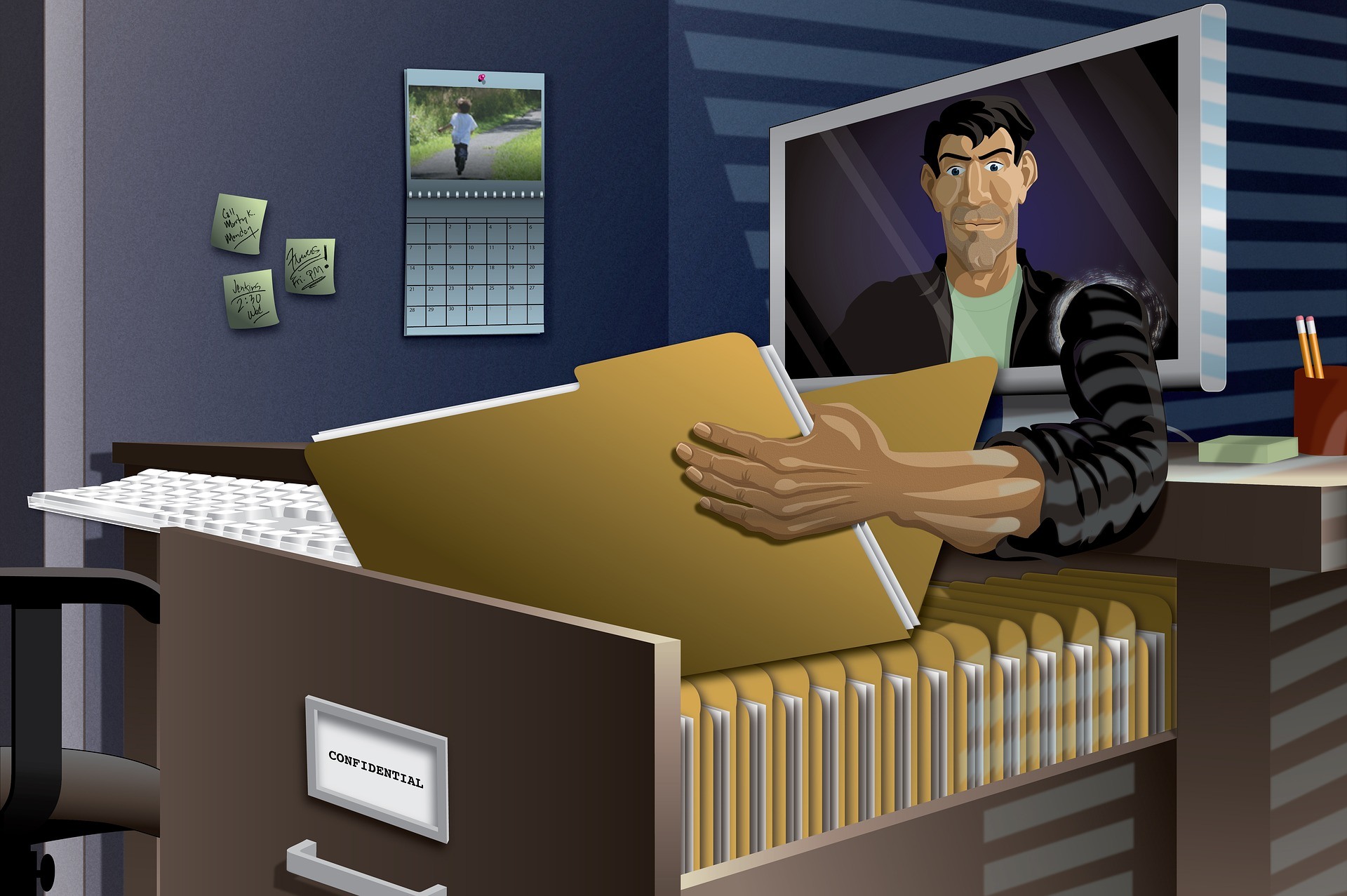


Why Two-Factor Authentication (2FA) ?
to increase the security of your account
to protect your account form hacking
all of above

