
 Worksheets
Year 9 Spreadsheet End of Unit Assessment - Term 3a
Total questions: 25
Worksheet time: 18mins
What does every formula in Excel begin with?
+
-
/
=
Which key combination applies bold formatting in Excel?
CTRL + I
CTRL + B
CTRL + U
CTRL + L
What is a cell in Excel?
A column of data
A group of formulas
A box where a row and column meet
A tab on the ribbon
Which formula calculates the total range from A1 to A5?
=ADD(A1:A5)
=TOTAL(A1:A5)
=SUM(A1:A5)
=A1+A5
What does =AVERAGE(B1:B5) do?
Counts the cells
Finds the maximum value
Adds the numbers
Finds the average
What does =MAX(C1:C10) return?
The average
The sum
The smallest value
The largest value
What is the output of =ROUND(4.567, 2)?
4.56
4.5
5
4.57
What function counts only the cells with numbers?
COUNTIF
COUNTA
COUNT
COUNTBLANK
What is a legend in a chart?
The graph title
Labels on axes
Key explaining symbols
Chart type
What is a data range in Excel?
A type of chart
A single cell
A group of selected cells
A bold section
Write a formula to add the values in cells A1 and B1.
(a) ( (b) (c) (d) )
Write a function that will return "Pass" if the value in cell A2 is greater than 60, and "Fail" if it is less.
(a) (b) ( (c) , (d) , (e) )
Write a function to round the number in cell F4 to 1 decimal place.
(a) (b) ( (c) , (d) )
Write a formula to find the average of the numbers in cells C1 to C5
(a) (b) ( (c) (d) (e) )
A student is entering sales data for different products in a spreadsheet. Which chart type would be most suitable to compare the sales of each product visually?
Line chart
Pie chart
Bar chart
Scatterplot
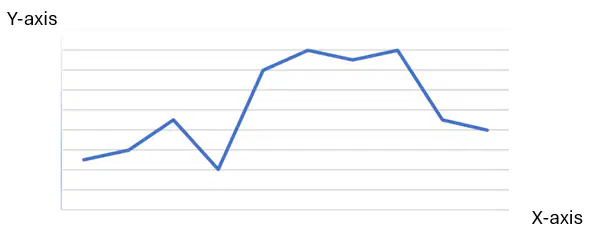
A student creates a line graph of average temperature recorded each month. What does the Y-axis of the graph most likely represent?
The month names
The type of chart
The temperature values
The chart title
A student is recording the number of hours studied per week in Excel. Which data type is most appropriate for these entries?
Date
Currency
Number
Text
When Emily typed £250 into a cell, Excel automatically aligned it to the right and formatted it with a pound sign. What data type did Excel apply?
General
Currency
Date
Percentage
Complete the function to return “Pass” if B1 is 50 or more, otherwise “Fail”:
=IF(B1>=50, " (a) ", "Fail")
Which of the following is the correct operator to test if a value is greater than or equal to 60?
=>
>=
=<
=<60
What will the formula =IF(B3=100, "Full Marks", "Not Full Marks") return if cell B3 contains 90?
Full Marks
100
Not Full Marks
Error
Complete the function that finds the highest score in cells C3 to C8:
= (a) (C3:C8)
A teacher wants to create a graph showing how many students chose different favourite subjects. Each subject is a slice in a circle. What type of graph should they use?
Bar chart
Line graph
Pie chart
Scatterplot
When a student selects a cell in Excel, the reference shows as “D5”. What does “D5” mean?
Row D, Column 5
Column D, Row 5
Cell 5 in D series
It’s the fifth worksheet
What function counts only the cells with numbers?
COUNTIF
COUNTA
COUNT
COUNTBLANK

