
 Worksheets
End of the Year Tech Procedure 24-25
Total questions: 13
Worksheet time: 7mins
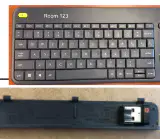
According to the Newline End of the Year Procedure 24-25, what should you do with the Wireless Keyboard labeled with room number?
Leave it on the desk
Store it in a locked cabinet in your room
Take it home
Give it to another teacher
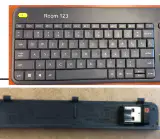
According to the Newline End of the Year Procedure 24-25, where should the wireless keyboard USB adaptor stored in the battery cover be kept?
In your bag
In the battery cover of the keyboard
In the trash
On the teacher's desk
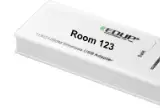
According to the Newline End of the Year Procedure 24-25, what should you do with the Wireless USB adaptor?
Leave it plugged into the Newline
Unplug from Newline and store in a safe place
Throw it away
Give it to another teacher
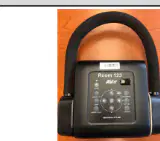
According to the Newline End of the Year Procedure 24-25, what should you do with the Aver Document Camera, and it's accessories?
Leave it out in the open
Store it in a locked cabinet in your room
Take it home
Give it to a student
According to the Newline End of the Year Procedure 24-25, what should you do with the stylus?
Leave it on the desk
Store it in a locked cabinet in your room
Take it home
Give it to another teacher
What should teachers verify about all of the Chromebooks at the end of the year?
That they are all turned off
The working condition of all Chromebooks
That they are all in the cart
That they are all charged
What should students do after getting Chromebooks out of the cart?
Take them home
Open them and notify teachers of any issues
Leave them on the desk
Plug them in
What is the last day to turn in Chromebooks for repair?
May 1st
May 15th
May 23rd
June 1st
If a Chromebook needs repair after May 23rd, what should you do?
Ignore it
Take it home
Put a sticky note on the Chromebook detailing what is wrong and put it back in the cart
Throw it away
Students should log out of Chromebook and all devices should be powered off at the end of the year.
True
False
What should be used to wipe down all devices?
Water
Disinfectant wipes or spray a paper towel (not brown) and wipe everything down
Soap
Tissue paper
Fill in the blank: Put Chromebooks into the correct slot and each one (a)
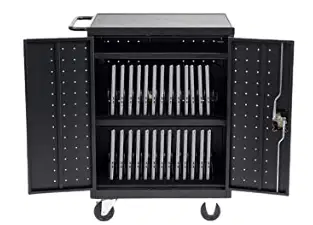
What should you do after checking that all Chromebooks are in the cart or noted as out for repair?
Leave the cart open
Place the lock on the cart, and lock it
Take the Chromebooks home
Unplug all Chromebooks

