
 Worksheets
Grade 3 Lesson 17 Quizz
Total questions: 10
Worksheet time: 20mins

What happens in image 2 if the button on port 4 is pressed?
A sound goes off.
The LED light on port 3 goes on.
The Novice Bot restarts.
The LED light on port 3 goes off.
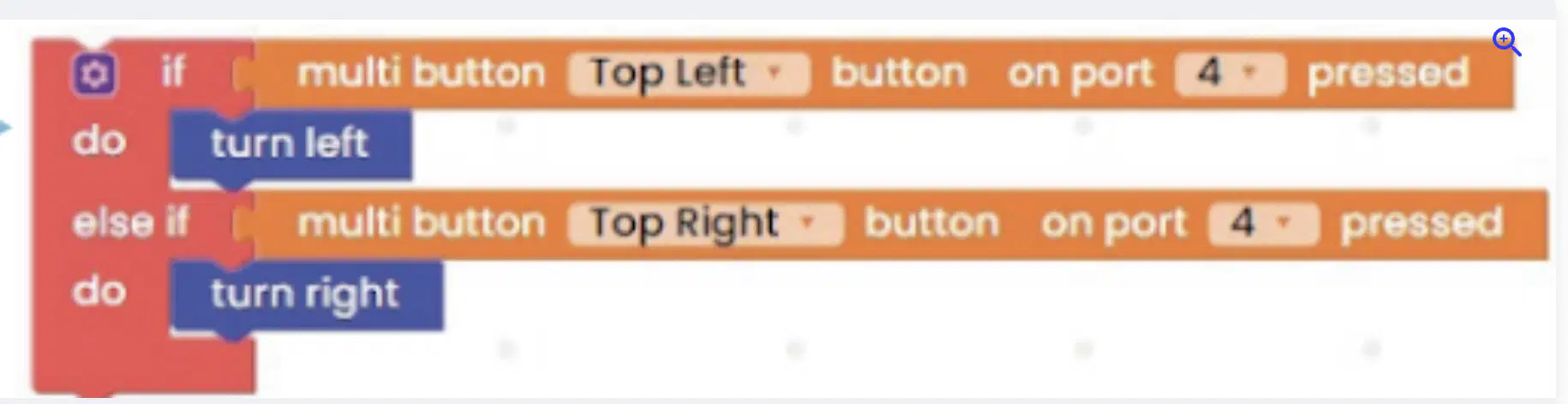
In this image, what button should be pressed on the multibutton on port 4 for the Novice Bot to turn left?
Top Left
Top Right
Bottom Right
Bottom Left
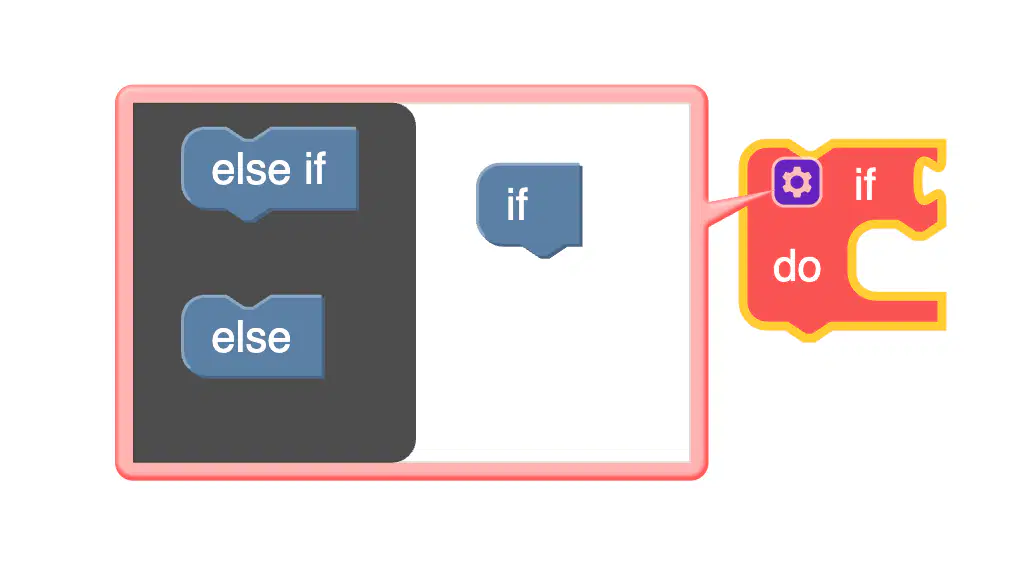
In this image of coding, what have we learnt to drag under the "if" block?
The "else" block
We don't add anything
The "else if" block
The "if else" block
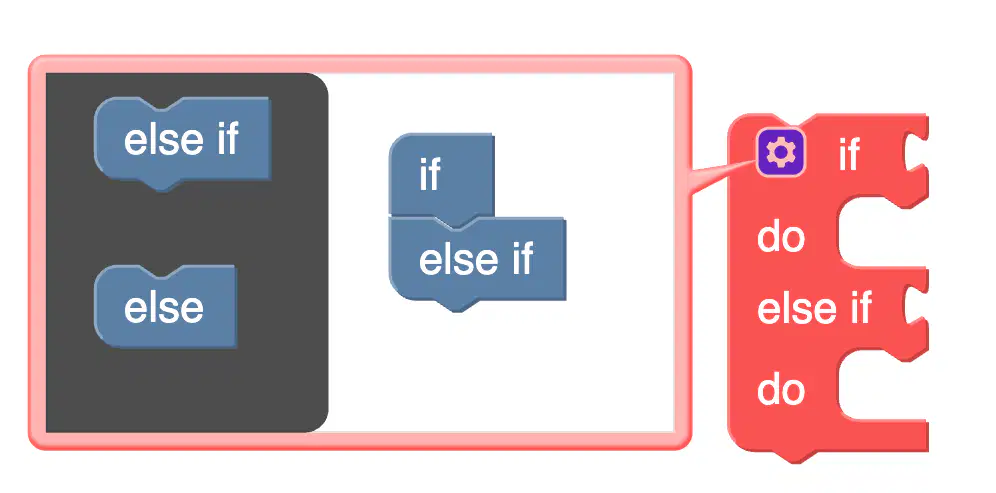
How do we get the "else if" and "else" grey blocks to go away?
We can't get them to go away
We click anywhere on the screen
We close the whole tab
We click on the small blue gear icon
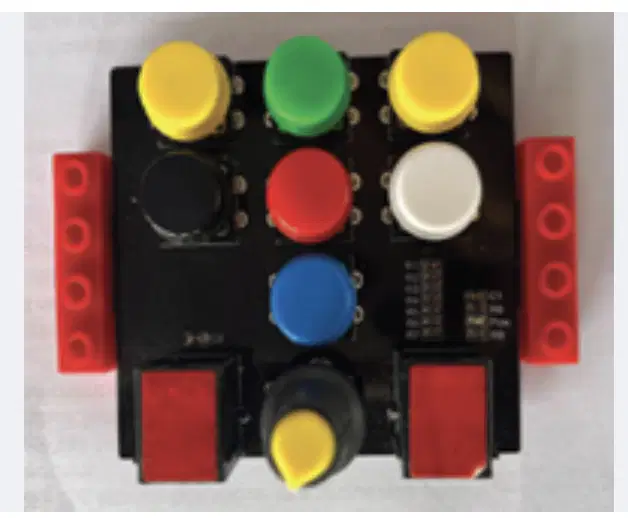
If the red button tells the Novice Bot “stop”, and the green button says “go forward”; which button makes sense to say “go backward”?
Blue
Black
Yellow
White
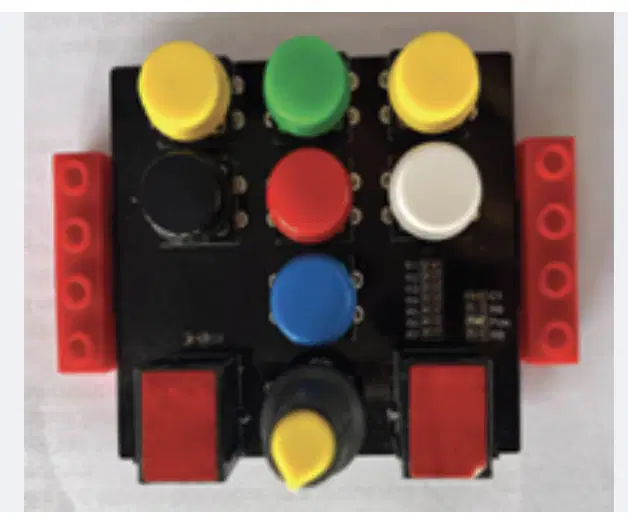
What do the multibuttons on the Novice Bot controller do?
Makes the Novice Bot move in different directions and start a program
Makes the Novice Bot stop
Allows the Novice Bot to make a sound
Lets us change the LED face on the bot
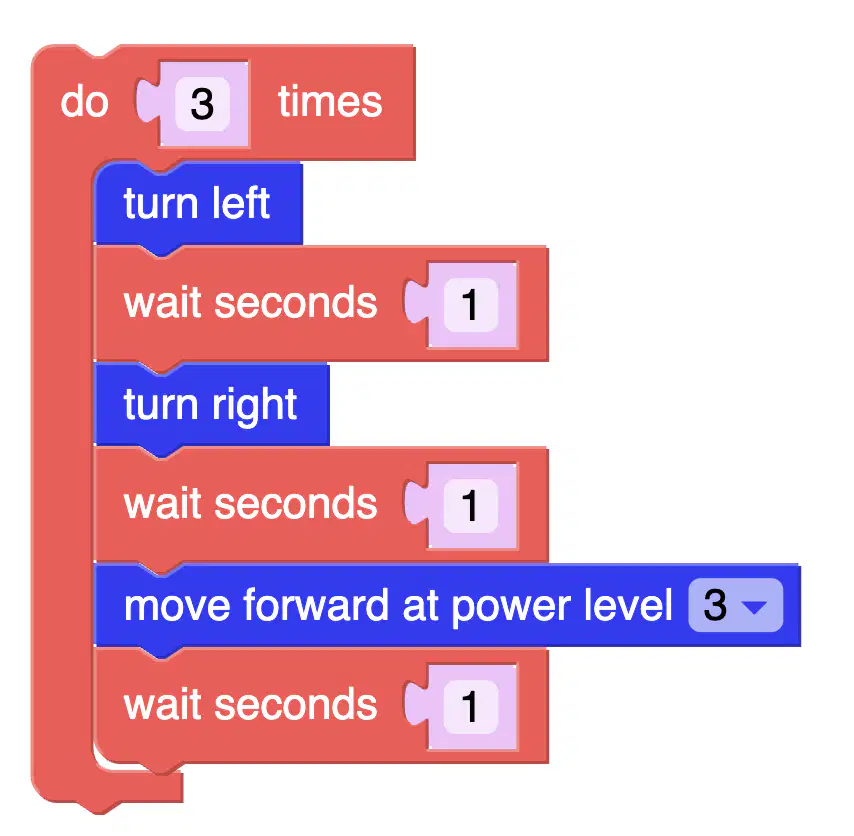
What two coding blocks do you need to add to end off this coding?


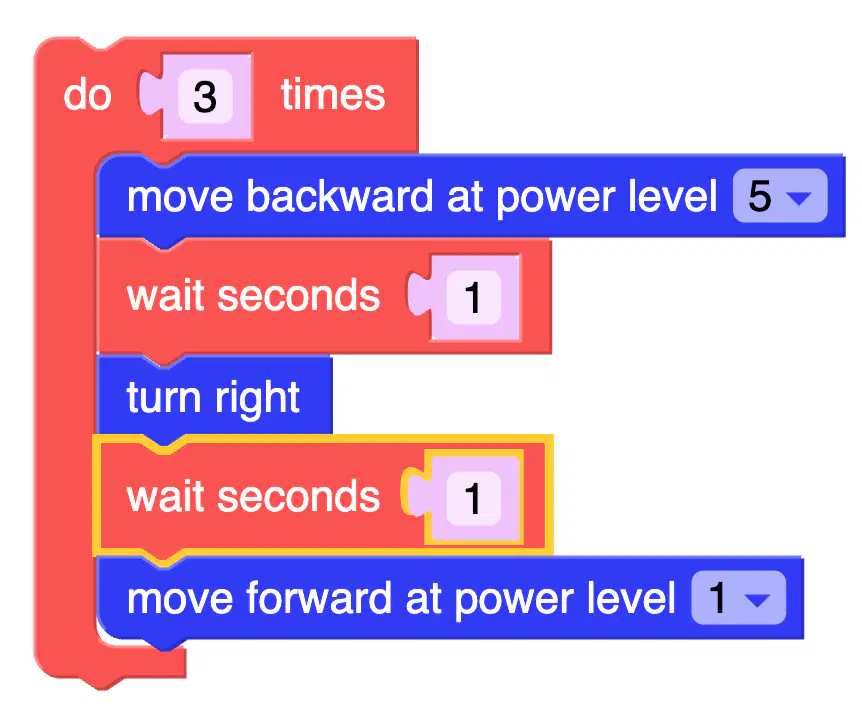
What is the easiest way to add in another wait seconds?
Click on the "wait seconds" block and click "duplicate"
Click on the "wait seconds" block and click "collapse block"
Click on the side tab and add another "wait seconds" block
Click anywhere on the screen

Debug the two errors in this code...
There is no "turn left" coding block
There is a "stop motors" coding block in the incorrect place
There is no "wait seconds" coding block after the LED matrix
We need to repeat the code 5 times

What words below best summarise the following coding blocks?
Looping, Resetting, LED display, Multibutton
Debugging, Resetting, Multibutton, Algorithms
Stopping, Repeating, Moving, Clearing
Clearing, Stopping, Moving, Debugging

