
 Worksheets
Grade 1 Digital Literacy Homework
Total questions: 47
Worksheet time: 31mins
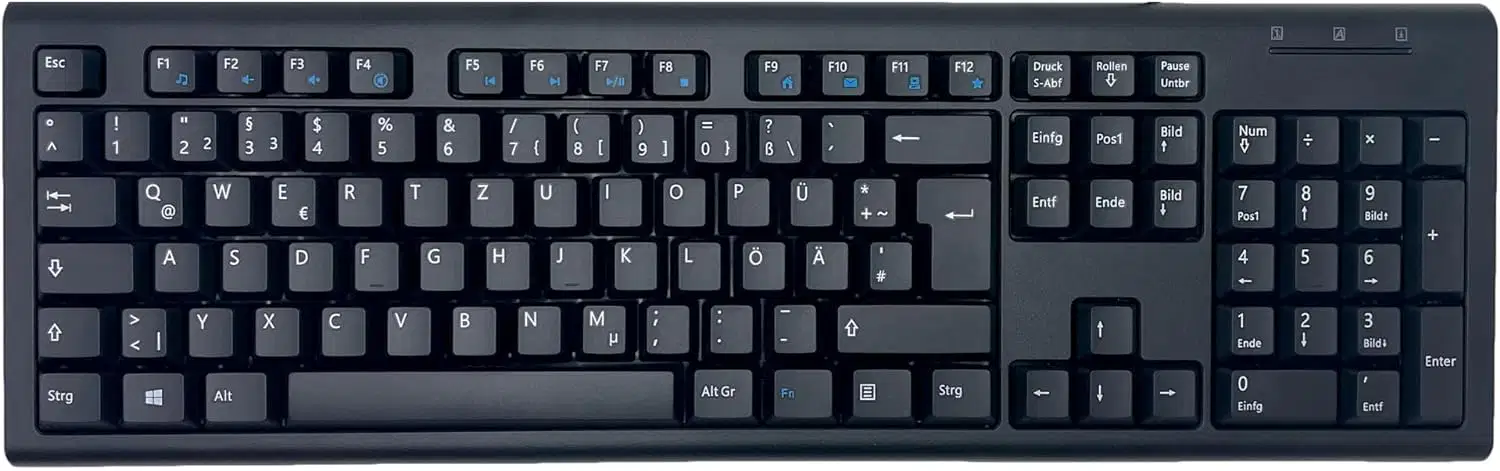
The computer device above is called a_____.
Keyboard
Monitor
Pencil
Mouse
What animal is the character in the Hedgehog Game?
Dog
Hedgehog
Cat
Bird
The longest key on the keyboard is called the __________.
Pointer key
Black key
Long key
Space bar
What is Scratch used for?
Eating lunch
Making games and stories
Reading books
Colouring pictures
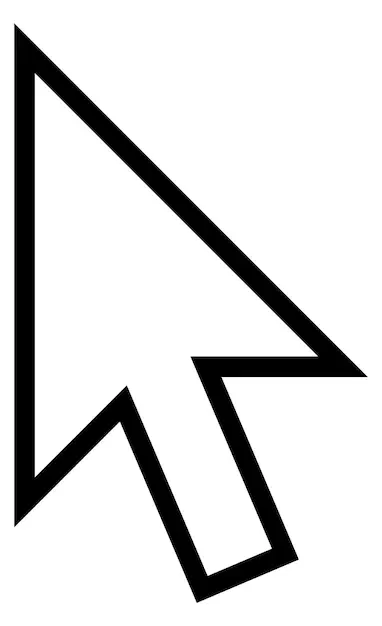
The image above is called the mouse ________.
Pointer
Arrow
Ruler
Pen
_______ is a way to look up and down a web page in a website.
Scrolling
Pressing
Rolling
Turning
We use the ……………… for typing letters and numbers.
mouse
keyboard
CPU
pointer
…………………………………….. comes out of the computer.
Input
Soft copy
Output
Software
The mouse can be used for the following except ____________.
singing
clicking
dragging
scrolling
What makes the hedgehog move in the game?
A pencil
A block of code
A remote control
A light
A computer mouse looks like _______ .
Cat
Rat
Bat
A ball
In scratch, what is the hedgehog called?
Picture
A sprite
A video
A box

This icon is used to ________ our work.
Delete
Save
Colour
Undo
What do we use to click on things on a computer?
A keyboard
Monitor
Mouse
Pencil
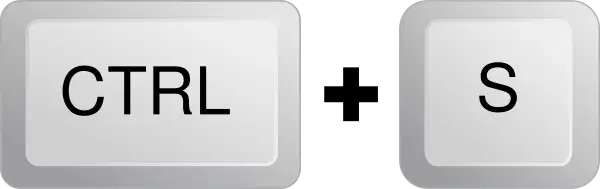
Ctrl + S is another way of _______________ my work .
Saving
Deleting
Undoing
Redoing
We use a ______ to see the list of what we want In a website.
Menu
List
Cake
Label
A safe search engine for kids is called ______.
Browser
Kiddle
None
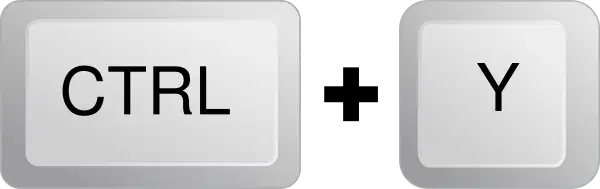
Ctrl + Y is another way to ______ my work.
Saving
Deleting
Undoing
Redoing
______ is a place to keep information on computer.
File
Canvas
Eraser
Colour
We enter our labels into a _______.
Monitor
Mouse
Bag
Cell
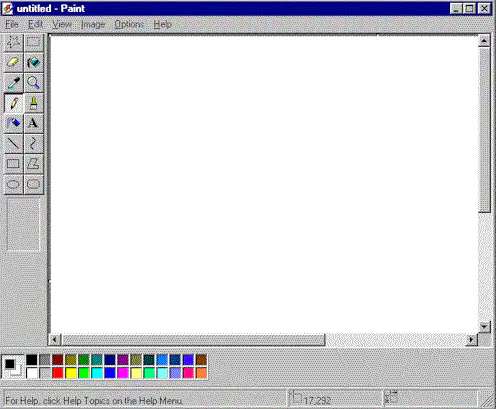
_______ is a simple drawing, image editing software
Canvas
Eraser
Keyboard
Games
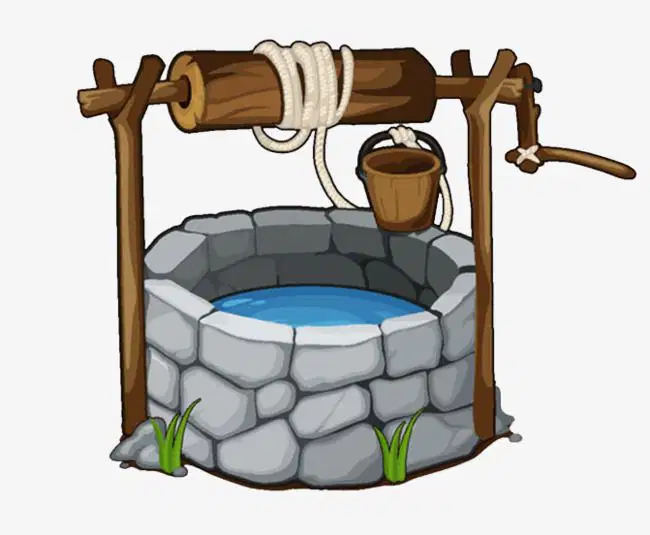
This old technology is a _________ .
Ditch
Well
Hole
Pond
The code block that makes the sprite to produce a sound is called the ________ code block.
Sound
Cry
Food
Fruit
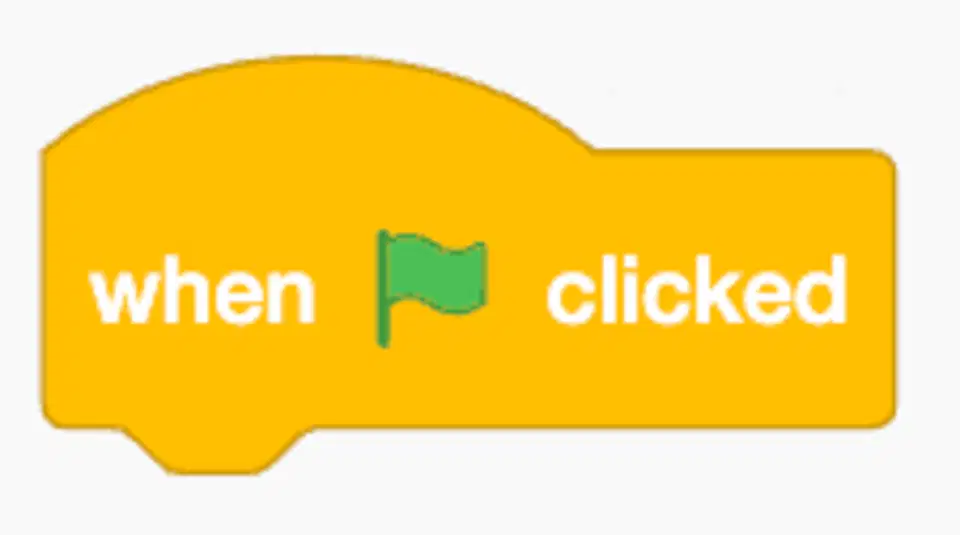
The code block above is usually placed at the ________ of the program.
Top
Middle
Bottom
Left
_________ code block will make the sprite to stop all sounds.
Continue
Start
Delete
Stop
Which of the following is not a label?
Shoe
Fruits
Dogs
20
In scratch, the icon in blue with the head of a cat is used to select the _______ .
Stage
Sprite
Cat
Windows
The event code block is usually placed at ________ of the program.
Top
Middle
Bottom
Left
What should children do when they feel worried about something they see online?
Shout
Report
Keep silent
None
Computer is an electronic machine. This means that without _________, it cannot work.
Water
Food
Fruits
Electricity
We use _______ for calculation in a spreadsheet.
Books
Values
Labels
Pencils
_______ is a small word or a small number of words in a cell.
Label
Scratch
Double click
List
What is the name of the program we use to make the hedgehog game? (a)
The computer can help us do a lot (a)
We use the (a) for typing letters and numbers.
Green in Scratch makes the sprite to (a)
What do we click to begin the game? (a)
Treat the computer with (a)
Raise your (a) if you have a question.
A safe search engine for kids is (a) .
(a) comes out of the computer.
Ctrl + S will (a) our work.
What is a program?
(a)
What are values?
(a)
List two things you can create with scratch.
(a)
List three things we can use the computer to do.
(a)
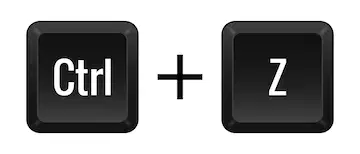
Ctrl + Z is another way to ______ my work.
Saving
Deleting
Undoing
Redoing

