
 Worksheets
Year 5 Assessment 3 Revision
Total questions: 12
Worksheet time: 6mins
Below are four terms we use for coding. Match each term to their definition (what they mean).

Making a choice based on a condition.

When a program repeats parts of itself using a loop, sometimes until a condition is met.

Information that goes into a digital system when you type, click, or touch.

Stores info so the program can remember
What is branching in a program?
Repeating instructions
Choosing between options based on a condition or decision
Organising data
Making characters move
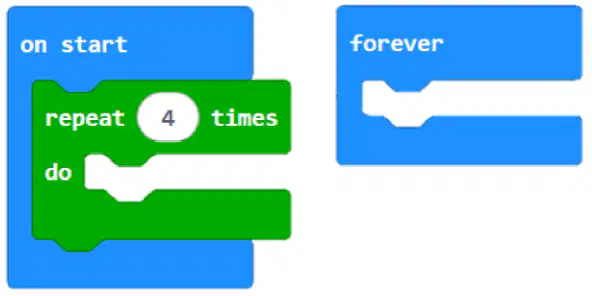
When a program repeats steps it is called _____.
a loop
a variable
an array
a function
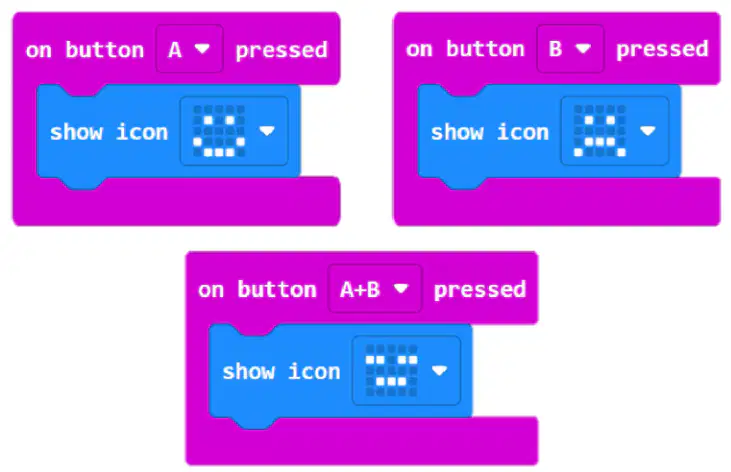
What kind of algorithm structure is shown in these blocks?
Loops
Branching
Sequence
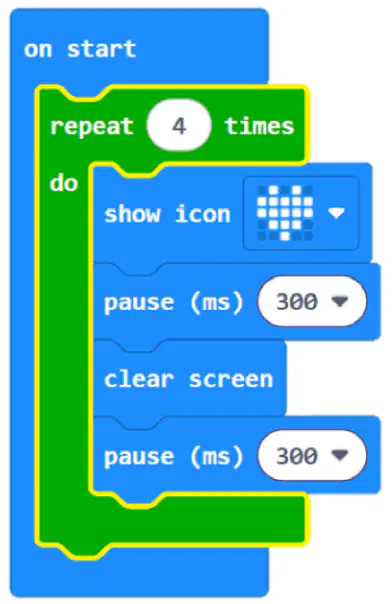
What kind of algorithm structure is shown in these blocks (highlighted in yellow)?
Loops
Branching
Sequence
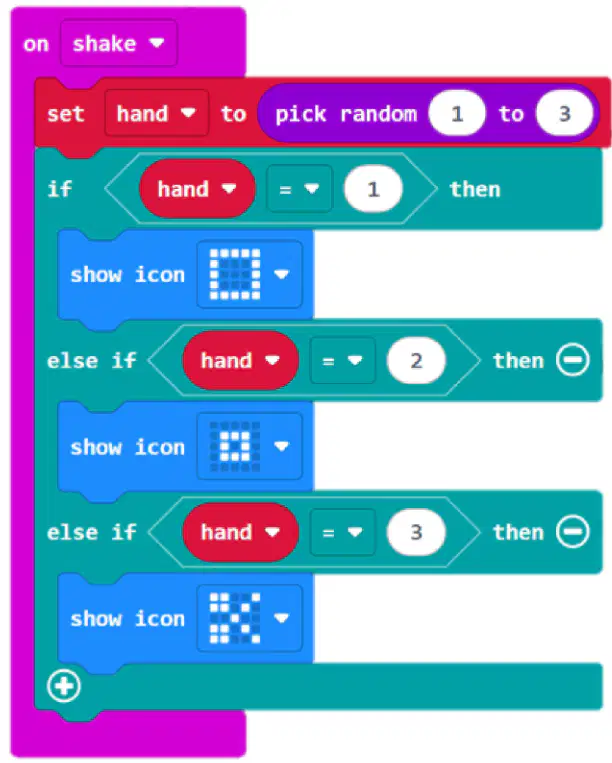
In the program below the word 'hand' is a variable. What is a variable?
A button that makes your game start over
A name for information the program can remember and change or use.
A block that makes something move on the screen.
A type of loop that repeats forever.
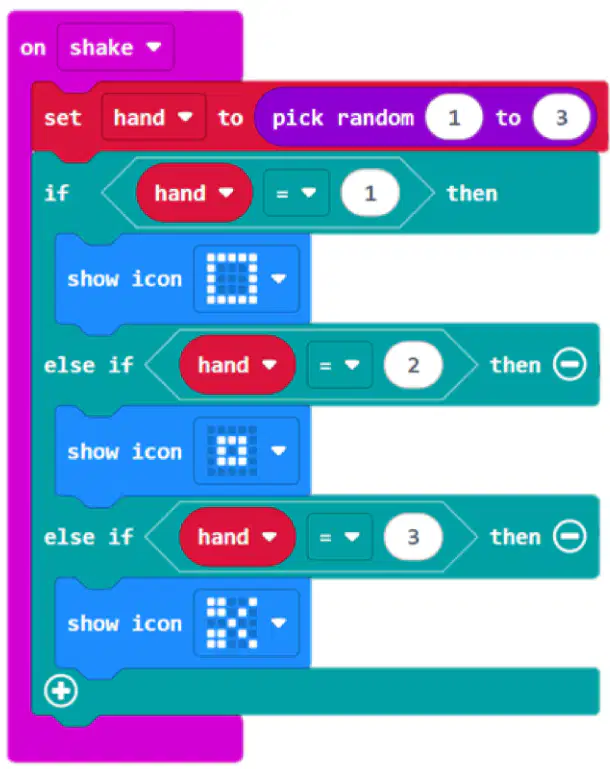
Which hardware features of the micro:bit are used in the Rock, Paper, Scissors micro:bit game?
LED display and accelerometer
Speaker and microphone
Touch sensor and camera
Wi-Fi and Bluetooth
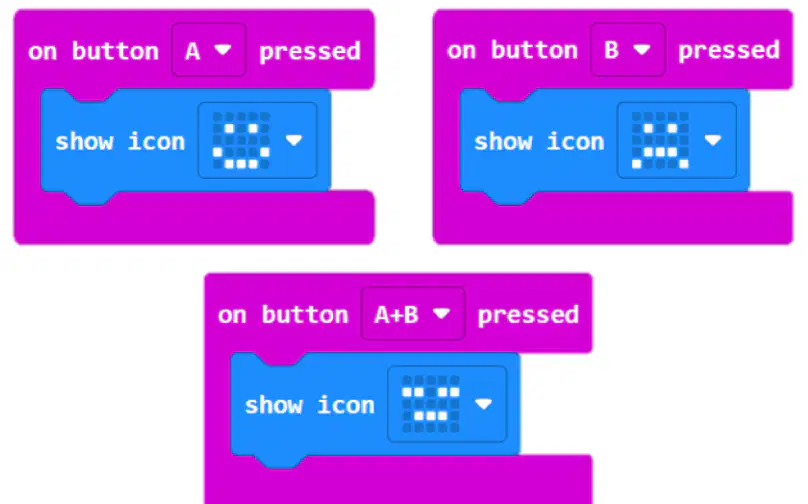
Which hardware features of the micro:bit are used in the Smiley Faces project, and how are they utilized according to the code blocks shown in the diagram?
The LED display is used to show smiley faces, and the buttons are used to change the expressions.
The accelerometer is used to detect movement, and the radio is used to send messages.
The temperature sensor is used to display temperature, and the compass is used to show direction.
The speaker is used to play sounds, and the microphone is used to detect noise.
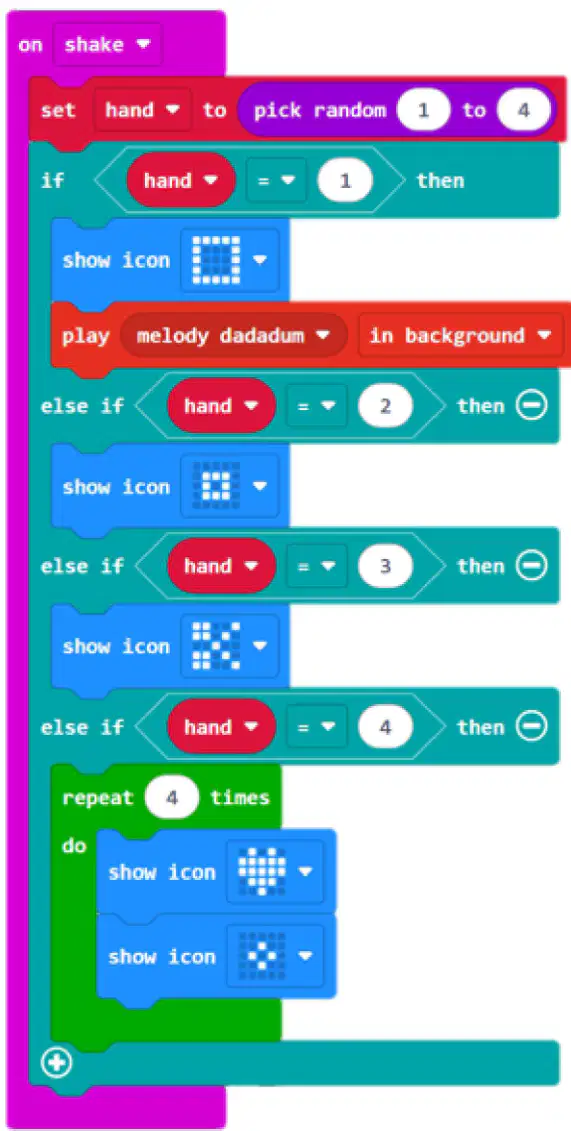
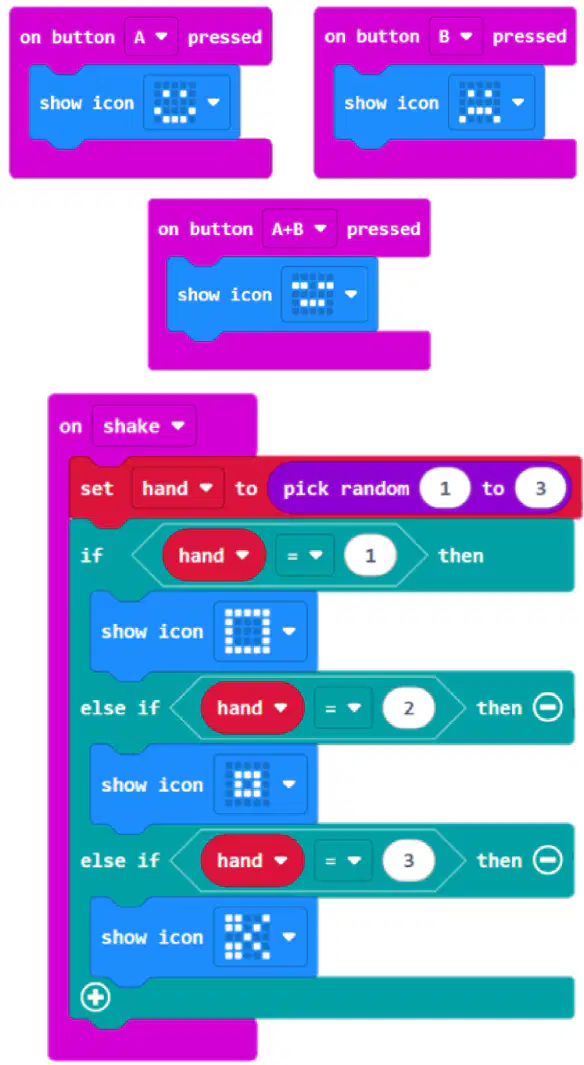
What has been added to the Rock, Paper, Scissors program here?
A sound effect when paper wins
A repeat loop of a beating heart
The A button changes the icons
The variable 'hand' now has four possible random choices.
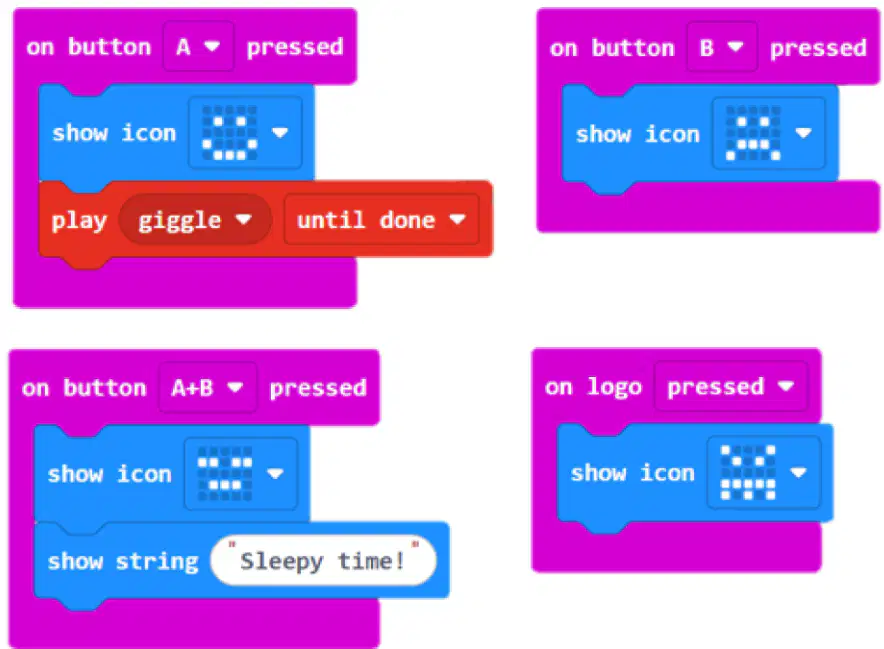
What has been added to the Smiley Faces program here?
A touch logo block to make an angry face when the micro:bit logo is touched
A shake block to make an angry face when the micro:bit is shaken
A music block plays the giggle sound when the A button is pressed
A show string block writes the words "Sleepy time!" when the A and B buttons both get pressed
Which of the following is a way to make the Smiley Faces or Rock, Paper, Scissors program more fun or interesting to play on the micro:bit?
Add sound effects using the micro:bit's speaker
Only use the display to show images
Do not use any buttons
Remove all animations
Which of the following are true about your understanding of algorithms and visual coding? (Check all that apply)
I understand how branching works.
I understand how loops work.
I have designed a micro:bit program by altering or editing the blocks.
I have explained how I changed or designed a program for the micro:bit electronics kit.

