
NEW
Font size
 Worksheets
Format painter
Total questions: 22
Worksheet time: 12mins
The shortcut for Copy is Ctrl + V
True
False
Bold and Underline are in what group on the Ribbon?
Font
Paragraph
Styles
Editing
What tab can be used to insert a picture in a document?
Insert
Design
Home
Review
Formatting means
changing the shape
changing text
changing appearance of text
none
What icon is Align right
?


When we make changes to a document it is called as ______________________.
copying
pasting
Editing
Moving


What is this called?
Font style
Font color
Font size

What is this called?
Align center
Align left
Align right
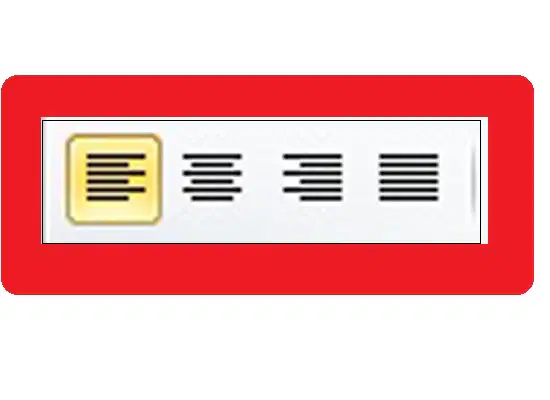
This tool lets
you change ____
Font style
Size
Bold
Text Alignment
What tab and menu is line & paragraph spacing found?
Design tab/ Page background
Layout tab/ Page setup
Home tab/ Paragraph menu
Review tab/ Proofing
The following are all alignments, except:
Align Left
Align Right
Align Center
Align Top
Line spacing can be found under what group on the Home tab?
Clipboard
Font
Paragraph
Editing
Which tab on the Microsoft Word ribbon is primarily used for formatting text, adjusting font styles, and modifying paragraph settings?
Insert
Page Layout
Home
References
Line spacing refers to the:
Spacing between lines of text.
Horizontal spacing between words
Horizontal spacing between characters
Top and bottom margins.
Which feature in MS Word is used when you want to copy formatting from one object or text to another?
Format Painter
Header
Footer
Subscript
The Format Painter is in which tab?
File
Home
Insert
Design
Once you have chosen a desired style for your headings, the ______ _______ function can help you to easily apply the same format to other text.
Format Painter
Format Scanner
Fill Handle
Format Style
How can you align text to the right in MS Word?
Click on the 'Align Right' button in the 'Paragraph' section of the 'Home' tab.
Use the 'Tab' key to manually align the text
Press Ctrl+R
Click on the 'Align Center' button

