
 Worksheets
PROGRESSIVE III Understanding the Internet and Browsers
Total questions: 100
Worksheet time: 56mins
What is the nature of the internet?
The internet is a global network of interconnected computers.
The internet is a type of software.
The internet is a physical object you can hold.
The internet is a local network of devices.
What is a web browser?
A web browser is a software application for accessing and viewing content on the World Wide Web.
A web browser is a programming language for web development.
A web browser is a hardware device for internet connectivity.
A web browser is a type of search engine.
Name three popular web browsers.
Google Chrome, Mozilla Firefox, Microsoft Edge
Opera Mini
Safari
Internet Explorer
What are the main functions of a web browser?
The main functions of a web browser are to retrieve web content, render web pages, manage user sessions, and provide navigation tools.
To manage server hardware
To create web content
To store user data permanently
How can you change browser settings?
Change the browser's homepage to modify settings.
Uninstall the browser to reset preferences.
Clear the browser cache to change settings.
Open the browser, access the menu, and select 'Settings' to modify preferences.
What is the purpose of bookmarks or favorites in a browser?
To delete browsing history
To change the browser's homepage
To increase internet speed
The purpose of bookmarks or favorites in a browser is to save and quickly access frequently visited websites.
How do you handle pop-ups in a web browser?
Uninstall the web browser to avoid pop-ups.
Adjust browser settings to block or manage pop-ups.
Click on every pop-up to see what they offer.
Ignore all pop-ups and continue browsing.
What are cookies in the context of web browsing?
Cookies are programs that run on a user's device to enhance performance.
Cookies are large files that store user passwords securely.
Cookies are small data files stored on a user's device by the web browser to remember information about the user.
Cookies are a type of web server that hosts websites.
What is the browser cache and why is it important?
The browser cache is a storage area that saves copies of web resources to speed up loading times and reduce bandwidth usage.
The browser cache is a tool for managing bookmarks.
The browser cache is a temporary storage for user passwords.
The browser cache is a feature that enhances security by encrypting data.
What are browser extensions?
Browser extensions are software programs that add functionality to web browsers.
Browser extensions are hardware components that enhance computer performance.
Browser extensions are built into the operating system.
Browser extensions are only available on mobile devices.
What standards should a website or web page meet?
Accessibility, usability, performance, security, SEO.
Social media presence, advertising budget, brand recognition
Aesthetic design, color scheme, font choice
User demographics, market trends, competitor analysis
What is an IP address?
A software application for managing networks.
A type of computer virus.
A method for connecting to the internet.
An IP address is a unique identifier for a device on a network.
What are the characteristics of an IP address?
An IP address is always a 16-digit number.
An IP address is used only for local networks.
An IP address is a physical address for a device.
An IP address is a unique identifier for a device on a network, formatted as IPv4 or IPv6.
What is the Domain Name System (DNS)?
A service for hosting websites
The Domain Name System (DNS) is a system that translates domain names into IP addresses.
A protocol for secure file transfers
A system that manages email addresses
What are the different types of domains?
Web Hosting Services
Domain Names System
Internet Protocol Types
Top-Level Domains, Country Code Top-Level Domains, Second-Level Domains, Subdomains, Generic Domains.
What are the main parts of a URL?
domain, subdomain, path, query
scheme, host, resource, key
protocol, host, endpoint, parameters
scheme, host, port, path, query, fragment
How does a web browser manage security settings?
Web browsers automatically configure security settings without user input.
Web browsers manage security settings solely through user feedback.
Web browsers manage security settings through user-configurable options, security protocols, and regular updates.
Web browsers ignore security settings and rely on user passwords.
What is the role of a search engine in relation to the web?
The role of a search engine is to index and retrieve information from the web.
To block access to certain websites.
To store all web content permanently.
To create websites for users.
How can you clear your browser history?
Restart your computer to reset history
Uninstall the browser completely
Delete all files from your computer
Open browser settings, go to Privacy/History, select clear browsing data.
What is the primary function of a web server?
A web server is a hardware device for internet connectivity.
A web server stores and serves web content to users over the internet.
A web server is a type of web browser.
A web server is used to create web applications.
What is HTTPS and how does it differ from HTTP?
HTTPS is only used for email communication.
HTTPS is a protocol for transferring files.
HTTPS is a type of web browser.
HTTPS is a secure version of HTTP that encrypts data between the browser and server.
What is the purpose of a firewall in network security?
A firewall is a hardware component that stores data.
A firewall is used to speed up internet connections.
A firewall monitors and controls incoming and outgoing network traffic based on security rules.
A firewall is a type of web browser extension.
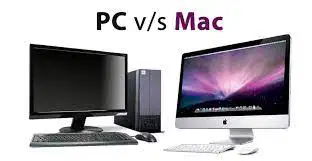
A computer's _________ is the type of processor and operating system it uses.
platform
system
skin
compatibility
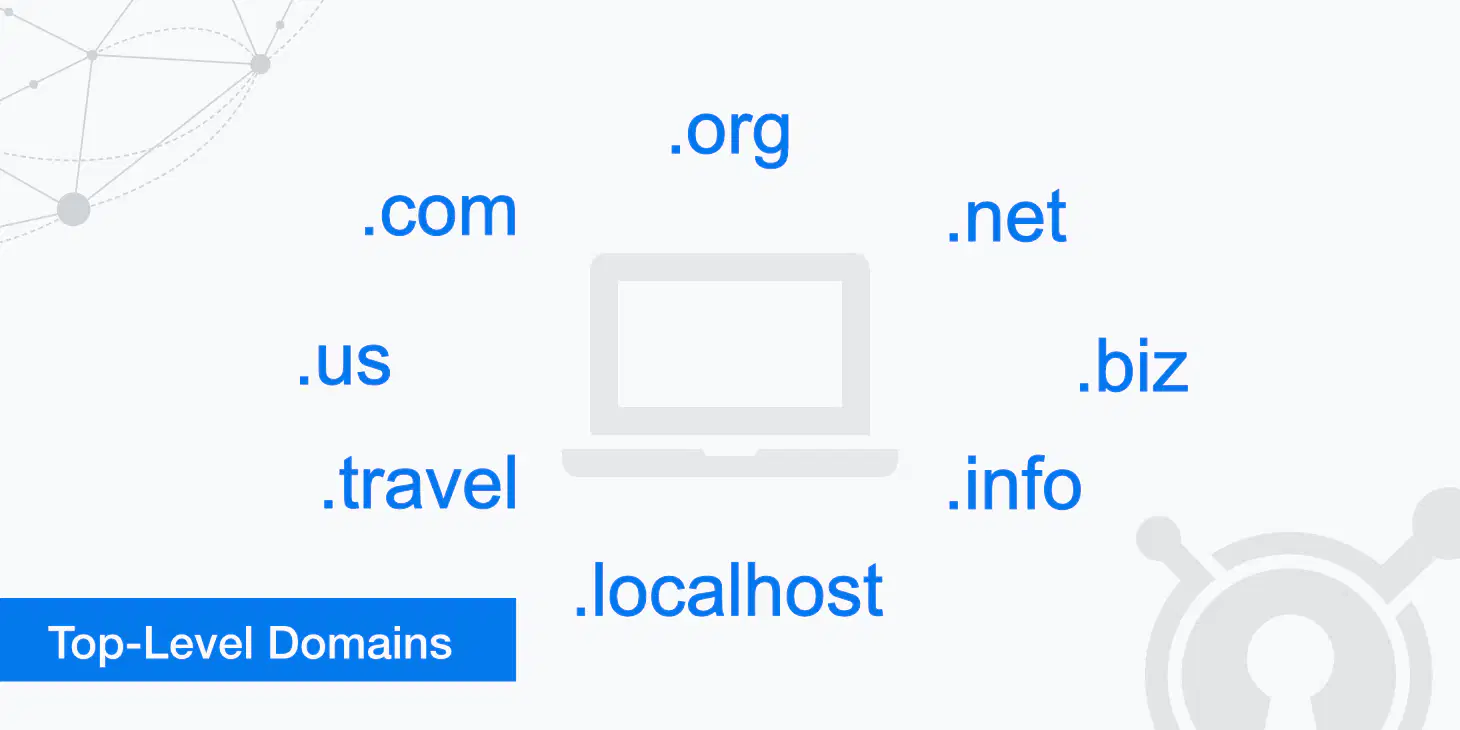
The top-level domain name for a nonprofit organization is ________________. (Hint: Think about your school e-mail).
.com
.org
.biz
.edu
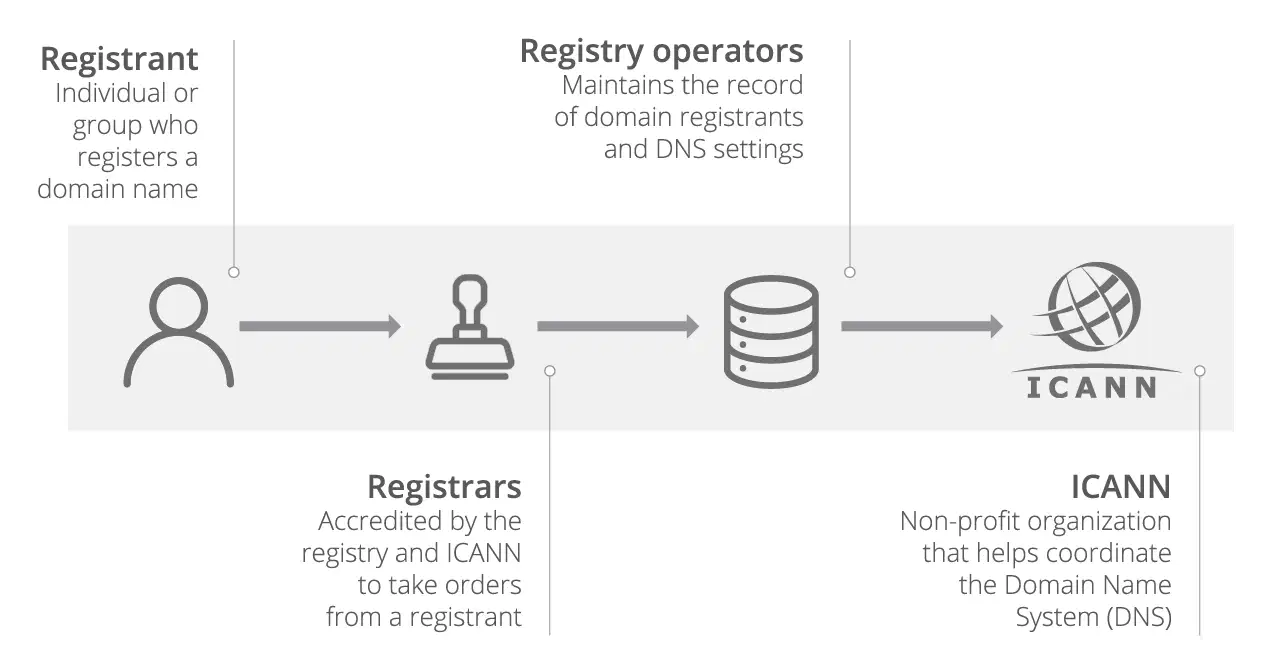
You pay a fee to a _____ to have your domain name entered into the InterNIC central domain database.
registrar or registering organization
internet service provider
county clerk
apple pay

Google Chrome and Microsoft Internet Explorer are two popular
internet browsers
platforms
games
toys
What is the function of a domain registrar?
A domain registrar is a type of web hosting service.
A domain registrar is a security tool for protecting online data.
A domain registrar is responsible for managing the reservation of Internet domain names.
A domain registrar is a software application for creating websites.
What does the term 'bandwidth' refer to in internet connectivity?
Bandwidth refers to the number of devices connected to a network.
Bandwidth refers to the amount of data that can be transmitted over a network in a given amount of time.
Bandwidth is the physical distance between two network devices.
Bandwidth is a type of internet service provider.
What is the purpose of a URL?
A URL is a security feature for protecting websites.
A URL is a protocol for transferring files.
A URL is a type of web browser.
A URL is a uniform resource locator that specifies the address of a resource on the internet.
What is the role of a domain name in web navigation?
A domain name is a programming language used for web development.
A domain name is a security feature for websites.
A domain name is a type of web server.
A domain name is a unique identifier that helps users locate a website on the internet.
What does the term 'latency' refer to in internet connectivity?
Latency is a type of internet service provider.
Latency is the delay before a transfer of data begins following an instruction.
Latency refers to the speed of data transfer over a network.
Latency is the amount of data that can be transmitted over a network.
What is the purpose of a VPN?
A VPN is used to enhance internet speed.
A VPN is a service that creates a secure connection over a less secure network.
A VPN is a type of web browser.
A VPN is used to store user data securely.
What is the function of a web proxy?
A web proxy is a type of web server that hosts websites.
A web proxy is a software application for managing local networks.
A web proxy acts as an intermediary between a user's device and the internet, providing anonymity and security.
A web proxy is used to enhance internet speed by caching web pages.
What does the term 'phishing' refer to in online security?
Phishing is a type of malware that infects computers.
Phishing refers to the process of optimizing web content for faster loading.
Phishing is a technique used to trick users into providing sensitive information by pretending to be a trustworthy entity.
Phishing is a method used to improve website SEO.
What is the purpose of SSL certificates?
SSL certificates are used to store user passwords securely.
SSL certificates provide a secure connection between a web server and a browser by encrypting data.
SSL certificates are used to speed up website loading times.
SSL certificates are a type of web hosting service.
What is the primary function of a web server?
To store and manage user data.
To serve web pages to users' browsers.
To create websites from scratch.
To provide internet access to users.
What does the term 'malware' refer to in cybersecurity?
Malware is a tool for optimizing website performance and identifying the user
Malware refers to malicious software intended to harm or exploit any programmable device.
Malware is a type of software designed to protect computers from being hacked by a third party.
Malware is a type of internet connection.
What is the purpose of a firewall in network security?
A firewall is used to speed up internet connections for faster and more effective work to be accomplished.
A firewall is a security system that monitors and controls incoming and outgoing network traffic based on predetermined security rules.
A firewall is a type of web browser.
A firewall is a tool for creating websites.
What is the purpose of HTTPS in web browsing?
HTTPS is a protocol that allows users to access websites faster for effective collaboration and accomplishing tasks.
HTTPS is used to block unwanted advertisements on websites to prevent hacking into the system.
HTTPS is a secure version of HTTP that encrypts data exchanged between the browser and the server.
HTTPS is a type of web browser.
What is a cookie in the context of web browsing?
A cookie is a small piece of data stored on the user's device by the web browser.
A cookie is a type of malware that affects web browsers and disrupts work.
A cookie is a programming language used for web development.
A cookie is a feature that enhances internet speed.
What does the term 'IP address' refer to?
An IP address is a type of web browser.
An IP address is a unique identifier assigned to each device connected to a network.
An IP address is a protocol for transferring files over the internet.
An IP address is a security feature for websites.
_____________ is an international network of computers.
Network
WWW
Internet
Local Area Network
The Internet is sometimes called _________
Cybernetic
Cyberspace
Cybernauts
WWW stands for
Whole wide web
World wide web
world web wide
wide world web
The web pages are joined together by _____________--
Web browser
Hyperlinks
lists
linkwork
To see web pages on the World Wide Web you need special software called a _____________
Web worm
Web browser
URL
Web space
Which one is not a web browser
Internet Explorer
Microsoft Onenote
Google chrome
The address of the web page is called _____________
HTTP
HTML
UTP
URL
___________________________ is a group of web pages.
WWW
Internet
Network
Https
What is a network application?
A computer program that is used to access the Internet
A computer program that is used to store data on a network
A computer program that is used to communicate with other computers
A computer program that is used to create websites
What does the host in a URL identify?
The resource (network drive, computer, web page)
The language computers use to communicate
The location of a resource on the host
The type of protocol used

The following icons are called________
Games
Emojis
Browsers
Websites
Browsers allow you to see websites
True
False

This browser is called:
Internet Explorer
Safari
Mozilla Firefox
Google Chrome

This browser is called:
Internet Explorer
Safari
Mozilla Firefox
Google Chrome

This browser is called:
Safari
Mozilla Firefox
Google Chrome
Internet Explorer

This browser is called:
Google Chrome
Mozilla FireFox
Safari
Internet Explorer

These 3 buttons are called
1, 2, and 3
Line, Square, and X
Down, Up, and Right
Minimize, Maximize, and Close

In this picture, the place in red is called
Internet
Address Bar
Browser
Square

What does this button do?
Goes back a page on the internet
Goes forward a page on the internet
Goes to the home page
Goes to Favorites

What does this button do?
Goes back a page on the internet
Goes to Favorites
Goes to the home page
Goes forward a page on the internet

What does this button do?
Goes back a page on the internet
Refresh a page on the internet
Goes forward a page on the internet
Goes to Favorites

What does this button do?
Goes back a page on the internet
Goes forward a page on the internet
Goes to Favorites
Goes to the Home page

What does this button do?
Goes back a page on the internet
Goes forward a page on the internet
Goes to the home page
Save a website
What do you click on to go to the home page?


What do you click on to refresh a page?


What do you click on to go forward to the previous page?


What do you click on to refresh a page?
What do you click on to go back to the last page?


What do you click on to save a favorite website?


What does this button do?
Maximize
Close
Minimize
Play
Millions of computers around the world are connected to each other. They can share information with each other at the click of a mouse. It's almost instant. When you are searching the web you are connected to information through the...
Internet
Encyclopedia
Dictionary
Magic Beans

Name the internet company
TikTok

Name the website
Friends Reunited

Name the website
Outlook
Gmail
Safari
Teams

Name the company
Microsoft
Amazon
Apple

Name the company
Netflix
Amazon Prime
YouTube
Disney+

Name the website
Netflix
Amazon Prime
YouTube
Disney+

Name the company
Friends Reunited

Name the company
Netflix
Amazon
YouTube
Disney+

Name the website
Wikipedia
Yahoo
Amazon
Ask Jeeves

Name the website
TikTok
Snapchat

Name the website
TikTok
Snapchat

Name the website
TikTok
Snapchat

Name the website
Outlook
Gmail
Safari
Teams

Name the website
Skype
Hangouts
Zoom
Teams

Name the website
Skype
Hangouts
Zoom
Teams

Name the company
Microsoft
Amazon
Apple
What is the Internet often compared to in order to explain its function?
A large highway
A small village
A single computer
A telephone line
The Internet is a decentralized system, meaning that there isn't one group or person that holds all the information. This is sometimes referred to as ________ architecture.
Client-server
Peer-to-peer
Centralized
Hierarchical
What is one of the benefits of peer-to-peer architecture?
Centralized control
Easier file sharing
Increased security threats
Reduced video quality
Peer-to-peer architecture makes it easier to share files, stream video, and resist ______.
bandwidth
security threats
data loss
latency
What is the main difference between the Internet and the World Wide Web?
A) The Internet is a collection of interconnected files, while the Web is a network of computers.
B) The Internet is a network of computers, while the Web is a collection of interconnected files.
C) The Internet and the Web are the same.
D) The Internet is only used for emails.
The World Wide Web was created by a scientist named ________.
A) Tim Berners-Lee
B) Albert Einstein
C) Isaac Newton
D) Nikola Tesla
Fill in the blank: Google's Chrome browser is the most popular browser worldwide, with ______, Firefox, Opera, and Microsoft Edge among the top spots.
A) Safari
B) Internet Explorer
C) Netscape
D) Brave

Network level communication is called TCP/IP, in which IP stands for _________, the internet's addressing scheme.
Internet Protocols
Transmission Control Protocols
Internet Privileges
Internet Pizza
How will you start searching information on the internet?
Click the search engine.
Type the keyword that you are looking for.
Open the web browser.
Type the URL on the address bar.