
 Worksheets
Toolbox - VR Robot Programming
Total questions: 11
Worksheet time: 6mins
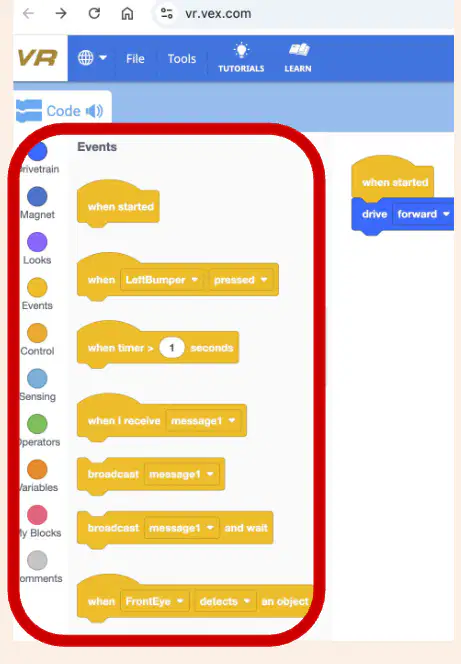
What is the purpose of using blocks in the Toolbox when working with the VR robot?
To build projects that control the VR robot
To decorate the screen
To play music
To change the background color
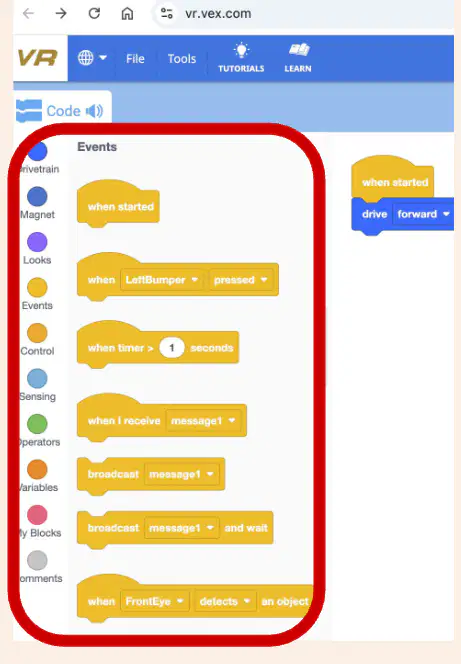
The Toolbox lists all the blocks available to use with the VR robot.
True
False
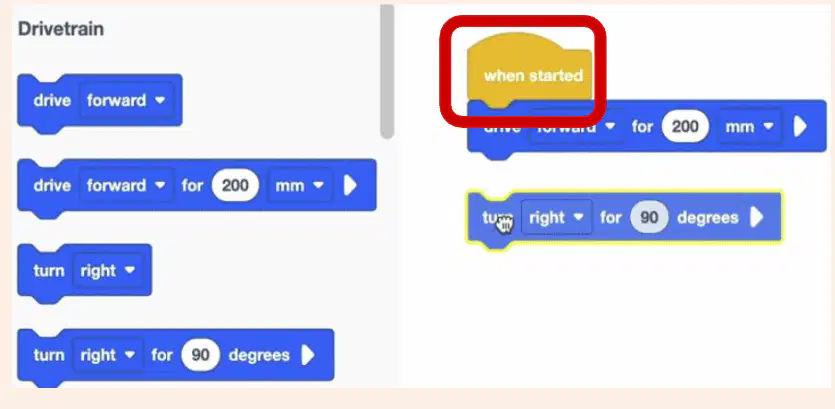
Fill in the blank: Projects begin with a '______' block.
When started
Forever
Repeat
If then
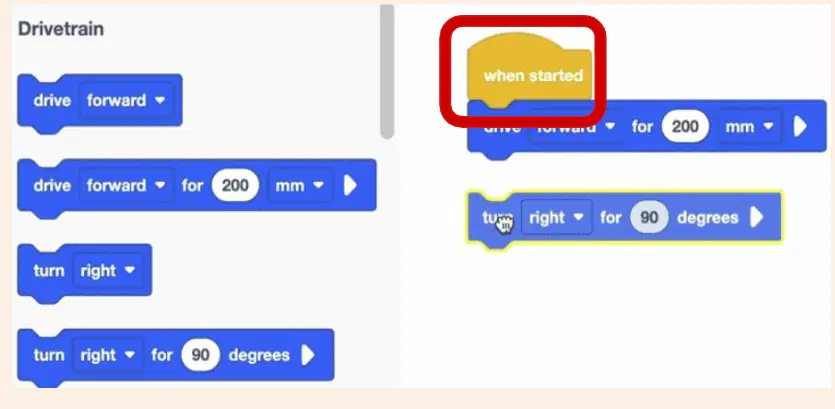
You should drag blocks from the Toolbox and attach them to the 'When started' block to build a project.
True
False
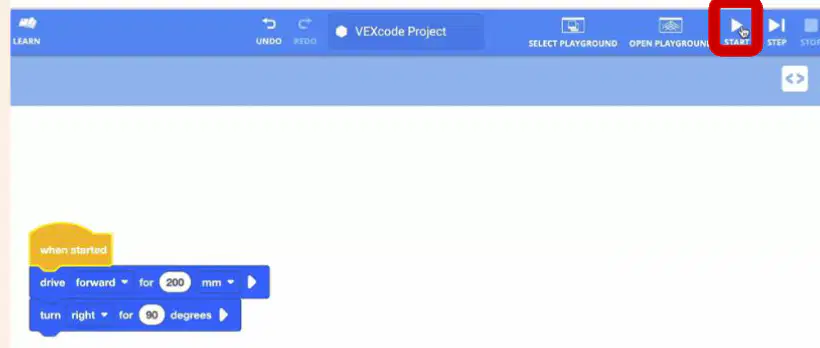
According to the instructions, what should you select in the Toolbar to start a project and make the VR robot move?
Stop button
Start button
Undo button
Open Playground button

Where do VR robots run according to the instructions in the image?
VR robots run in environments called Playgrounds.
VR robots run only in physical classrooms.
VR robots run exclusively on mobile devices.
VR robots run in outdoor parks.
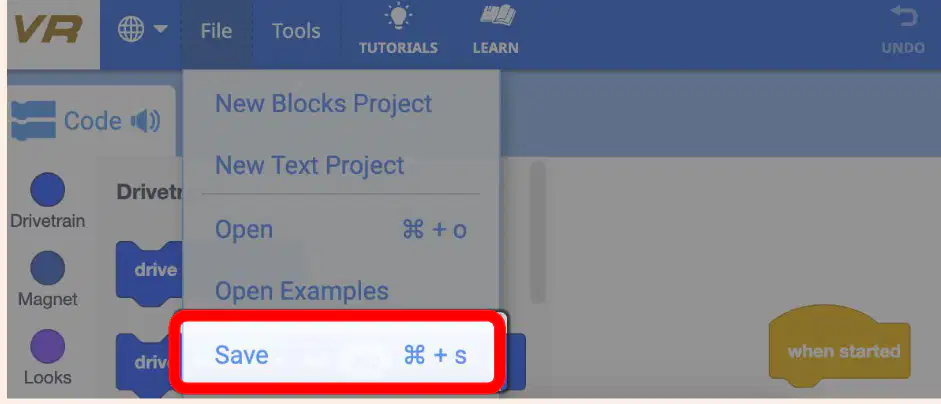
To save a project, what should you select inside the File Menu?
Open Examples
New Text Project
Save to Your Device
Undo
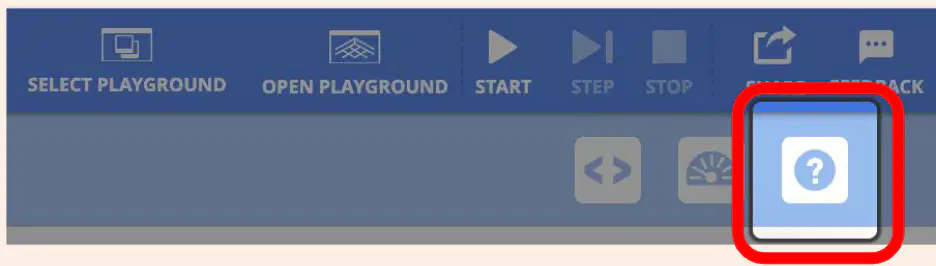
According to the instructions, how can you learn more about any block in the Toolbox?
Select the Help icon to open the Help feature, then select a block
Click the Start button
Open the Playground
Click the Feedback button
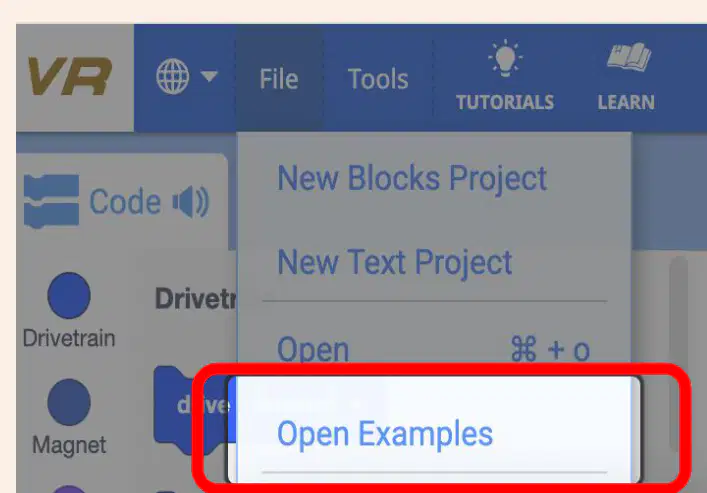
According to the instructions, what should you select inside the File Menu to view and select example projects?
Open Examples
Save As
Print Preview
Export as PDF

What does the 'Tutorials' button help you do?
Play games
Watch tutorials
Open settings
Exit the program

According to the image, which icon should you select to see fun activities and learn more about coding a VR robot?
The 'Learn' icon.
The 'Settings' icon.
The 'Help' icon.
The 'Profile' icon.

