Font size
 Worksheets
COMPUTER EXAM
Total questions: 22
Worksheet time: 11mins
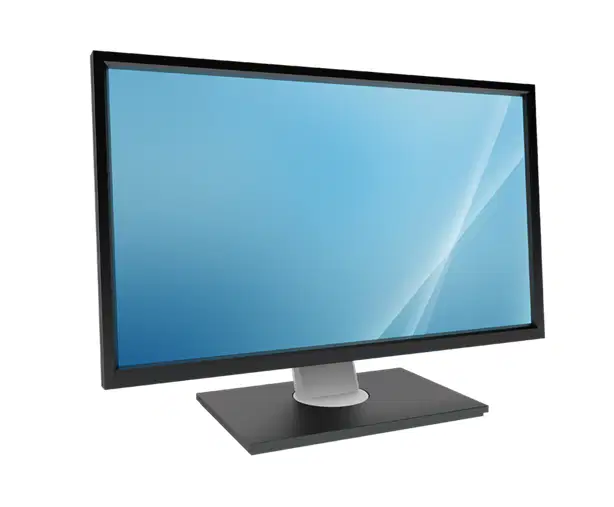
is a screen that displays texts, images, and videos. It shows the programs and applications that are being used.
Monitor
Keyboard
CPU
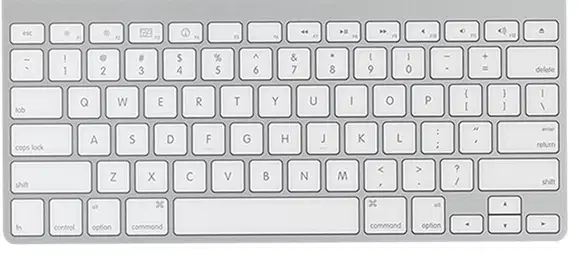
is used to type letters and numbers when you search and use the internet. It also used to communicate with your friends and family through typing messages.
Monitor
CPU
Keyboard

is used to navigate through websites. It is used to click, point, and drag objects on your computer.
Mouse
Monitor
Keyboard
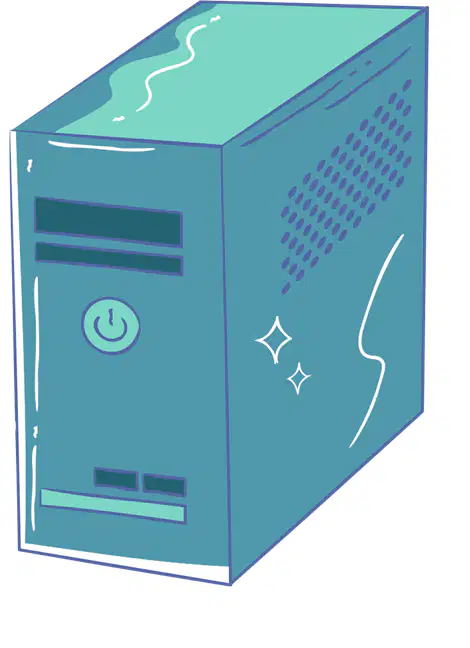
is to run the operating system and the applications of the computer.
CPU (Central Processing Unit)
Monitor
Mouse

provides immediate backup power from a built-in battery during a power outage or voltage drop,
UPS (Uninterruptible Power Supply)
CPU (Central Processing Unit)
Monitor
cover skills that are necessary for everyday usage. These skills include navigating the operating system and managing files.
Basic Computer Operation
Basic Operation
Computer
1st steps on how to operate a computer
Turn on the CPU of the computer.
Turn on the UPS with the help of an adult or guardian
Switch on the computer
2nd steps on how to operate a computer
Switch on the computer
Turn on the UPS with the help of an adult or guardian
Turn on the CPU of the computer
3rd steps on how to operate a computer
Switch on the computer
Turn on the UPS with the help of an adult or guardian
Turn on the CPU of the computer
4th the steps on how to operate a computer
Choose the program or application that you would like to use. This can be search engines like Google or a video conferencing platform like zoom
If the computer screen requires a password type the necessary keys to unlock it and then wait for it to load.
Switch on the computer
5th steps on how to operate a computer
If the computer screen requires a password type the necessary keys to unlock it and then wait for it to load.
Turn on the UPS with the help of an adult or guardian
Choose the program or application that you would like to use. This can be search engines like Google or a video conferencing platform like zoom

is an example of a word processing software that you can use even without access to the Internet.
Microsoft PowerPoint
Microsoft Word
Microsoft Excel

A presentation software program like ___________ is a great tool when you need to present a report in class. The program uses images and videos and acts as a visual aid to make a presentation more interesting and attractive.
Microsoft Excel
Microsoft Word
Microsoft PowerPoint

Using spreadsheets like ___________ is an important skill to learn. It is used to process numbers and summarize important data. This type of software is specifically used in analyzing mathematics and calculations.
Microsoft Word
Microsoft Excel
Microsoft PowerPoint
an easier way of coding and programming that was created for children and pupils like you. It is a beginner-friendly kind of coding where programmers use “blocks” to understand the foundations of coding and computational thinking.
Block coding
Flowchart
Blocking
is a type of infographic and diagram that is used to explain how something works and how it is processed. It shows a step-by-step guide on how to understand a certain process easily
Block Coding
Flowchart
Scratch
There are software that can be used to create games and easy animations by dragging and dropping code blocks to get the result that a user wants to achieve. Examples of these are
Scratch
Snap
Blocky
Flowchart
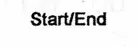
is used to represent a start or end point in a flowchart

Start End
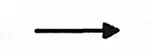
Arrow

Input / Output
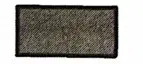
Process
serves as connector to determine the relationship between the shapes that are used

Start/End
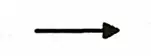
Arrow

Input/Output
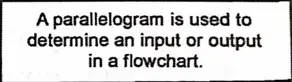
A parallelogram is used to determine an input or output in a flowchart

Start/End

Decision

Input/Output
Serves as the process used in a flowchart


is often used to determine and higlight of the decision