
 Worksheets
Login Instructions Quiz
Total questions: 19
Worksheet time: 10mins
What website should you go to for logging in according to the document?
Google.com
Buljan.flexisched.net
Clever.com
School.net
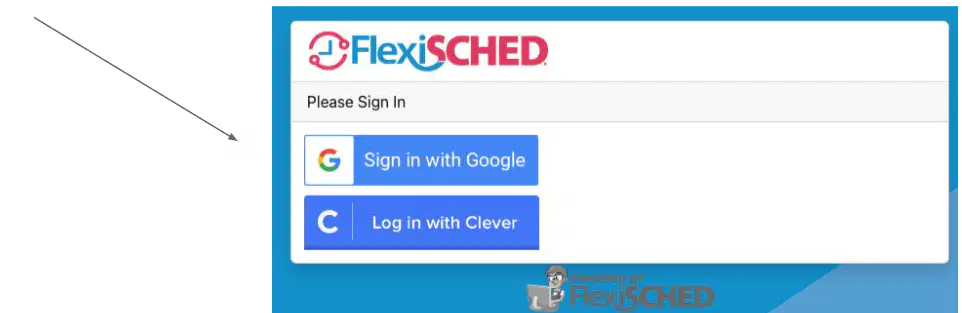
How should you sign in according to the document?
Using your personal email address
Using your school email address
Using your friend's email address
Using any email address
What can you view in the 'Dashboard' section of FlexiSCHED?
Your attendance records
Your schedule
A list of teacher's offerings
Your groups
Which section allows you to view a list of all the teacher's offerings for the week?
My Schedule
My Attendance
Flexi Time Schedule
My Groups
Where can you view your attendance records in FlexiSCHED?
Dashboard
My Schedule
My Attendance
My Groups
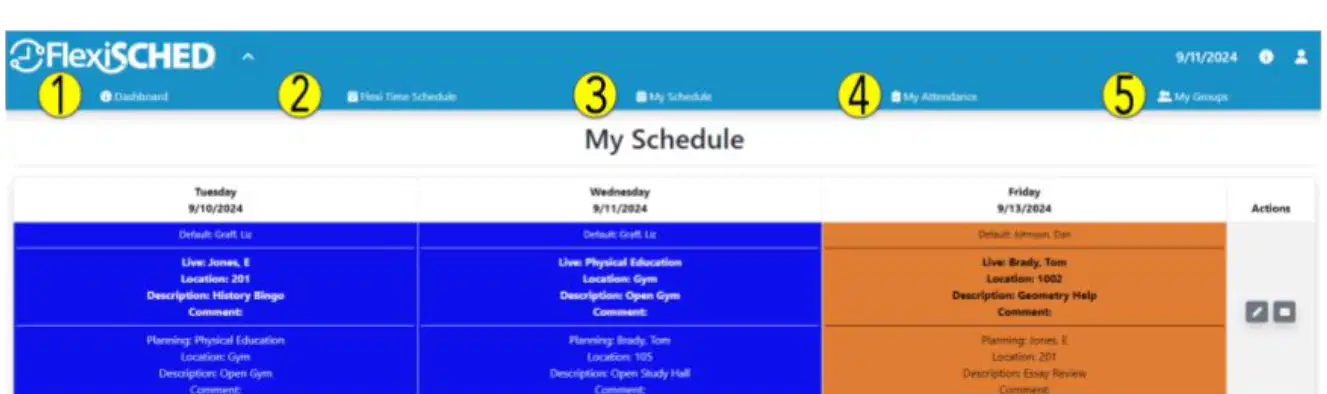
In which section can you view your groups if you are in one?
Dashboard
Flexi Time Schedule
My Schedule
My Groups
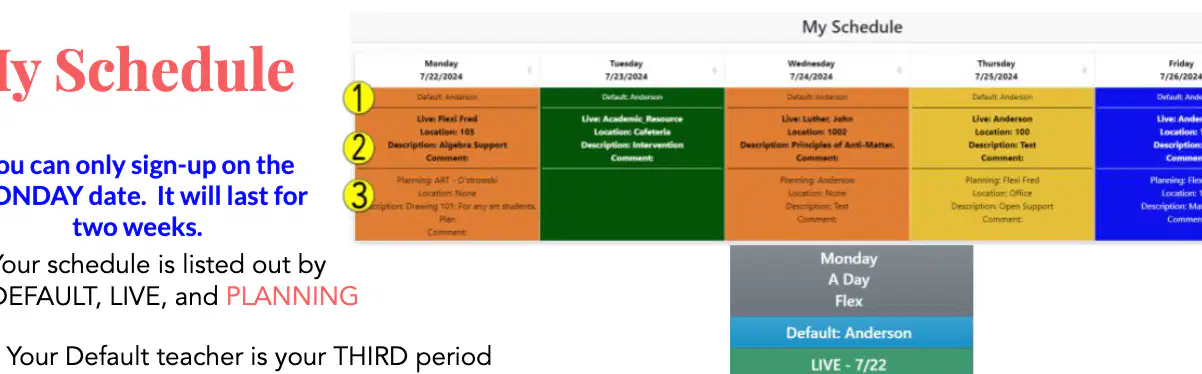
When can you sign up for the schedule?
Any day of the week
Only on Monday
Only on Friday
Any weekend day
What is your Default teacher associated with?
First period
Second period
Third period
Fourth period
What does the pencil icon allow you to do?
Send an email
Edit your schedule
Print the schedule
Delete the schedule
What should you do if you do not see a teacher/location after clicking the pencil icon?
Ignore it
Choose another day
The flex offering is either full or restricted
Refresh the page
What is the first step in using the Flexi Time Schedule?
Click to Schedule
Review the schedule selection
Search for teachers/locations
Confirm schedule entry
What should you do after clicking on an offering in the Flexi Time Schedule?
Ignore it
Click OK to add to schedule
Search for more locations
Confirm schedule entry
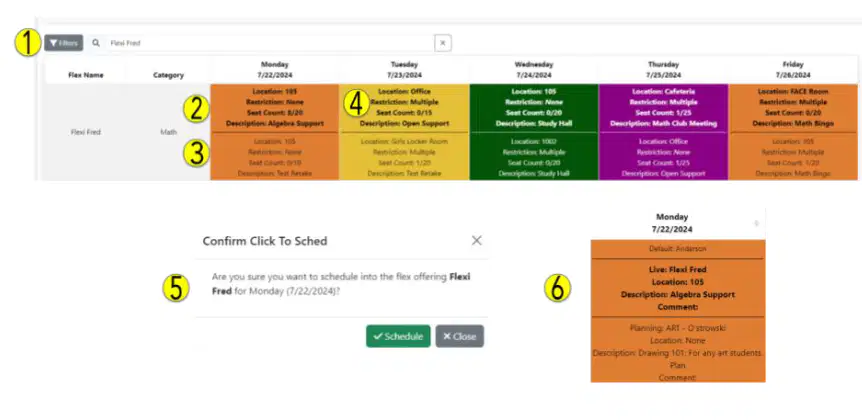
What does the 'Live' option show in the Flexi Time Schedule?
Past events
What is currently being offered
Future events
Ignored events
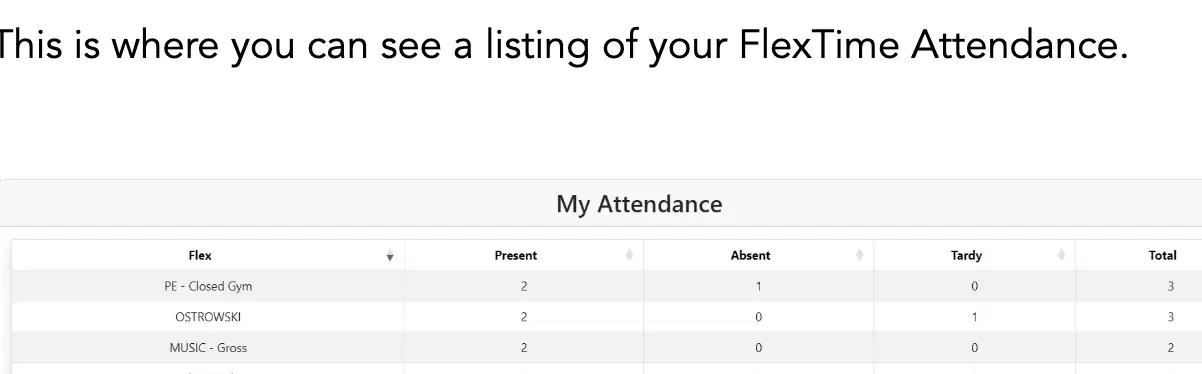
What is the total number of times a student was present for "PE - Closed Gym"?
2
3
1
0
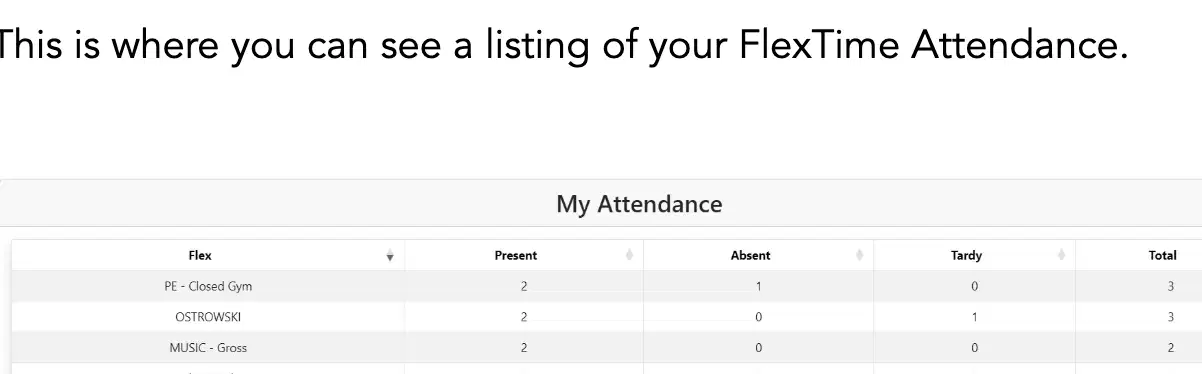
How many times was a student tardy for "OSTROWSKI"?
0
1
2
3
Which web browser is recommended for signing up for FlexTime classes?
Firefox
Safari
Chrome
Internet Explorer
How often do you sign up for FlexTime classes?
Every Friday
Every other Friday
Once a month
Every Monday
What happens if you do not sign up for FlexTime classes by the end of the day on Friday?
You cannot attend any classes
You have to sign up the next day
Classes will be chosen for you by administration
You get a penalty
What is the policy for choosing classes during FlexTime?
First come, first serve
Random selection
Based on grades
Teacher's choice

