
NEW
Font size
 Worksheets
Noteflight: Getting Started
Total questions: 15
Worksheet time: 8mins
What is the purpose of the Save button in Noteflight?
To export your score
To regularly store your progress
To print your score
To undo mistakes
Where can you search for tools in Noteflight?
In the File menu
In the Guide search bar
In the Export options
In the Toolbar
Which button do you press to begin creating a new score?
Save
Create
Edit
Import
How can you enter a note using your computer keyboard?
Click on the palette first
Type any letter A–G
Press the Enter key
Type the note duration
What happens if you delete a note in a measure (bar)?
It disappears without replacement
A rest of the same duration appears
The measure is deleted
The staff line vanishes
What must you do before changing any objects in the score?
Save the file
Select the object or measure
Open the User Guide
Delete all rests
How do you add a measure (bar) in Noteflight?
Click the gray bar and press +
Press the Enter key
Type a note name
Click Save
How do you delete a measure (bar) in Noteflight?
Click the gray bar and press -
Select the measure and press Delete on your keyboard
Click Save
Remove the notes inside it
How can you select a single measure (bar) for a specific part in Noteflight?
Click the bar/measure's staff lines
Click the bar/measure number bar above the score
Use the Guide search bar
Press the space bar
What happens if you click in the measure (bar) number bar above the score?
You select a section across all parts
You delete the entire staff
You open the User Guide
You insert a rest
What are palette buttons used for in Noteflight?
They change the appearance of the interface
They adjust score layout only
They make changes to notes and notation
They are only for saving and exporting
What is the process to change a note after it has been entered?
Click the note and use a palette button
Delete the note and start over
Use the Save button
Type a new letter name
Where can you find in-depth help if you need more support with Noteflight?
In the Export menu
In the Save dialog box
In the Palette panel
In the User Guide
When you select a bar or note, what colour should it turn?
Green
Black
Orange
Blue
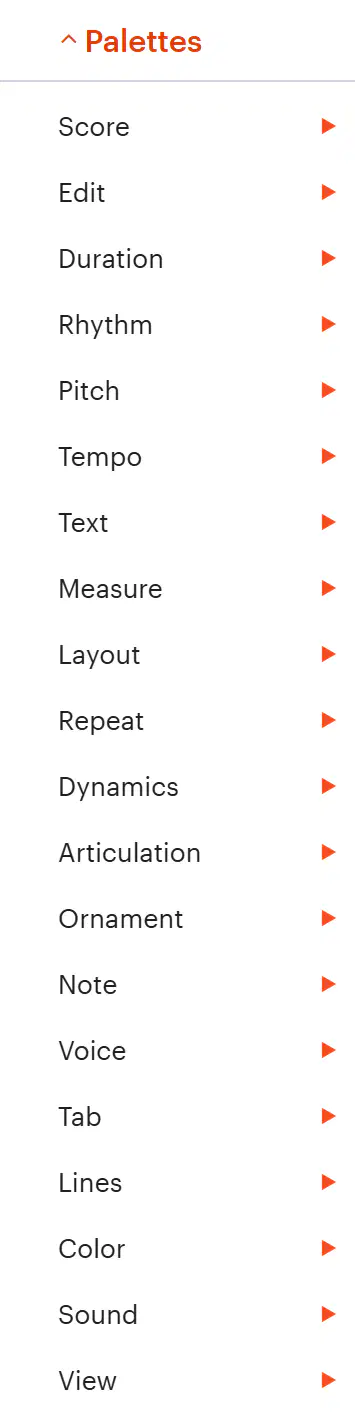
Which Palettes will you use the most when composing on Noteflight?
Dynamics, Articulation, Ornament
Score, Edit, Tab
Tempo, Text, Measure
Duration, Pitch, Measure

