
NEW
Font size
 Worksheets
WG:CO:U3L09: Sprite Properties Quiz
Total questions: 20
Worksheet time: 10mins
What is the term used to describe a label for a characteristic of a sprite, such as its location and appearance?
Dot notation
Property
Attribute
Sprite label
How are sprites' properties used in Game Lab?
By connecting the sprite and property with a dot
By assigning a unique name to each property
By using brackets to group properties
By listing properties in a table
What does "dot notation" refer to in Game Lab?
A method to create new sprites
A way to connect a sprite and its property using a dot
A technique to animate sprites
A tool to delete sprite properties
What should you do first when working on Code Studio, Level 2-3?
Skip the instructions and start coding
Follow the instructions on each level
Use the Help and Tips Tab immediately
Check the version history
If you get stuck while working on Code Studio, what can you try?
Ignore the problem and move on
Use the Help and Tips Tab or Code Documentation
Restart the entire project
Ask a friend to do it for you

What should you do if you make a big mistake in Code Studio?
Start over from scratch
Use version history to go back
Skip the level and move to the next one
Ask your teacher to fix it
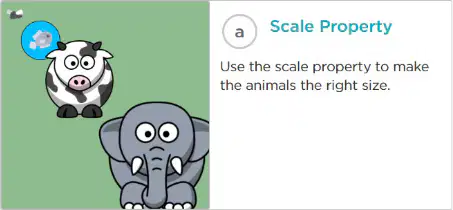
What is the purpose of the "Scale Property" in Code Studio, Level 4?
To rotate the cars so they fit in the traffic lanes.
To make the animals the right size.
To rotate and scale sprites to make them float in space.
To change the color of the animals.
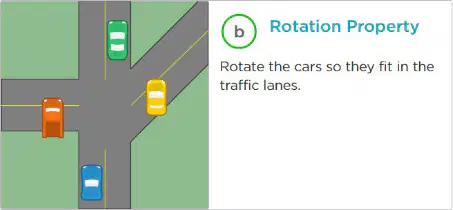
What does the "Rotation Property" help you do in Code Studio, Level 4?
Rotate the cars so they fit in the traffic lanes.
Scale the animals to the right size.
Rotate and scale sprites to make them float in space.
Change the direction of the animals.

What is the task in the "Multiple Properties" activity in Code Studio, Level 4?
Rotate the cars so they fit in the traffic lanes.
Scale the animals to the right size.
Rotate and scale the sprites so they look like they are floating in space.
Change the background color of the space scene.
What should students do before moving on from Code Studio, Level 4 Practice Level?
Skip the activities and move to the next level.
Check with their teacher and practice their new skills.
Only complete the "Scale Property" activity.
Memorize the instructions without practicing.
What is the first step mentioned in the "Do This" section for completing the activity in Code Studio, Level 5?
Check out the Help & Tips tab
Follow the instructions in Code Studio
Read the "Rubric" tab
Submit your project
What does the "Rubric" tab in Code Studio describe?
How to find coding errors
How to demonstrate your understanding
How to access advanced features
How to submit your project
Where can you go if you need help while working in Code Studio, Level 5?
The "Rubric" tab
The Help & Tips tab
The Instructions tab
The Submit tab
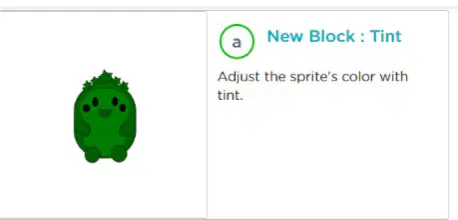
What does the "New Block: Tint" allow you to do in Code Studio, Level 6?
Adjust the sprite's color.
Stretch the sprite horizontally or vertically.
Adjust the sprite's transparency.
Rotate the sprite.

Which block in Code Studio, Level 6, allows you to stretch a sprite horizontally or vertically?
New Block: Tint.
New Blocks: Height & Width.
New Block: Alpha.
New Block: Rotate.
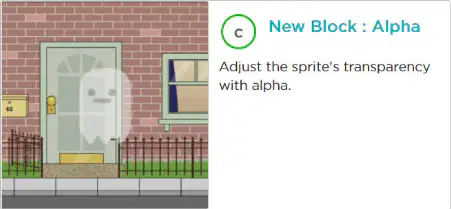
What is the function of the "New Block: Alpha" in Code Studio, Level 6?
Adjust the sprite's color.
Stretch the sprite horizontally or vertically.
Adjust the sprite's transparency.
Change the sprite's size.
What is the main goal of the "Challenge Level" in Code Studio, Level 6?
To memorize all the blocks.
To challenge yourself and learn new blocks or use the same ones in new ways.
To complete the levels as quickly as possible.
To create a new sprite from scratch.
What is one way sprite properties are the same as variables?
Both can store data.
Sprite properties cannot be changed, but variables can.
Variables are only used for numbers, while sprite properties are used for text.
Sprite properties are visible on the screen, but variables are not.
What is one way sprite properties are different from variables?
Sprite properties are tied to a specific sprite, while variables are not.
Variables can store data, but sprite properties cannot.
Sprite properties are only used for numbers, while variables are used for text.
Variables are visible on the screen, but sprite properties are not.
What do we call mini programs that we can use over and over inside of a bigger program?
Functions
Abstractions
Decomposers
Hardware

