
NEW
Font size
 Worksheets
WG:CO:U3L10: Text Quiz
Total questions: 22
Worksheet time: 11mins
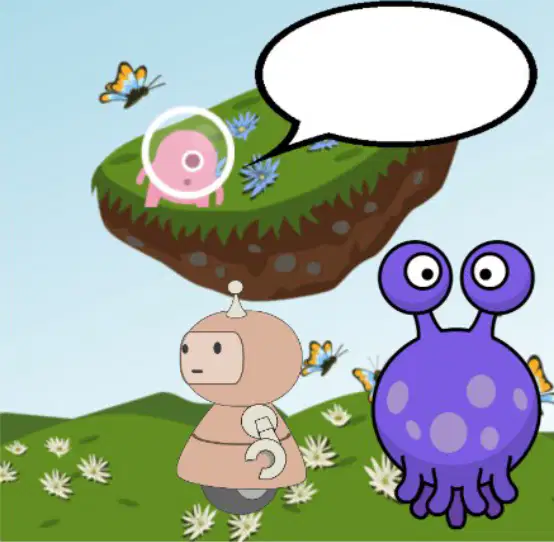
What platform was used to create the cartoon shown in the image?
Scratch
Game Lab
Unity
Blender
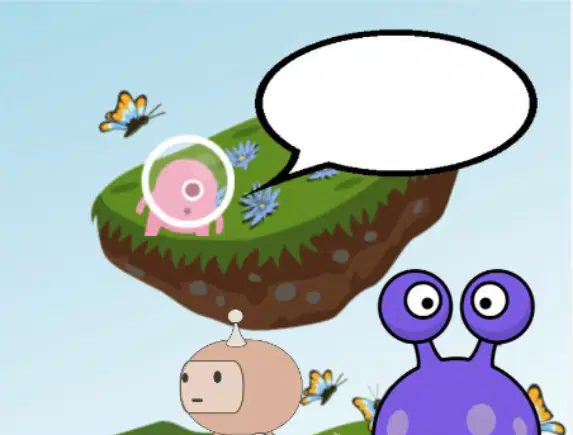
What is the main task given in the journal prompt?
Describe the floating island.
Write a story about the robot.
Suggest what the alien should be saying.
Explain how the cartoon was created.

What is one of the characters shown in the cartoon?
A dog
A robot
A spaceship
A tree
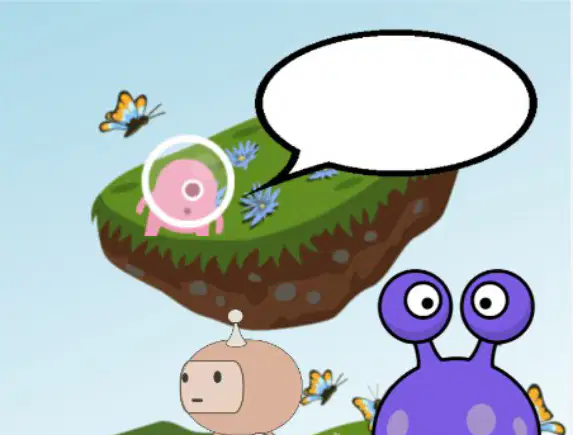
What is floating in the cartoon image?
A spaceship
A floating island
A balloon
A cloud
What should you do first when working on Code Studio Levels 2-3?
Skip the instructions and start coding
Follow the instructions on each level
Use the version history immediately
Refer to the Help and Tips Tab before starting
If you get stuck while working on Code Studio Levels 2-3, what can you try?
Restart the entire project
Skip the level and move to the next one
Use the Help and Tips Tab or Code Documentation
Ask a friend to complete it for you
What should you do if you make a big mistake while working on Code Studio Levels 2-3?
Start the project over from scratch
Use the version history to go back
Ignore the mistake and continue
Ask your teacher to fix it for you
What is the purpose of the "Help and Tips Tab" in Code Studio Levels 2-3?
To save your progress
To provide guidance and examples when stuck
To delete your code
To change the level settings
What is the main purpose of the "Practice Level" in Code Studio, Level 4?
To learn advanced coding techniques
To practice new skills and check with the teacher before moving on
To debug complex programs
To create animations from scratch
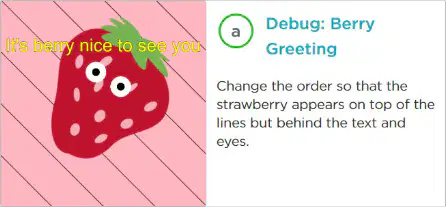
In the "Debug: Berry Greeting" activity, what needs to be changed?
The color of the strawberry
The order so that the strawberry appears on top of the lines but behind the text and eyes
The size of the strawberry
The background color of the scene
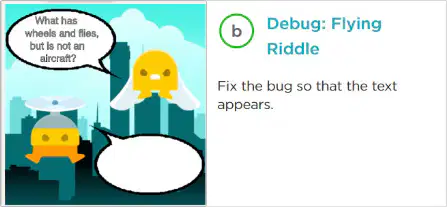
What is the task in the "Debug: Flying Riddle" activity?
Fix the bug so that the text appears
Change the background of the scene
Add a new character to the scene
Solve the riddle about wheels and flying
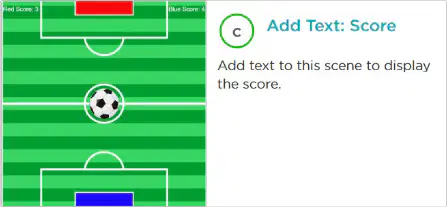
What is the goal of the "Add Text: Score" activity?
To add a new character to the scene
To add text to the scene to display the score
To change the background of the scene
To debug the score calculation
What is the first step mentioned in the "Do This" section for completing the activity in Code Studio, Level 5?
Check out the Help & Tips tab
Follow the instructions in Code Studio
Read the "Rubric" tab
Submit your project
What does the "Rubric" tab in Code Studio help you with?
It provides coding examples
It describes how to demonstrate your understanding
It gives access to advanced coding tools
It allows you to submit your project
If you need help while working in Code Studio, Level 5, what should you do?
Skip the activity
Check out the Help & Tips tab
Ask your classmates for answers
Restart the activity
What is the main purpose of the "Text Color" block in Code Studio, Level 6?
To change the color of your text.
To make text stand out with a colorful stroke.
To make big text fit inside a text box.
To recreate your favorite scene.
Which block helps you make text stand out with a colorful stroke?
Text Color
White Text on White Background
Wrap Text
Favorite Quote or Saying
What does the "Wrap Text" block allow you to do?
Change the color of your text.
Make text stand out with a colorful stroke.
Make big text fit inside a text box.
Create a scene that represents your favorite quote.
Which activity involves recreating your favorite book, movie, TV show, or video game scene?
Text Color
White Text on White Background
Wrap Text
Favorite Scene
What is the goal of the "Favorite Quote or Saying" activity?
To change the color of your text.
To make text stand out with a colorful stroke.
To create a scene that represents your favorite quote or saying.
To recreate your favorite book, movie, or video game scene.
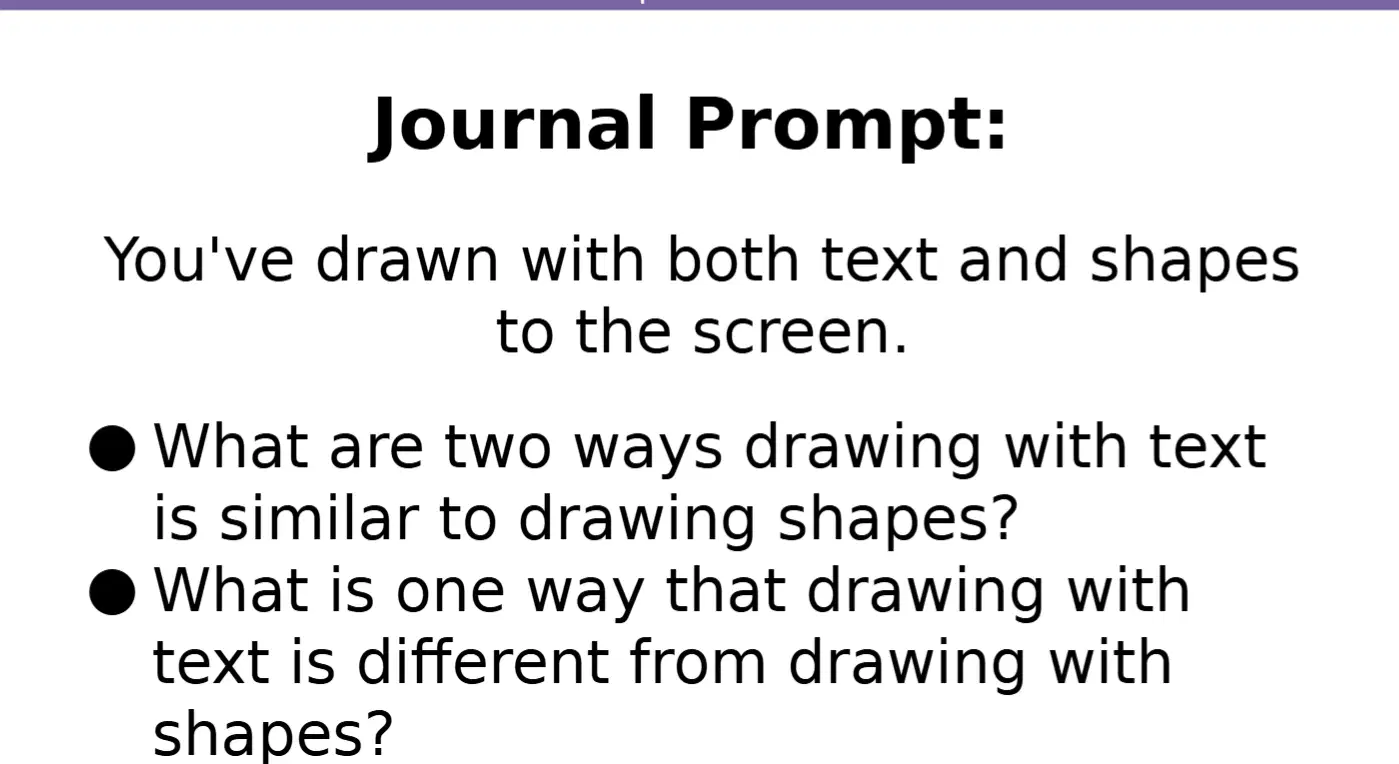
What are two ways drawing with text is similar to drawing shapes?
Both can be used to create visuals on the screen, and both require specifying coordinates.
Both involve only text-based commands, and both are limited to black-and-white visuals.
Both require advanced programming skills, and both are used only in animations.
Both are used exclusively for creating 3D models, and both require external software.
What is one way that drawing with text is different from drawing with shapes?
Drawing with text requires specifying font styles, while drawing with shapes does not.
Drawing with text is only possible in 3D environments, while drawing with shapes is not.
Drawing with text requires external software, while drawing with shapes does not.
Drawing with text is limited to black-and-white visuals, while drawing with shapes is not.

