
 Worksheets
Computer Modeling Quiz
Total questions: 40
Worksheet time: 23mins
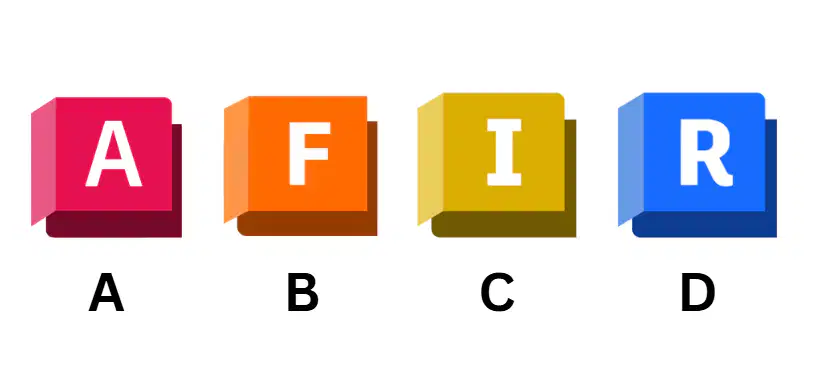
Which of the following icons indicates the program
0f Autodesk Inventor?
A
B
C
D
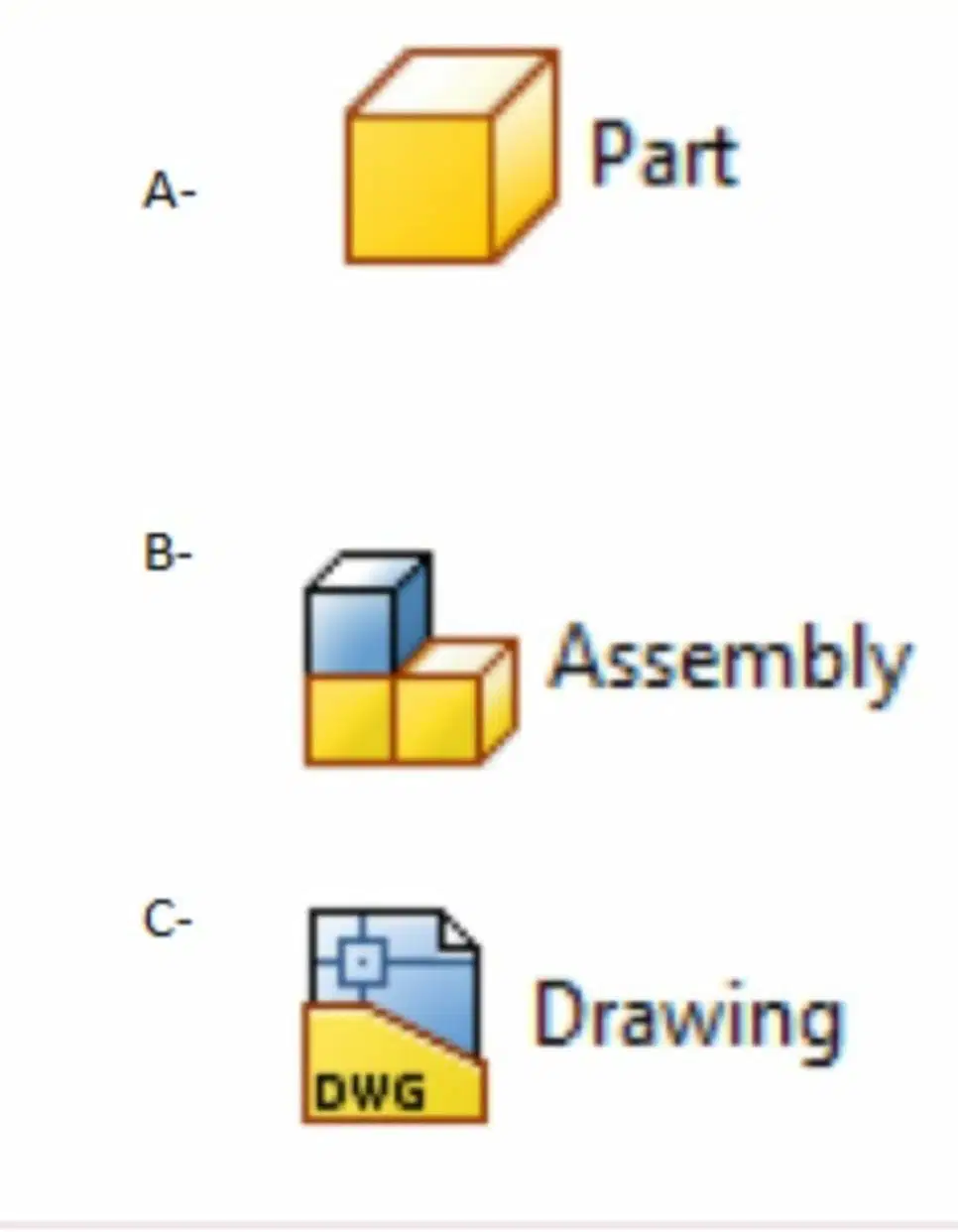
Which of the following icons indicates to create 3D object?
A
B
C

Which of the following icons indicates to create 3D object with metric units?
A
B

To draw an outline of an object which of the following commands is commonly used:
A
B
C

Which of the following commands used to sketch a rectangle ?
A
B
C
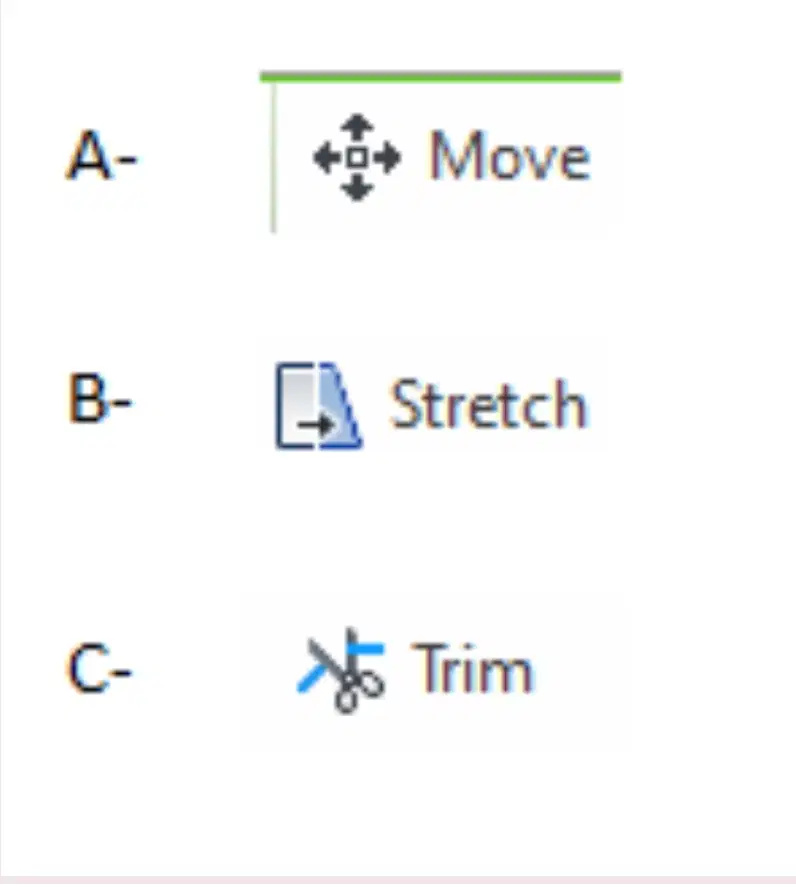
Which of the following commands used to trim in sketch?
A
B
C
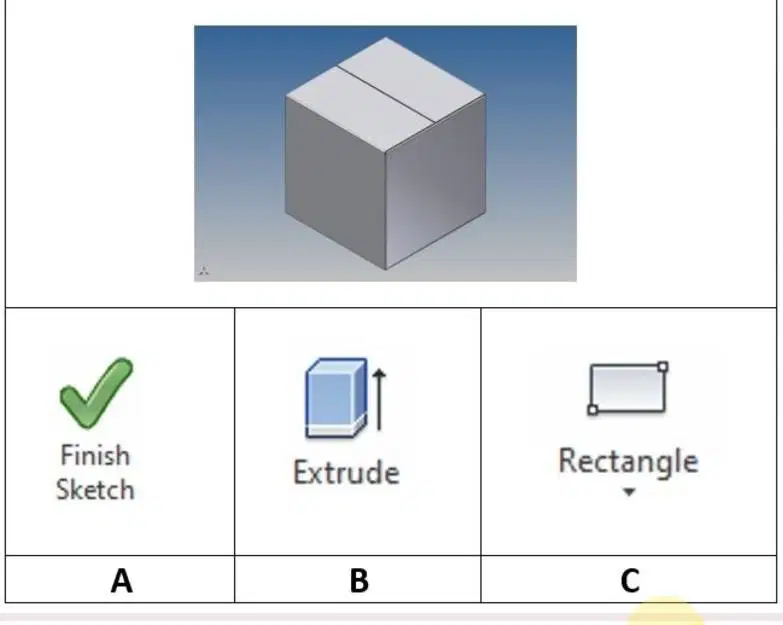
Select the correct sequence procedures in order to create the part (Box) shown in the figure?
A-B-C
C-B-A
B-A-C
A-C-B

To create a 2D sketch for any part we click at:
1
2
3
Which of the four Inventor Base environments and file extension names is .idw?
Part
Assembly
Drawing
Presentation

What does the label #1 represent?
Feature
Sketch
Part
Constraint
What does the label #3 represent?
Feature
Sketch
Part
Constraint

What does the label #1 represent?
Home View
ViewCube
Navigation Bar
What does the label #2 represent?
Home View
ViewCube
Navigation Bar
What does the label #3 represent?
Home View
ViewCube
Navigation Bar
What tool could you use to add depth to a created sketch?
Circle
Line
Extrude
Rectangle
When a 2D sketch is completed, which button do you click to exit sketch mode?
Exit
Revolve
Extrude
Finish Sketch
In Autodesk Inventor, which tools can you use to view your design from any angle?
Revolve
Orbit
View Cube
Finish Sketch
What should you press if you want to exit a command in Inventor?
Exit
Delete
Enter
Escape
Which file type is used to create a new part?
Standard.iam
Standard.idw
Standard.ipn
Standard.ipt
Which of the following are 2D commands?
Line
Extrude
Hole
Circle
Slot
To switch to the isometric/home view of a model quickly, press the __________ key on the keyboard.
F6
F7
F8
F9
Which navigation tool allows for lateral movement (left, right, up, or down) within the graphics window?
zoom
pan
scale
rotate
The purpose of the middle mouse button or wheel is to ___________.
bring up additional options
select points, navigation menus, and enter commands
change the drawing magnification and move around the drawing
serve as an alternative to the ENTER key

What is the definition of a "constraint" in inventor?
Restrictions and associations that are applied to 2D geometry (shapes, points, lines) to make them line up or connect in a certain way
The limits and restrictions a designer must consider at the beginning of a project
Devices that keep a person from moving
Specifications for the size of a design, 2D or 3D
The constraint that forces two selected lines or curves to lie at right angles to one another is ___________.
parallel
vertical
perpendicular
coincident
The template used to create the part is...
Standard (mm).ipt
Sheet Metal (mm).ipt
Standart (mm).iam
Weldment (ISO).iam
ISO.idw
The template used to automatically create 2D images is...
Standard (mm).ipt
Sheet Metal (mm).ipt
Standart (mm).iam
Weldment (ISO).iam
ISO.idw
The template used for assembly is...
Standard (mm).ipt
Sheet Metal (mm).ipt
Standart (mm).iam
Weldment (ISO).iam
ISO.idw
The template used for assembly with the welding process is...
Standard (mm).ipt
Sheet Metal (mm).ipt
Standart (mm).iam
Weldment (ISO).iam
ISO.idw
The template used for assembling several files is...
Standard (mm).ipt
Sheet Metal (mm).ipt
Standart (mm).iam
Weldment (ISO).iam
ISO.idw
What are the sections containing general commands such as Save, Open, New, Undo,
Redo, and so on called?
Toolbar Standard
Menu Bar
Panel Bar
Browser Bar
Graphic Windows
The area of the workspace where objects are drawn is called...
Toolbar Standard
Menu Bar
Panel Bar
Browser Bar
Graphic Windows
Special commands to support ongoing processes. For example, if we create an image using the Sheet Metal.ipt template, a special command for Sheet Metal will automatically appear on the Bar Panel, namely...
Toolbar Standard
Menu Bar
Panel Bar
Browser Bar
Graphic Windows
The steps that have been taken, such as creating objects with Extrude and Revolve, will all be recorded in _______ to make it easier to re-edit.
Toolbar Standard
Menu Bar
Panel Bar
Browser Bar
Graphic Windows
To create a circle object using the menu...
Line
Circle
Arc
Rectangle
Fillet dan Chamfer
What menu is used to create an arc with a specified radius at a corner point or intersection between two lines?
Line
Circle
Arc
Rectangle
Fillet dan Chamfer
When you want to create a cube object, you can start with the menu...
Line
Circle
Arc
Rectangle
Fillet dan Chamfer
The menu used to draw an arc is...
Line
Circle
Arc
Rectangle
Fillet dan Chamfer

The function in the image is used to...
Moving objects/entities
Duplicating objects
Rotating objects
Cutting objects
Extending objects

The function in the image is used to...
Moving objects
Duplicating objects
Rotating objects
Cutting objects
Extending objects

