
 Worksheets
WG:CO:U3L13 - Game Lab Sprite Movement Quiz
Total questions: 22
Worksheet time: 11mins
How can we control sprite movement in Game Lab?
By using keyboard inputs
By clicking the mouse
By changing the background color
By adjusting the screen size
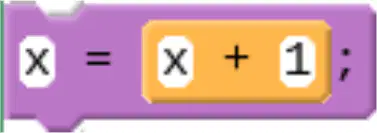
What does the program create to make it count up?
A variable counter
A string variable
A constant value
A function call
What is the purpose of the counter pattern in the program?
To decrease the value
To make the variable count up
To reset the variable
To multiply the variable
What should you do first according to the activity instructions?
Run the program
Discuss with a neighbor
Read the program and predict the output
Change the code
What is the counter pattern?
A method to count objects on the screen.
A technique to animate sprites by changing their position.
A pattern used to create sound effects.
A way to change the color of sprites.
How does the counter pattern move sprites across the screen?
By changing the sprite's color.
By increasing the sprite's size.
By updating the sprite's position incrementally.
By rotating the sprite.
What should you do if you get stuck while working on Code Studio, Level 2-5?
Skip to the next level
Use the Help and Tips Tab
Restart the program
Ask a friend for help
If you make a big mistake in Code Studio, what is the recommended action?
Start over from the beginning
Use version history to go back
Ignore the mistake
Ask the teacher to fix it
What is the first step you should take when starting a new level in Code Studio?
Guess the solution
Follow the instructions on each level
Watch a tutorial video
Ask for help immediately
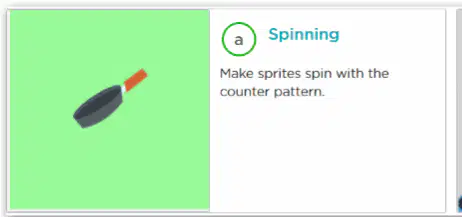
What is the purpose of the "Spinning" activity in Code Studio, Level 6?
To make sprites spin with the counter pattern.
To fix the direction of a motorcycle.
To make the gears rotate together.
To create a new sprite.

In the "Debug: Watching the Counter Pattern" activity, what are you supposed to fix?
The color of the motorcycle.
The direction the motorcycle is going.
The size of the motorcycle.
The speed of the motorcycle.
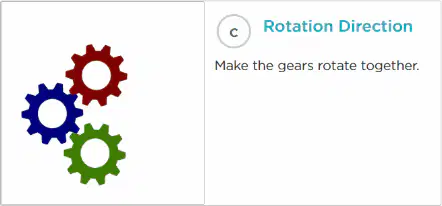
What is the goal of the "Rotation Direction" activity?
To make the gears rotate together.
To change the color of the gears.
To stop the gears from rotating.
To increase the size of the gears.
What should you do if you need help while working in Code Studio?
Ignore the problem and continue
Check out the Help & Tips tab
Ask a friend for answers
Skip the task
What does the "Rubric" tab in Code Studio help you with?
It provides game cheats
It describes how to demonstrate your understanding
It shows unrelated videos
It offers music playlists
What is one of the activities you can do in Code Studio, Level 8?
Make the fish wiggle as they move.
Create a volcano eruption.
Design a space shuttle.
Build a robot.
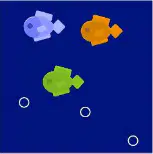
Which activity involves using ellipses to create an effect?
Add a Shark
Bubbles
Dance Scene
More Sea Creatures
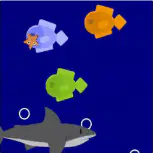
What can you add to your underwater scene in one of the activities?
A spaceship
A shark
A mountain
A tree
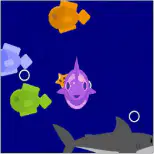
What is the purpose of the "Add A Falling Starfish" activity?
To create a dance scene
To add more moving sea creatures
To build a castle
To design a car
What is one type of movement that you'd want to use random numbers for?
Linear movement
Circular movement
Unpredictable movement
Constant speed movement
What is one type of movement that you would want to use the counter pattern for?
Random jumping
Smooth acceleration
Constant speed movement
Erratic spinning
Are there any movements that might combine the counter pattern and random numbers?
Predictable linear motion
Randomized bouncing
Static positioning
Uniform rotation
How can we control sprite movement in Game Lab?
By using keyboard inputs
By clicking the mouse
By using voice commands
By shaking the device

