
Font size
 Worksheets
Touch Typing - Accuracy
Total questions: 12
Worksheet time: 12mins
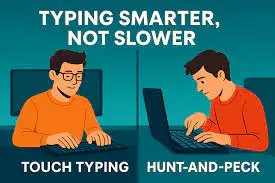
Retype the words in the space provided:
Touch typing is typing without looking at the keys.
(a)
Retype the words in the space provided:
Touch typing can improve your typing speed and accuracy over time.
(a)
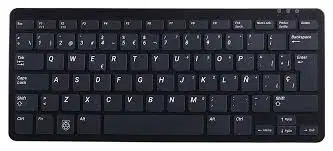
Retype the words in the space provided:
The standard keyboard layout is called QWERTY.
(a)
Retype the words in the space provided:
Familiarize yourself with the keys' locations.
(a)
Retype the words in the space provided:
The Home Row keys are ASDF and JKL;.
(a)
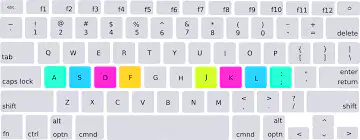
Retype the words in the space provided:
Your fingers should rest on the Home Row keys.
(a)
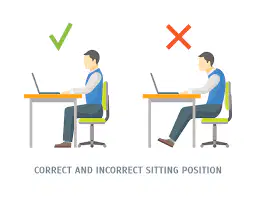
Retype the words in the space provided:
For proper typing posture, sit straight and float your hands slightly above the keyboard while typing.
(a)

Retype the words in the space provided:
Practice regularly with basic drills and gradually increase your typing speed.
(a)
Retype the words in the space provided:
Practice regularly by using typing tests or games.
(a)

Retype the words in the space provided:
Consistency is key to mastering touch typing.
(a)

Retype the words in the space provided:
Avoid looking at the keyboard and “take regular breaks”.
(a)
Retype the words in the space provided:
Maintain control of your emotions.
(a)

