
 Worksheets
GRADE 3 ICT
Total questions: 15
Worksheet time: 8mins
The CPU is removed from the desktop. Which of the following can perform the tasks?

None - the computer cannot function


You are typing a story on the computer, but accidentally typed an extra letter. Which key helps you remove it?
Ctrl
Shift
Enter
Backspace
A new website suddenly asks for your home address before continuing. What is the safest action to take?
Type it quickly
Ignore and ask a trusted adult
Post it publicly
Tell strangers
During a coding activity, a program keeps running the same group of steps over and over until stopped. What is this process called?
Pattern
Loop
Guess
Message
Imagine In programming class, your teacher asks you to write clear steps that a robot can follow to finish a task. What are those steps called?
Algorithm
Folder
Icon
Window

A computer checks if a password entered is correct before giving access. What is the computer doing?
Sleep
Decide what to do
Turn off
Sing
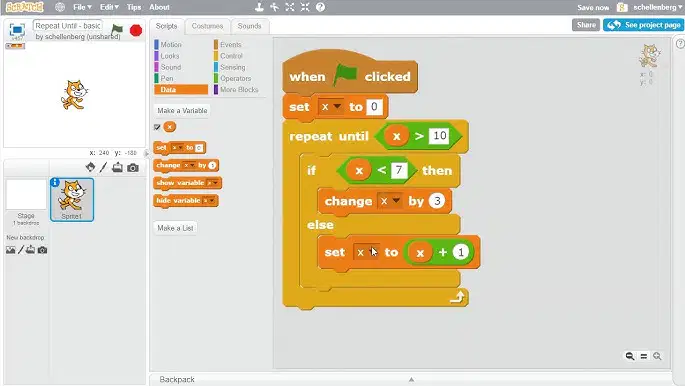
While writing code, you need a command that repeats actions until a goal is reached. Which part of the program does that?
Repeat instructions
Guess randomly
Delete files
Sleep faster

On your desktop, you see small pictures that open different apps when clicked. What are these small pictures called?
Folder
File
Icon
Keyboard
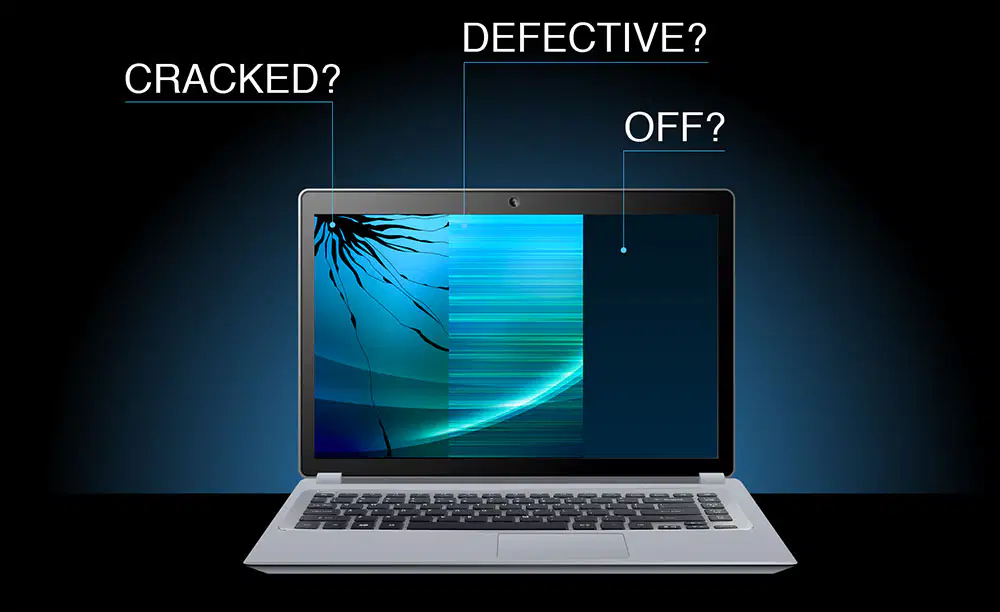
Your monitor is broken, but you need to check if the computer is running. What can you do?
Press Enter
Listen for sounds from the speakers
Use the mouse
Use the keyboard
You want to click and open apps, but the mouse is missing. What can you use?
Spacebar
Keyboard letters
Speakers
Arrow keys + Enter key

To keep your computer secure, what is a good safety practice?
Sharing passwords
Updating antivirus
Posting home location
Clicking unknown links
When you avoid sharing personal information online, what are you protecting?
Privacy
Pattern
Folder
Loop
Your teacher asks you to move a file from one folder to another. Which action should you use?
When using the school computer, you notice the mouse pointer is not moving. What is the best thing to do first?
You finish drawing a picture on the computer. What should you do to keep it safe?

