
 Worksheets
Blooket | Question Set — TSDE Fall Review
Total questions: 115
Worksheet time: 58mins
software produced by the microsoft companyy to produce text document such as letters, essays, resumes, reports etc.
Microsoft Word
thesaurus
footnote
endnote
an area at the top of an office program window that contains commands for working with the open file; the commands are organized under tabs.
ribbon
footnote
Modern Language Association of America (MLA)
paragraph spacing
A new blank document opens each time you start word. The word document has a temporary name, such as document 1. When you finish typing in the document, you can save it with a new name
blank document
Microsoft Word
Default page margins
Font Group
point on a display screen where the next character or space is entered.
insertion point
Hanging Indent
Home Tab
American Psychological Association (APA)
Means the flagged text is not in Word's dictionary
red underline
Modern Language Association of America (MLA)
Styles
Microsoft Clipboard
Indicates the text may be incorrect grammatically
green underline
bibliography
Default page margins
works cited
correctly spelled word used inappropriately
blue underline
Modern Language Association of America (MLA)
Home Tab
ribbon
called the primary tab, contains the more frequently used commands
Home Tab
groups
synonym
proofreading
Under the Home tab; contains the buttons to format appearance of font in text. (Example: Type face can be easily changed from standard to bold, italic or underlined using this group).
Font Group
red underline
right-aligned
automatic page breaks
sets of formatting specifications
Styles
synonym
proofreading
Scroll Bar
A button on the Quick Access toolbar that you can click to undo (or reverse) your last action.
Undo button
automatic page breaks
resume
line spacing
A toolbar located in the upper-left corner of the program window, which displays the Save, Undo, and Repeat buttons by default but can be customized to include any command.
Quick Access Toolbar
Microsoft Word
cursor/insertion point
works cited
It allows you to copy up to 24 multiple text and graphical items from Office documents or other programs and paste them into another Office document. By using it, you can arrange the copied items the way that you want in the document.
Microsoft Clipboard
Microsoft Office Clipboard
endnote
Word AutoCorrect Options
Pressing the enter key twice (2) leaving one blank line. This can also refer to line spacing using the word processing feature to leave one blank line between each line of text.
double-space
line spacing
right-aligned
footer
a printed note placed below the text on a printed page
footer
header
Home Tab
works cited page
text that is printed at the top of each page
header
Styles
proofreading
Microsoft Word
The amount of space between lines of text
line spacing
endnote
Undo button
Home Tab
the amount of space above and below a paragraph
paragraph spacing
automatic page breaks
works cited
synonym
flush with right margin with ragged left edge
right-aligned
green underline
resume
Formatting Marks
a feature that includes pre-made documents that allow the user to fill-in-the blanks to create new documents, such as calendars, invoices, reports, resumes, etc.; enhances user's efficiency and creativity
template
American Psychological Association (APA)
Home Tab
red underline
The space between characters, which can be expanded or contracted so that characters are pushed apart or pulled together.
character formatting
footnote
template
blue underline
the process of changing the appearance of a paragraph
paragraph formatting
double-space
ribbon
works cited
What is the blank areas around the sides of a page?
margins
gutters
padding
borders
The option to print a document is found in which location?
Backstage View
Home Tab
Insert Tab
Layout Tab
What does this tool allow you to do in Microsoft Word? The icon shows three lines centered within a page, representing the Center alignment button.
align text left
align text right
center text
justify text
What does this tool allow you to do in Microsoft Word? The icon shows three lines aligned to the left margin, representing the Align Left button.
align text left
align text right
center text
justify text
What does this tool allow you to do in Microsoft Word? The icon shows three lines aligned to the right margin, representing the Align Right button.
align text left
align text right
center text
justify text
What does this tool allow you to do in Microsoft Word? The icon displays a bold capital B, representing the Bold formatting button.
bold
underline
highlight
italicize
What does this tool allow you to do in Microsoft Word? The icon shows a highlighter pen over a yellow swatch, representing the Text Highlight Color button.
bold
underline
highlight
italicize
What does this tool allow you to do in Microsoft Word? The icon shows a slanted capital I, representing the Italic formatting button.
bold
underline
highlight
italicize
What does this tool allow you to do in Microsoft Word? The icon shows a capital U with a line beneath it, representing the Underline formatting button.
bold
underline
highlight
italicize
What does this tool allow you to do in Microsoft Word? The icon shows bullet points with a dropdown arrow, representing the Bullets button.
bullets
numbering
decrease list level
increase list level
What does this tool allow you to do in Microsoft Word? The icon shows a right-pointing arrow with lines, representing the Increase Indent/List Level button.
bullets
numbering
decrease list level
increase list level
What does this tool allow you to do in Microsoft Word? The tool referenced continues the list-level controls and represents the Decrease Indent/List Level button.
bullets
numbering
decrease list level
increase list level

What does this tool allow you to do in Microsoft Word? Icon shows stacked horizontal lines with a blue left arrow pointing toward the lines.
bullets
numbering
decrease list level
increase list level
What does this tool allow you to do in Microsoft Word? Icon shows the number 11 with a dropdown arrow.
font size
font color
font
shape fill
What does this tool allow you to do in Microsoft Word? Icon shows a capital A with a red underline and a dropdown arrow.
font size
font color
font
shape fill
What does this tool allow you to do in Microsoft Word? Icon shows horizontal lines with blue up and down arrows and a dropdown arrow.
strikethrough
subscript
line spacing
superscript
What does this tool allow you to do in Microsoft Word? Icon shows a rectangle and a circle labeled Shapes.
To adjust document edges
to add shapes
to bring boxes to the front or back
to use an established style to determine text font, size, and color
What does this tool allow you to do in Microsoft Word? Icon shows a stylized A with a paintbrush labeled Styles.
To adjust document edges
to add shapes
to bring boxes to the front or back
to use an established style to determine text font, size, and color
What does this tool allow you to do in Microsoft Word? Icon shows Aa.
to check spelling
to show or hide tools
to find synonyms
to change between upper and lower case text
What does this tool allow you to do in Microsoft Word? Icon shows the paragraph symbol (pilcrow).
to check spelling
to show or hide tools
to find synonyms
to change between upper and lower case text
Where would you click to save your document?
File
Layout
View
Design
Which button would you click for a column break? The ribbon image shows the Layout tab with options including Margins, Orientation, Size, Columns, and Breaks.
Columns
Breaks
Margins
Orientation
Which tab would you click to add an image to a document?
Home
Insert
Layout
Design
Which page orientation has a red box around it? (Image shows orientation choices.)
Portrait
Landscape
Which page orientation is shown in the highlighted paper icon?
Flat
Layout
Portrait
Landscape
Keyboard Short Cut - Copy
Ctrl + C
Ctrl + V
Ctrl + X
Ctrl + Z
Keyboard Short Cut - Paste
Ctrl + C
Ctrl + V
Ctrl + X
Ctrl + Z
Keyboard Short Cut - Cut
Ctrl + C
Ctrl + V
Ctrl + X
Ctrl + Z
Keyboard Short Cut - Undo
Ctrl + C
Ctrl + V
Ctrl + X
Ctrl + Z
What does ctrl plus A do?
Copy
Answer
Select All
Paste
What does crtl plus F do?
Forget
Find
Paste
Undo
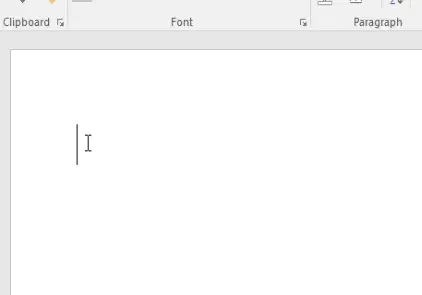
What is the black blinking line called?
Curser
Insertion Point
Line
Flash point
It is acceptable to include personal or confidential information in a business email
True
False
What should you do before sending an email or letter?
Proof read
Spell check
Make sure you have the right email address
Send yourself a copy
It is acceptable to use all capital letters in a business email or letter
True
False
Which greeting should you use when you are sending an email or letter and don't know who the recipient is?
Hi,
Dear Mrs. Reuter:
To Whom It May Concern:
No greeting needed
Which of these is a proper email greeting for your teacher?
Hi,
Dear Mrs. Reuter:
To Whom It May Concern:
No greeting needed
In an email, you should provide short specific information in the ___
message
subject line
CC
BCC
___ occurs when documents are included with the memo and is at the bottom of the memo.
Heading
Message
Typist's initials
Enclosure
___ contains the purpose of the memo and makes up half of the memo
Heading
Message
Typist's initials
Enclosure
___ states who the memo is addressed and the topic of the memo
Heading
Message
Typist's initials
Enclosure
When you see "cr" at the end of a memo that represents ___ and means that the memo has been approved.
Heading
Message
Typist's initials
Enclosure
Memo spacing between header lines and paragraphs is:
Single
1.15
What is the top margin length of a memo?
1 inch
2 inch
1.5 inch
1/2 inch
Memos include all of the following except:
To
Closing
From
Date
What is the purpose of a memo?
Inform the reader of new information
File a complaint
Persuade the reader about a meeting
Fire an employee
Where are memos used?
Work office
Classrooms
Home
Church
Memo stands for
Memorable
Memorials
Memorandums
Memorize
when the document is written (includes the day, month, and year written)
Date
Forward
Enclosures:
Trash
At the bottom of many business letters; usually two sets; indicates other written material is enclosed with the letter.
Enclosures:
Compose New Email
Heading
Trash
The sender's name, hand-written above his or her typed name
Signature
Forward
Attachment
Salutation
A common way to close a letter to someone who is not a friend or relative
Sincerely
To Whom it May Concern
Heading
Formatting
The end or conclusion of a letter; right before the signature
Closing
Cc
Formal
Body
A letter written in professional language, for a specific purpose
Formal
Reply
Message Pane
Drafts
The largest part of a letter; contains the message
Body
Reply All
Formatting
Salutation
A word or phrase used at the beginning of a letter ("Dear..")
Salutation
Cc
Inbox
Subject
The address of the sender, then double-space and add the date; put at the top of a letter
Heading
Message Pane
Formatting
Recipients
Electronic list of your contacts that works in conjunction with e-mail.
address book (contact list)
Signature
Bcc
Folders
features you can use to make your email look better, be more helpful, or personalized. Examples: Bulleted lists, hyperlinked web address, bolded text.
Formatting
Drafts
Formal
Cc
an item you can include with your email, could be a photo, file, or other item intended for the recipient to open. CAUTION, don't open one from someone you don't know and trust as there might be malware or a virus in it.
Attachment
Sincerely
Enclosures:
Signature
stands for blind carbon copy, it will copy it, but will not show all the others you are copying it to
Bcc
Attachment
Date
Recipients
stands for carbon copy or make a copy and send it to another individual you list
Cc
Heading
Inbox
Subject
Whenever you want to share an email that you've received, you can use this command to send the message to another person.
Forward
Attachment
Sincerely
Use this command if you want to send a message to everyone included in the original email, including those that were copied on it.
Reply All
Heading
Trash
To Whom it May Concern
Whenever you receive an email, you can use this command to respond to the message.
Reply
Attachment
Formal
Salutation
Webmail providers let you create these or labels so you can organize your messages.
Folders
Subject
To Whom it May Concern
Signature
These emails often carry viruses or scams, so you won't want to open or read these messages.
Spam
Trash
Drafts
Signature
When mail is moved here, it is to be removed from your inbox and deleted
Trash
Subject
Bcc
Salutation
This will appear at the bottom of every email you send and often include your name and contact information, like a phone number, website, or professional title.
Signature
Date
Salutation
Heading
A brief description of what the email is about.
Subject
Forward
Salutation
Spam
The people you are sending the email TO.
Recipients
Forward
Formal
Salutation
Messages that you have composed but not sent.
Drafts
Sincerely
Message Pane
Closing
From here, you can write an email to a recipient.
Compose New Email
Reply
Formal
When you select an email in the inbox, it will open. From here, you can read the message and choose how to respond with a variety of commands.
Message Pane
Closing
Drafts
Enclosures:
where you'll view and manage emails you receive.
Inbox
Sincerely
Subject
Drafts
A way to send and receive digital messages over the Internet
Closing
Folders
Forward
A resume is:
An autobiography of one's career life and professional experiences
A detailed listing of an applicants work experiences, skills and achievements
The purpose of a resume is to get you a:
Job Application
Job Interview
Job
Font on a resume should be:
9 pt
11-12 pt
16 pt
100 pt
An appropriate font to use on a resume would be:
Times New Roman
Arial
Verdana
All of the above
The most important section in my resume is:
My contact information
My job experience and education
My references
My Objective
A resume’s length should be:
1 Page
2 Pages
3 Pages
As many pages as it takes
True or False: I can use color and fancy font to make my resume stand out.
True
False
True or False: Lying on your resume is truly a bad idea.
True
False
How long does an average employer spend reading a resume?
90 Seconds
60 Seconds
16 Seconds
6 Seconds
76% of resumes are discarded because of this mistake:
Types and grammatical errors
Including a headshot
Using an unprofessional email address
Your Mom
Which of the following does not belong on a resume?
Work Experience
Education
References
Personal Preferences for Work Conditions
Who should not be used as a reference?
Your parents
Coaches
Teachers
Mentors
Which of the following should you include on your resume?
Salary Desired
How Many Children You Have
Numbered List of Reasons Why You Want the Job
None of the above
Where should your name always be on a resume?
in the middle
at the top
on the right
on the left
What contact information should you always include on your resume?
phone number and email address
just email address
just phone number
home address, phone number, and email address
If you don't have any work experience, you should list
volunteer and leadership experience
shopping experience
your favorite colors
your best traits
A resume is basically a way to ________ yourself.
advertise
compliment
clown on

