
 Worksheets
Interactive Systems Quiz
Total questions: 94
Worksheet time: 47mins

What are interactive systems designed to facilitate?
Communication between users and technology through input, processing, and feedback loops.
Communication between users and other users only.
Communication between technology and hardware components.
Communication between users and physical objects.

Which of the following is an example of an interactive system?
Mobile apps.
Printed books.
Whiteboards.
Paper maps.

What is the key idea behind interactive systems?
User-centered, real-time interaction.
Hardware-centered, delayed interaction.
Technology-centered, offline interaction.
User-centered, batch processing.

Which of the following is NOT an example of an interactive system?
Web applications.
Voice assistants.
Gaming systems.
Printed newspapers.

What is the primary role of interactive systems in modern digital experiences?
To provide entertainment only.
To drive usability, user satisfaction, and engagement.
To replace human interaction entirely.
To store data without user access.
Why must interactive systems offer efficient and intuitive interactions?
To adapt to user needs and contexts.
To increase system complexity.
To reduce user satisfaction.
To limit user engagement.
What is one key benefit of interactive systems providing on-demand access to computing and storage resources?
Users can utilize resources without direct management.
Users must manage resources manually.
Resources are inaccessible to users.
Resources are only available offline.
How do interactive systems enhance user experience?
By being designed to be user-friendly, efficient, and engaging.
By being overly complex and difficult to use.
By limiting user satisfaction and usability.
By focusing solely on storage capabilities.
Which principle of interactive systems focuses on intuitive design and efficient task completion?
Feedback
Usability
Consistency
Error Tolerance
What does the principle of Feedback in interactive systems emphasize?
Real-time feedback (visual, auditory)
Predictability across interfaces
Adapting to user preferences
Minimizing errors and allowing recovery
Which principle of interactive systems ensures predictability across interfaces?
Flexibility
Error Tolerance
Consistency
Usability
What is the main focus of the Error Tolerance principle in interactive systems?
Adapting to user preferences and contexts
Minimizing errors and allowing recovery
Predictability across interfaces
Real-time feedback
Which principle of interactive systems is about adapting to user preferences and contexts?
Usability
Flexibility
Feedback
Consistency
What does usability ensure in a system?
That the system is complex and challenging to use.
That the system is easy to use, intuitive, and efficient for the user to achieve their goals.
That the system requires extensive training to operate.
That the system focuses only on aesthetics.

What does usability refer to?
How users struggle to operate a system.
How easily and effectively users can operate a system to achieve their objectives.
How a system is designed to confuse users.
How users are required to memorize complex instructions.
Which of the following is NOT a characteristic of a usable system?
Intuitive design.
High learning curve.
Low learning curve.
Minimal errors.
What is the purpose of providing clear, immediate feedback to users?
To confuse users about their actions.
To help users understand the results of their actions and adjust accordingly.
To delay the user's ability to correct errors.
To eliminate the need for user interaction.
Which type of feedback is NOT mentioned in the examples provided?
Visual feedback.
Auditory feedback.
Haptic feedback.
Textual feedback.
What does clear, real-time feedback enable users to do?
Ignore errors and continue.
Correct errors or confirm successful interactions.
Slow down their progress.
Avoid interacting with the system.

Which of the following is an example of visual feedback?
Progress bars.
Alert sounds.
Vibration feedback.
Text messages.

What does consistency across user interfaces (UI) help users do?
Predict the system's behavior
Increase system complexity
Confuse users with varied designs
Reduce user comfort
Which design elements must follow a uniform style guide to ensure consistency?
Colors, buttons, and navigation
Fonts, images, and animations
Backgrounds, headers, and footers
Text alignment, spacing, and borders
What is one benefit of a consistent system?
Improves user comfort and efficiency
Reduces system functionality
Increases user confusion
Limits design creativity

What is the main goal of error tolerance in system design?
To maximize user errors for learning purposes.
To minimize user errors by preventing them or providing clear instructions.
To ignore user errors and focus on system performance.
To create complex error messages for advanced users.

What should a system do if an error occurs?
Shut down immediately to prevent further errors.
Help the user recover gracefully.
Ignore the error and continue functioning.
Display a generic error message without guidance.

Which feature can help a user recover a file deleted by mistake?
A "Redo" button.
An "Undo" button.
A "Delete Confirmation" button.
A "Save As" button.

What message might a system display if a user tries to submit an incomplete form?
"Form submitted successfully."
"Please fill in all required fields."
"Error: System failure."
"Incomplete form ignored."

What is the main idea of Principle 5: Flexibility in interactive systems?
Interactive systems should be rigid and standardized for all users.
Interactive systems should be flexible enough to support a variety of user preferences, skills, and contexts.
Interactive systems should only focus on advanced user preferences.
Interactive systems should avoid customization options.

Which of the following is an example of flexibility in interactive systems?
Using only one input method like a keyboard.
Providing multiple input methods such as keyboard, touch, and voice.
Avoiding customization options for users.
Restricting users to a single workflow.

What does a customizable user interface (UI) allow users to do?
Use only default settings without any changes.
Personalize the system based on their preferences and workflows.
Restrict the display of data to a fixed format.
Avoid rearranging widgets or changing themes.
Which of the following is an example of a customizable user interface (UI)?
A dashboard where users can rearrange widgets and change themes.
A system that only supports light mode.
A dashboard with fixed widgets and no customization options.
A system that does not allow users to select which data is displayed.

Which section of the learning material focuses on the "Components of Interactive Systems"?
Section 1
Section 2
Section 3
Section 4
What is the subtopic 3.1 in Section 3 of the learning material?
Interaction Design
UI Design
System Response
Back-end Support
Which subtopic in Section 3 deals with the handling of data input and output?
3.1 UI Design
3.2 Interaction Design
3.4 Data Input/Output
3.5 Back-end Support
Which subtopic in Section 3 focuses on the system's response to user actions?
3.1 UI Design
3.2 Interaction Design
3.3 System Response
3.5 Back-end Support
What is the subtopic 3.5 in Section 3 of the learning material?
UI Design
Interaction Design
System Response
Back-end Support
What does UI stand for in the context of design?
User Interaction
User Interface
Universal Integration
Unified Interaction
What is the primary focus of good UI design?
Hardware compatibility
Layout, typography, icons, and colors
Coding efficiency
Network optimization
Which of the following is NOT a key element of UI design?
Buttons
Menus
Icons
Algorithms

What is the role of UI in design?
To facilitate interaction between humans and machines
To optimize hardware performance
To manage network connections
To enhance coding efficiency

What does interaction design primarily define?
How users interact with a system.
How systems are programmed.
How users design systems.
How systems are marketed.

What is the main focus of interaction design?
Creating efficient, intuitive flows for completing tasks.
Designing complex systems for advanced users.
Marketing systems to users.
Programming systems for developers.

What is key in interaction design?
Consideration of user goals, tasks, and contexts.
Focus on system programming.
Marketing strategies for user engagement.
Designing hardware components.
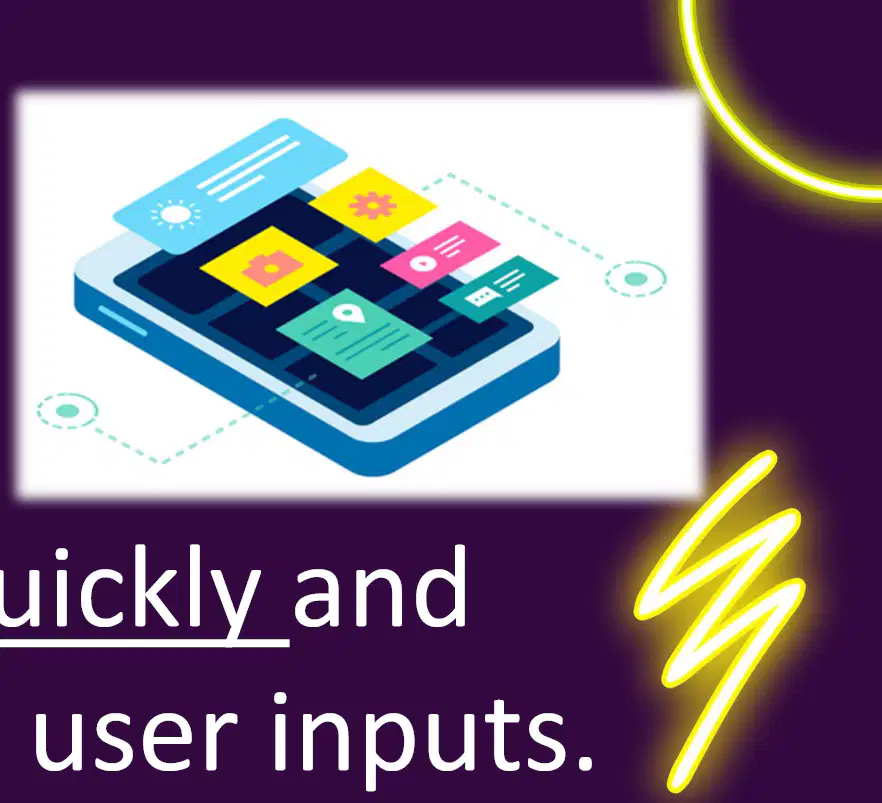
What does "System Response" refer to?
How quickly and meaningfully the system reacts to user inputs.
The design of the system interface.
The number of users interacting with the system.
The storage capacity of the system.

Which of the following is NOT a key metric for system response?
Speed
Accuracy
Appropriateness of responses
System storage capacity
What can delayed or irrelevant responses lead to?
Improved user experience
Degraded user experience
Increased system speed
Enhanced system accuracy

Which of the following is NOT a data input mechanism?
Forms
Gestures
Voice commands
Printed results

What are examples of output mechanisms?
Visual displays, auditory feedback, and printed results
Forms, gestures, and voice commands
Smooth data flow and interactivity
Data storage and retrieval

Why is ensuring smooth data flow important?
To enhance interactivity
To store data efficiently
To reduce system errors
To improve hardware performance

What is the primary function of back-end systems in a software system?
To design the user interface of the system
To process, store, and retrieve data that powers the interactive features of the system
To create graphics for the system
To manage the marketing of the system

Which of the following components are included in back-end systems?
Databases, servers, and data processing engines
User interface design tools
Marketing strategies and tools
Graphics design software

What does a robust back-end ensure in a software system?
Enhanced graphics and animations
Reliability and scalability
Improved marketing strategies
Faster user interface design
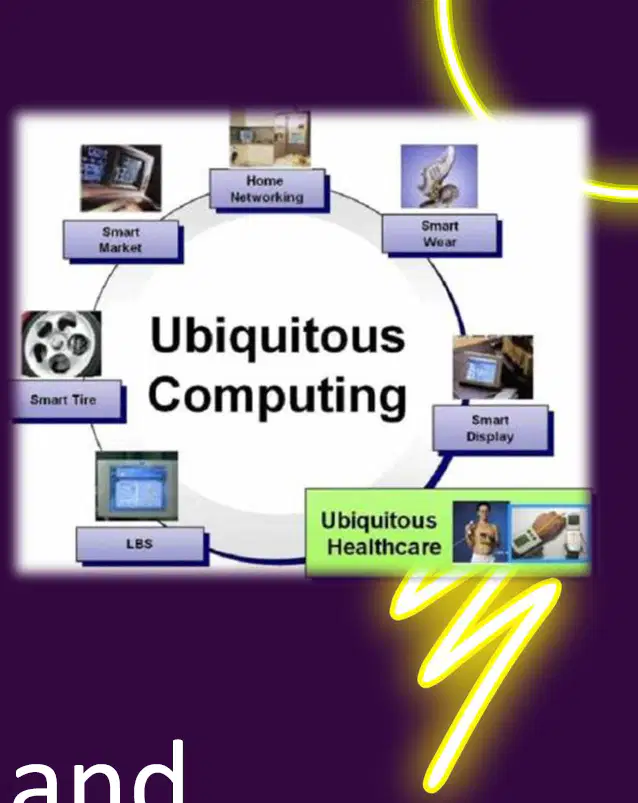
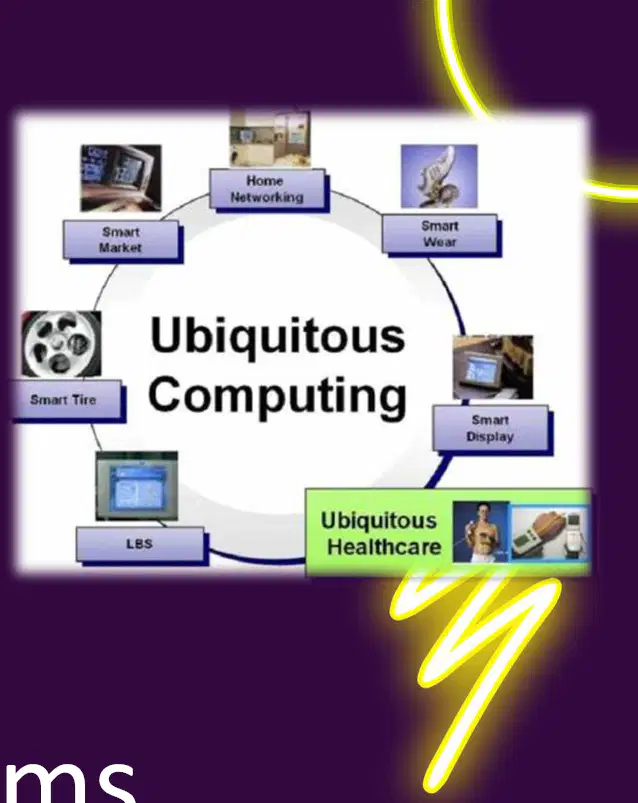
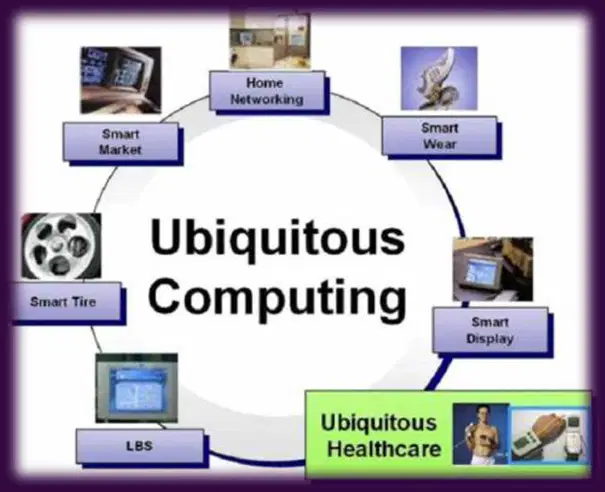
What is the definition of ubiquitous computing?
Embedding computation into everyday objects.
Using computers only for scientific research.
Creating virtual environments for users.
Developing software for mobile devices.

Which of the following is NOT a characteristic of ubiquitous computing?
Context-aware.
Embedded systems.
Invisible to users.
Requires constant user interaction.

Which of the following is an application of ubiquitous computing?
Smart homes.
Desktop computers.
Traditional telephones.
Paper-based filing systems.

What does "context-aware" mean in the context of ubiquitous computing?
Systems that adapt to their environment and user needs.
Systems that require manual configuration.
Systems that operate only in fixed locations.
Systems that are visible to users at all times.
Which of the following is an example of a wearable device in ubiquitous computing?
Smartwatch.
Desktop computer.
Landline telephone.
Television.
What does IoT stand for in the context of ubiquitous computing applications?
Internet of Things.
Information of Technology.
Integration of Tools.
Intelligent Operating Technology.

What is another term for ubiquitous computing?
Pervasive computing
Cloud computing
Quantum computing
Distributed computing

What does ubiquitous computing aim to achieve?
Integrating technology seamlessly into everyday objects and environments
Developing standalone devices for specific tasks
Creating visible and complex technological systems
Limiting technology to specific industries

How does technology function in ubiquitous computing?
It becomes invisible and operates in the background to support user needs
It requires constant user interaction to function
It is prominently displayed and requires manual operation
It operates independently without user preferences

Which of the following is an example of ubiquitous computing?
Smart home devices that adjust based on user preferences
Desktop computers used for programming
Manual typewriters used for writing
Standalone calculators used for arithmetic
What does "context-aware" mean in the characteristics of ubiquitous systems?
Systems that work only in specific locations.
Systems that sense and respond to environmental factors like location or time.
Systems that require constant user input to function.
Systems that are embedded into physical objects.
Which characteristic of ubiquitous systems involves computing being embedded into everyday objects?
Context-aware
Embedded
Invisibility
Distributed
What does "invisibility" refer to in ubiquitous systems?
Technology that is visible to the user at all times.
Technology that works in the background without active user input.
Technology that requires constant monitoring by the user.
Technology that is embedded into physical objects.

What does "distributed" mean in the context of ubiquitous systems?
Processing is centralized in one device.
Processing is distributed across multiple devices.
Processing requires user input for every device.
Processing is embedded into physical objects.

Which of the following is an example of a context-aware system?
A smartphone silences itself when it detects a meeting on the user’s calendar.
A thermostat that requires manual adjustment.
A watch that displays the time only when tapped.
A device that works only in specific locations.

What does the term "Distributed" refer to in the context of ubiquitous systems?
Processing is centralized on a single device
Processing is distributed across multiple devices
Processing is done manually by users
Processing is limited to local servers only

Which of the following is an example of a cloud computing platform?
AWS and Google Cloud
Netflix and YouTube
Thermostats and security cameras
Microsoft Word and Excel

How do IoT devices in a smart home system optimize energy usage?
By working independently without sharing data
By coordinating tasks through a central hub and sharing data
By relying solely on cloud servers for processing
By using manual control for all devices

What is the primary function of Content Delivery Networks (CDNs)?
To store data locally on user devices
To retrieve videos from the closest server, reducing latency
To process data on a single machine
To optimize energy usage in smart homes

Which of the following statements is true about cloud computing platforms?
Tasks are processed on a single machine
Tasks are divided among multiple virtual machines or containers
Data is processed manually by users
Servers are always located in the same geographic region

What is the primary purpose of smart homes using ubiquitous computing?
To automate lighting, heating, and security systems.
To replace traditional homes entirely.
To increase manual control over home systems.
To eliminate the need for energy consumption.

What are the benefits provided by context-aware systems in smart homes?
Convenience, security, and energy efficiency.
Increased manual control and higher energy consumption.
Reduced security and increased complexity.
Elimination of automation and reliance on traditional systems.
What type of data do wearable devices like smartwatches or fitness trackers collect?
Historical data
Real-time data
Predictive data
Random data

What is one of the primary applications of wearable devices?
Entertainment
Health monitoring
Gaming
Social media browsing

What feature makes wearable devices context-aware?
Use of sensors for biofeedback
High-resolution display
Long battery life
Internet connectivity

What is the primary focus of User-Centered Design in interactive ubiquitous systems?
Adapting behavior to user environment.
Seamless integration into daily life.
Direct manipulation, voice, gestures.
Enhancing system performance.

What does Context-Aware Design aim to achieve in interactive ubiquitous systems?
Seamless integration into daily life.
Adapting behavior to user environment.
Direct manipulation, voice, gestures.
Improving hardware efficiency.

Which interaction models are highlighted in Section 5.3 of Designing Interactive Ubiquitous Systems?
Seamless integration into daily life.
Adapting behavior to user environment.
Direct manipulation, voice, gestures.
Enhancing system security.
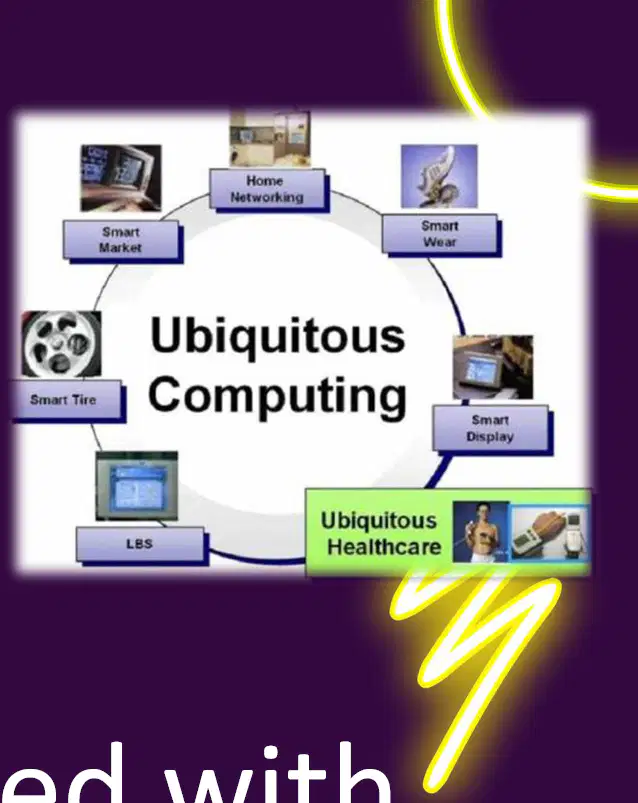
What is the primary focus when designing ubiquitous systems?
Users in mind, ease of use, accessibility, and integration into daily life
Advanced hardware and software development
Maximizing profit and reducing costs
Creating complex and visible technology

What does designing for invisibility in ubiquitous systems mean?
Making technology highly visible and prominent
Creating technology that fades into the background
Designing technology that requires constant user attention
Developing technology that is difficult to use
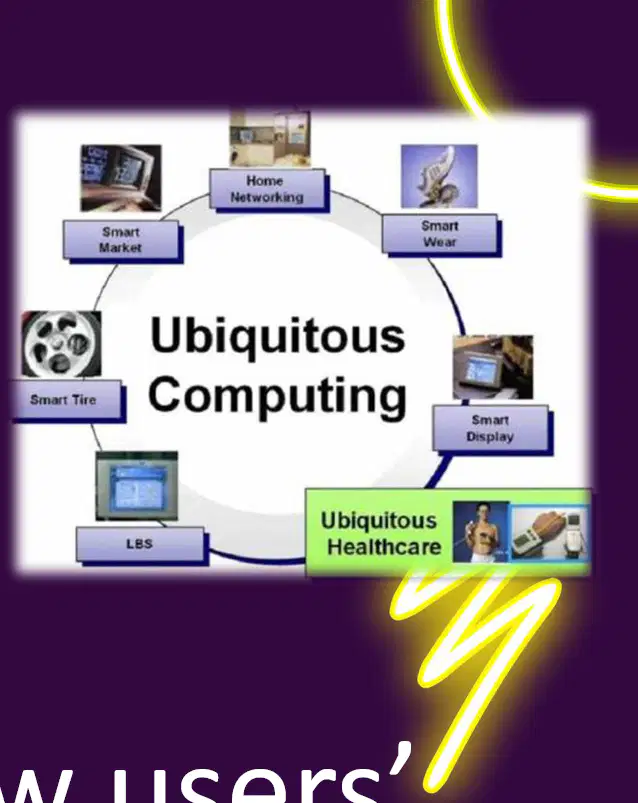
What does context-aware design consider when designing systems?
How users' needs and behaviors change based on their environment.
How systems can operate without user input.
How to create static designs for all environments.
How to ignore user behavior in system design.

Which of the following is an example of a context-aware system?
A thermostat that adjusts based on whether people are present in the room.
A manual thermostat that requires user input to change temperature.
A clock that displays the time.
A calculator that performs basic arithmetic operations.
Which of the following are common interaction models for ubiquitous systems?
Direct manipulation, voice commands, and gestures
Keyboard input, mouse clicks, and touchpad gestures
Remote control, manual switches, and physical buttons
Text-based commands, file uploads, and dropdown menus
Why should ubiquitous systems offer multimodal input?
To support different user preferences and contexts
To reduce system complexity and cost
To ensure compatibility with older devices
To limit user interaction to a single mode
What is the main task in analyzing a ubiquitous system as described in the activity?
Choose a ubiquitous system and analyze its components, principles, and user interactions.
Design a new ubiquitous system from scratch.
Compare different ubiquitous systems without analyzing their components.
Focus only on the hardware of a ubiquitous system.
Which key point is emphasized when analyzing a ubiquitous system?
Identify the system's context-awareness, error tolerance, and feedback mechanisms.
Focus solely on the system's hardware design.
Ignore user interactions and principles.
Analyze only the system's aesthetic design.
Which of the following is an example of a ubiquitous system?
Smart home device.
Traditional desktop computer.
Manual typewriter.
Analog radio.
What does heuristic evaluation of ubiquitous systems involve?
Experts reviewing the system based on established usability principles.
Users testing the system for errors.
Automated tools analyzing the system.
Random testing of the system by non-experts.
Which principles are emphasized during heuristic evaluation of ubiquitous systems?
Consistency, feedback, and preventing user errors.
Speed, efficiency, and cost reduction.
Innovation, creativity, and design aesthetics.
Security, privacy, and data encryption.
What is the primary purpose of user testing in ubiquitous systems?
To provide real-world feedback on how well the system supports user goals.
To develop new hardware for ubiquitous systems.
To replace traditional computing systems.
To eliminate privacy concerns in computing.
What does observing users interacting with a system help identify in ubiquitous computing?
Usability issues and insights for improvement.
Hardware malfunctions.
Network connectivity problems.
Software installation errors.
What are some challenges associated with ubiquitous computing?
Privacy, security, and ethical concerns.
High costs and limited availability.
Slow processing speeds and outdated technology.
Lack of user-friendly interfaces.