
 Worksheets
Computer Essentials: What is a Computer?
Total questions: 30
Worksheet time: 15mins
You want to count your steps while running without carrying a phone. Which type of computer is the best choice?
A smart TV for streaming shows
A fitness tracker worn on wrist
A desktop tower with monitor
A server in a data center
A school wants students to watch videos from the internet smoothly. Which plan uses computers in the most helpful way?
Use only tablets with no network
Use laptops connected to a server
Use smartwatches for every video
Use phones without Wi‑Fi access
A shop wants to quickly give customers printed bills. Which computer use fits this need best?
Prepare and issue bills to customers
Record long-term weather patterns
Conduct complex lab experiments
Train pilots using flight simulators

An engineer must design a safe bridge. Which computer activity will help plan it before building?
Design bridges, buildings, and cars
Make movies and edit scenes
Send emails to school friends
Browse random websites for fun
You want to open an app on a Windows computer. Which step should you try first?
Click the Start icon
Turn off the monitor
Unplug the power cable
Move files to Recycle Bin
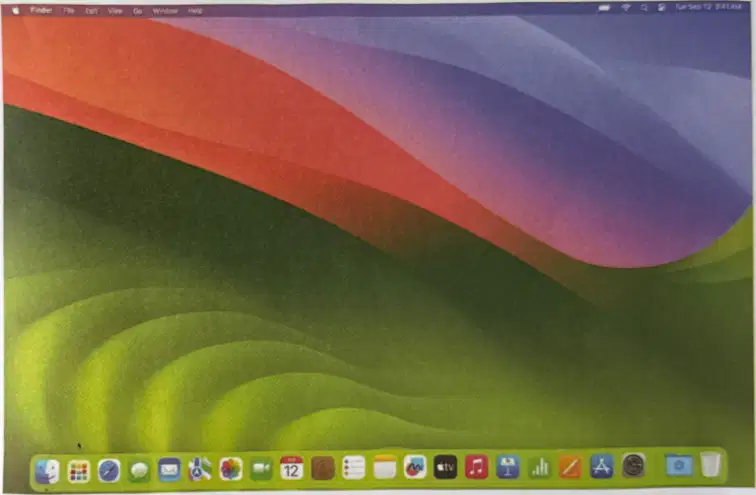
Your friend’s computer shows a row of colorful apps at the bottom and an Apple logo on start-up. Which operating system is most likely being used?
macOS by Apple
Windows by Microsoft
Linux by Ubuntu
Android by Google
Which statement best defines an input device?
It shows pictures on the monitor screen
It stores files for later retrieval
It sends data and instructions into a computer
It prints text and images on paper
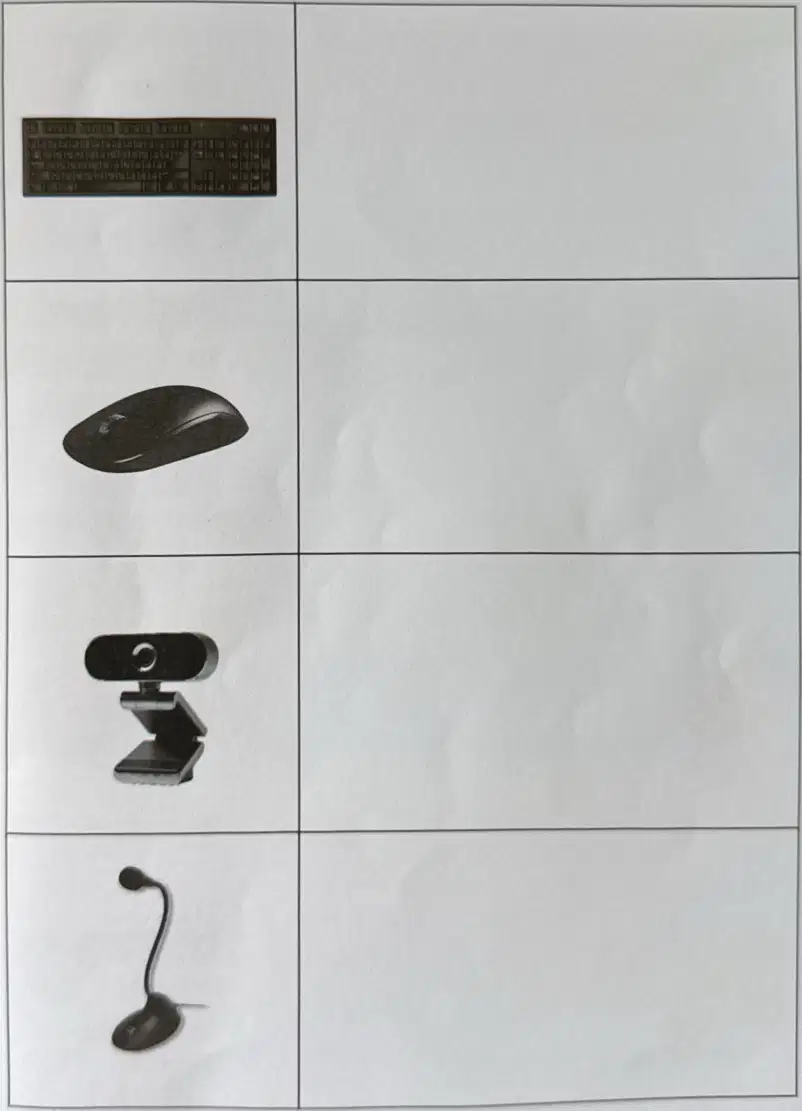
You want to type your name in a document. Which input device should you use?
Keyboard for entering letters and numbers
Mouse for moving the pointer around
Printer for making paper copies
Speaker for playing recorded sounds
A class needs to make a video call with sound. Which two devices together would best help them join the call?
Keyboard and printer together for communication
Mouse and external hard drive together for storage
Webcam and microphone together for video chat
Monitor and speakers together for display
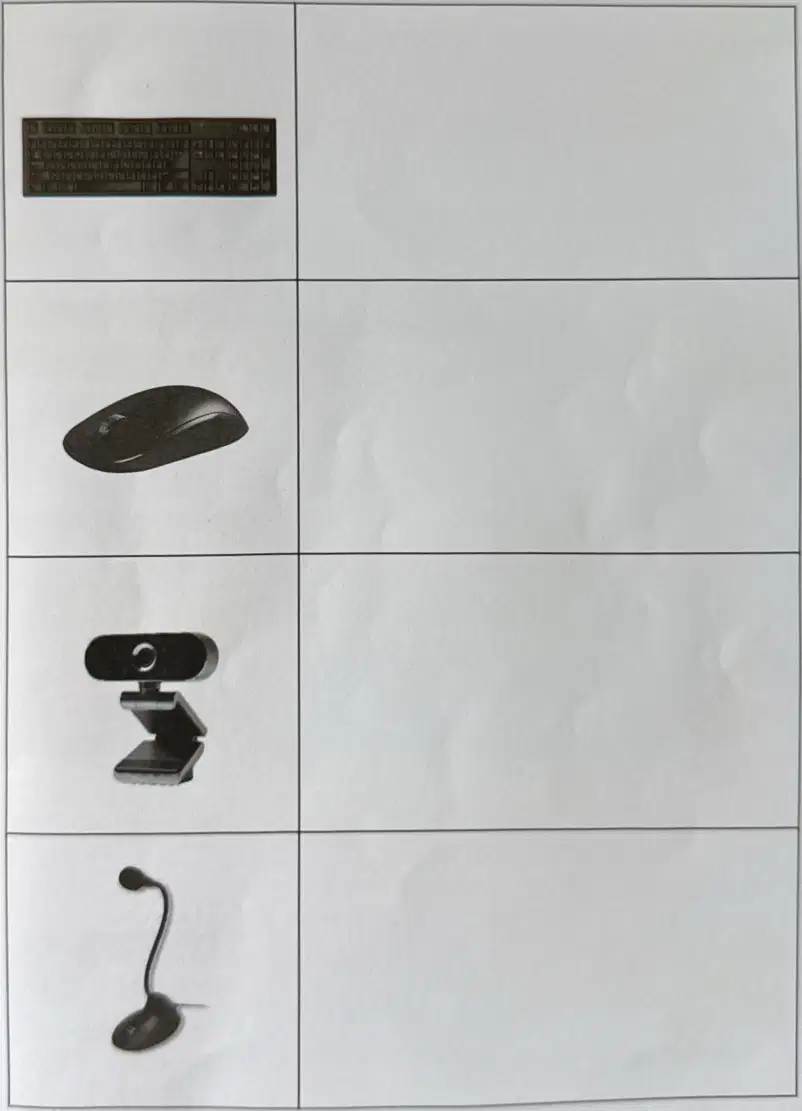
You move the on-screen pointer to click a button in a game. Which device is mainly used for this action?
Mouse for pointing and clicking items
Keyboard for saving and opening files
Webcam for taking classroom selfies
Microphone for playing loud music
You want to play a flying game and move the plane left or right. Which input device is designed for this task?
Scanner for documents
Sensors for sound levels
Joystick for game movement
Barcode reader for labels
A teacher wants to install software on several computers quickly. Which device is most suitable?
USB flash drive with setup files
Music CD for listening only
Paper printout of the program
External speakers for sound
Which device is often inside the computer and stores the operating system?
Internal hard drive disk
Wireless mouse device
USB hub accessory
Headphone audio set
Which storage is most suitable for long-term backups at home?
External hard drive unit
Sticky notes on desk
Computer speakers pair
Plastic ruler set
A small music player shows ‘Insert card’. What storage is missing?
MicroSD memory card
Writable DVD disc
Cassette tape reel
Ink cartridge set
To share worksheets with a friend in another city right now, what is best?
Cloud link to a folder
Carrying a desktop PC
Faxing every single page
Saving on a cassette
Which storage is best when many students must open the same file from different places?
Shared cloud storage
Single local folder
Private USB at home
Printed paper copy
For saving a short voice recording to move between computers, pick the best device.
USB flash storage
Office wall calendar
Wireless game mouse
Paper envelope pack
If a USB drive is lost, which storage still lets you reach your files from anywhere?
Online cloud account
Local desktop only
DVD-R movie disc
Photo paper sheets
A student wants to bring a slideshow to class. Which option is the simplest?
Copy to a USB drive
Print every slide page
Record on cassette tape
Ship a desktop tower
Which information should you keep private online?
Your name and address
Your favorite color
Your pet’s nickname
Your lunch preference
If something online makes you uncomfortable, what should you do?
Tell a trusted adult quickly
Delete the whole computer
Keep it a secret forever
Click it again to check
What should you do before clicking a link?
Pause and make sure it is safe
Click fast before it closes
Share it with all classmates
Ignore any advice or warnings
Which is the best place to keep a drink while on the computer?
Far away from the keyboard
Right next to the mouse
On top of the computer
Beside the power button
What is the safest eye level for looking at the screen?
Eyes level with the screen
Eyes below the keyboard
Eyes above the monitor
Eyes touching the screen
You see a pop-up that says you won a prize. What is the best action?
Do not click and ask for help
Enter your name to claim
Click quickly before it closes
Share the link with friends
Before starting homework online, which step follows the rules?
Wash hands and clear drinks
Open every new website found
Play games for an hour first
Lower chair and hunch down
A friend posts a mean comment about someone. What is a good response?
Encourage kindness online
Add another rude comment
Share it with more people
Ignore and laugh about it
Which example shows staying on approved websites?
Using links your teacher shares
Clicking unknown pop-up ads
Joining random chat groups
Searching for hacks on sites
Why should students use only teacher-approved websites?
They are checked for safety
They load ads much faster
They always have games
They need personal data

