
 Worksheets
Sprint 1.1 ScratchJr Unit 1
Total questions: 34
Worksheet time: 17mins
Identify the video game shown in the picture.
Minecraft
Roblox
Fortnite
LEGO Worlds
Identify the video game shown in the picture.
Super Mario Bros
Sonic the Hedgehog
Rayman
Kirby
Identify the video game shown in the picture.
Super Mario Odyssey
Crash Bandicoot
Luigi’s Mansion
Mega Man
Identify the video game shown in the picture.
Angry Birds
Flappy Bird
Subway Surfers
Temple Run
Identify the video game shown in the picture.
Pokémon Let’s Go
Digimon World
Animal Crossing
Pikmin
Feed the banana to the monkey. In the given picture the monkey is hungry. Let’s guide the monkey to get the banana. How should the monkey move to reach the banana?
Move left by four boxes, then move down by three boxes
Move left by three boxes, then move down by four boxes
Move right by four boxes, then move up by three boxes
Move down by four boxes, then move left by three boxes
What does the picture depict?
The path of the monkey reaching the banana
Monkeys sleeping in a tree
A city map with roads
A river with boats

Can the monkey take another path?
Yes
No
Look at the slide title. What is the name of this lesson?
Introduction to ScratchJr
Advanced Robotics
Math Practice
Typing Tutor
ScratchJr is described on the slide. What is it used for?
To learn programming or coding
To play music
To edit photos
To browse the internet
According to the slide, what does programming mean?
Giving instructions to the computer
Drawing pictures with a mouse
Watching videos online
Printing documents
Step 1 shows an icon. Which icon do you click in Step 1?
Cat icon
Home icon
Question mark icon
Gear icon
What happens after you click the cat icon in Step 1?
The ScratchJr start screen appears
The settings screen opens
A coding blocks page appears
The project gallery closes
Step 2 shows another icon. Which icon do you click in Step 2?
Home icon
Cat icon
Flag icon
Camera icon
After clicking the home icon in Step 2, which screen appears?
My Projects screen
Help screen
Settings screen
Stage screen
Step 3 tells you how to open a project. Which icon do you click to open a project?
Plus icon
Home icon
Question mark icon
Flag icon
In the workspace labels, what is the stage described as?
A place where the game will be played
A menu for saving projects
A tool for drawing characters
A button for quitting the app
According to the workspace labels, what do blocks do?
Give instructions for the characters
Change the background color automatically
Turn off the sound
Move pages to the trash
According to the workspace labels, what are pages in a project?
Different scenes in the project
Pictures of characters
Sound recordings
Saved settings
According to the workspace labels, what are characters?
Objects that play a part in your project
Buttons for help
Backgrounds only
Files for printing
In ScratchJr, what do blocks do?
They change the background colors
They give instructions to the characters
They draw pictures on the screen
They play music automatically
In ScratchJr, what is the stage?
A list of blocks only
A place where all the action takes place
A folder for saving projects
A button to start the program
In ScratchJr, what are characters?
Buttons that start programs
Objects that play a part in your project
Files used to store sounds
Background images only
In ScratchJr, what are pages?
Different scenes in the project
A list of saved characters
A place to write text notes
A tool for drawing shapes
In ScratchJr, where is the programming area located?
Above the stage
Inside the character list
The blank space below the blocks section
On the left side next to the start button
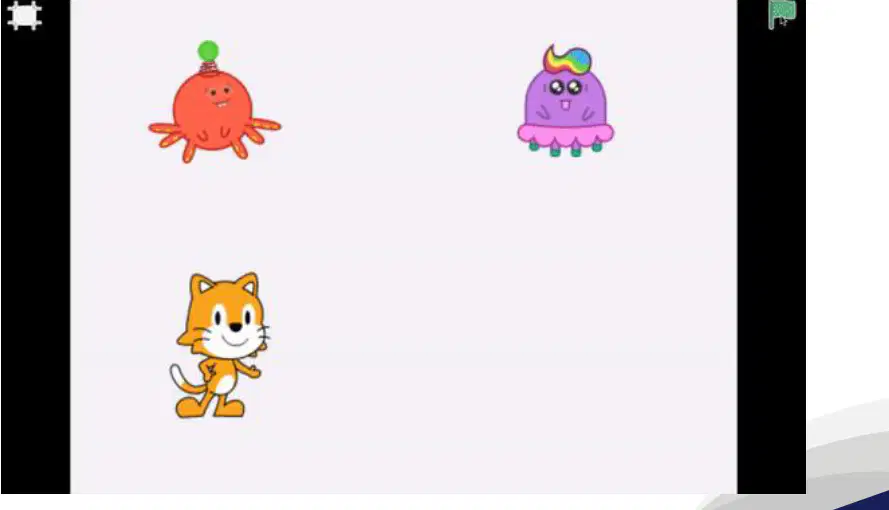
You can drag and place the characters anywhere on the stage. What action can you do with a character shown in the picture?
Drag it to a new spot on the stage
Type its name into a text box
Delete the stage background
Change the app language
What are you learning in this activity?
Move the cat by one step
Change the cat’s color
Make the cat jump
Delete the cat
In Scratch, which is the default character?
Cat
Dog
Bird
Fish
Which block should you tap to make the cat move to the right?
Move right block
Move left block
Turn block
Jump block
Which block should you drag to the programming area to move the cat left?
Move left block
Move right block
Turn block
Jump block
After you tap the move left block, which way does the cat go?
Left
Right
Up
Down
Step 4: In the picture, which block is connected to the right arrow block?
the left arrow block
the right arrow block
the up arrow block
the down arrow block
Step 5: When you click the attached blocks shown, how will the cat move?
first to the right, then to the left
first to the left, then to the right
it will not move
it will spin around
Move the cat by more than one step. Choose the best action.
Make the cat move 2 or more steps
Make the cat move exactly 1 step
Make the cat not move
Make the dog move 3 steps

