
 Worksheets
Engineering CAD I - 1st Semester Study Guide 2025-26
Total questions: 45
Worksheet time: 22mins

Which element is a core part of AutoCAD’s primary interface for entering commands?
Command Line at the bottom
Browser tree on the side
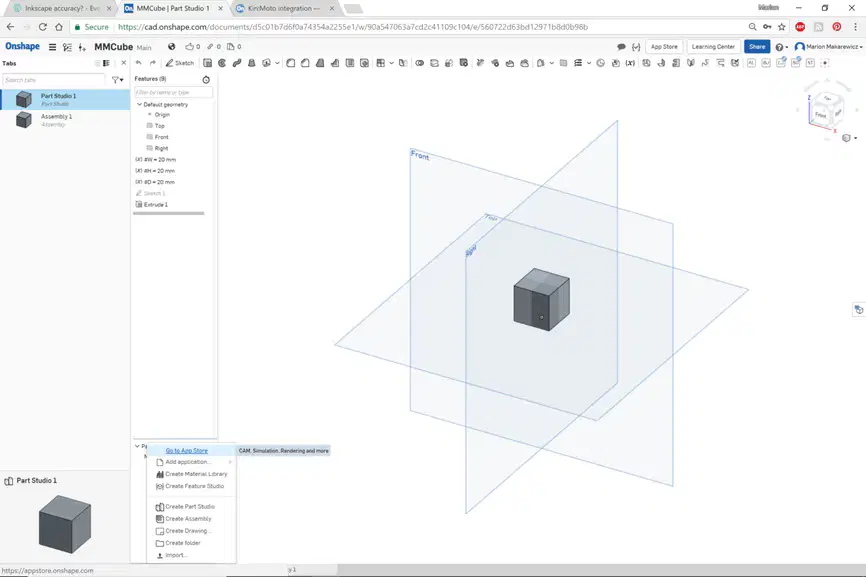
In Onshape, where is the main toolbar located within the primary interface?
Right side panel
Top of the window

Which action rotates the 3D view in Onshape?
Right-click and drag
Shift plus left-click
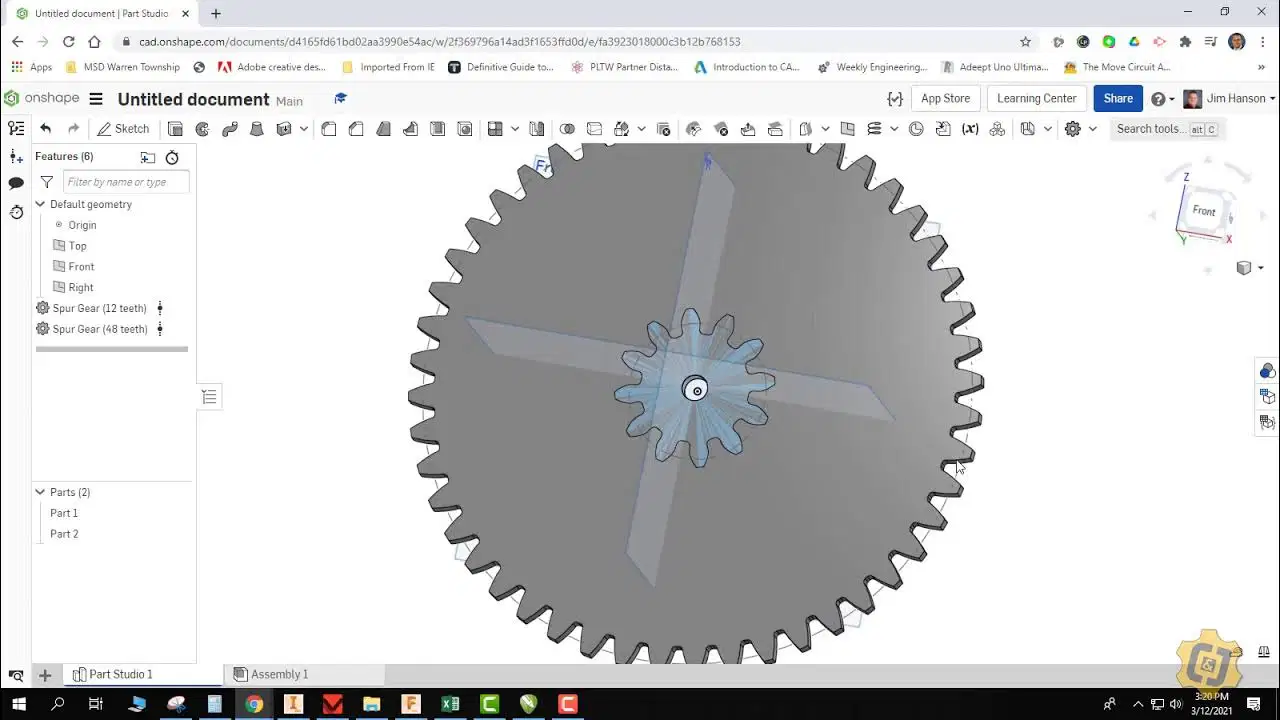
Which description correctly explains Onshape’s origin?
The center point (0,0,0) for all sketches
Only used in drawings, not models
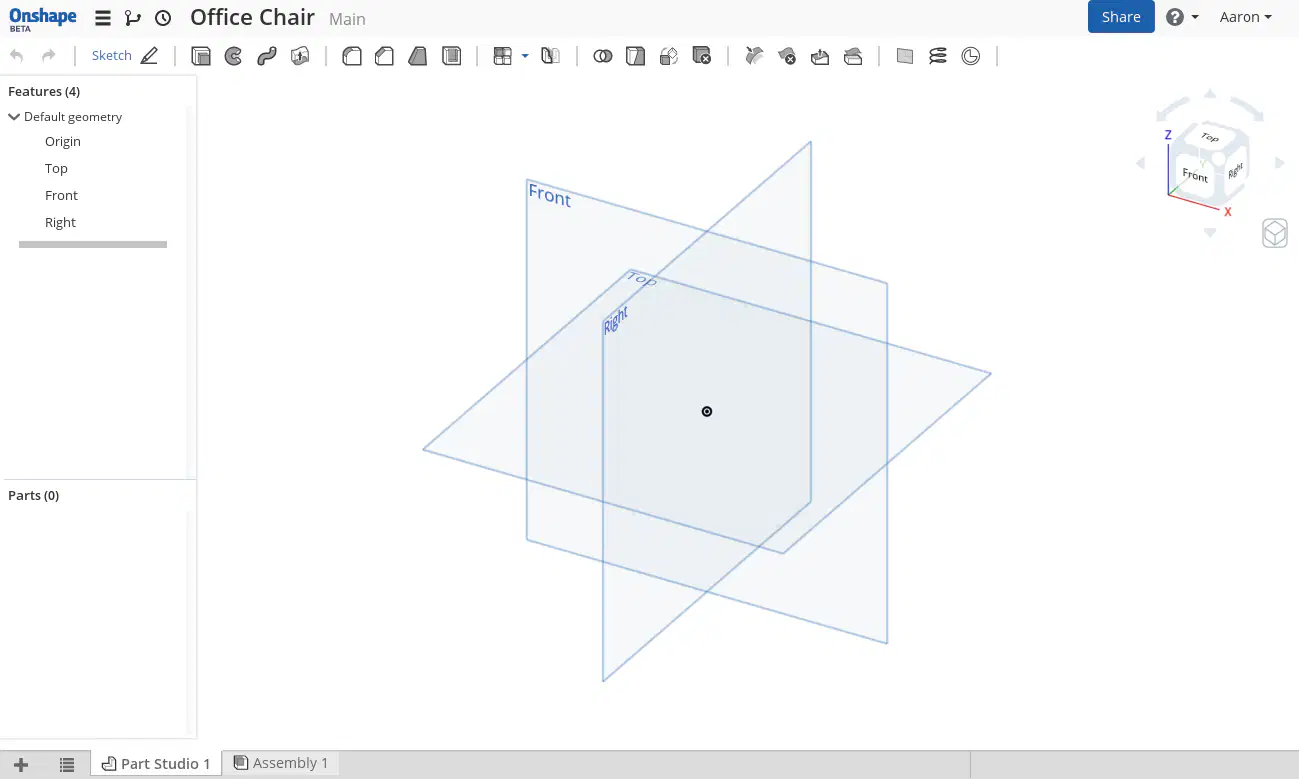
Which set lists Onshape’s standard reference planes?
Top, Front, Right
Top, Back, Left
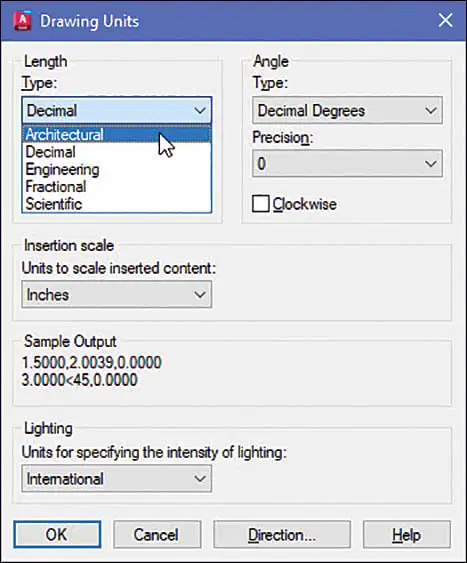
Which AutoCAD command opens the dialog to set Decimal, Architectural, and Precision units?
DIMSTYLE command for dimensions
UNITS command for unit setup
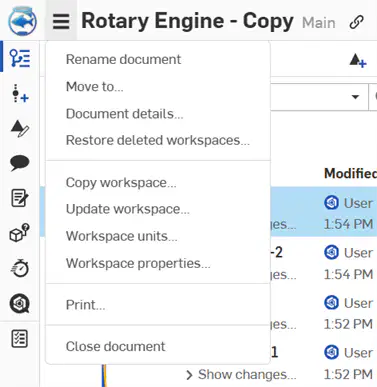
In Onshape, where do you set inch, millimeter, and degree units for sketches?
Workspace Units in the document menu
System preferences under account
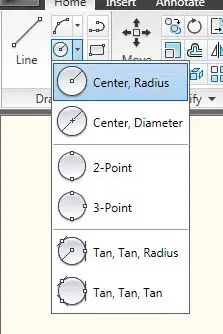
What is the default input mode for the CIRCLE command described in the study guide?
Center and Radius specification
Three-point circle selection
Which keyboard function key in AutoCAD locks cursor movement to horizontal and vertical directions only?
F8 Ortho for axis locking
F3 Osnap for snapping
What does F3 (Osnap) primarily help with when drafting in AutoCAD?
Toggling orthographic movement
Snapping to endpoints, midpoints, centers
During the Onshape sketching process, which step or action orients the view normal to the selected plane?
Press 'N' to set view normal
Enable 'Ortho' for normal view
Which Onshape constraint makes two points occupy the exact same location?
Coincident constraint for shared point
Concentric constraint for same center
Which constraint ensures a circle and an arc share the same center in Onshape?
Concentric constraint for common center
Equal constraint for same radius
Which constraint creates a smooth transition where a line touches an arc in a sketch?
Tangent constraint for smooth contact
Equal constraint to match length
In Onshape, which constraints force geometry to be perfectly straight along axes?
Vertical and Horizontal constraints
Perpendicular and Parallel constraints
What is the recommended workflow for dimensions in Onshape sketches?
Dimension before drawing geometry
Sketch rough shapes, then dimension
What does blue geometry indicate during Onshape sketching?
Undefined sketch can still change
Suppressed and invisible
What is the desired end state for Onshape sketches before creating features?
Partially constrained shapes
Black geometry fully defined
Which AutoCAD modify command creates parallel lines or concentric circles at a set distance?
OFFSET for parallel geometry
COPY for duplicating shapes
What does the TRIM command accomplish in AutoCAD?
Extends a line to a boundary edge
Cuts a line back to nearest intersection
In AutoCAD, what is the primary distinction between MOVE and COPY?
MOVE duplicates; COPY repositions
MOVE repositions; COPY duplicates
In AutoCAD, which command creates a reflected copy across a defining line?
SCALE changes overall size
MIRROR makes a symmetric reflection
What does the AutoCAD FILLET command do when given a radius?
Rounds a sharp corner between edges
Extends lines to meet boundaries
How are Layers used in AutoCAD drawings?
They render photorealistic textures
They organize lines by color or type
Which Onshape feature turns a 2D sketch into a 3D solid by pushing it?
Revolve around a defined axis line
Extrude from a closed sketch profile
In Onshape, which feature spins a profile around an axis to create a part?
Revolve produces rotational geometry
Extrude adds linear thickness
Which Onshape feature rounds sharp 3D edges for safety and aesthetics?
Shell hollows the interior
Fillet makes a rounded corner
What is the primary effect of the Chamfer feature in Onshape?
Copies geometry along a path
Cuts a flat angle on an edge
Which Onshape tool hollows a solid block while leaving specific wall thickness?
Mirror duplicates across a plane
Shell removes interior material
What information is typically contained in a title block on a layout?
Project name, date, and scale
Material database references
Which Onshape mate locks two parts rigidly with zero movement?
Fastened removes all degrees
Cylindrical allows rotate and slide
What motion does a Revolute Mate allow in Onshape?
Rotation around the Z axis
Rotation and axial sliding
A Slider Mate primarily permits which movement?
Movement along the Z axis
Fixed rigid connection only
You need a symmetric part in AutoCAD; which command best achieves this across a centerline?
MIRROR across a defining line
EXTEND to reach boundary edges
Design calls for removing internal material while keeping 2 mm walls in Onshape. Which feature fits?
Shell to hollow the solid
Fillet for rounded corners
Two plates must pivot like a hinge in Onshape. Which mate should be used?
Slider for axial motion
Revolute allowing rotation
Which modeling approach best describes AutoCAD in basic workflows?
Direct modeling drawing what you see
Parametric with constraints later
In Onshape, what is the typical order when building geometry?
Sketch first then add dimensions
Modify existing faces then sketch
Which statement about Onshape saving is accurate?
Autosaves continuously in cloud
Manual save with keyboard shortcut
What is a common shortcut pattern in Onshape?
Macros only for sketching
Single key press like L or C

Identify icon 20
offset
pan

Identify the icon
distance
construction line
The ________ tool is used to fill in an object with color/pattern design.
Line
Hatch
CAD stands for ____.
a. Computer Accessed Design
a. Computer Aided Design
Constrain a line in the plane of a circle that intersects the circle in exactly one point.
Tangent
Curvature

