
NEW
Font size
 Worksheets
Moving around
Total questions: 20
Worksheet time: 10mins
Which Scratch blocks category helps a sprite move up and down on the screen?
Looks category for colors and costumes
Events category for starting actions
Motion category for moving sprites
Sound category for music and effects
You want the cat to move up, then down. What should you do with the blocks?
Click the sprite and wait patiently
Place blocks in random order quickly
Arrange motion blocks step by step
Use sound blocks to play a song
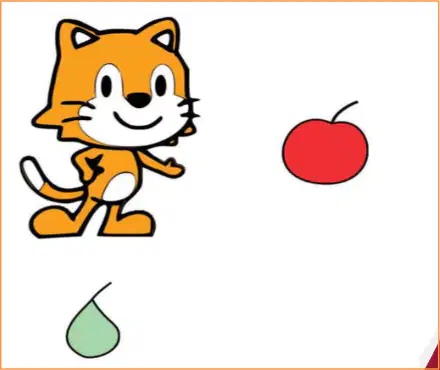
Look at the picture. The apple is to the cat’s right and the pear is below the cat. Which direction should the cat move to reach the apple?
Move down toward the apple
Move up toward the apple
Move left toward the apple
Move right toward the apple
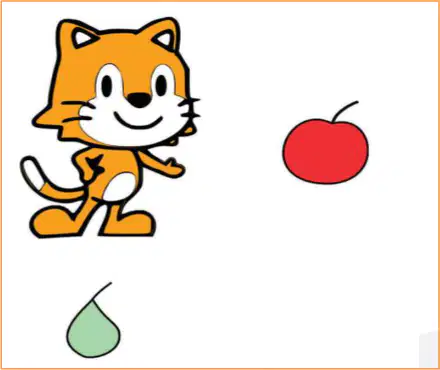
Look at the picture. The pear is below the cat and the apple is on the cat’s right. Which direction should the cat move first to reach the pear?
Move up toward the pear
Move left toward the pear
Move right toward the pear
Move down toward the pear
Look at the picture of the cat and the pear. Which direction should the cat move to reach the pear?
Up toward the pear shape
Down toward the pear shape
Right toward the pear shape
Left toward the pear shape
Which ScratchJr block makes the cat go upward on the screen?
Down arrow movement block
Right arrow movement block
Up arrow movement block
Left arrow movement block
You press the green flag, then tap the Down block once. Where will the cat move?
Right a small step
Down a small step
Left a small step
Up a small step
The cat needs to touch the apple above it. Which short plan will work?
Use two Right blocks now
Use one Up block now
Use one Left block now
Use one Down block now
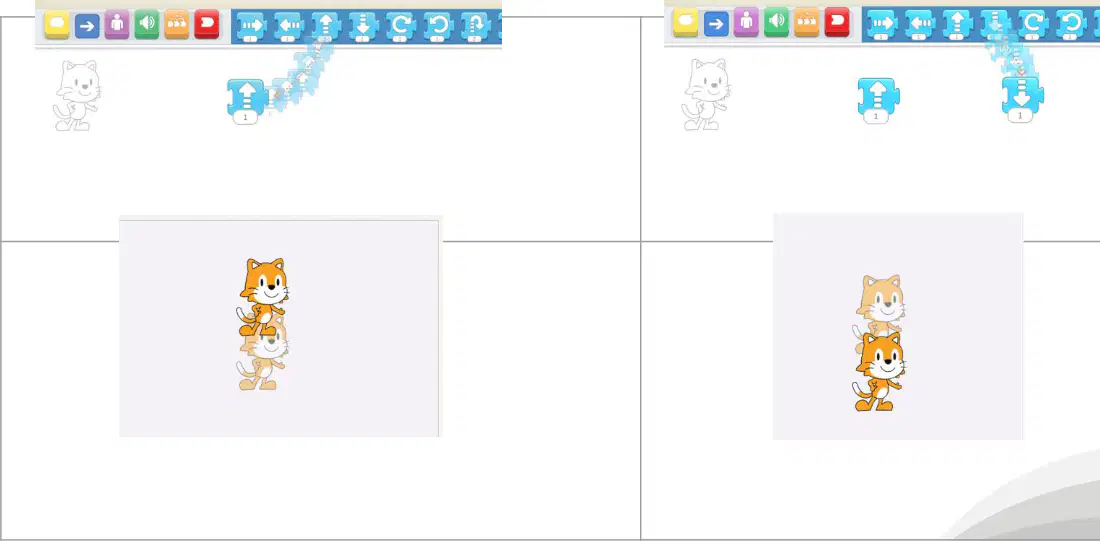
Which block makes the cat go up by one step?
Blue down arrow block with number one
Blue up arrow block with number one
Green flag start block with curved edge
Purple turn block with circular arrow
You want the cat to move up and then down. What should you do first?
Tap the down block two times
Join the up and down blocks together
Delete the up block before starting
Add the green flag at the end
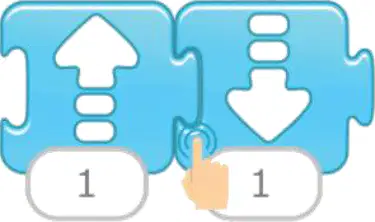
Which icon should be placed at the beginning to start the movement when tapped?
Green flag start icon at the beginning
Blue down arrow placed in the middle
Red stop icon placed after the blocks
Purple turn icon placed at the end
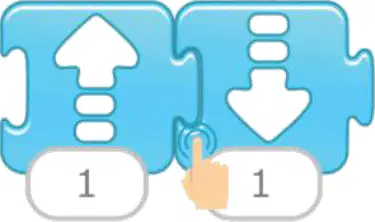
You joined an up block and a down block. The cat did not move. What is the best next step to make it work?
Add the green flag and tap the blocks
Tap the screen many random times
Remove the down block completely
Change the cat to a dog character
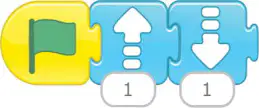
What does the number 1 under the up arrow block mean in the picture?
Move up and left
Move up very fast
Move up one step
Move up to the top
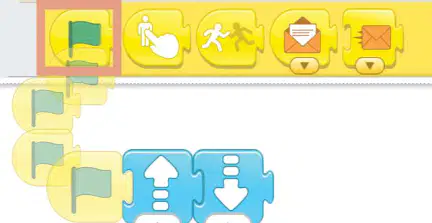
You want the cat to move farther up. What should you change in the block?
Change the arrow color
Remove the flag block
Increase the step number
Add a pause button
Look at the up arrow block with number 1. What does the cat do when you run it?
Stop and do nothing
Turn right one small step
Move down one small step
Move up one small step
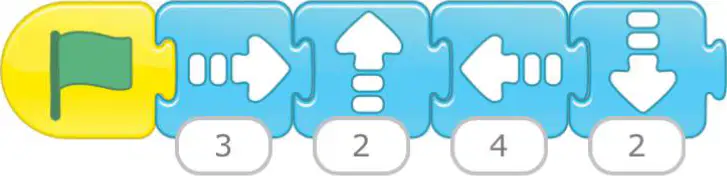
Which button do you tap to start the program shown with the cat and arrow blocks?
Blue left arrow block
Yellow green-flag button
Blue down arrow block
Blue up arrow block

You finished making a cat program. What is the best next step to keep it safe?
Name and save the project
Delete extra blocks now
Turn off the tablet
Close the app quickly

If you want to find your cat project later, which kind of project name helps most?
Untitled practice file
Project 1 today
Cat moves with arrows
My cool awesome work
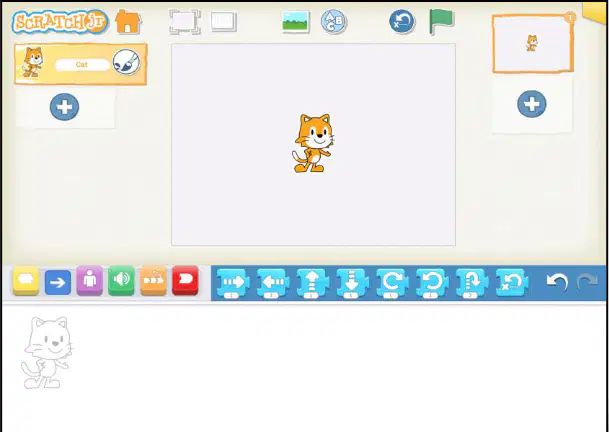
Which order of moves will make the cat go two steps up, three steps right, one step left, then four steps down?
Right x3, Up x2, Down x4, Left x1
Up x2, Left x1, Right x3, Down x4
Down x4, Up x2, Right x3, Left x1
Up x2, Right x3, Left x1, Down x4

Look at the cat. You want it to reach the end of the road on the right. Which block should you change to make the cat move right by the correct number of steps?
Change the move up steps number
Change the start green flag block
Change the move right steps number
Change the stop end block

