
 Worksheets
S1 Microsoft Word Basics Quiz
Total questions: 35
Worksheet time: 27mins
What is the main purpose of Microsoft Word?
To create spreadsheets
To create and edit documents like letters and resumes
To make presentations
To browse the internet
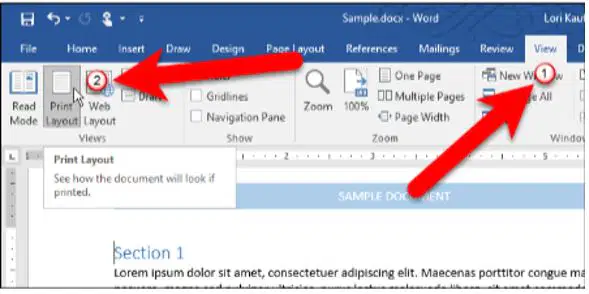
Which view in Word shows the document as it will appear when printed?
Read Mode
Web Layout
Print Layout
Zoom View
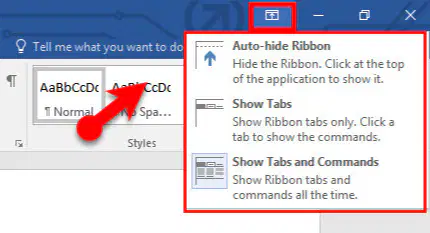
What happens when you click the Ribbon Display Options arrow?
It opens a new document
It lets you hide or show parts of the Ribbon
It changes the font size
It adds bullets to text
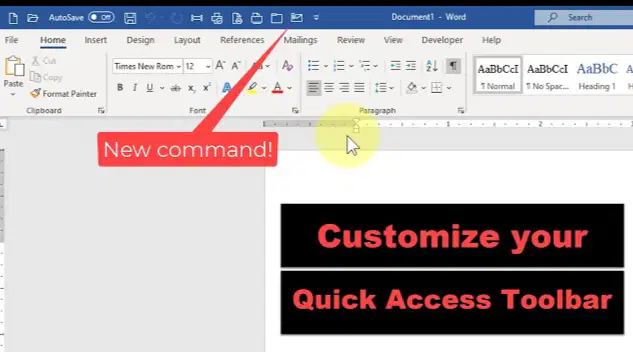
Which toolbar is located above the Ribbon and has default commands like Save and Undo?
Backstage View
Quick Access Toolbar
Font Group
Ruler
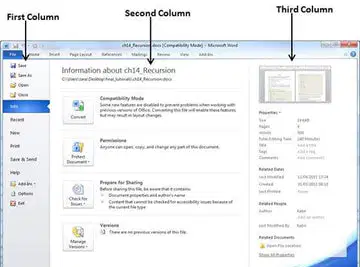
How do you access Backstage View in Word?
Click the Home tab
Click the File tab
Press the Enter key
Drag the zoom slider
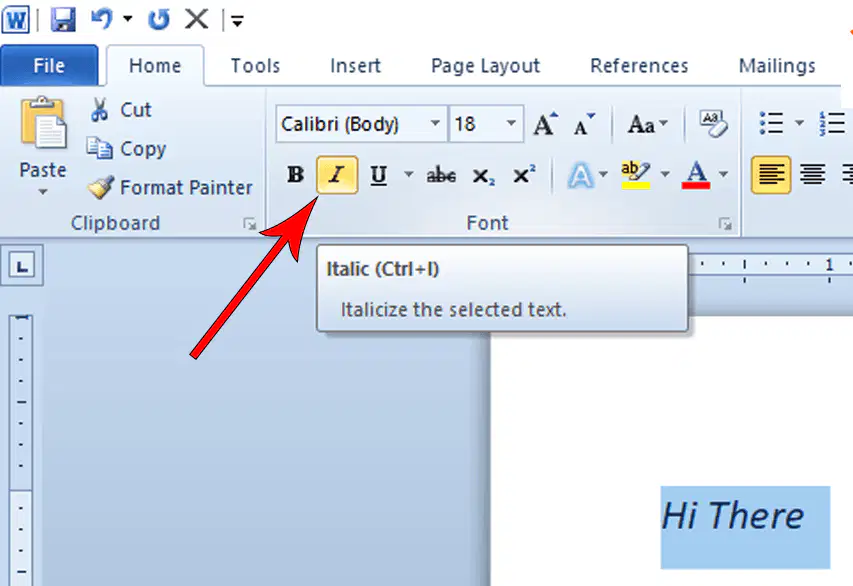
Which command on the Home tab makes text slanted?
Bold
Underline
Italic
Font Color
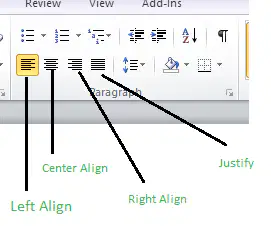
What does the Align Text Left button do?
Centers the text
Makes text equal on both sides (Justify)
Aligns text to the left margin (default)
Changes text to uppercase
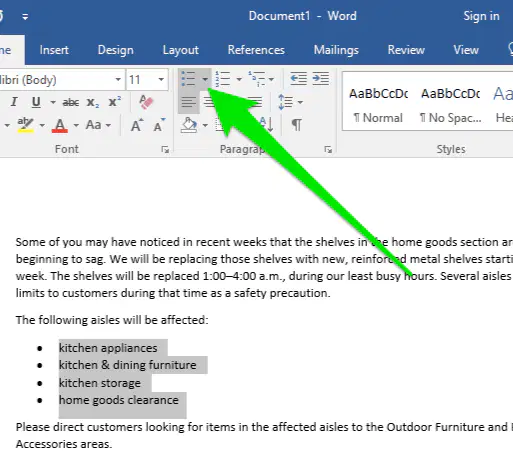
To create a bulleted list, where do you click on the Home tab?
Numbering command
Bullets drop-down arrow
Font Size box
Paragraph group

What key do you press to increase the indent level in a multilevel list?
Enter
Shift
Tab
Space
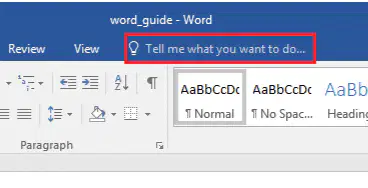
Which option lets you search for commands without clicking tabs?
Quick Access Toolbar
Ruler
Tell Me bar
Zoom slider
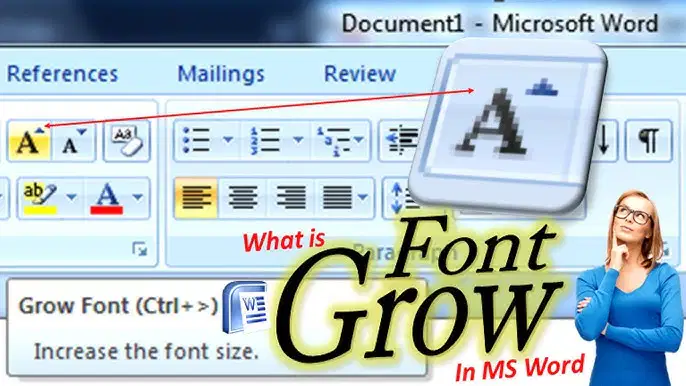
How can you quickly make text bigger without selecting a specific size?
Use the Grow Font command
Click the Bullets arrow
Press Tab twice
Change to Read Mode
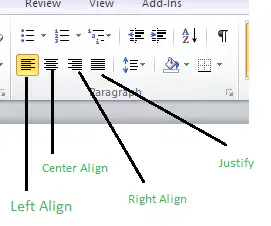
What alignment option makes text spread equally between left and right margins?
Align Text Right
Center
Justify
Align Text Left
To restart a numbered list at 1, what do you do?
Press Enter twice
Right-click and select Restart at 1
Click Decrease Indent
Change the font color
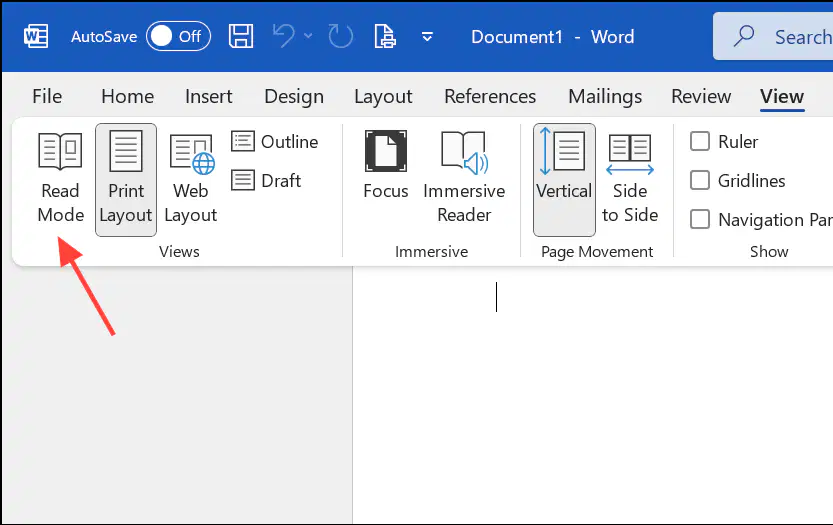
Which view is best for reading a document in full screen?
Print Layout
Web Layout
Read Mode
Multilevel View
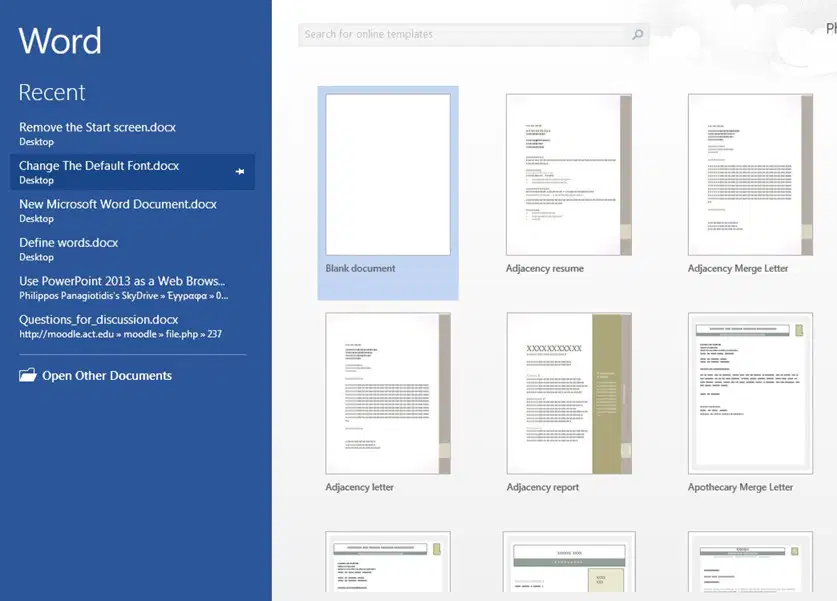
To open a new blank document when starting Word, select (a) document from the Start Screen.

The (a) contains tabs and groups of commands at the top of the Word window.
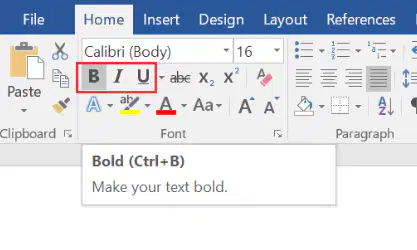
To make text stand out, you can apply (a) (this makes it thick and dark).
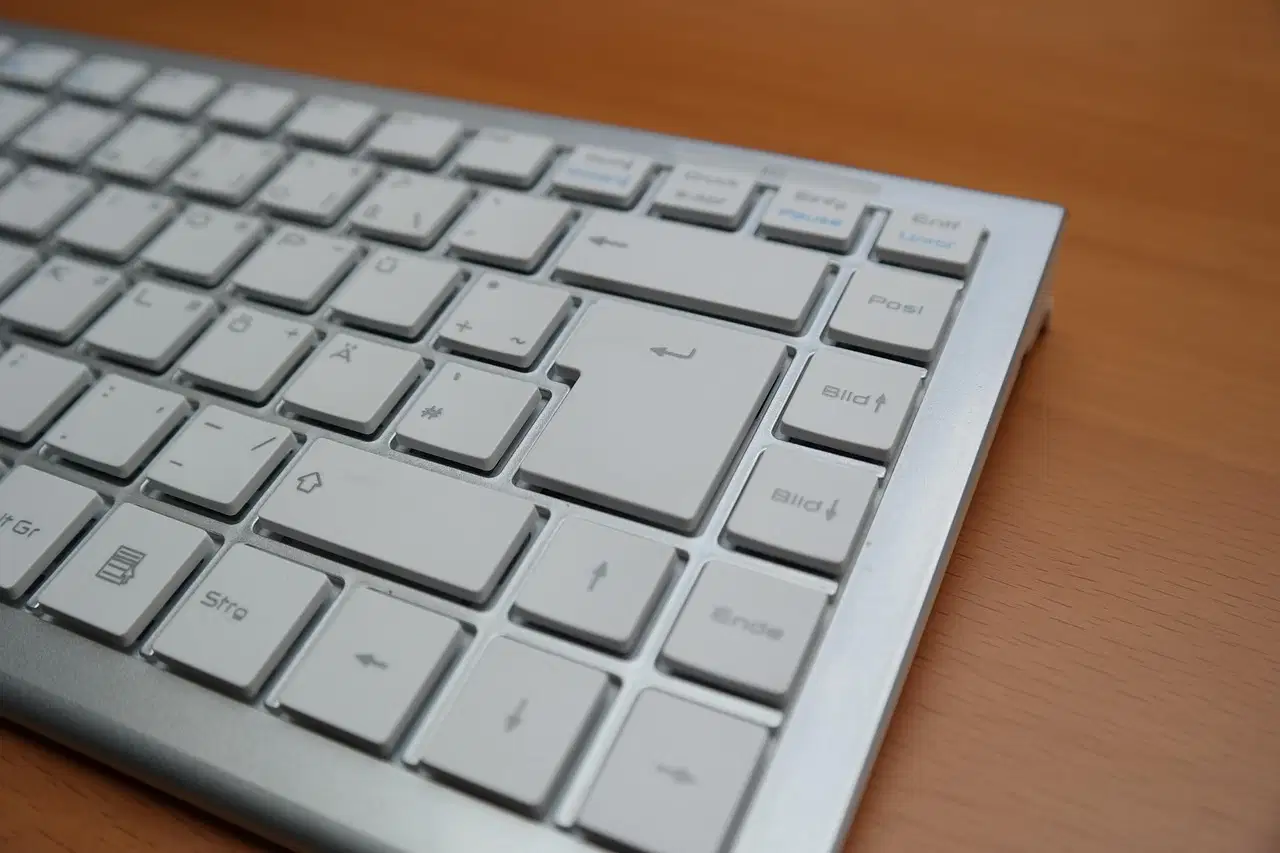
In a bulleted list, pressing (a) twice stops the list and returns to normal text.
The (a) is a tool at the top and left of the document for measuring margins and indents.

To highlight important text, use the (a) Highlight Color command on the Home tab.

If you want to decrease the indent level in a list, hold (a) and press Tab.
The default alignment for text in Word is (a) (to the left margin).
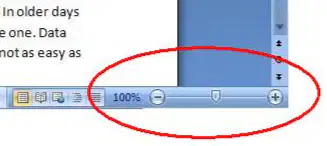
To zoom in/out on your document, drag the (a) slider in the bottom-right corner.
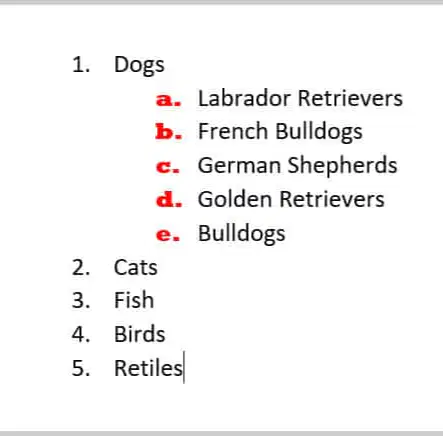
Describe how to create a simple numbered list from selected text. Include where to find the command.

Why might you use the Tell Me feature instead of clicking through tabs? Give an example.

List three formatting options you can apply to text on the Home tab, and explain what each does.
Match the Word feature to its description.
Backstage View
Accessed by clicking File tab
Bullets Command
Adds dots or symbols before list items
Change Case
Changes text to lower/UPPERcase
Increase Indent
Moves text further right for sublevels
Web Layout
Shows document like a webpage
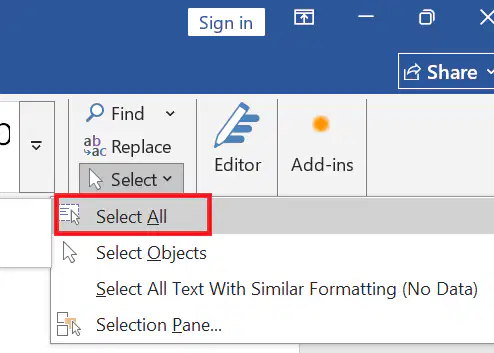
What tab do you click to find the 'Find' button?
Insert
Home
View
Layout
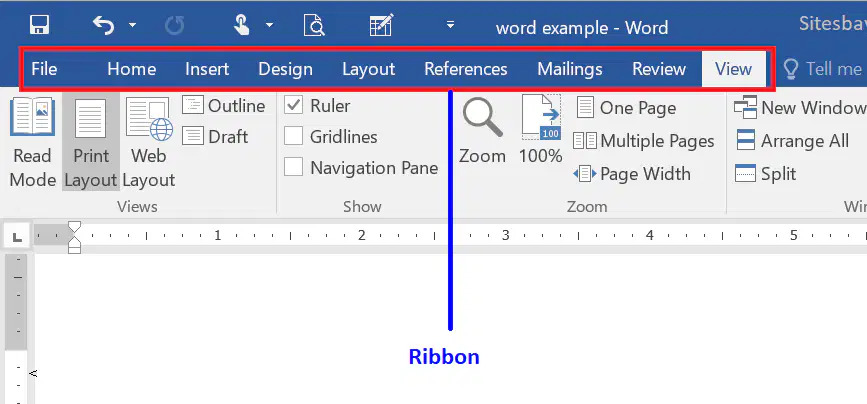
What does the 'Ribbon' in Microsoft Word contain?
Pictures and shapes
Tabs and tools for editing and formatting
Only the document name
The page number
What type of file does Microsoft Word usually save documents as?
.txt
.jpg
.docx
What is the purpose of formatting text in a Word document?
To decorate the document only
To change how text looks and make it easier to read
To fix grammar mistakes
To make the file smaller
What is the correct way to start a new Word document?
Click File → New
Click Home → Save
Click Insert → Picture
Click Design → Layout
Match the following
Font Size
Makes selected text larger or smaller
Numbered List
Applies automatic numbering to each line
Alignment
Adjusts left/right spacing of text
Quick Access Toolbar
Places common commands above toolbar
Pressing Enter while editing a list will:
End Word
Add a new list item
Change the font
Save the file
What is the function of the 'Format Painter' in Microsoft Word?
To save the document
To insert images
To change the document layout
To copy formatting from one part of the document to another

