
 Worksheets
Learning Module Quiz
Total questions: 70
Worksheet time: 35mins
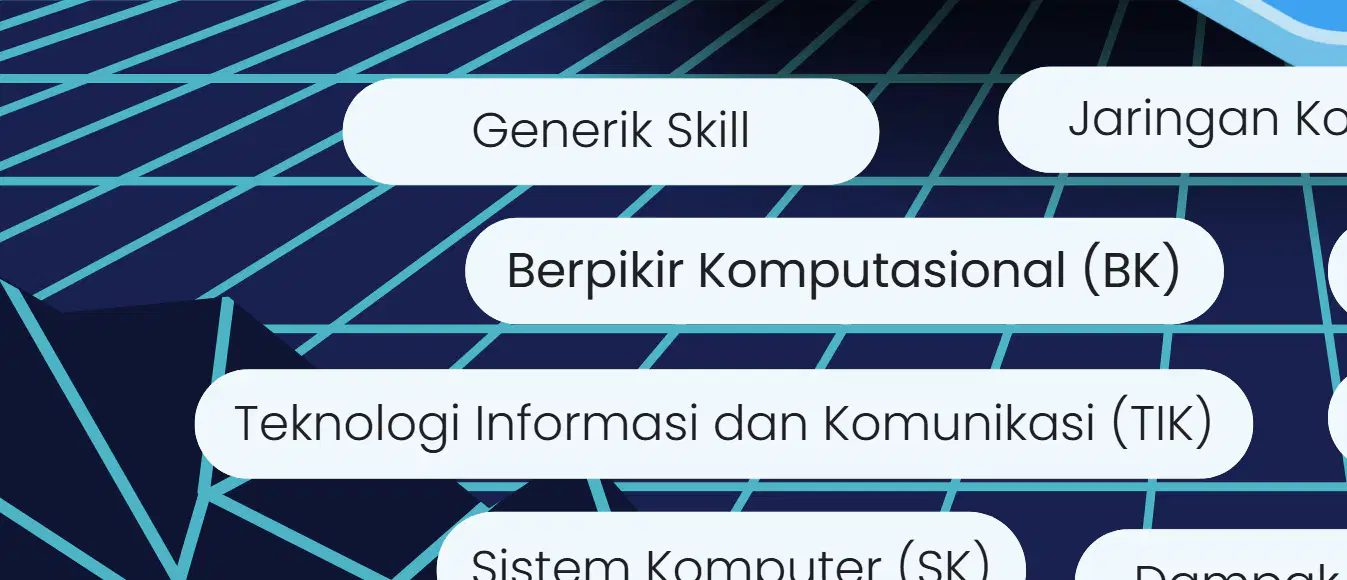
Apa judul modul pembelajaran yang ditampilkan dalam gambar?
Sistem Komputer
Teknologi Informasi
Jaringan Komputer
Algoritma dan Pemrograman
Which phase and academic year does the learning module belong to?
Phase A, TP 2023/2024
Phase B, TP 2022/2023
Phase D, TP 2024/2025
Phase C, TP 2025/2026
Who is the author of the learning module?
Yelvi Agnes Hutri
Agus Santoso
Rina Kartika
Budi Prasetyo
Which of the following topics is included in the learning module?
Biology
Jaringan Komputer dan Internet
Physics
Chemistry
What does 'PLB' stand for in the context of the learning module?
Praktik Lintas Bidang
Program Lintas Bidang
Pendidikan Lintas Bidang
Pelatihan Lintas Bidang
What is the main focus of the learning material titled "Modul Ajar Perangkat Keras Komputer"?
Understanding software development processes
Describing computer hardware components, functions, and operations
Learning about computer programming languages
Exploring the history of computers
Which of the following is a prerequisite for students before learning this material?
Knowledge of computer programming languages
Understanding algorithms, data representation, and scheduling
Familiarity with computer hardware assembly
Experience in coding and debugging
What is one of the expected outcomes for students in the "Profil Pelajar Pancasila" section?
Students will learn to memorize computer hardware terms
Students will develop critical thinking skills to find accurate concepts
Students will master advanced programming techniques
Students will focus solely on individual learning without collaboration
Which of the following tools is mentioned as part of the "Sarana dan Prasarana" for this learning material?
Projector, internet, and whiteboard
Laptop, internet, LCD, and writing tools
Desktop computer, printer, and scanner
Tablet, stylus, and coding software

An illustration showing various computer hardware components interconnected, symbolizing a system.
A diagram of a computer system
A map of a city
A food web
A solar system model
What is the learning model mentioned in the document?
Problem Base Learning
Project-Based Learning
Inquiry-Based Learning
Collaborative Learning
How many students are targeted for the learning activity?
20 students
25 students
30 students
35 students
What is one of the objectives of the learning activity?
To explain the types of software and their uses
To explain the parts of a computer system
To explain the history of computers
To explain the types of programming languages
Which assessment method involves peer evaluation?
Assessment as Learning
Assessment for Learning
Initial Assessment
Cognitive Assessment
What does the "B" category represent in the assessment criteria?
Good, if the student often performs statements 1 and 2 and does not perform statements 3 and 4.
Poor, if the student never performs statements 1 and 2 and often performs statements 3 and 4.
Average, if the student sometimes performs statements 1, 2, 3, and 4.
Excellent, if the student always performs statements 1, 2, 3, and 4.
What is the formula used to calculate the score in the assessment?
(score obtained ÷ maximum score) × 100
(maximum score ÷ score obtained) × 100
(score obtained × maximum score) ÷ 100
(score obtained + maximum score) × 100
What is the maximum score in the assessment?
10
12
100
25
What does the "TB" category represent in the assessment criteria?
Good, if the student often performs statements 1 and 2 and does not perform statements 3 and 4.
Poor, if the student never performs statements 1 and 2 and often performs statements 3 and 4.
Average, if the student sometimes performs statements 1, 2, 3, and 4.
Excellent, if the student always performs statements 1, 2, 3, and 4.
What is the score range for the "Sangat Baik (SB)" category?
50.01-75.00
25.01-50.00
75.01-100.00
00.00-25.00
What is the formula to calculate the score in the given material?
Maximum Score x 100
Score Obtained ÷ Maximum Score x 100
Maximum Score ÷ Score Obtained x 100
Score Obtained x Maximum Score ÷ 100
What does the score range 75.01-100.00 represent in the given material?
Good (B)
Very Good (SB)
Sufficient (C)
Poor (K)
If only one criterion is fulfilled in the 'Kerja Sama' section, what score is given?
6
2
1
0
What is the maximum score for the 'Kerja Sama' section?
2
4
6
8

This question includes a diagram.
This question includes a diagram.
This question does not include a diagram.
This question includes a table.
This question includes a graph.
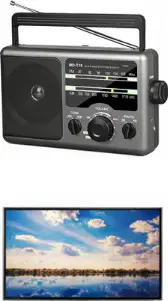
Which of the following is a computer device?
Radio
CPU
Television
Mixer
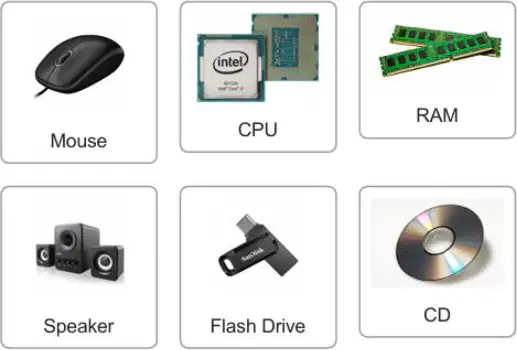
Categorize the following computer hardware into their respective groups: Input Device, Processor, Output Device, or Memory.
Keyboard - Input Device, CPU - Processor, Monitor - Output Device, RAM - Memory
Mouse - Output Device, CPU - Memory, Flash Drive - Processor, CD - Input Device
Keyboard - Processor, RAM - Output Device, Monitor - Memory, Speaker - Input Device
Mouse - Memory, CPU - Output Device, Flash Drive - Input Device, CD - Processor
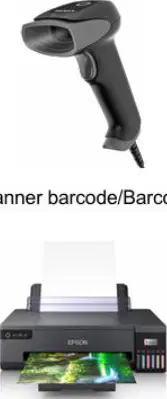
Which device is used by cashiers in supermarkets to scan barcodes and input data for purchased items?
CD
Barcode scanner
Mouse
Printer
What is the formula to calculate the score percentage based on the obtained score and maximum score?
(Obtained Score ÷ Maximum Score) × 100
(Maximum Score ÷ Obtained Score) × 100
(Obtained Score × Maximum Score) ÷ 100
(Maximum Score × Obtained Score) ÷ 100
What is the score range for the "Sangat Baik (SB)" category?
50.01–75.00
75.01–100.00
25.01–50.00
00.00–25.00
Which score range corresponds to the "Kurang (K)" category?
00.00–25.00
25.01–50.00
50.01–75.00
75.01–100.00
What is the name of the educational institution mentioned in the document?
UPT SMPN 1 Tanjung Baru
UPT SMPN 2 Tanjung Baru
UPT SMPN 3 Tanjung Baru
UPT SMPN 4 Tanjung Baru
In which academic year is the document applicable?
2023/2024
2024/2025
2025/2026
2026/2027
What is the class/phase/semester mentioned in the document?
VII/D/Semester 1
VII/E/Semester 2
VIII/D/Semester 1
VIII/E/Semester 2
What is the maximum score for writing four categories of computer hardware according to the scoring guidelines?
4
8
12
23
Which task has the highest score in the scoring guidelines?
Formulating a problem
Writing a hypothesis
Writing four categories of computer hardware
Filling in the computer hardware table
What is the criterion for writing a hypothesis according to the scoring guidelines?
Related to the learning objectives
Related to the problem in the video
Logical and aligned with the problem formulation
Writing all names of computer hardware
What is the formula to calculate the score in the given assessment system?
(Skor Maksimal x 100) / Skor Perolehan
(Skor Perolehan / Skor Maksimal) x 100
(Skor Maksimal / Skor Perolehan) x 100
(Skor Perolehan x Skor Maksimal) / 100
Which score range corresponds to the 'Sangat Baik (SB)' category in the grading system?
50.01-75.00
75.01-100.00
25.01-50.00
00.00-25.00
What is one of the tasks involved in determining the solution for a computer problem according to the document?
Writing a summary
Providing a creative solution
Categorizing hardware components
Explaining the function of hardware
What is the maximum score achievable in the assessment system described in the document?
50
75
100
25
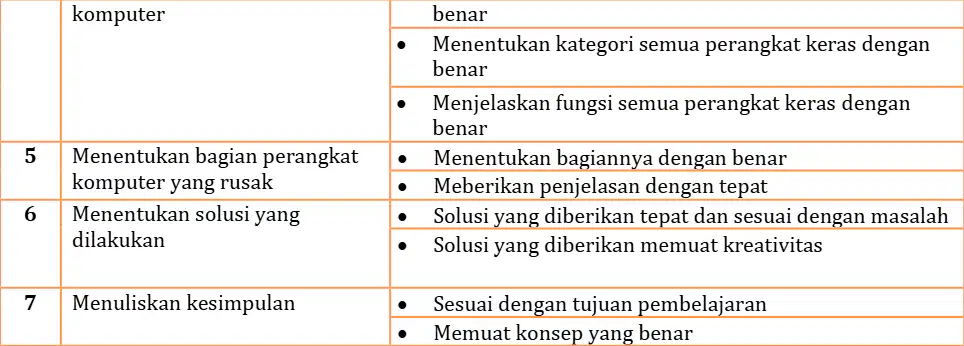
What is the maximum score achievable in the assessment system described in the document?
100
50
75
200
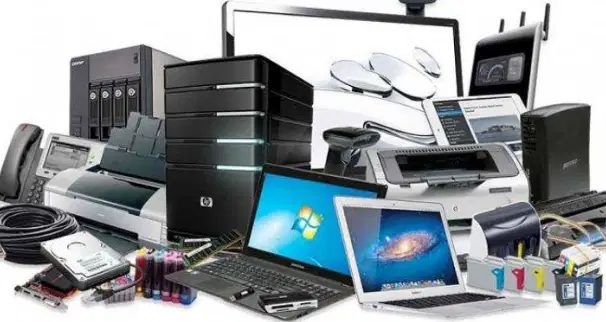
What is the role of hardware components in a computer system?
Hardware components are optional for a computer system to function.
Hardware components work together to form a unified system.
Hardware components are only used for storing data.
Hardware components are independent and do not interact with each other.
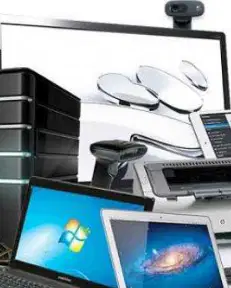
Which of the following is an example of a hardware component in a computer system?
Operating system
Keyboard
Software application
Internet browser
Why is it important for all hardware components in a computer system to function properly?
To ensure the computer system operates efficiently.
To allow the computer system to store more data.
To make the computer system look visually appealing.
To reduce the cost of the computer system.
What is the primary purpose of the orientation activity in the learning process described in the document?
To teach students about computer programming.
To create a safe and comfortable learning environment.
To introduce advanced computer systems.
To conduct a final assessment of students.
What question is asked to students during the diagnostic cognitive assessment in the learning process?
What are the benefits of using a computer system?
What hardware components do you already know about in a computer?
How does software interact with hardware in a computer system?
What is the history of computer systems?
What is the main benefit of learning about computer hardware as mentioned in the text?
To understand software programming.
To help with daily tasks and entertainment.
To learn about internet usage.
To improve typing speed.
In Phase 2, what is one of the tasks students are required to do?
Watch a video about computer hardware.
Identify concepts related to the problem.
Present solutions to the class.
Play a game related to computer hardware.
What activity is included in Phase 3 of the learning process?
Students create a hypothesis about the problem.
Students discuss actively to find solutions.
Students evaluate solutions presented by peers.
Students play a punch card game.
What is the purpose of Phase 5 in the learning process?
To organize students for learning tasks.
To evaluate and analyze problem-solving processes.
To watch a video about computer hardware.
To play a game related to computer hardware.
What is one of the activities included in the closing phase of the learning process?
Students are asked to summarize their learning experience.
Students watch a video about computer hardware.
Students play a punch card game.
Students identify damaged computer parts.
What is one way a teacher can close a learning session according to the material?
By assigning homework
By summarizing the lesson
By praying and giving greetings
By conducting a quiz
Which tool is mentioned for self-assessment in the learning material?
Microsoft Word
Google Form
Excel Spreadsheet
PowerPoint
What type of learning activity is suggested for future sessions according to the reflection section?
Watching videos
Practicum, presentations, or discussions
Reading textbooks
Writing essays
What are the four groupings of computer hardware components?
Input devices, output devices, processing devices, storage devices
Software, hardware, peripherals, network devices
Input devices, software, storage devices, network devices
Output devices, peripherals, software, processing devices
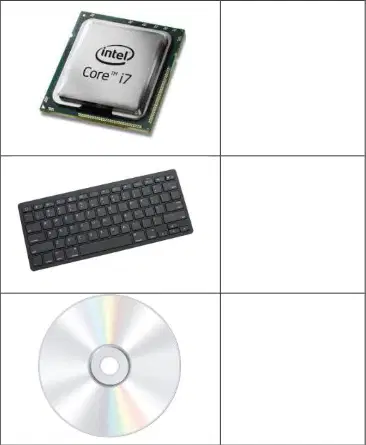
What is the primary function of a processor in a computer system?
To store data temporarily
To process and execute instructions
To input data into the system
To display output to the user
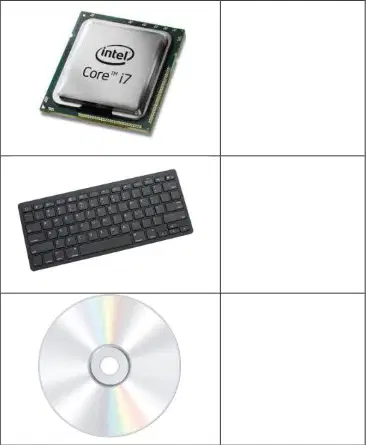
Which of the following devices is categorized as an input device?
Keyboard
Memory card
Processor
Computer tower
What type of device is a memory card primarily used as?
Input device
Output device
Storage device
Processing device
Which device is commonly used to scan barcodes in retail environments?
Keyboard
Barcode scanner
USB drive
Processor
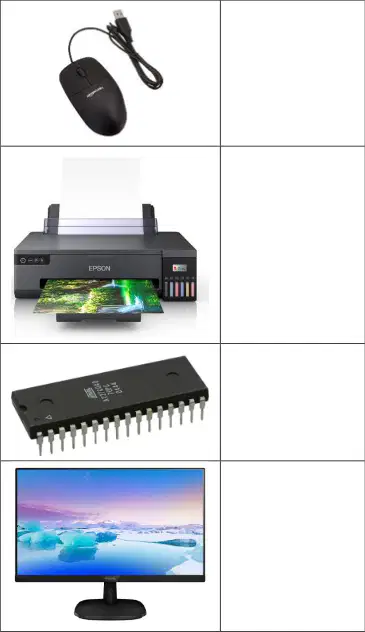
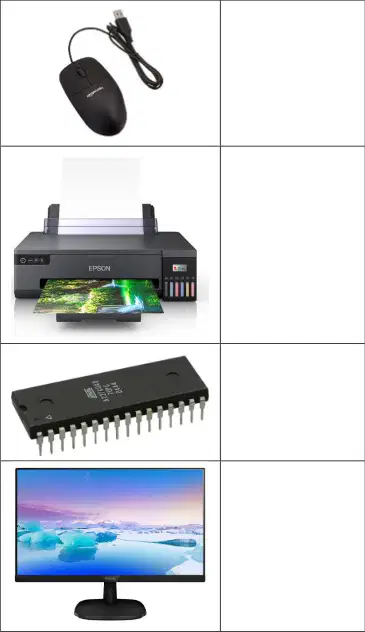
Which of the following devices is used to control the pointer on a computer screen?
Printer
Mouse
Monitor
Scanner
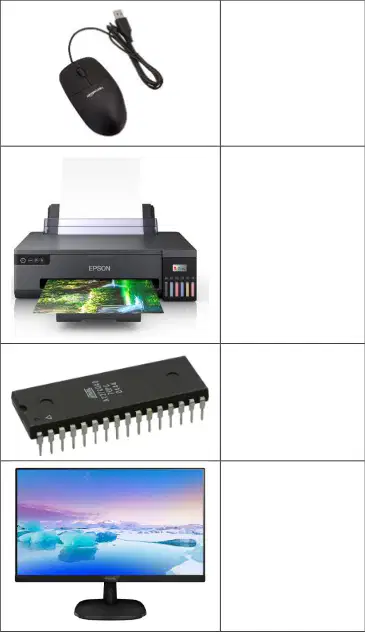
What is the primary function of a printer?
To display images
To print documents
To store data
To scan images
Which device is used to display visual output from a computer?
Monitor
Speaker
Scanner
Mouse
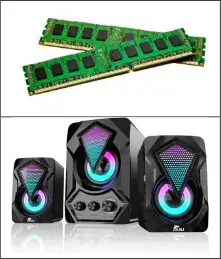
What is the function of RAM in a computer?
To store data permanently
To provide temporary memory for processing
To display output
To print documents
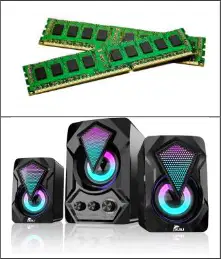
Which device is used to produce sound output from a computer?
Monitor
Speaker
Scanner
Mouse
What is the primary function of a sound card in a computer?
To process audio signals
To store data
To display images
To control the pointer
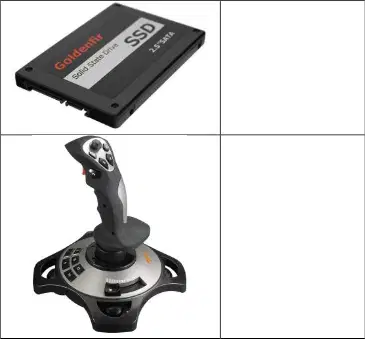
What is the purpose of an SSD in a computer?
To store data permanently
To provide temporary memory
To display output
To scan images
Which device is commonly used for gaming and simulation purposes?
Mouse
Joystick
Scanner
Printer
What is the primary function of a scanner?
To scan images or documents
To print documents
To store data
To display output

What is the main focus of the activity described in the learning material?
Presenting a problem and its solution based on a video.
Writing a summary of the day's learning.
Discussing unrelated topics in groups.
Creating a new video about problem-solving.
What is the purpose of the question "Apakah kesimpulan dari pembelajaran kita hari ini?" in the learning material?
To summarize the day's learning.
To introduce a new topic.
To evaluate the video content.
To create a group discussion.

