
 Worksheets
Google Workspace Skills Worksheet
Total questions: 82
Worksheet time: 41mins
Which shortcut is used to insert a comment in Google Docs?
Ctrl + Shift + C
Ctrl + P
Ctrl + Alt + M
Ctrl + N
Ctrl + Z
What feature in Google Sheets allows you to visually represent data?
Fonts
Filters
Conditional Formatting
Sheets
Charts
In Google Forms, what setting allows responses to be collected anonymously?
Set as required
Enable notifications
Do not collect email addresses
Add a section
Shuffle question order
What is the default file format for a document created in Google Docs?
.pptx
.xlsx
.docx
.gdoc
What is the maximum number of sheets you can create in a single Google Sheets document?
100
10
500
1000
No fixed limit
What option in Google Forms allows the creator to limit responses to one per user?
Add a password
Restrict by IP address
Limit responses in settings
Add a verification code
Require email address
Which formatting option in Google Docs lets you align text to the left, center, right, or justify?
Text Wrapping
Insert Header
Page Layout
Alignment
Font Size
What Google Sheets function returns the current date?
DATE()
TODAY()
NOW()
DAY()
CURRENT()
In Google Forms, what does the "shuffle question order" feature do?
Mixes the responses randomly
Shuffles all questions for each user
Only mixes choices in multiple choice
Randomizes font and layout
Saves all responses automatically
Which tool in Google Docs allows you to translate the document into another language?
File > Export
Tools > Translate Document
View > Languages
Insert > Language Pack
Format > Text Language
In Google Forms, which setting lets you show respondents a summary of their responses?
Show progress bar
Publish results
Collect data in Sheets
Enable response view
Which option in Google Docs is used to set a specific page layout (such as landscape)?
Insert > Page
Edit > Layout
File > Page Setup
Format > Layout
View > Orientation
In Google Sheets, what does the UNIQUE() function do?
Finds unique values in a range
Filters rows with similar data
Calculates average values
Counts total items
Sorts alphabetically
Which of the following lets you restrict answer options in Google Forms to numbers only?
Use a multiple-choice question
Apply response validation
Add a dropdown list
Enable file upload option
Set question type to paragraph
What is the purpose of "Conditional Formatting" in Google Sheets?
To set page margins
To adjust font sizes automatically
To apply styles based on cell content
To freeze header rows
To protect specific ranges
Which Google Sheets function allows you to combine the text from two cells?
=CONCATENATE()
=JOIN()
=SPLIT()
=MERGE()
=TEXT()
How do you make a Google Docs document available offline?
File > Share
File > Make available offline
View > Offline mode
Tools > Preferences
Edit > Offline settings
Which feature in Google Forms allows you to shuffle answer options randomly?
Required question
Response validation
Shuffle option order
Add section
Go to section based on answer
Which Google Sheets tool can help you predict future trends based on your data?
Trendline
Conditional formatting
Data validation
Filter
Solver
In Google Docs, which mode allows others to suggest edits without directly changing the document?
Editing mode
Viewing mode
Suggesting mode
Review mode
Commenting mode
What makes Figma a popular choice for design teams?
It offers drag-and-drop features for website creation
It allows teams to collaborate in real-time on prototypes
It includes marketing templates for social media posts
It is a tool for video editing
How do you ensure that a formula always references a specific cell, even if you copy the formula to another cell?
Use a named range for the cell
Use an absolute reference with (e.g., A$1)
Lock the cell using Data > Protect sheets and ranges
Use the QUERY function
What happens when you drag a formula down a column with a relative cell reference (e.g., A1+B1)?
The references remain fixed for all rows
The references shift to the corresponding row (e.g., A2+B2)
The formula applies only to the first cell
Google Sheets shows an error
How can you apply a single formula to an entire column without dragging it down manually?
Use the QUERY function
Press Ctrl + Enter after writing the formula
Wrap the formula with ARRAYFORMULA()
Format the column as a formula field
What does the function =LEN(A1) return?
The number of characters in the cell A1, including spaces
The length of the row containing A1
The total number of numeric values in A1
An error if A1 contains text
Which formula correctly identifies whether a cell is blank?
=IF(A1="", TRUE, FALSE)
=ISBLANK(A1)
=LEN(A1)=0
=BLANK(A1)
Which tool in Google Docs allows you to automatically insert a table of contents?
Table
Page numbering
Table of contents
Header and footer
Image
Which tool in Google Docs can be used for translating text?
Auto-replace
Google Translate
Translator in the "Tools" menu
Manual translation
Grammarly extension
Which feature allows you to add a comment in Google Docs?
Right-click → Add Comment
Click the comment icon in the toolbar
Select text and press Ctrl + Alt + M (Windows) / Command + Option + M (Mac)
All of the above
You cannot add comments in Google Docs
Which feature allows Google Forms responses to be automatically graded?
Convert to Quiz
Auto-Grade Mode
Response Scoring
Test Answer Checker
Smart Quiz
Which setting prevents multiple responses from the same user?
Enable "One response per person"
Require email authentication
Enable "Anonymous Mode"
Enable "Response Protection"
Require CAPTCHA
How can you share a Google Form with others to collaborate on editing?
Click "Share" and add email addresses
Copy the form link and send it
Publish it on the web
Convert it into a PDF
Download and send it via email
You're building a dynamic report where the user selects a product from a dropdown list in cell A1. You want to show the total sales for that product using a formula. Which of the following should you use?
=SUMIF(A2:A100, A1, B2:B100)
=VLOOKUP(A1, A2:B100, 2, FALSE)
=SUMIFS(B2:B100, A2:A100, A1)
=FILTER(B2:B100, A2:A100=A1)
=ARRAYFORMULA(SUMIF(A2:A100, A1, B2:B100))
How can you enable advise mode in Google Docs, allowing collaborators to propose changes?
Select "Collaborate Mode"
Switch to "Suggesting" mode
Enable "Review Mode"
Add comments
Turn on Track Changes
Which question type allows users to provide long-form answers?
Short answer
Paragraph
Multiple choice
Dropdown
Checkboxes
How can you set a time limit for completing a Google Form?
Enable "Time Restriction" in settings
Set "Auto-Submit"
Use "Form Timer" function
Google Forms does not have a built-in time limit feature
Use a Google Forms add-on
You need to create a form where the same person can submit it multiple times, but each new submission must automatically overwrite the previous response in the linked Google Sheet (same row). Natively possible?
Toggle "Allow response editing" + "Limit to 1 response"
Use pre-filled links with unique identifier
Each submission always creates a new row
Via Apps Script on FormSubmit trigger with search-and-replace
Responses > Collect email addresses > Edit after submit
You created a quiz with "Go to section based on answer". One of the sections contains a required question. A student chooses an answer that leads to a different section, skipping the required question. What happens when he clicks Submit?
Form shows error "This question is required"
Form submits successfully
Form freezes and shows infinite loading
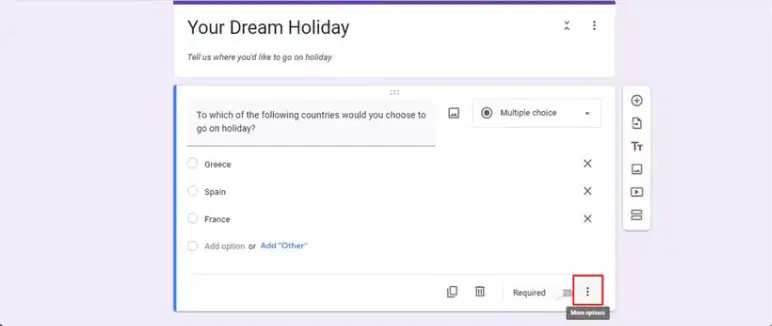
Referring to the screenshot below of a logic branching setup in Google Forms, if you wanted to extend this to include data validation on short answer questions within branched sections, release scores automatically upon submission, and notify via email, which additional steps are required?
Settings > Responses > Collect email addresses > Send email.
Responses > Collect email addresses > Send email.
Questions > Short answer > Response validation
Add-ons > Install Form Notifications, but native notifications are limited.
Responses > Link to Sheets > Analyze with charts, post-collection.
Which action will not appear in "Activity Dashboard → Viewers"?
Viewing the file without a Google account
Opening the file through a public link without signing in
Adding a comment to the document
Viewing with activity tracking disabled
Viewing by the owner
How does Canva determine spacing in "Flow" mode?
Physical simulation
Fibonacci grid
Node distribution algorithm
Fixed 8-point spacing system
Collision-based layout
What is the main purpose of using "Flow" navigation-style transitions in Canva?
To simulate app-like movement
To change slide brightness
To reduce file size of objects in canva
To apply image filters
To align text automatically
Which feature helps Canva detect the same object between two slides?
Smart Cut
Auto Align
Match & Move
Quick Animate
Slide Sync
Which feature makes Napkin AI effective for brainstorming?
Auto-organization of nodes
File encryption
HTML preview
Multi-language export
Keyboard shortcuts only
What does Napkin AI do when importing large text?
Converts it into a mind map
Compresses to 200 characters
Removes headings
Converts into a table
Splits it into semantic blocks
An interactive toggle component works inside component preview. But inside prototype flow, the toggle turns on but does NOT animate back to off. Reason? (Figma)
Prototype mode cannot animate back to initial state
Two interaction triggers conflict because they target the same variant
The parent frame has "clip content" enabled
The instance has overrides that remove one of the state transitions
The component uses nested auto-layout in reversed direction
Which of the following belongs to UI components rather than UX processes?
Wireframing
User Flow Mapping
Navigation Bar
Usability Testing
Scenario Building
Which concept refers to widely used solutions for recurring UI/UX problems?
System Tokens
Random Layouts
Design Patterns
Visual Palettes
Interaction Shadows
Your portfolio site suddenly drops in search ranking. The design remains unchanged. What is the MOST likely overlooked factor in Wix?
Too many pages
Missing alt-text on new uploaded images
Color theme mismatch
Excessive use of animations
Using a template instead of blank site
You add a multilingual feature. Some pages translate correctly; others stay unchanged. The root cause is most likely: (Wix)
Wrong font selection in language settings
Page visibility not enabled in language settings
Templates incompatibility in language settings
Too many animations in language settings
Hidden sections dropped in language settings
Your portfolio loads slowly on mobile. Most probable reason? (Wix)
Wrong color palette
Heavy images
Multilingual settings
Missing favicon
Wrong template selected
Everything looks correct inside the Wix Editor. After publishing, some sections shift 30px left. Why?
Cached version of a previous stylesheet loads
Wix applies automatic margin compensation for responsive breakpoints
An external script injected through Velo modifies CSS box-model
Anchors reposition on load
Images force their intrinsic aspect ratios on publish
A lightbox closes fine in Preview but fails on the published site. Why?
"Close on overlay click" disabled
Velo script prevents default events
Wrong z-index
Hidden mobile layer
Load time too slow
Which action improves the clarity of a portfolio website on Wix?
Grouping projects logically
Missing alt-text
Excessive animations
Overusing parallax effects
Using a single long scrolling page only
Which menu allows you to insert page numbers in Google Docs?
Insert
Format
Tools
Edit
View
How can you check word count in Google Docs?
Tools → Word Count
File → Document Details
Edit → Count Words
View → Document Statistics
Format → Word Counter
Which function allows multiple users to edit a Google Docs file at the same time?
Real-time collaboration
Offline mode
Read-only mode
Track Changes
Version History
How can you restore an earlier version of a Google Docs document?
File → Version history
Edit → Undo
File → Revert Changes
Tools → Restore File
There is no way to restore a previous version
How can you create a required question in Google Forms?
Enable "Required" in the question settings
Use "Must Answer Mode"
Add an asterisk (*) in the question
Use "Auto-Complete"
Set a time limit
Which setting allows only users from a specific domain to respond to a Google Form?
"Private Mode"
"Single-Use Form"
"Password Protection"
"Domain Filtering"
"Restrict to users in domain"
You’re working with a spreadsheet of daily sales. You need to highlight all rows where sales are over 10,000 AND the region is “West”. Which of the following custom formulas should you use in conditional formatting?
=OR(B2>10000; C2="West")
=IF(B2>10000, C2="West")
=AND(B2>=10000; C2="West")
=AND(B2>10000; C2="West")
=IF(AND(B2>10000, C2="West"), TRUE, FALSE)
Which tool in Google Docs can be used to assign tasks to specific people?
Tasks Panel
Assignments Tool
Comment Mentions
Google Keep Integration
Document Lock
How can you automatically send form responses to a Google Sheets file?
Click "Export as CSV"
Enable "Link to Google Sheets" in form settings
Copy and paste the data manually
Enable "Data Sync"
Use a Google Apps Script
Which type of question in Google Forms allows users to rank options in order of preference?
Multiple Choice
Checkbox Grid
Dropdown
Ranking
Linear Scale
In Google Forms, if you wanted to release scores automatically upon submission, and notify via email, which additional steps are required?
Settings > Responses > Collect email addresses > Send email.
Responses > Collect email addresses > Send email.
Questions > Short answer > Response validation
Add-ons > Install Form Notifications, but native notifications are limited.
Responses > Link to Sheets > Analyze with charts, post-collection.
You created a quiz with "Go to section based on answer". One of the sections contains a required question. A student chooses an answer that leads to a different section, skipping the required question. What happens when he clicks Submit?
Form shows error "This question is required"
Form submits successfully
Form freezes and shows infinite loading
Student is automatically redirected back to the skipped section
Depends on the "Collect email addresses" setting
Which action will not appear in “Activity Dashboard → Viewers”?
Viewing the file without a Google account
Opening the file through a public link without signing in
Adding a comment to the document
Viewing with activity tracking disabled
Viewing by the owner
You need to create a form where the same person can submit it multiple times, but each new submission must automatically overwrite the previous response in the linked Google Sheet (same row). Natively possible?
toggle "Allow response editing" + "Limit to 1 response"
use pre-filled links with unique identifier
each submission always creates a new row
via Apps Script on FormSubmit trigger with search-and-replace
responses > Collect email addresses > Edit after submit
Which feature helps Canva detect the same object between two slides?
Smart Cut
Auto Align
Match & Move
Quick Animate
Slide Sync
What is the primary reason designers use “Match & Move” in Canva?
To auto-generate brand colors
To maintain object continuity across slides
To export animated GIFs
To sharpen low-quality images
To replace fonts globally
What is the key advantage of using Match & Move in Canva?
Changing typography automatically
Auto-generating logos
Smooth movement
Preparing slides for print
Adding audio effects
What is the purpose of infographics in Napkin AI?
To visualize complex information clearly and concisely
To write and execute software code
To manage email marketing campaigns
To edit high-resolution videos
Infographics in Napkin AI are useful when:
Presenting complex data visually
Removing backgrounds from photos
Converting video to text
Saving large files
Splits it into semantic blocks
Which interaction property does not impact the smoothness of Figma prototype animations?
Smart Animate Matching Layers
Easing
Duration
Delay
Layer Export Settings
Which statement about Responsive Design in Figma is correct?
Constraints only work inside Auto Layout
Auto Layout makes Constraints unnecessary
Mixing Auto Layout + Constraints simulates
Constraints apply only to text elements
Auto Layout does not support Fill container behavior
Which method is the most reliable for determining the best user flow in Figma?
Designing stateless wireframes
Running A/B tests directly inside Figma
Using Logic Flows with Breakpoints
Testing a clickable prototype with real users
Exporting frames manually and testing in a browser
Which improvement will most enhance usability for a portfolio built in Wix?
Hiding navigation across all pages
Placing all work on a single long page
Adding project filters and categories
Enabling auto-play on videos
Enlarging all images to maximum size
Which of the following is not a real advantage of Wix Multilingual?
Automatically duplicating pages
Manually editing each language
Separate SEO settings per language
Automatic professional translation of all text
Translation of system UI elements
Everything looks correct inside the Wix Editor. After publishing, some sections shift 30px left. Why?
Cached version of a previous stylesheet loads
Wix applies automatic margin compensation for responsive breakpoints
An external script injected through Velo modifies CSS box-model
Anchors reposition on load
Images force their intrinsic aspect ratios on publish
Which action improves the clarity of a portfolio website on Wix?
Grouping projects logically
Removing visuals entirely
Using long unformatted paragraphs
Disabling navigation
Avoiding any image descriptions
A lightbox closes fine in Preview but fails on the published site. Why?
“Close on overlay click” disabled
Velo script prevents default events
Wrong z-index
Hidden mobile layer
Load time too slow
Your portfolio loads slowly on mobile. Most probable reason? (Wix)
Wrong color palette
Heavy images
Multilingual settings
Missing favicon
Wrong template selected

