
 Worksheets
Grade 3 Final ICT Practice Semester 1
Total questions: 26
Worksheet time: 6hrs 20mins
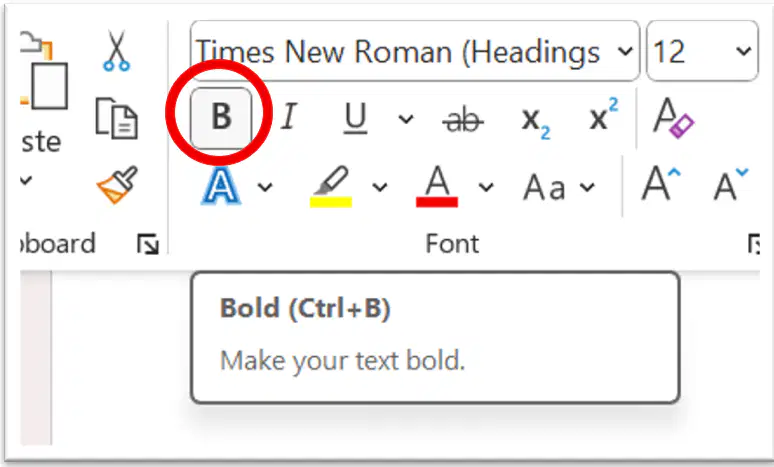
Which icon makes your text look thicker and darker?
italic
bold
underline
color
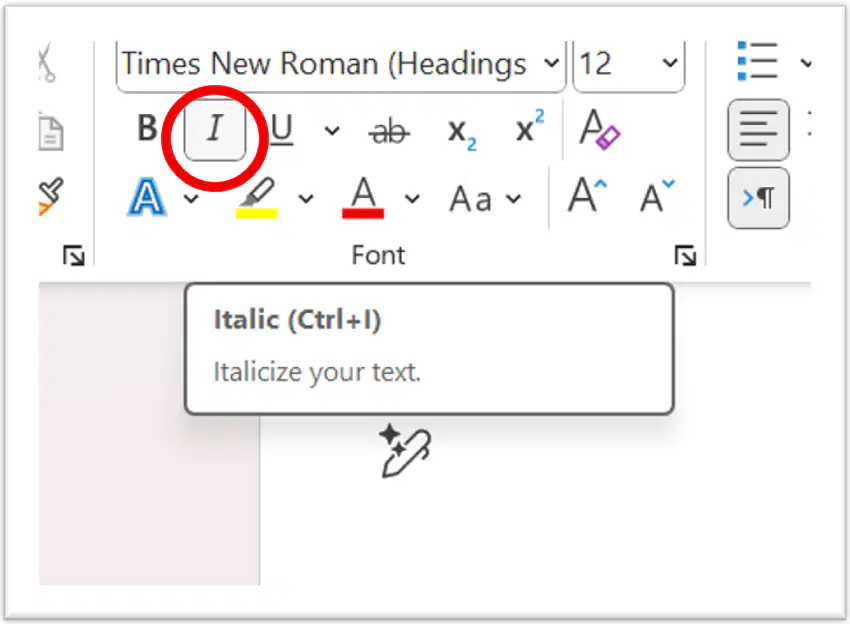
Which icon makes your text look slanted?
italic
bold
underline
color
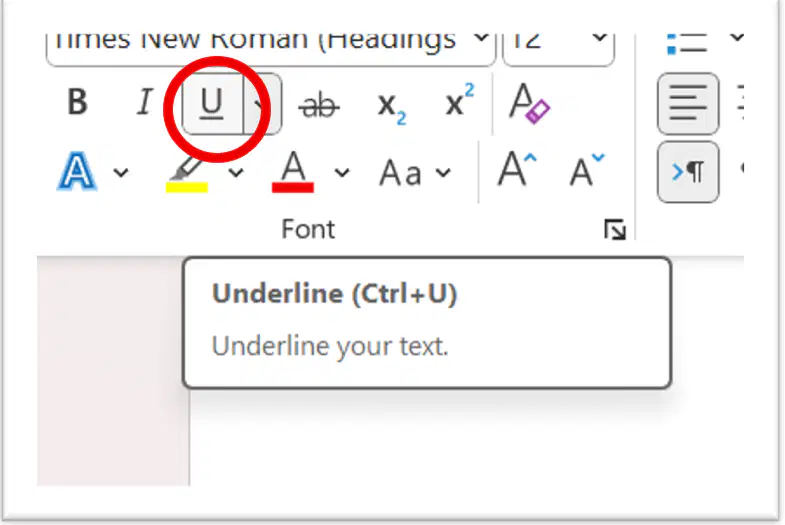
Which icon shows a line under your text?
italic
bold
underline
color
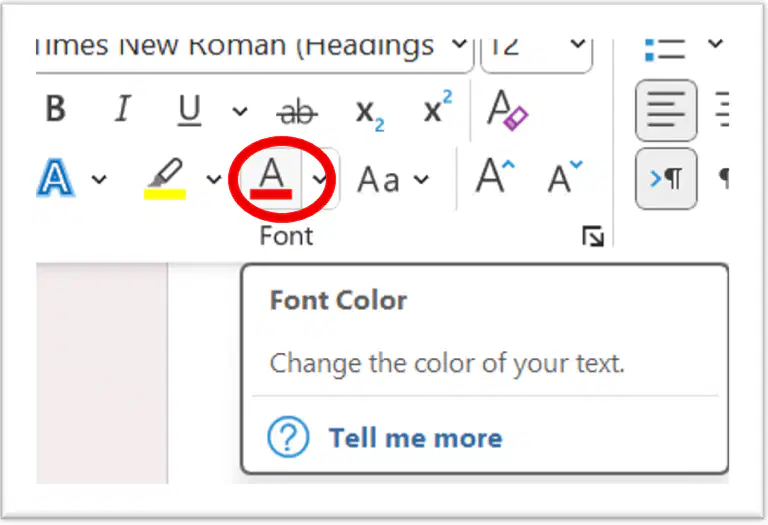
Which icon shows colored text?
italic
bold
underline
color
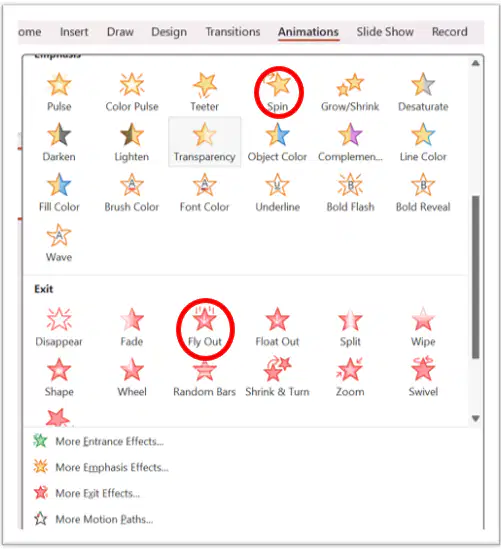
"Fly Out" and "Spin" are examples of what?
Transitions
Fonts
Animations
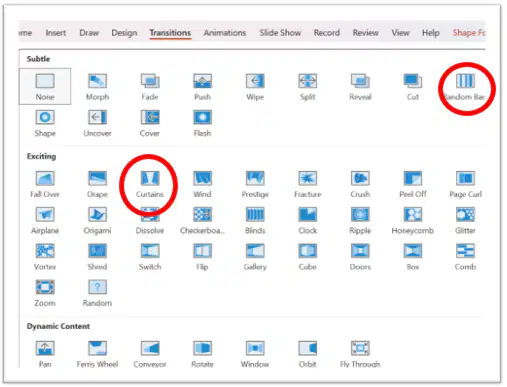
Curtains and Random Bars are both Transitions.
True
False
Arcs and Appear are both Transitions.
True
False

What is "Copyright" in simple terms?
You can copy anything you see on Google for free.
You need permission from the copyright owner

If a picture is in the "Public Domain," what does that mean for you?
You must delete it after one hour
You are free to use it however you want without asking for permission

What is unique about "Creative Commons (CC)"?
You can reuse it, but there are some laws.
You are not allowed to reuse it.

The Snipping Tool is used to cut out a small piece of a picture.
True
False
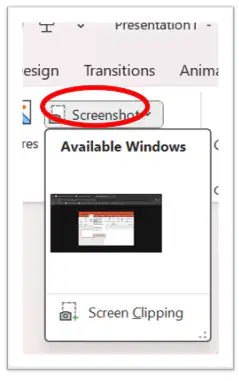
If you want a full picture of your screen, you can take a screenshot.
True
False
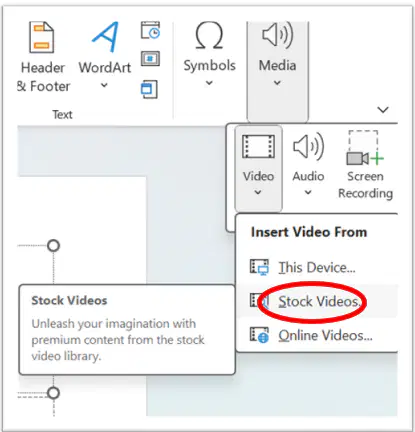
Stock Videos can be added using a link in PowerPoint
True
False
You should always make a plan before you start making a PowerPoint
True
False
In PowerPoint, if you select online pictures, does that mean it saved on your computer?
Yes
No
With transitions you can not make your slides spin or fade.
True
False
Never practice or check spelling before presenting your PowerPoint Presentation
Never practice
You should practice
Transitions ...
is a style or way letters look
is the main idea on PowerPoint slide
helps to move between different slides
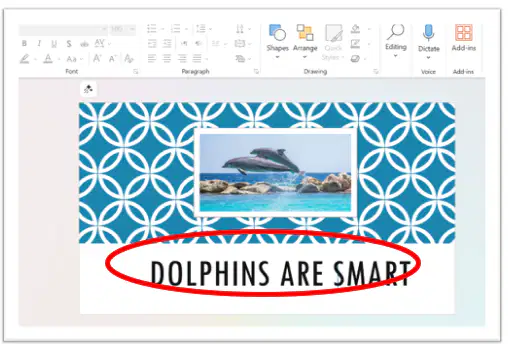
Title...
is the main idea that appears on a slide in PowerPoint
makes your font bold
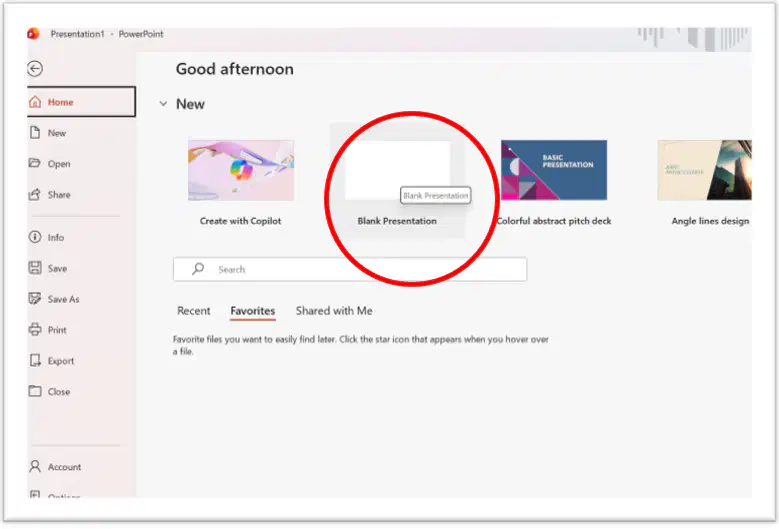
Making a PowerPoint Presentation: Step 1
Is this how you open Microsoft PowerPoint and create a new blank presentation.
Yes
No
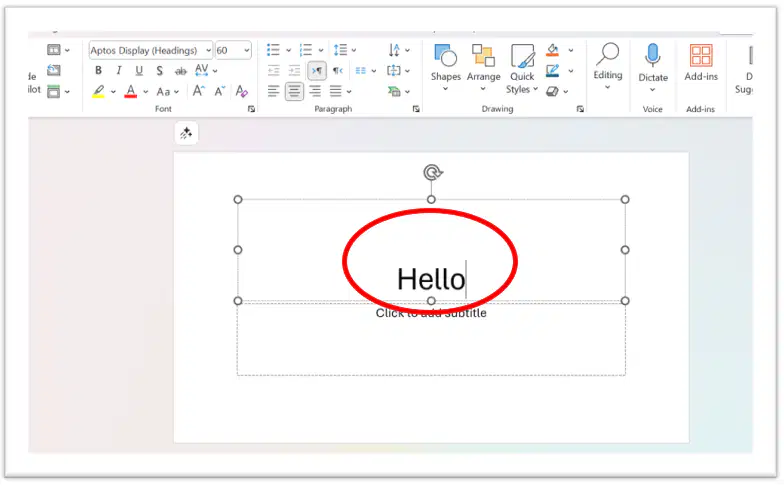
Making a PowerPoint Presentation: Step 2
Is this how you click on the title box and type a text?
Yes
No
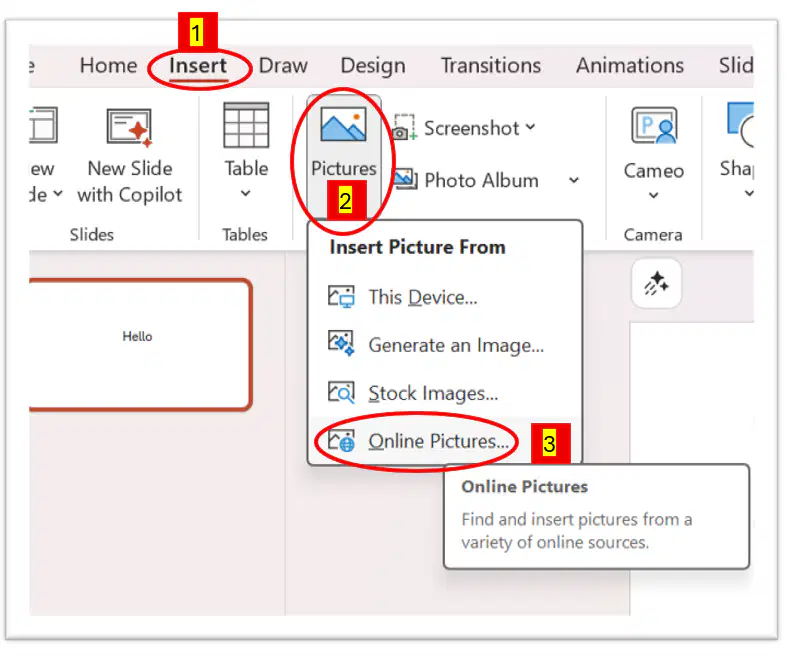
Making a PowerPoint Presentation: Step 3
Click (Insert - Pictures - Online Pictures) and select a picture and add it to your slide.
Yes
No
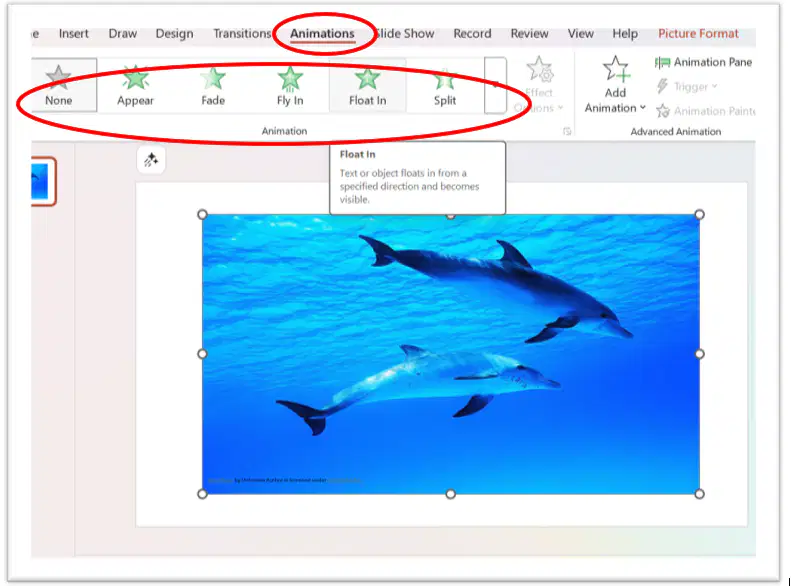
Making a PowerPoint Presentation: Step 4
Click on your picture, go to the Animations tab, and choose an animation.
Yes
No
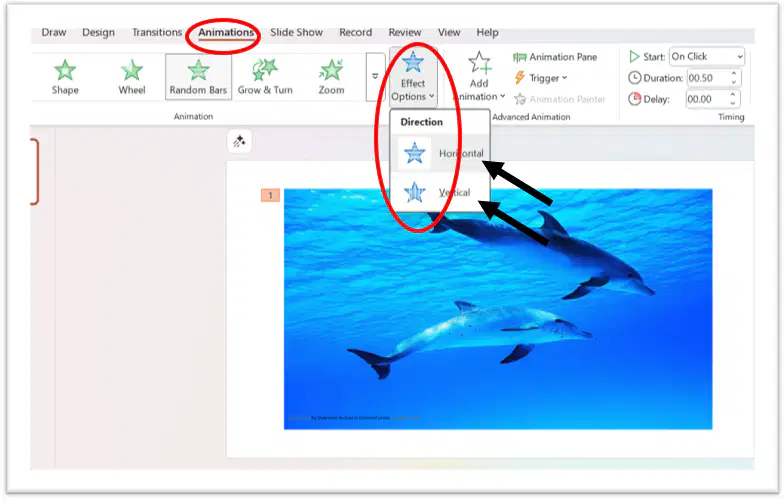
Making a PowerPoint Presentation: Step 5
While the picture is selected, click Effect Options to change the direction of the animation.
Yes
No
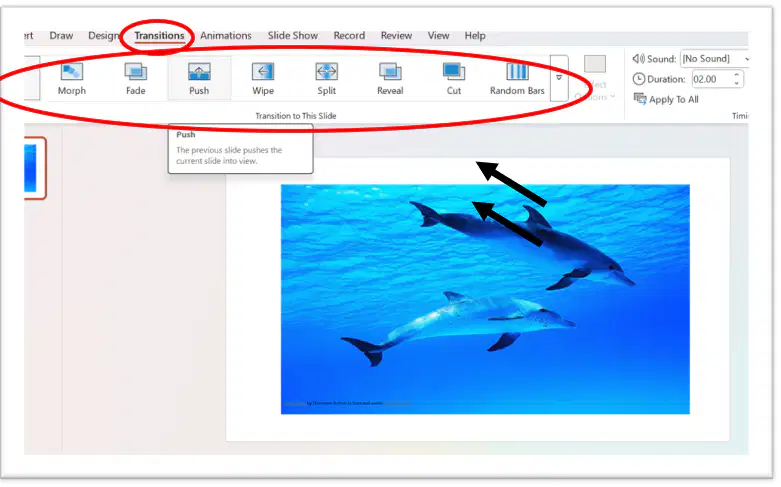
Making a PowerPoint Presentation: Step 6
Go to the Transitions tab and pick a transition for your slide.
Yes
No
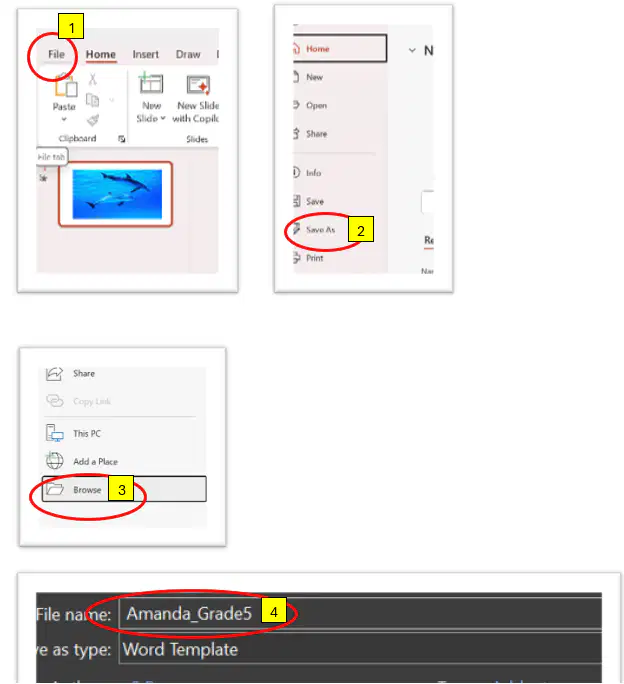
Making a PowerPoint Presentation: Step 7
Save your presentation using your full name and store it on the desktop.
Yes
No

