
 Worksheets
let's paint
Total questions: 19
Worksheet time: 10mins
You want to design a simple cartoon person. What should you start with?
Installing printer drivers immediately
Changing the Wi‑Fi password first
Basic shapes like circles and lines
Editing the system startup files
A class wants a unique mascot in ScratchJr. What feature supports this plan?
Built-in math worksheet tool
Automatic code generation
Audio-only recording mode
The option to draw characters
When you open the paint editor, which feature helps you pick colors?
Spam filter tool
Network proxy tool
Color palette tool
Taskbar settings
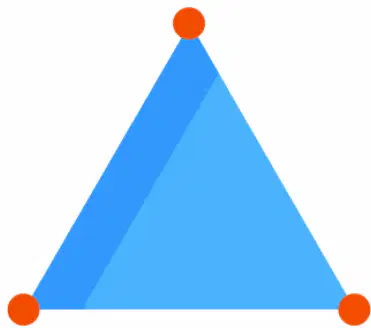
Which sequence best describes a simple procedure to draw the triangle in a paint program?
Choose fill, click background, export file
Choose eraser, remove lines, save image
Choose line, draw three lines, close shape
Choose brush, draw circle, add color
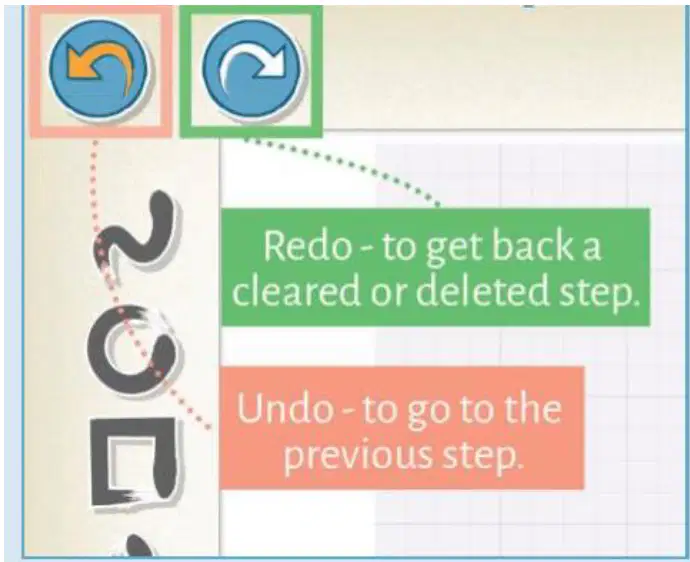
What is the main purpose of the redo option?
Save the drawing automatically
Erase the entire drawing
Get back a cleared or deleted step
Repeat the previous step

After choosing the triangle shape, what is the next setting you should adjust before drawing?
Canvas export format
Undo history length
Background grid visibility
Line thickness slider control

Why is choosing line thickness important when drawing shapes?
It controls how bold shape edges look
It changes the canvas pixel size
It locks the grid background lines
It hides the undo and redo buttons

What is the main instruction shown next to the cartoon triangle character?
Speak a voice command to draw
Shake the tablet to clear
Type the word triangle to start
Tap and drag your finger to draw
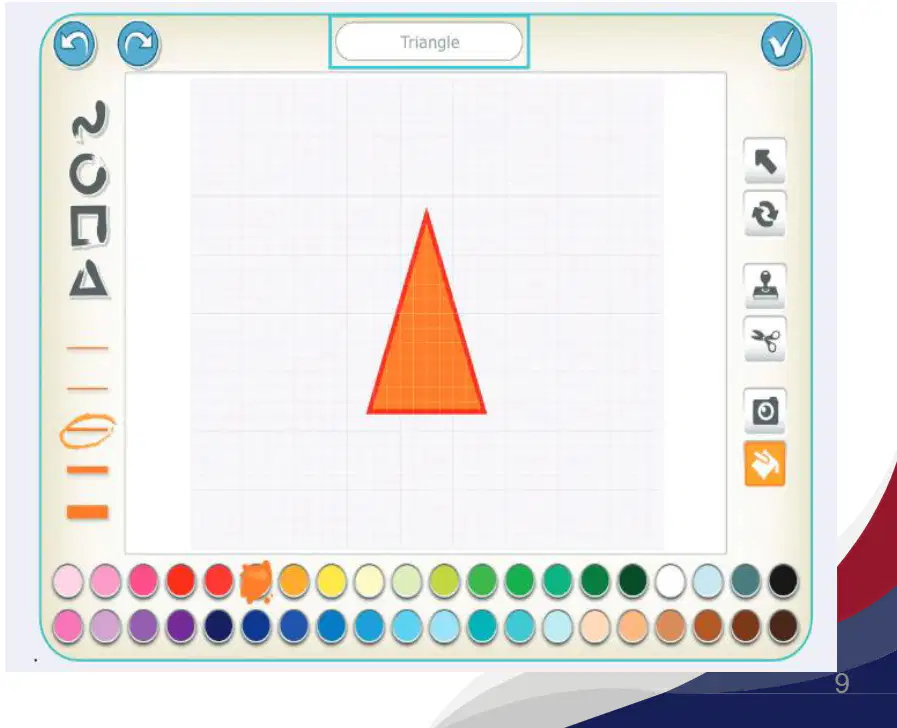
When you tap and drag to draw a triangle, what happens if you don’t move your finger?
A small dot is placed only
A rectangle is auto-created
The app switches tools automatically
The color palette closes
Why might the fill tool not color your triangle as expected?
Eyes are added
Canvas is too big
Palette is hidden
Outline has gaps
Which side of the screen shows quick actions like undo and confirm in the drawing app?
Left bottom
Top corners
Bottom edge
Center grid
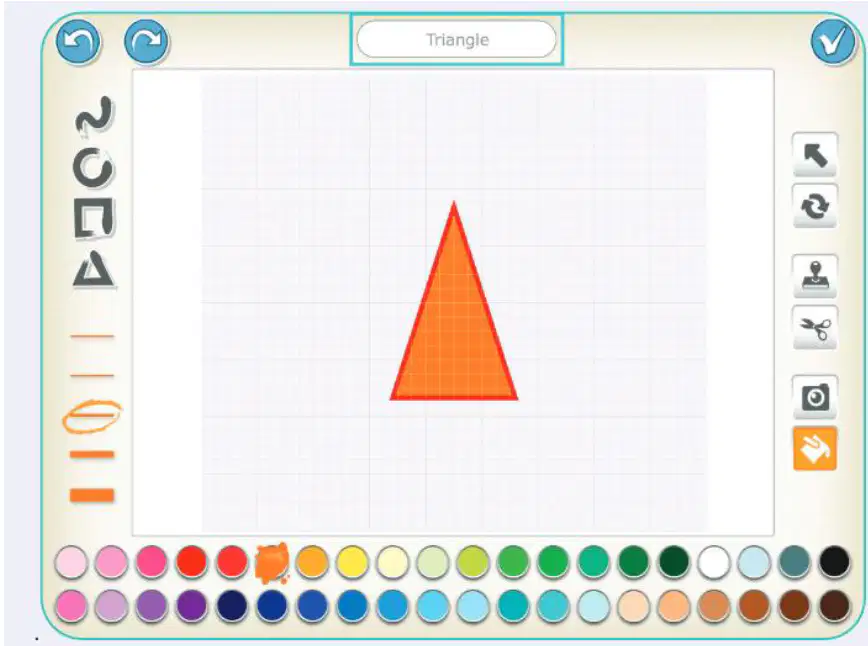
Which part of the app holds different colors to choose from?
Right action buttons panel
Bottom color palette row
Top text title bar
Left shape tool column
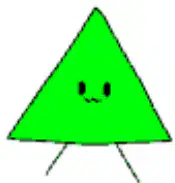
You want the triangle to be green. What should you do?
Select green, then tap inside
Select red, then tap outline
Select blue, then tap background
Select orange, then tap toolbar
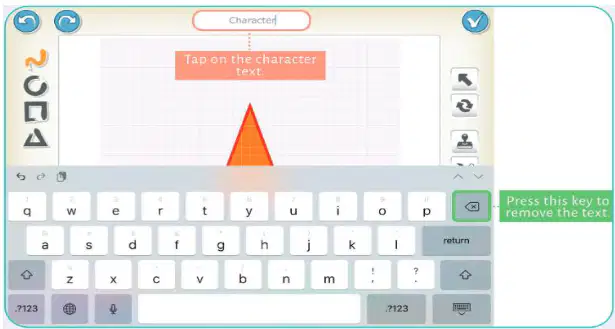
Why is tapping on the character text needed before renaming?
To select the triangle shape tool
To open the color palette menu
To place the cursor in the name field
To start a new canvas project
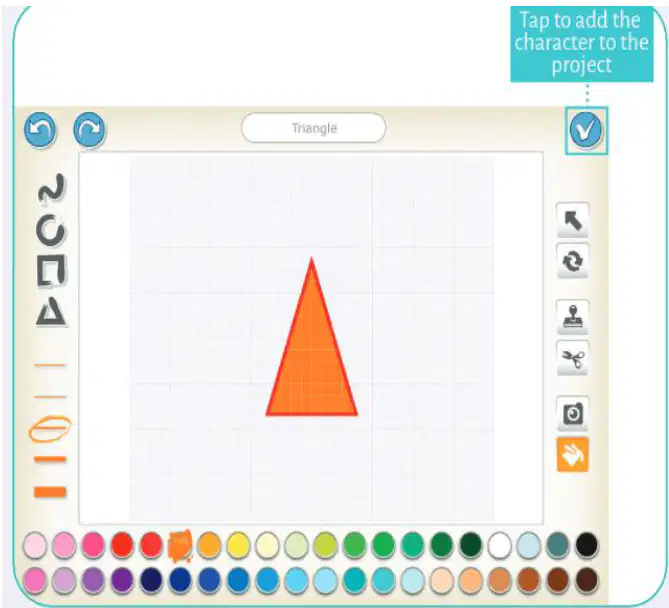
Which shape is shown being created in the design app?
A rectangle with long sides
A triangle with three sides
A square with four sides
A circle with no corners
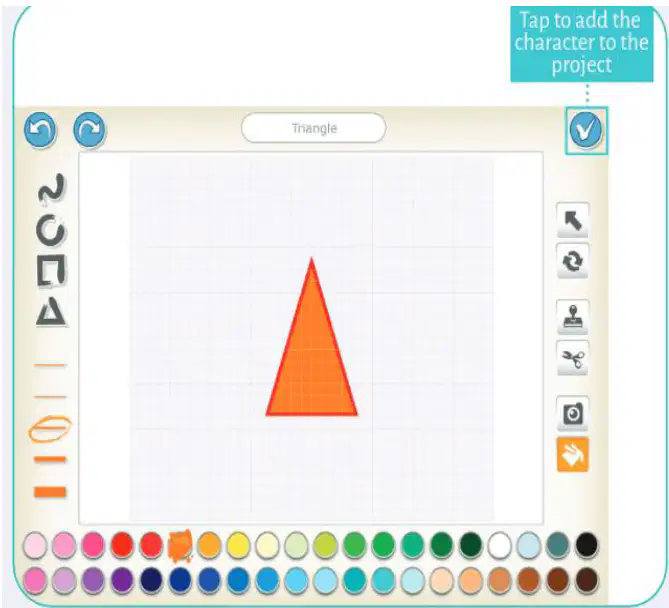
Which tool icon would you choose to make a triangle shape?
Circle tool on the left bar
Triangle tool on the left bar
Square tool on the left bar
Line tool on the left bar
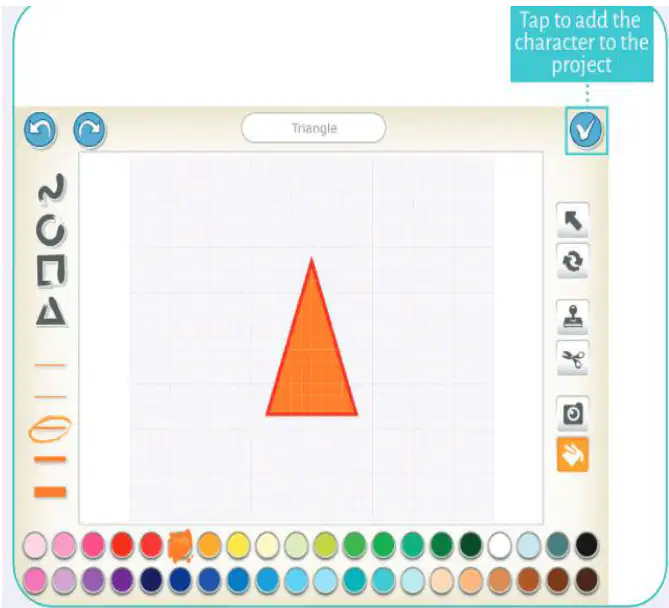
When your triangle is ready, what confirms adding it to the project?
Dragging the triangle outside
Tapping the tick mark once
Choosing a new tool quickly
Changing the background color
Which tool would you use in a coding app to draw a square with equal sides?
Color picker with palette setting
Erase tool with thickness setting
Text tool with font size setting
Shape tool with side length setting
If a program draws a triangle with sides of different lengths, what kind of triangle is it?
Scalene triangle shape
Equilateral triangle shape
Perfect circle triangle
Square corner triangle

